Install
This is the repository archive. It installs, but the folder name will carry the branch suffix and updates will not flow.
Install straight from GitHub with WP-CLI:
wp plugin install https://github.com/mahangu/trolltrap/archive/refs/heads/master.zipTroll Trap is a WordPress plugin that selectively filters and obfuscates comments based on keywords found in them — a moderation tier between Approved and Unapproved that keeps a comment visible while making its content inaccessible to readers.
Status:
1.0.0-alpha.6— an early release. The core features are in place and covered by CI across WordPress 6.5–nightly and PHP 8.0–8.3, but expect rough edges. Bug reports and feedback are very welcome.
Troll Trap's functionality is twofold.
1. Filter incoming comments automatically
The Comment Graylist under Settings > Discussion > Troll Trap works like WordPress' built-in Disallowed Comment Keys, checking the content, author name, URL, email, IP address and user agent of every new comment. When a comment matches a keyword, the default Troll Trap filter is applied to it automatically.
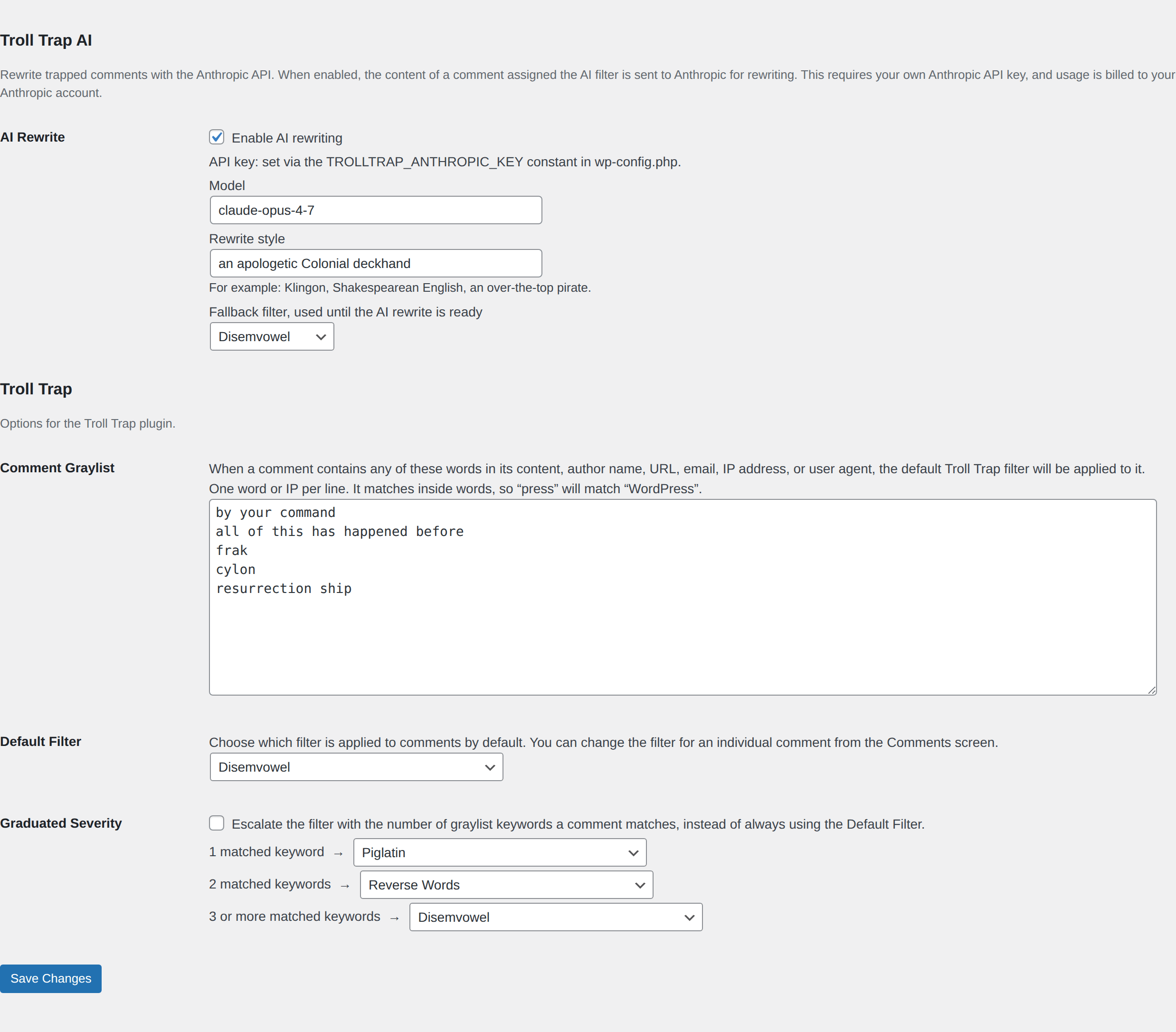
Each matched comment is transformed by one of eight built-in filters — pig latin, leetspeak, mocking case, uwu, reversed, ROT13, disemvowelled, or zalgo. Developers can register their own. An optional AI Rewrite filter can rewrite a comment in any style you describe (Klingon, Shakespearean, …) via the Anthropic API — opt-in, bring-your-own API key, with bounded retry and a manual regenerate.
A Comment Allowlist sits alongside the graylist for trusted authors, emails, URLs, IPs, and user-agent fragments. Matches there bypass the graylist entirely. Allowlist matching is restricted to author identity fields, so a troll cannot bypass by quoting a trusted email in their comment body.
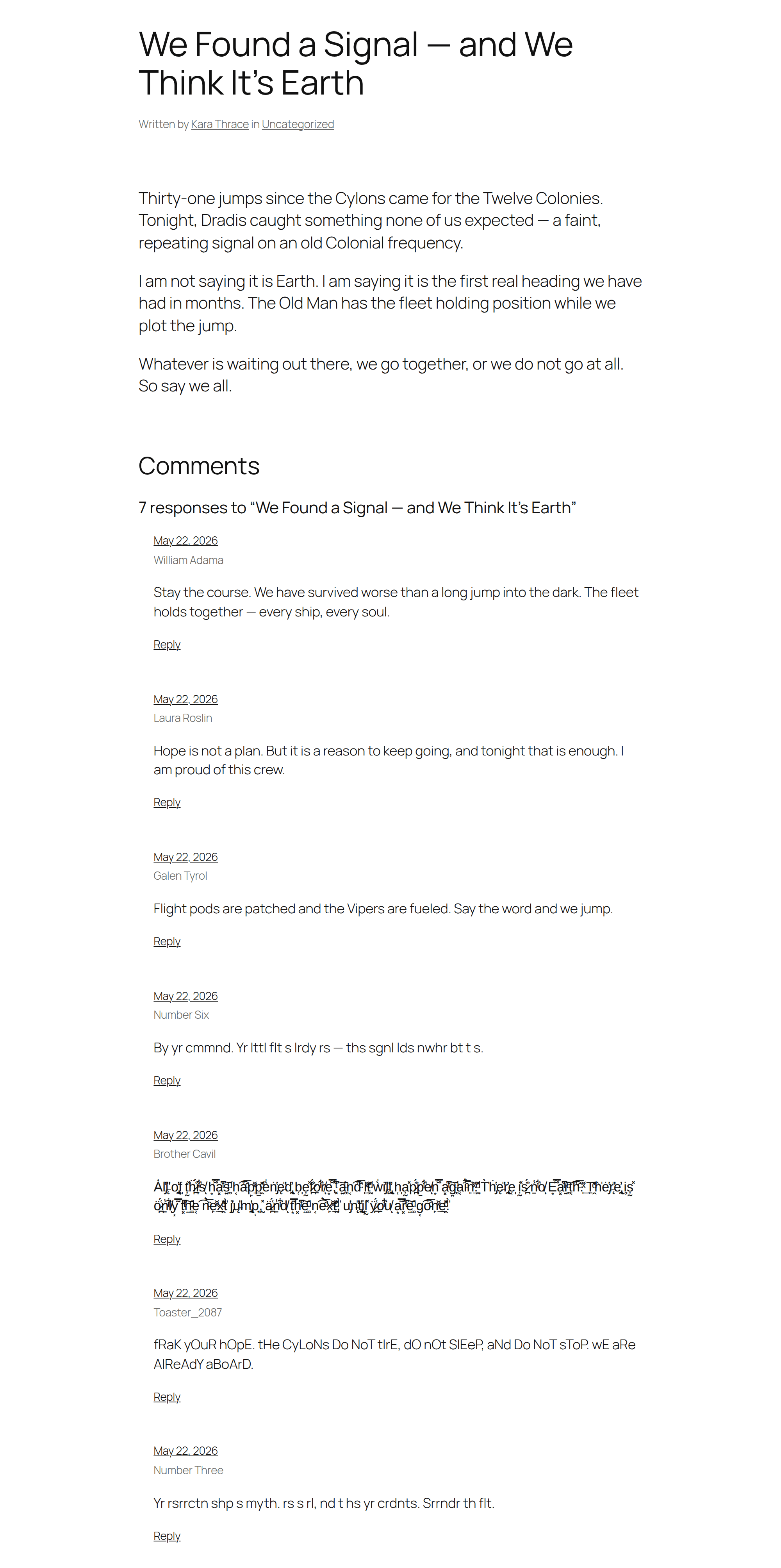
2. Filter existing comments manually
Apply the same obfuscation filters to any existing comment from the Comments panel — one comment at a time, or in bulk with the Mark as Troll, Untrap, and Re-evaluate against graylist bulk actions. The Comments column shows which graylist keywords each trapped comment matched and whether the AI rewrite (if used) is ready, pending, or failed.
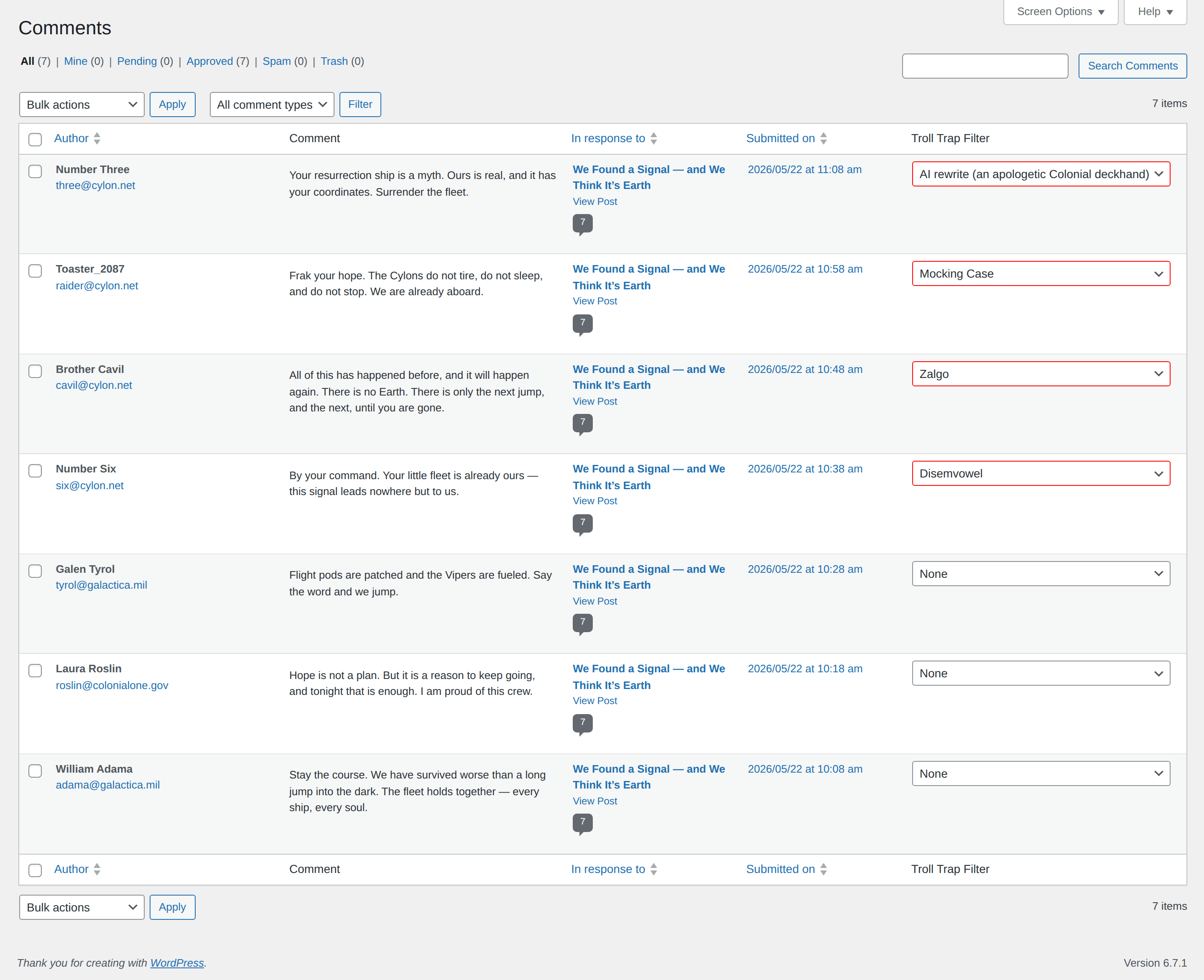
Troll Trap creates a level of comment moderation between Approved and Unapproved, letting you keep a comment visible on your site while making its content inaccessible to your readers.
WP-CLI
Every moderation action has a CLI equivalent for operators who prefer the command line:
wp trolltrap mark <comment-id> [--filter=<slug>]
wp trolltrap untrap <comment-id>
wp trolltrap reevaluate <comment-id>
wp trolltrap reevaluate --all [--batch-size=<n>]
wp trolltrap regenerate-ai <comment-id>
wp trolltrap status <comment-id> [--format=<format>]
wp trolltrap filters
wp trolltrap stats
wp trolltrap dry-run-graylist --keywords="badger,mushroom"
wp trolltrap dry-run-allowlist --keywords="trusted@example.com"
dry-run-graylist and dry-run-allowlist are particularly useful for testing candidate keyword lists against existing comments before committing them to the live settings.
Theming
Trapped comments get extra CSS classes on the comment wrapper so themes can style them distinctly:
trolltrap-trapped— present on every trapped comment.trolltrap-filter-<slug>— the specific filter assigned (e.g.trolltrap-filter-zalgo).trolltrap-ai-failed— present when the AI rewrite exhausted its retries; the front end shows the fallback filter.
Extending
Third-party plugins can register their own filters on the trolltrap_register_filters action:
add_action( 'trolltrap_register_filters', function ( $registry ) {
    $registry->register( 'shout', 'Shout', function ( $text ) {
        return mb_strtoupper( $text );
    }, 1 );
} );
Requirements
- WordPress 6.5 or newer
- PHP 8.0 or newer
Contributing
Issues and pull requests are welcome.