Install
This is the repository archive. It installs, but the folder name will carry the branch suffix and updates will not flow.
Install straight from GitHub with WP-CLI:
wp plugin install https://github.com/maciejbis/wpcoremonitor/archive/refs/heads/main.zipNo built-in updater. New versions won't appear under Dashboard → Updates. Install new releases yourself, or let Git Updater track the repository.
Backtrace WordPress Redirects + Extract Action & Filter Hooks from Plugins and Themes
WP Core Monitor is a lightweight tool designed to help advanced WordPress users debug theme and plugin conflicts. The plugin offers two useful functionalities that cannot be found in other debugging tools.
It does not need to be activated at all time. You can enable it just for the debugging process, after which you can either disable in the settings the debug info (displayed in the front-end) or deactivate the plug-in entirely.
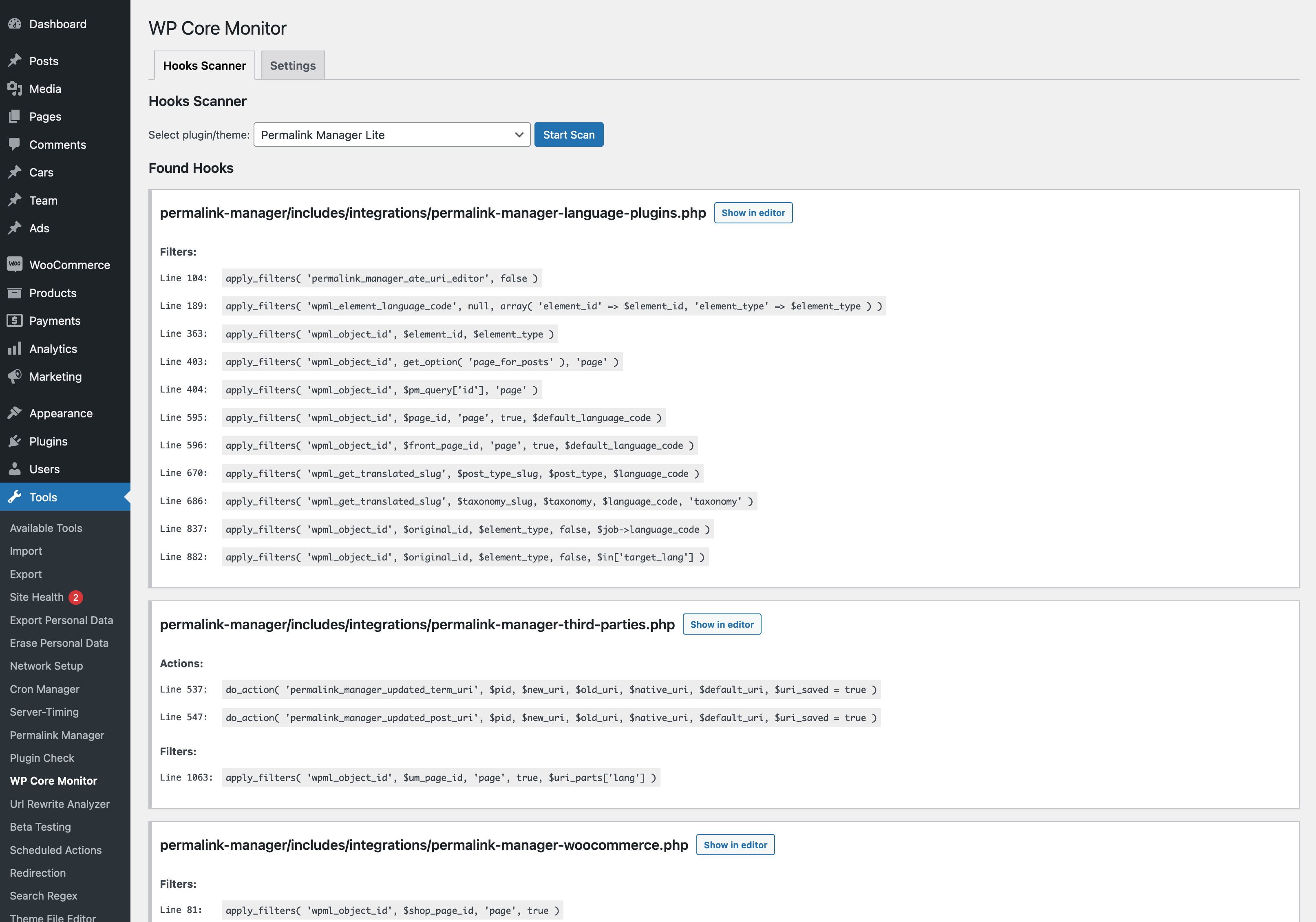
- Hooks Scanner that can be used to scan plugins and themes to identify available action and filter hooks for customization and troubleshooting.
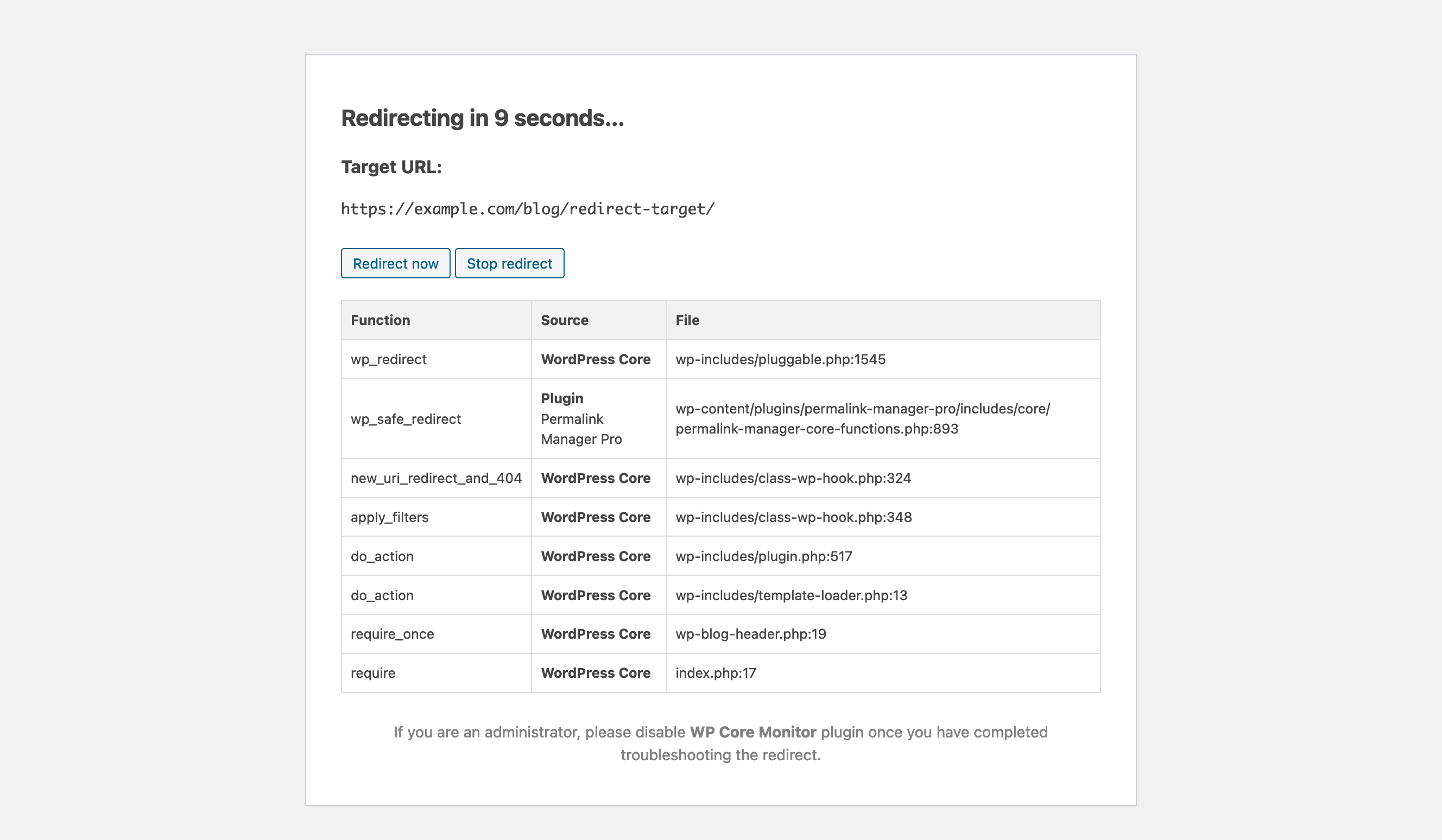
- Redirect Debugger allowing to trace WordPress-based redirects and pinpoint the exact plugin or theme calling the wp_redirect() function.
Download the plugin | Getting started | FAQ