LW ZenAdmin WP Registry grade A. No security issues foundWP RegistryNo security issues foundOpen the reportA
Clean up your WordPress admin — notices sidebar, dashboard widget manager, and admin menu manager
Install
Upload it under Plugins → Add New Plugin → Upload Plugin, then activate.
Install straight from GitHub with WP-CLI:
wp plugin install https://github.com/lwplugins/lw-zenadmin/releases/download/v1.4.2/lw-zenadmin-1.4.2.zipOn Packagist as lwplugins/lw-zenadmin:
composer require lwplugins/lw-zenadminLightweight ZenAdmin
Clean up your WordPress admin — notices sidebar, dashboard widgets, admin menu, and admin bar manager.
Before & After
| Before | After |
|---|---|
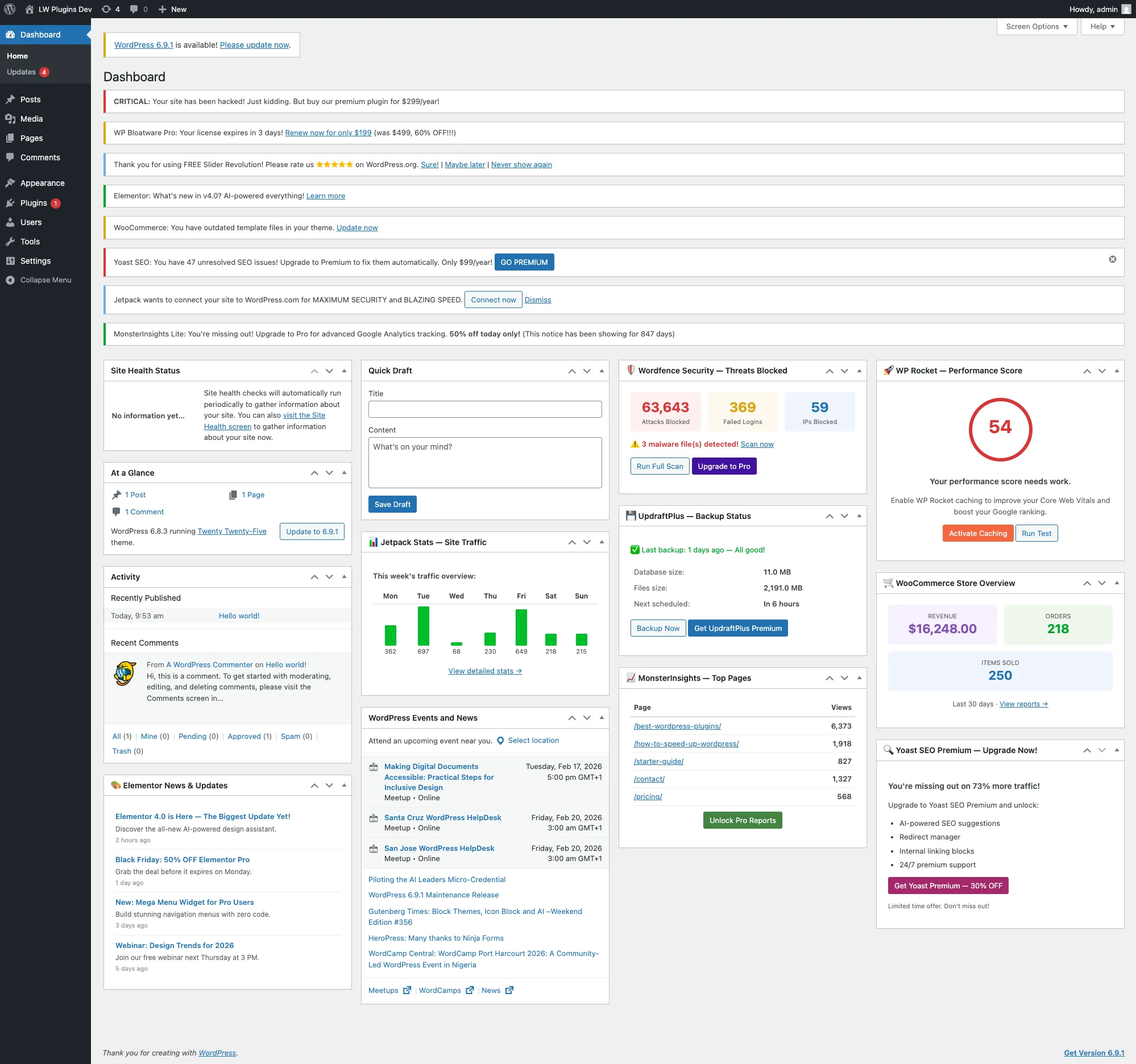 |
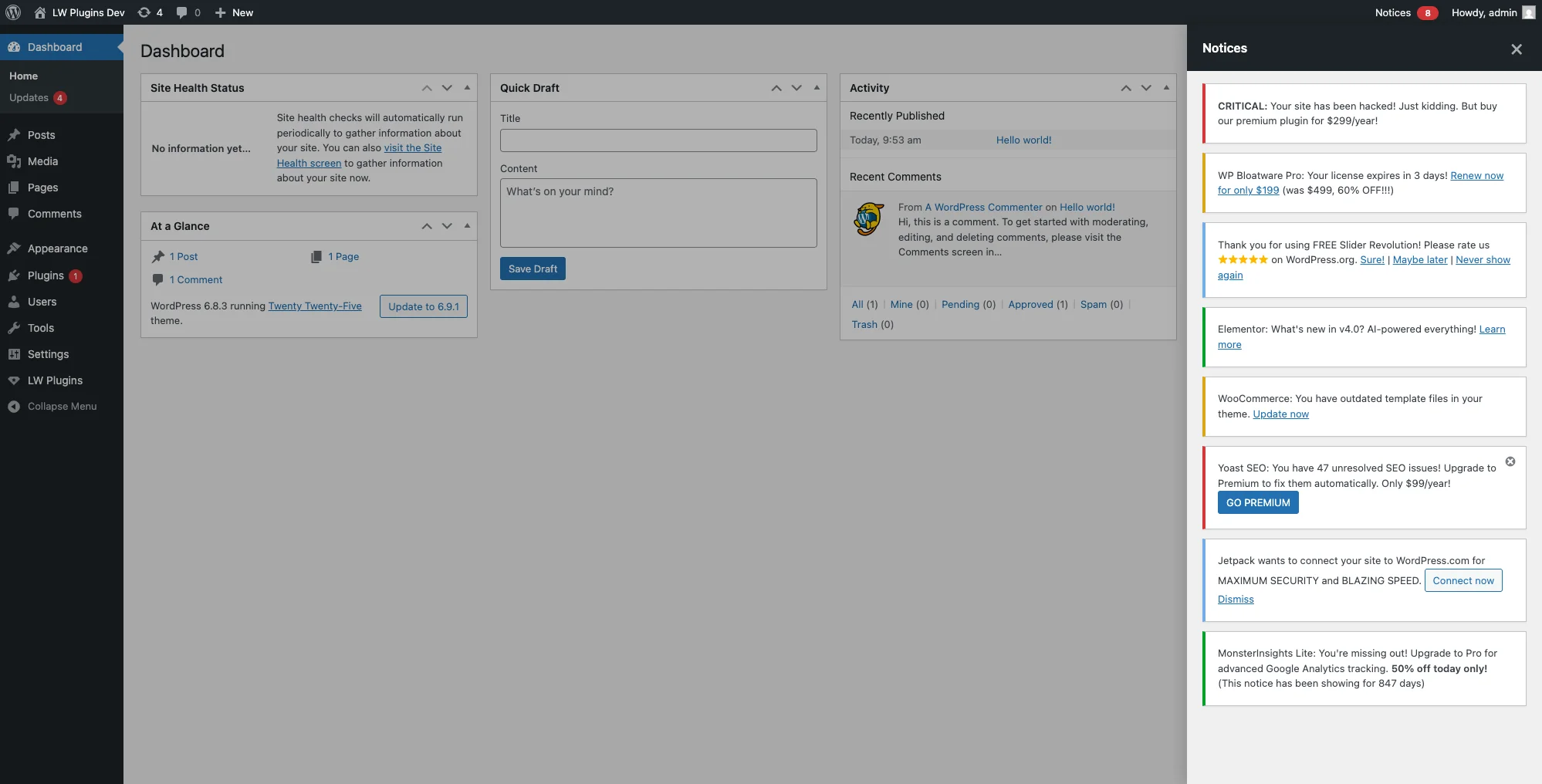 |
Features
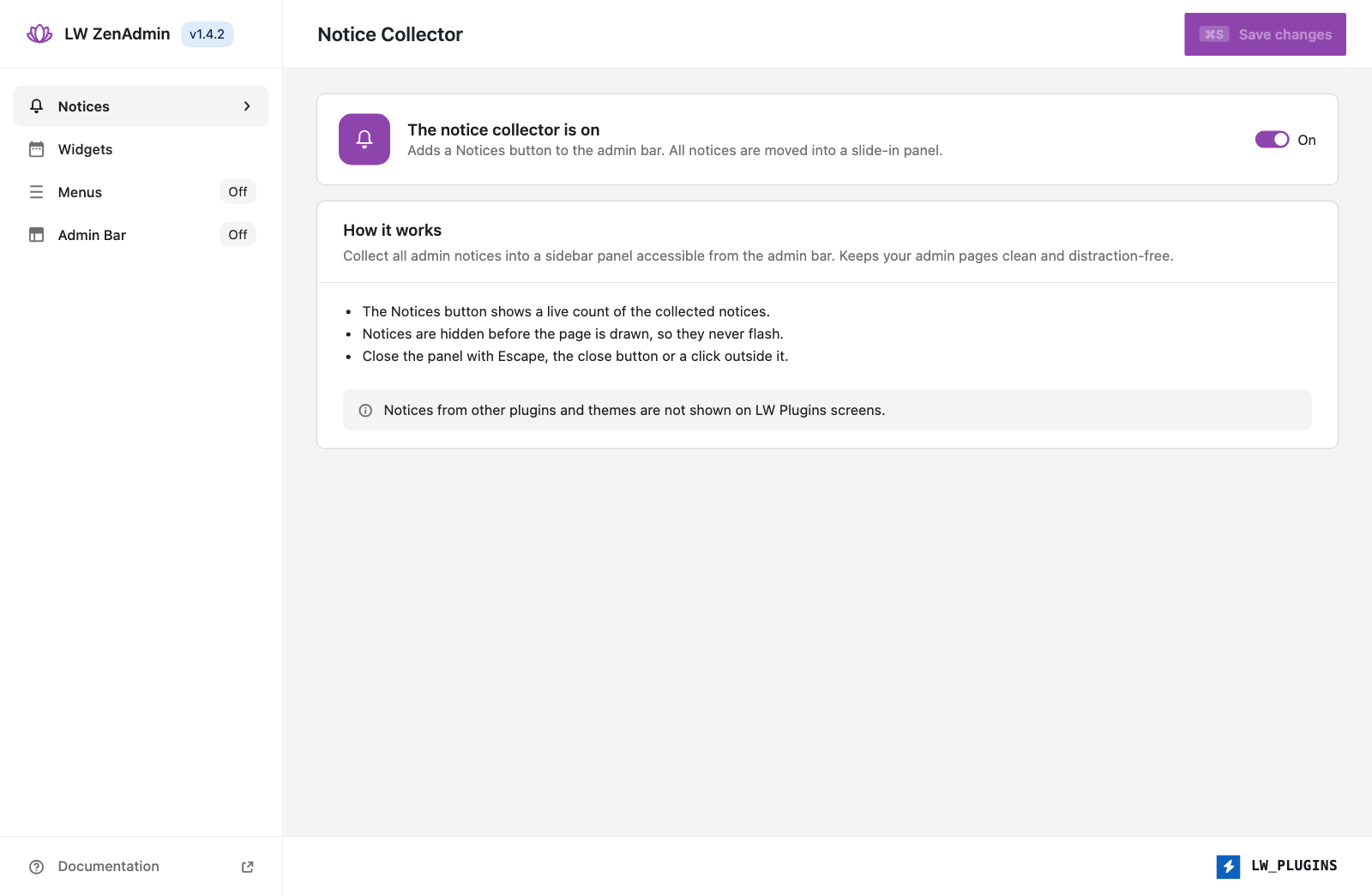
Notice Collector
Collects all admin notices into a slide-in sidebar panel accessible from the admin bar.
- Admin bar button — "Notices" label with a live badge count
- Sidebar panel — slides in from the right with all collected notices
- Flash-free — early CSS hides notices before JS loads
- Dynamic — picks up notices generated during plugin updates/installs
- Multiple close methods — Escape key, overlay click, or X button
Dashboard Widget Manager
Controls which widgets appear on the WordPress dashboard, grouped by source.
- Auto-discovery — detects all registered dashboard widgets automatically
- Grouped display — WordPress Core, WooCommerce, Third-party
- Sensible defaults — Core + WooCommerce visible, Third-party hidden
- Checkbox UI — simple table interface on the settings page
Admin Menu Manager
The WordPress admin sidebar is packed with menu items — most of which are rarely needed after the initial site setup. Media, Comments, Tools, and various plugin menus just add clutter and hurt usability, especially for non-technical users. The Admin Menu Manager lets you decide which menu items stay visible.
- Auto-discovery — automatically detects all registered menus and submenus
- Grouped display — WordPress Core, WooCommerce, LW Plugins, Third-party
- Protected menus — Dashboard, Settings, Plugins, and LW Plugins can never be hidden, preventing lockouts
- Submenu-level control — manage individual submenu items, not just top-level menus
- Disabled by default — only activates when you enable it in the settings
Admin Bar Manager
Cache plugins (LiteSpeed, WP Rocket), SEO tools, and other plugins love adding items to the admin bar. The Admin Bar Manager lets you hide the ones you don't need.
- Auto-discovery — detects all registered admin bar nodes automatically
- Grouped display — WordPress Core, WooCommerce, Third-party
- Protected items — My Account and Logout can never be hidden, preventing lockouts
- Works everywhere — filters the admin bar on both admin pages and the frontend
- Disabled by default — only activates when you enable it in the settings
WP-CLI
Full CLI support for toggling features, managing widgets and menus.
# Feature management
wp lw-zenadmin status
wp lw-zenadmin enable notices_enabled
wp lw-zenadmin disable widgets_enabled

# Widget management
wp lw-zenadmin widget list
wp lw-zenadmin widget show dashboard_quick_press
wp lw-zenadmin widget hide dashboard_primary
wp lw-zenadmin widget show-all
wp lw-zenadmin widget hide-all
wp lw-zenadmin widget reset

# Menu management
wp lw-zenadmin menu list
wp lw-zenadmin menu show tools.php
wp lw-zenadmin menu hide edit-comments.php
wp lw-zenadmin menu show-all
wp lw-zenadmin menu hide-all
wp lw-zenadmin menu reset
See docs/CLI.md for the complete command reference.
Installation
composer require lwplugins/lw-zenadminOr download and upload to /wp-content/plugins/.
Usage
- Go to LW Plugins → ZenAdmin
- Toggle Notice Collector, Widget Manager, Menu Manager, and Admin Bar Manager on/off
- Configure widget visibility in the Widgets tab
- Configure menu visibility in the Menus tab
- Configure admin bar visibility in the Admin Bar tab
Settings
| Option | Default | Description |
|---|---|---|
notices_enabled |
true |
Enable/disable the notice collector |
widgets_enabled |
true |
Enable/disable the widget manager |
menu_enabled |
false |
Enable/disable the admin menu manager |
adminbar_enabled |
false |
Enable/disable the admin bar manager |
Widget, menu, and admin bar visibility are stored separately and can be managed from the admin UI or CLI.
Documentation
Development
# Install dependencies
composer install

# Run code sniffer
composer phpcs

# Fix coding standards
composer phpcbf
Links
License
GPL-2.0-or-later
Sponsor

Supported by Sinann
Releases
20 releases. Each count is every asset in that release; expand a row for the breakdown.