Install
This is the repository archive. It installs, but the folder name will carry the branch suffix and updates will not flow.
Install straight from GitHub with WP-CLI:
wp plugin install https://github.com/lukawe/encpadnote/archive/refs/heads/main.zipNo built-in updater. New versions won't appear under Dashboard → Updates. Install new releases yourself, or let Git Updater track the repository.
A serverless markdown editor WordPress plugin that stores content entirely in the URL hash. No database, no server storage — just share a link. Inspired by Buffertab.
⚠️ Work in Progress — This plugin was partly vibed. Expect rough edges.
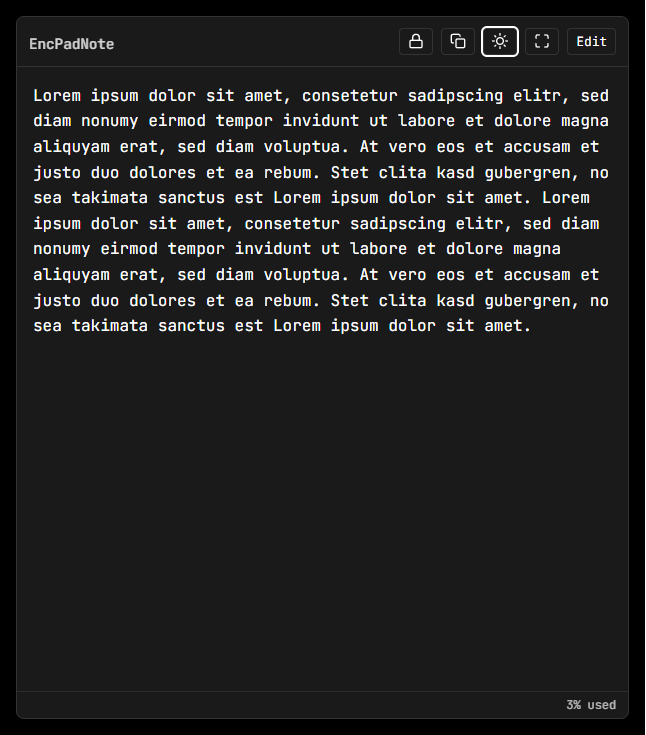
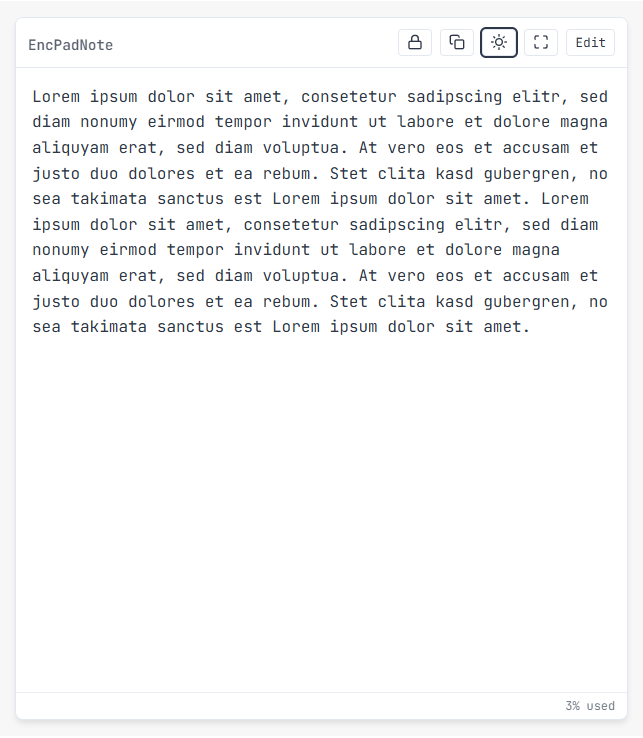
📸 Screenshots
 |
 |
|---|---|
| Dark Mode | Light Mode |
Features
- ✅ Serverless Storage — All content lives in the URL. No database required.
- ✅ Markdown Support — Full GitHub Flavored Markdown (GFM) with live preview.
- ✅ Optional Encryption — AES-256-GCM client-side encryption with PBKDF2 key derivation.
- ✅ Dark Mode — Automatic system detection + manual toggle.
- ✅ Fullscreen Mode — Distraction-free writing.
- ✅ Copy Link Button — One-click sharing.
URL Length Limits
Content is compressed (Deflate) and Base64-encoded into the URL hash.
| Browser | Max URL Length | Approx. Text Capacity |
|---|---|---|
| Chrome/Edge | ~2MB+ | ~500k+ chars |
| Firefox | ~64KB+ | ~100k+ chars |
| Safari | ~80KB | ~120k+ chars |
| IE/Legacy | ~2KB | ~3k chars |
Recommendation: For cross-browser/email compatibility, keep under 8,000 characters (shown as "100% used").
Limitations
- ❌ No collaboration — Single-user, URL-based storage only.
- ❌ No version history — Each edit overwrites the URL.
- ❌ No image uploads — Markdown images must link externally.
- ❌ Browser-dependent — Older browsers may truncate long URLs silently.
- ❌ Password recovery impossible — Encrypted notes are unrecoverable without the password.
Installation
- Zip the
padnote-wpfolder. - WordPress Admin → Plugins → Add New → Upload Plugin.
- Activate "EncPadNote".
- Add
[encpadnote]shortcode to any page.
Usage
[encpadnote]              // Default 80vh height
[encpadnote height="600px"]  // Custom height
Security
- XSS protection via DOMPurify sanitization.
- Encryption uses AES-256-GCM with 600,000 PBKDF2 iterations.
- No server-side data processing — all logic runs in the browser.