Install
This is the repository archive. It installs, but the folder name will carry the branch suffix and updates will not flow.
Install straight from GitHub with WP-CLI:
wp plugin install https://github.com/lookee/glitchepoch/archive/refs/heads/main.zipTime, rendered beautifully. An elegant, lightweight, open-source elapsed-time counter for WordPress.
✨ Try the interactive demo
Why GlitchEpoch?
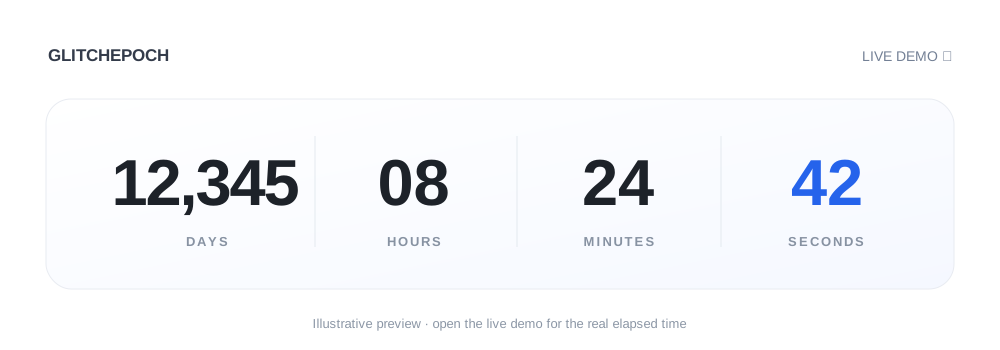
A time counter should be simple, precise, and beautiful. GlitchEpoch keeps the interface deliberately quiet: four large numbers, clear labels, a subtle white card, and an optional accent color. No account, no setup wizard, no tracking, and no external dependencies.
- Elegant by design: clean typography, white canvas, restrained shadows and micro-interactions.
- Precise: UTC instants on the client, avoiding daylight-saving errors and timer drift.
- Lightweight: native PHP, CSS and JavaScript; no frontend frameworks.
- Responsive: four columns on larger screens, two-by-two on small screens.
- Privacy-friendly: no analytics, cookies, network calls or third-party scripts in the WordPress plugin.
- Accessible: timer semantics and reduced-motion support.
Quick start
- Download the installable GlitchEpoch v1.0.0 WordPress ZIP from the official release.
- In WordPress choose Plugins → Add New → Upload Plugin, upload the ZIP and activate it.
- Open Settings → GlitchEpoch to view the usage guide.
- Add a Shortcode block in an article or page:
[glitchepoch start="2010-12-05 02:00:00" timezone="Europe/Rome"]To customize the blue accent:
[glitchepoch start="2020-01-01 00:00" timezone="UTC" accent="#2563EB"]Shortcode parameters
| Parameter | Required | Example | Notes |
|---|---|---|---|
start |
Yes | 2010-12-05 02:00:00 |
YYYY-MM-DD HH:MM[:SS] |
timezone |
No | Europe/Rome |
IANA zone; defaults to WordPress site timezone |
accent |
No | #007AFF |
3- or 6-digit hexadecimal color |
Invalid dates and nonexistent local times during daylight-saving transitions are rejected. For a date in the future, the counter shows zero until that instant arrives.
How the live demo works
The demo starts counting from the actual timestamp of this repository's first Git commit. GitHub Actions checks out the complete Git history, reads the oldest root commit and generates the first-commit.json data file at deployment time. No timestamp is hard-coded.
Development
Requirements: PHP 7.4+, Node.js and Python 3.10+ for validation and packaging. The plugin itself has no build dependencies.
php -l glitchepoch.php
node --check assets/js/glitchepoch.js
php tests/smoke.php
node --test tests/counter.test.cjs
python3 -m unittest discover -s tests -p "test_*.py"
python3 scripts/build_demo.py --output site
python3 -m http.server 8080 --directory site
For the installable WordPress distribution:
python3 scripts/package_plugin.py --output dist/glitchepoch.zipRepository maintenance
- GitHub Pages: open Settings → Pages, choose Build and deployment → GitHub Actions. The workflow publishes the demo after pushes to
main. - Demo origin: the oldest Git root commit time is read automatically from complete history.
- WordPress ZIP: publish a tag such as
v1.0.0to build and attach the archive to a GitHub Release. - Quality checks: CI validates PHP, JavaScript, tests and the ZIP on every push and pull request.
Contributing and security
See CONTRIBUTING.md for guidance and SECURITY.md for private vulnerability reporting.
Author and links
GlitchEpoch was created and is maintained by Luca Amore.
- Personal website: lucaamore.com
- GitHub profile: github.com/lookee
- Source and issues: lookee/glitchepoch
License
Copyright © 2026 Luca Amore. Licensed under GPL-2.0-or-later.