Install
This is the repository archive. It installs, but the folder name will carry the branch suffix and updates will not flow.
Install straight from GitHub with WP-CLI:
wp plugin install https://github.com/lenasterg/lsah-admin-help-search/archive/refs/heads/main.zipA WordPress plugin that adds a quick help search box directly in the admin menu.
Configurable search URL, full search term logging, and built-in statistics page. Fully compatible with multisite networks.
Description
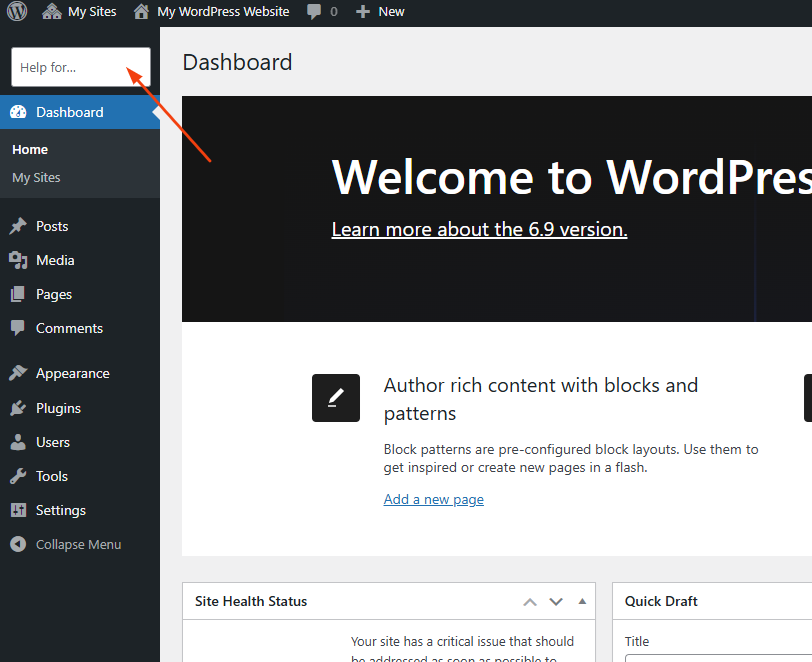
LSAH Admin Help Search adds a convenient search field right in the WordPress admin menu (position 1, immediately after the Dashboard). Administrators can quickly search your custom help documentation, knowledge base, or any external search engine.
Key Features
- Works on all sites in a multisite network and on single-site installations.
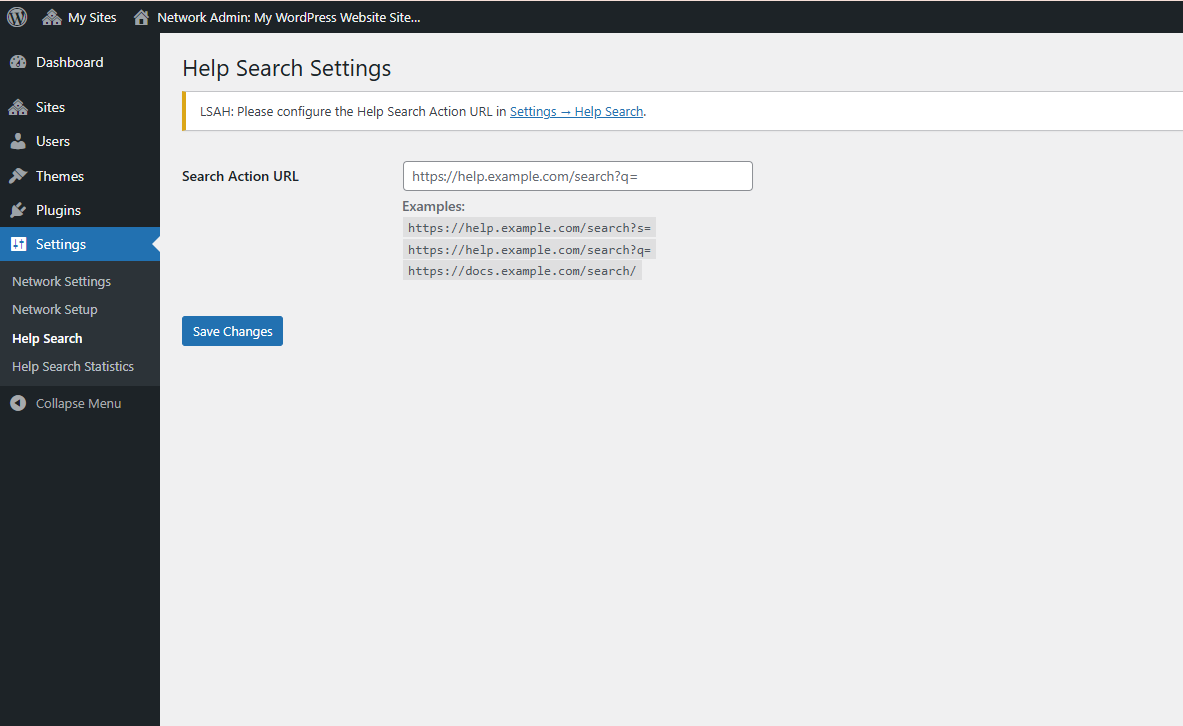
- Configurable search action URL (set by Network Admin or site admin).
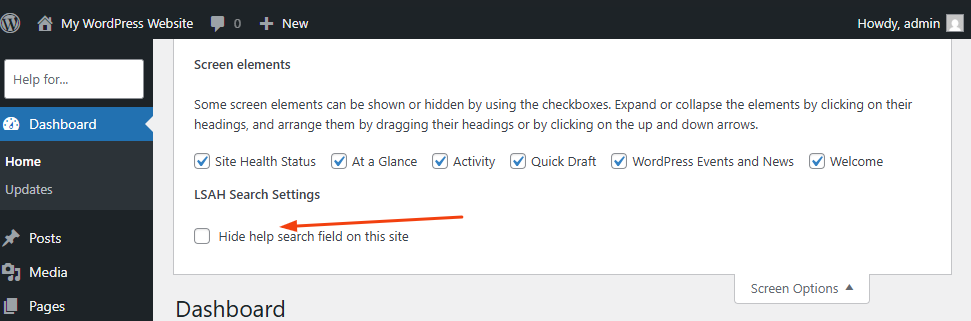
- User can hide the help search field, via the Screen Options.
- Captures search queries from both the WordPress Dashboard and directly from the frontend of your designated Manual/Help site (if in same multisite).
- Logs every search in a network-wide database table (
{prefix}lsah_admin_searches) including:- Site ID (
blog_id) - Search term
- Full search URL
- Count
- First and last searched dates
- Site ID (
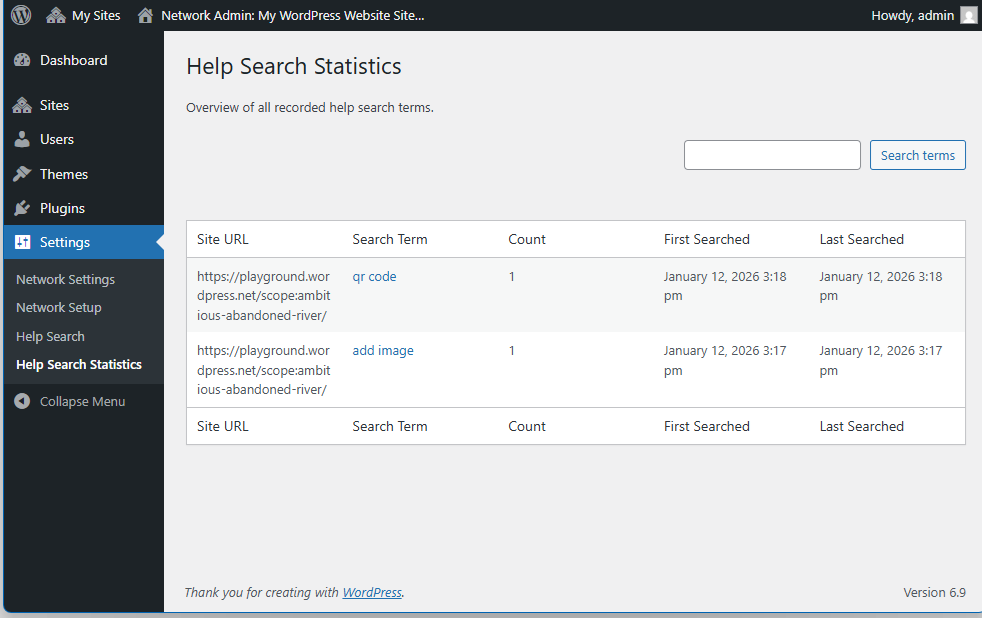
- Statistics page with a table of all recorded searches (Network Admin → Settings → Help Search Statistics).
- Optimized Performance: Features "fail-early" logic (3-character minimum) and multibyte support (Greek/UTF-8) to ensure high-quality data and zero site slowdown.
- Translation-ready (
lsah-admin-help-searchtext domain).
Ideal for multisite networks with a centralized help system (e.g., internal wiki, custom manual, WordPress.org, Google Custom Search, Algolia, etc.).
Installation
- Upload the
lsah-admin-help-searchfolder to/wp-content/plugins/. - Activate the plugin:
- On multisite: via Network Admin → Plugins
- On single-site: via Plugins
- Go to:
- Multisite: Network Admin → Settings → Help Search
- Single-site: Settings → Help Search
- Enter your search results URL (e.g.,
https://help.example.com/search?q=).
The URL must start withhttp://orhttps://. - Click Save Changes.
The "Help for…" search box will appear in the admin menu for all administrators.
Screenshots
-
Settings page in Network Admin
-
The Help search box in the admin menu
-
The option to hide the Help search box via the 'Screen Options'.
-
Statistics page with recorded searches
Frequently Asked Questions
Does it work on single-site installations?
Yes — it works perfectly on both single-site and multisite setups.
Where are the searches stored?
In a network-wide table named {prefix}lsah_admin_searches (using your database prefix). The blog_id column distinguishes searches per site.
Can I view search statistics?
Yes! Visit Network Admin → Settings → Help Search Statistics (or Settings → Help Search Statistics on single-site) for a full searchable and sortable overview.
Is the plugin secure?
I think so. It includes:
- Strict URL validation (client-side JavaScript + server-side PHP)
- Safe form handling via enqueued JS
- Nonce verification for AJAX logging
- Full input sanitization and output escaping
Changelog
1.2.1
- Enhancement: Add settings and statistics links under plugin's name in plugins page.
- Fix: Prevented screen options from appearing in the Network Admin context.
- Documentation: Added missing phpDoc in some function
- Refactor: Optimized to load only in the appropriate admin context.
1.2.0
- Updated plugin name and version, improved permission checks
- Added functionality for subsite member to hide the help search field, via the Screen Options.
- Enhanced user feedback messages and AJAX handling for user preferences.
1.1.0
- NEW: Added tracking for searches performed directly on the manual's frontend.
- IMPROVEMENT: Refactored core logging into a central function for consistency.
- IMPROVEMENT: Implemented a smart de-duplication mechanism (5-second window).
- IMPROVEMENT: Added 3-character minimum requirement for search logging (multibyte/Greek supported).
1.0.0
- Initial public release
- Configurable search URL with full validation
- Network-wide search logging with site support
- Secure implementation using enqueued assets
- Built-in statistics page using
WP_List_Table - Translation-ready strings
- Comprehensive PHPDoc documentation
License
This plugin is licensed under the GPLv2 or later.
https://www.gnu.org/licenses/gpl-2.0.html
Made with ❤️ by lenasterg