Custom Reset Password Page
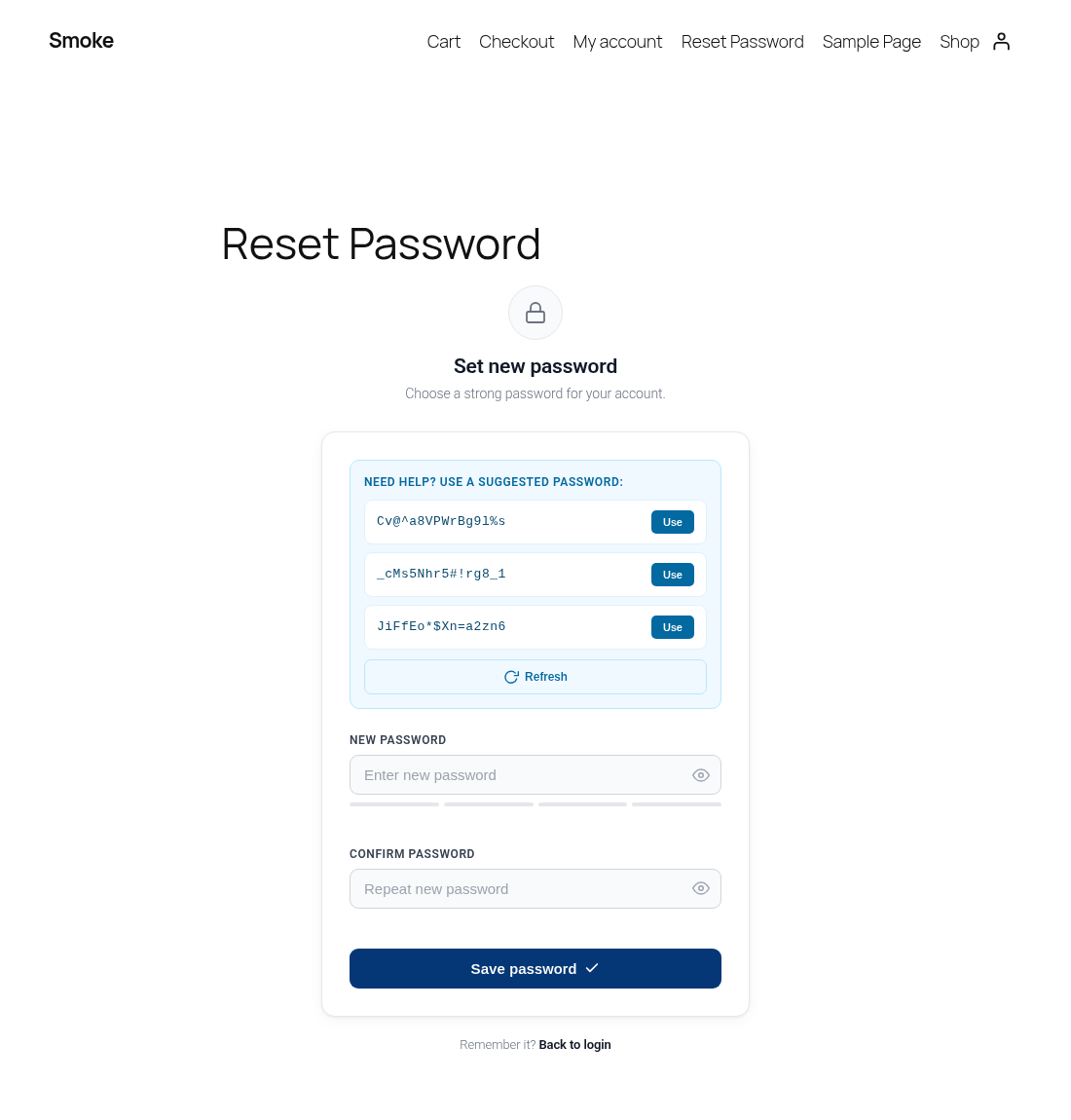
Replaces the WordPress wp-login.php reset screen with a styled front-end page, featuring a strength meter and secure password suggestions.
by Lawrance Babu Gain · github.com/lawrancebabu/custom-reset-password · website
Install
No release zip yet. The repository archive installs, but the folder name will carry the branch suffix and updates will not flow:
wp plugin install https://github.com/lawrancebabu/custom-reset-password/archive/refs/heads/main.zipA WordPress plugin that replaces the default wp-login.php password reset screen with a styled, on-brand front-end page, complete with a strength meter and secure password suggestions.
Features
- Seamless redirect: password reset links from WordPress (and front-end URLs carrying reset parameters) land on your own page instead of
wp-login.php. - Shortcode based:
[custom_reset_password_form]renders the form on any page, so it inherits your theme. - Auto setup: activation reuses an existing
/reset-password/page or creates one with the shortcode. - Password suggestions: three strong 16-character passwords generated in the browser with
crypto.getRandomValues(), one click to use. - Live feedback: four-step strength meter, match indicator and show / hide toggles.
- AJAX submit with inline success and error messages, then a redirect to a configurable URL.
- Graceful fallback: if no reset page is published, the default WordPress screen is used.
- Works for logged-in users as well as guests.
- Settings screen for the reset page, redirect URL, "Back to login" link, button color and minimum password length.
- Translation ready with a bundled
.potfile.
Screenshots
| Reset form | Expired or invalid link |
|---|---|
|
 |
Installation
- Download the latest release zip (or clone this repository into
wp-content/plugins/). - In WordPress admin, go to Plugins > Add New > Upload Plugin and upload the zip.
- Activate Custom Reset Password Page. A "Reset Password" page is created (or reused) automatically.
cd wp-content/plugins
git clone https://github.com/lawrancebabu/custom-reset-password.git
Tip: block themes list new pages in the navigation automatically. Remove the "Reset Password" page from your menu if you do not want it there.
Configuration
Go to Settings > Reset Password Page:
| Setting | Description | Default |
|---|---|---|
| Reset page | Page containing [custom_reset_password_form]. "None" disables the redirect. |
Page created on activation |
| Redirect after success | Where users go after saving a new password. Must be on this site. | Homepage |
| "Back to login" link | Target of the link under the form. | Homepage |
| Button color | Hex color for the submit and "Request a new link" buttons. | #053776 |
| Minimum password length | Enforced in the browser and on the server (6 to 64). | 8 |
Settings are stored in a single option, crp_options.
How It Works
- A user requests a reset and clicks the emailed link (
wp-login.php?action=rp&key=...&login=...). - On
login_form_rp/login_form_resetpassthe plugin stores the credentials in WordPress core's ownwp-resetpass-{COOKIEHASH}cookie (HttpOnly, Secure on HTTPS) and redirects to the reset page. - The shortcode validates the key with
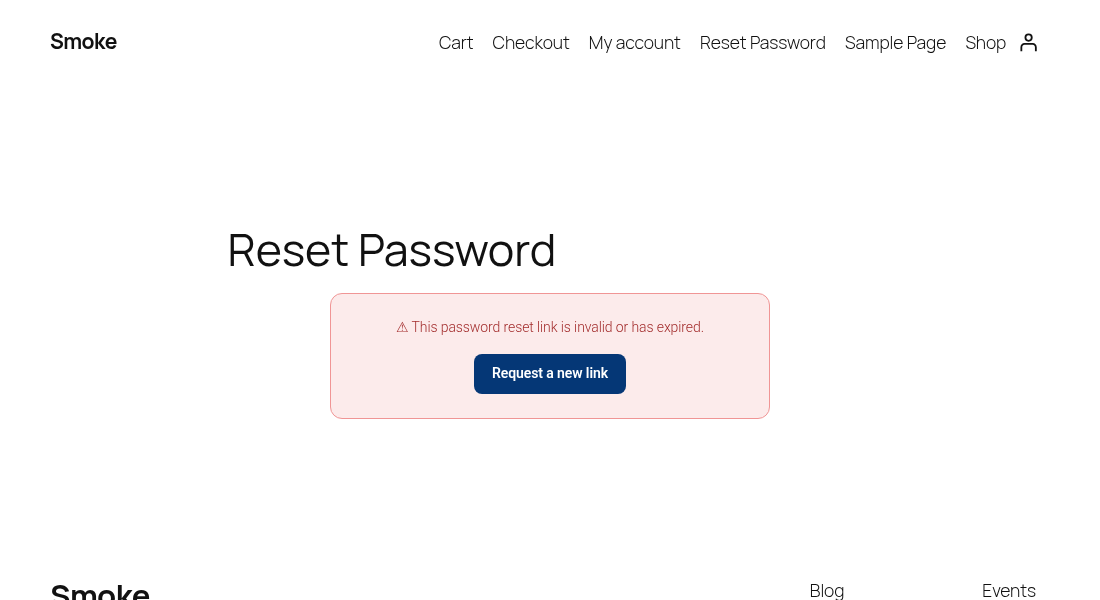
check_password_reset_key()and renders either the form or an "invalid or expired" message with a link to request a new one. - The form posts to
admin-ajax.php. The handler verifies the nonce, validates the passwords, re-validates the key, fires core'svalidate_password_resetaction (so password policy plugins still apply), then callsreset_password()and clears the cookie.
Hooks used
| Hook | Type | Purpose |
|---|---|---|
login_form_rp, login_form_resetpass |
action | Redirect core reset links to the custom page. |
template_redirect |
action | Redirect front-end URLs with reset parameters; send no-cache and Referrer-Policy: no-referrer headers on the reset page. |
wp_enqueue_scripts |
action | Register assets, enqueue them only where the form is used. |
wp_ajax_crp_reset_password, wp_ajax_nopriv_crp_reset_password |
action | AJAX password reset. |
validate_password_reset |
action (fired) | Lets other plugins add password rules, same as wp-login.php. |
admin_menu, admin_init |
action | Settings page and Settings API registration. |
init |
action | Loads translations. |
register_activation_hook |
activation | Creates or reuses the reset page. |
Security measures
ABSPATHdirect-access guard;WP_UNINSTALL_PLUGINguard onuninstall.php.- The reset key is always validated server-side with core's
check_password_reset_key(); keys are single-use. - Nonce verification on the AJAX request.
- Passwords are unslashed but otherwise passed to core untouched, so special characters work as typed.
- Reset page is sent with no-cache headers and
Referrer-Policy: no-referrerso the key in the URL is not cached or leaked to third-party resources. - Post-reset redirect is limited to allowed hosts with
wp_validate_redirect(). - Password suggestions use the Web Crypto API with rejection sampling and a Fisher-Yates shuffle (no
Math.random()). - Input sanitized with
sanitize_user,sanitize_text_field,absint,esc_url_rawandsanitize_hex_color; output escaped withesc_html,esc_attr,esc_urlandwp_kses. - Code checked with PHP_CodeSniffer using WordPress Coding Standards and PHPCompatibilityWP (
phpcs.xml.dist).
Uninstall
Deleting the plugin removes the crp_options setting. The reset page is regular site content and is left in place.
Development
composer global require wp-coding-standards/wpcs phpcompatibility/phpcompatibility-wp
phpcs            # uses phpcs.xml.dist
wp i18n make-pot . languages/custom-reset-password.pot --exclude=screenshots
Requirements
- WordPress 6.0 or later
- PHP 7.4 or later
File Structure
custom-reset-password/
├── custom-reset-password.php     # Main plugin file (redirects, shortcode, AJAX handler, settings)
├── uninstall.php                 # Removes plugin settings on uninstall
├── assets/
│   ├── crp.css                   # Form styles
│   └── crp.js                    # Strength meter, suggestions, show / hide, AJAX submit
├── languages/
│   └── custom-reset-password.pot # Translation template
├── screenshots/
│   ├── reset-form.png
│   └── invalid-link.png
├── phpcs.xml.dist                # Coding standards config
├── readme.txt                    # WordPress.org-style readme
├── README.md
├── LICENSE
└── .gitignore
License
GPL-2.0-or-later. See LICENSE.
Author
Lawrance Babu Gain, Senior PHP / WordPress / Laravel Developer
- GitHub: @lawrancebabu
- Website: hubstafftalent.net/profiles/lawrance-babu
- Email: lawrance1020@gmail.com