Latency Global - Uptime Monitoring
Monitor your WordPress site's uptime and performance from 110+ global locations.
Install
Upload it under Plugins → Add New Plugin → Upload Plugin, then activate.
Install straight from GitHub with WP-CLI:
wp plugin install https://github.com/latencyglobal/wordpress-plugin/releases/download/v1.0.0/latency-global-1.0.0.zipMonitor your WordPress site's uptime and performance from 110+ global locations. Get instant alerts when your site goes down.
Description
Latency Global provides enterprise-grade uptime monitoring for your WordPress site. Monitor your website from 110+ locations worldwide and get instant notifications when problems occur.
Key Features
- 🌍 Global Monitoring - Monitor from 110+ locations across North America, Europe, Asia, South America, and Oceania
- ⚡ Fast Check Intervals - Check your site every 10 seconds to 1 minute depending on your plan
- 🔔 Instant Alerts - Get notified via email, Slack, webhooks, or PagerDuty when issues occur
- 📊 Detailed Analytics - View response times, uptime percentages, and performance trends
- 🔒 SSL Monitoring - Get alerts before your SSL certificate expires
- 📱 Dashboard Widget - See your site status right in WordPress admin
- 🏷️ Uptime Badge - Display your uptime on your site with shortcodes
Screenshots
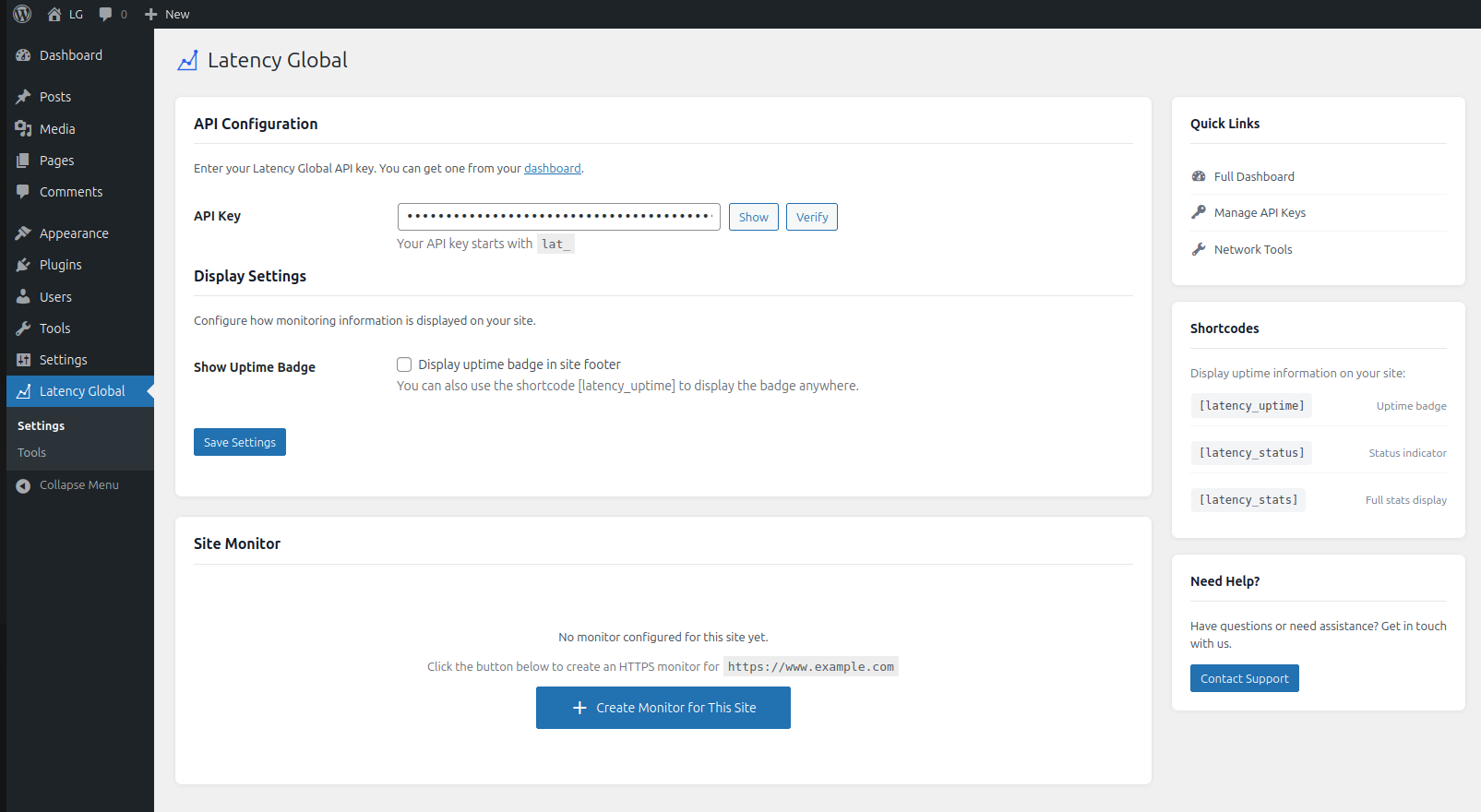
1. Plugin Settings Page
Configure your API key and manage monitors directly from WordPress admin.
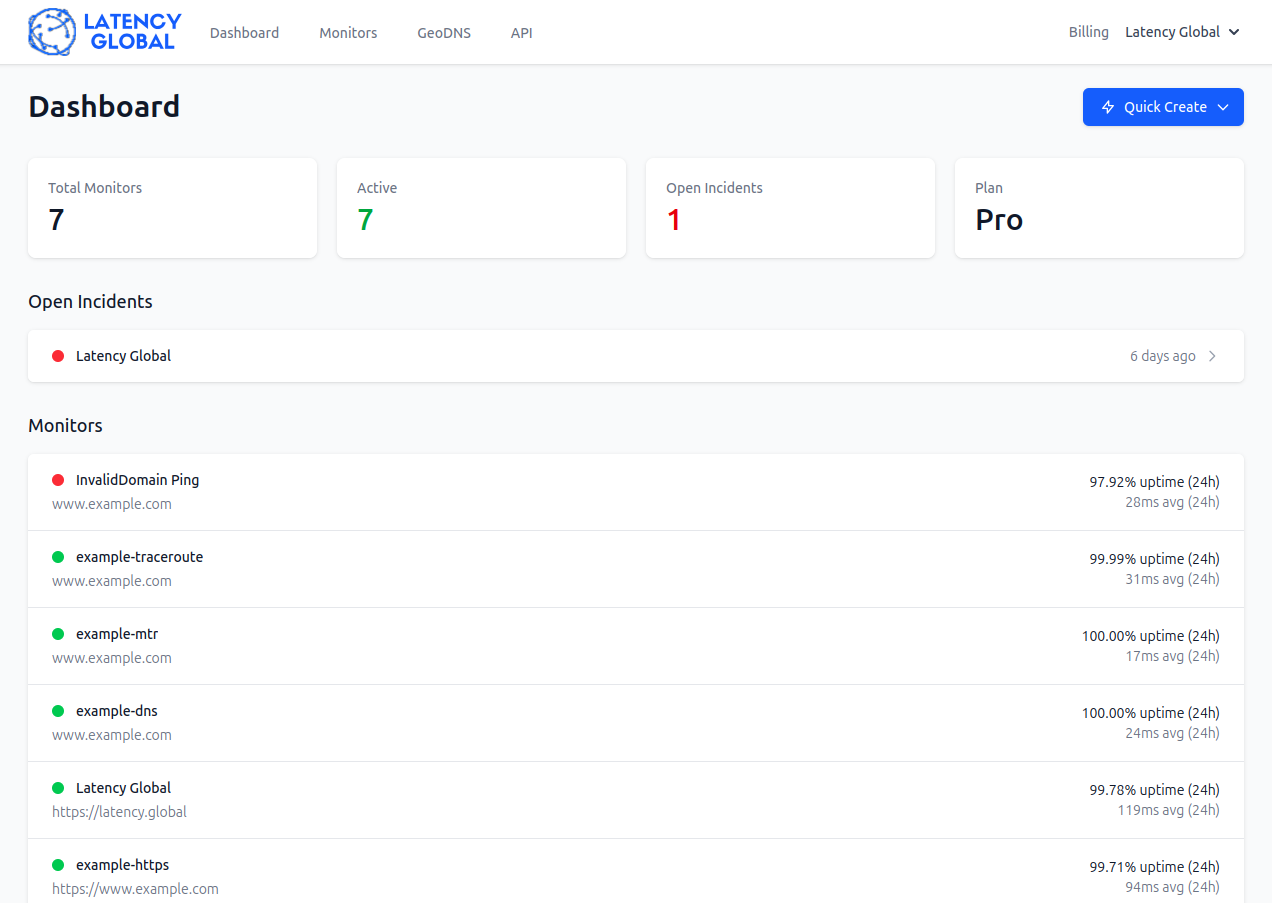
2. Monitor Dashboard
View uptime and latency statistics from 110+ global locations.
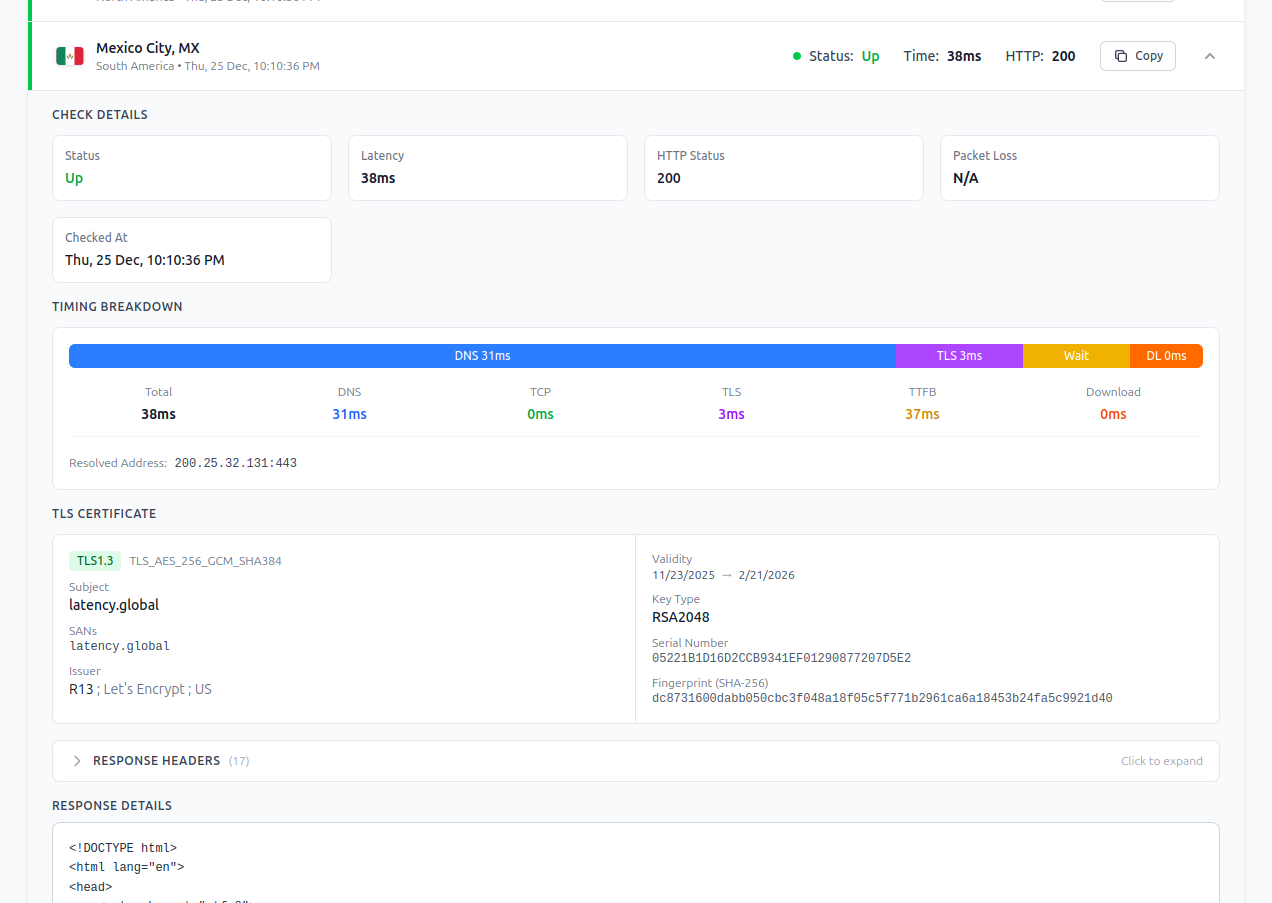
3. Detailed HTTPS Monitoring
Expanded view showing SSL certificate details and connection timings.
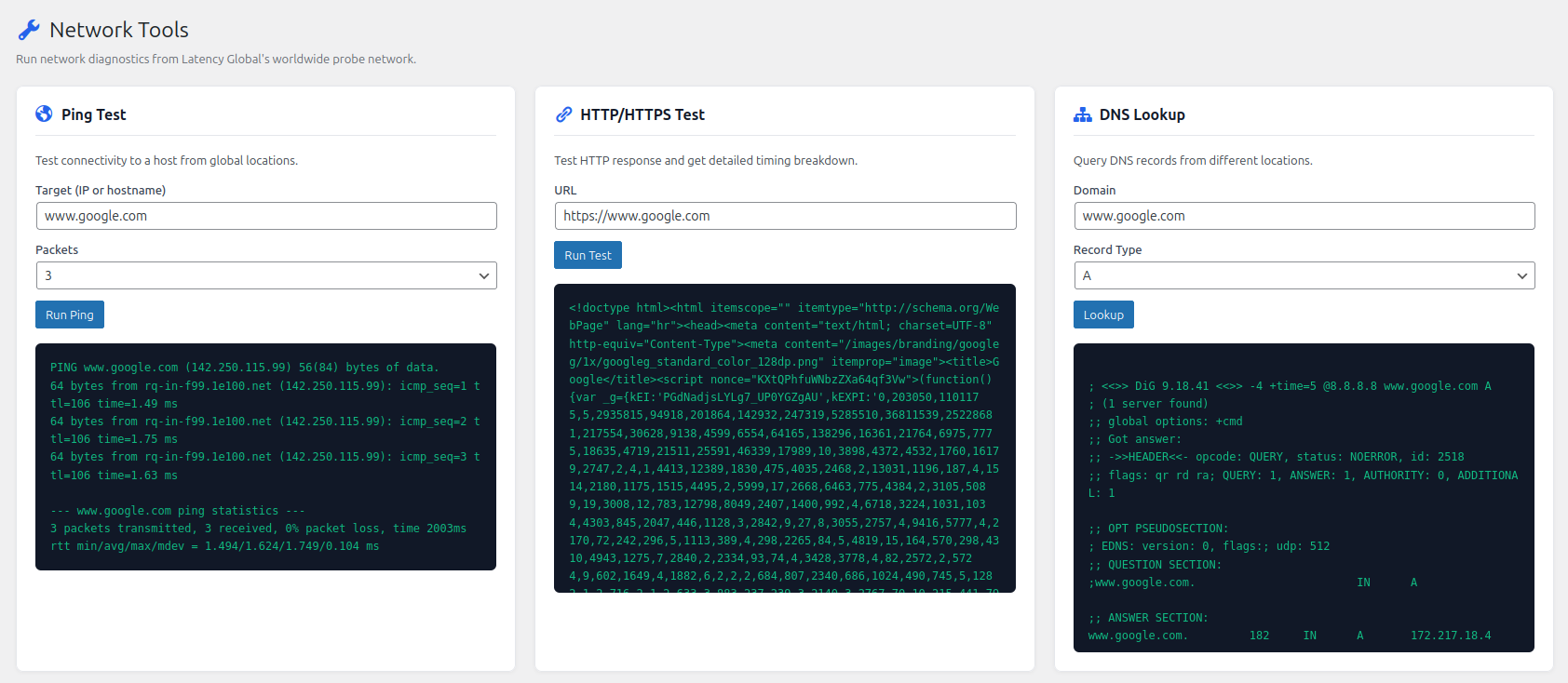
4. Network Diagnostic Tools
Built-in tools for ping, HTTP, and DNS diagnostics.
5. Performance Graphs
Historical latency data with detailed timing breakdowns.
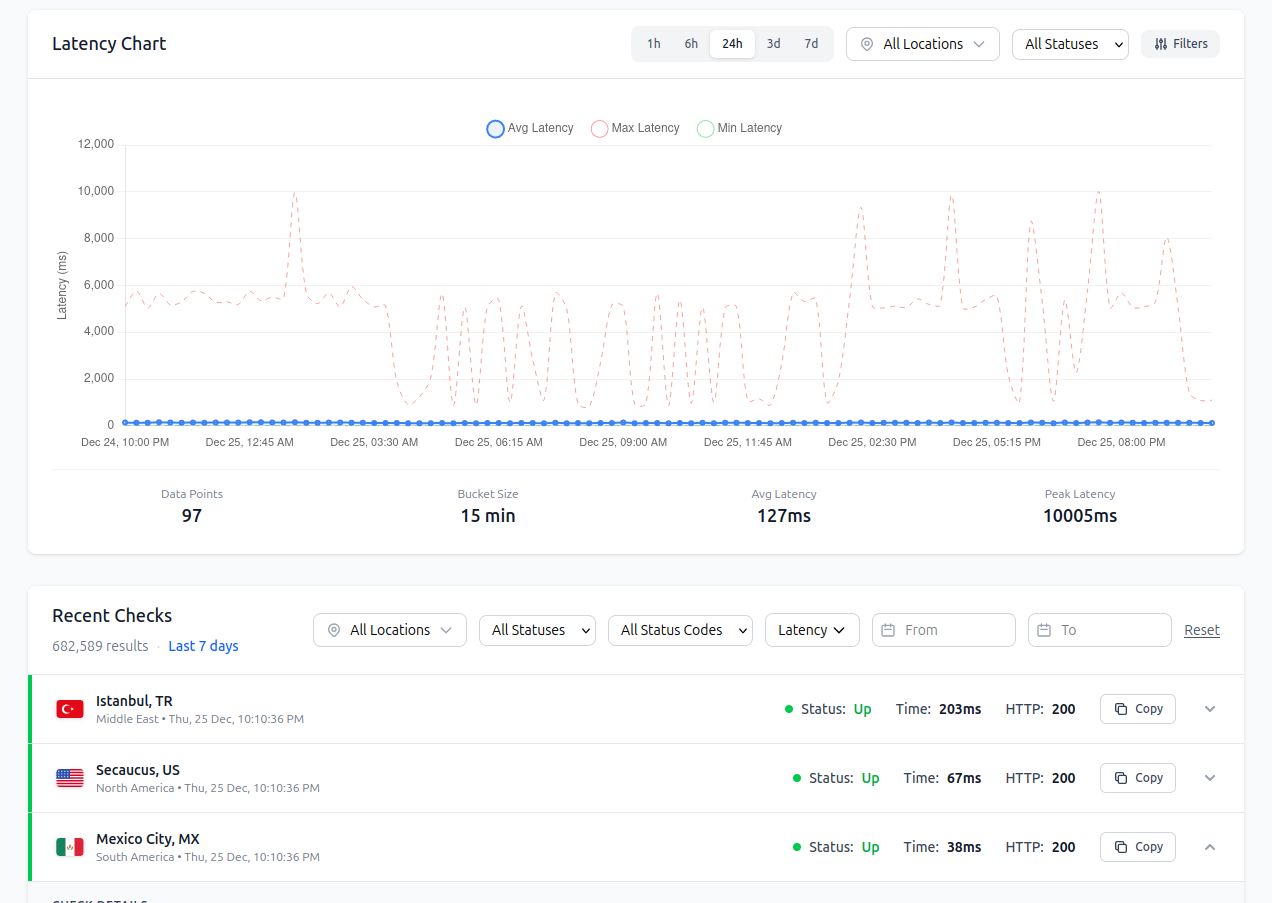
6. Monitor Details
Comprehensive monitor overview with real-time status and alerts.
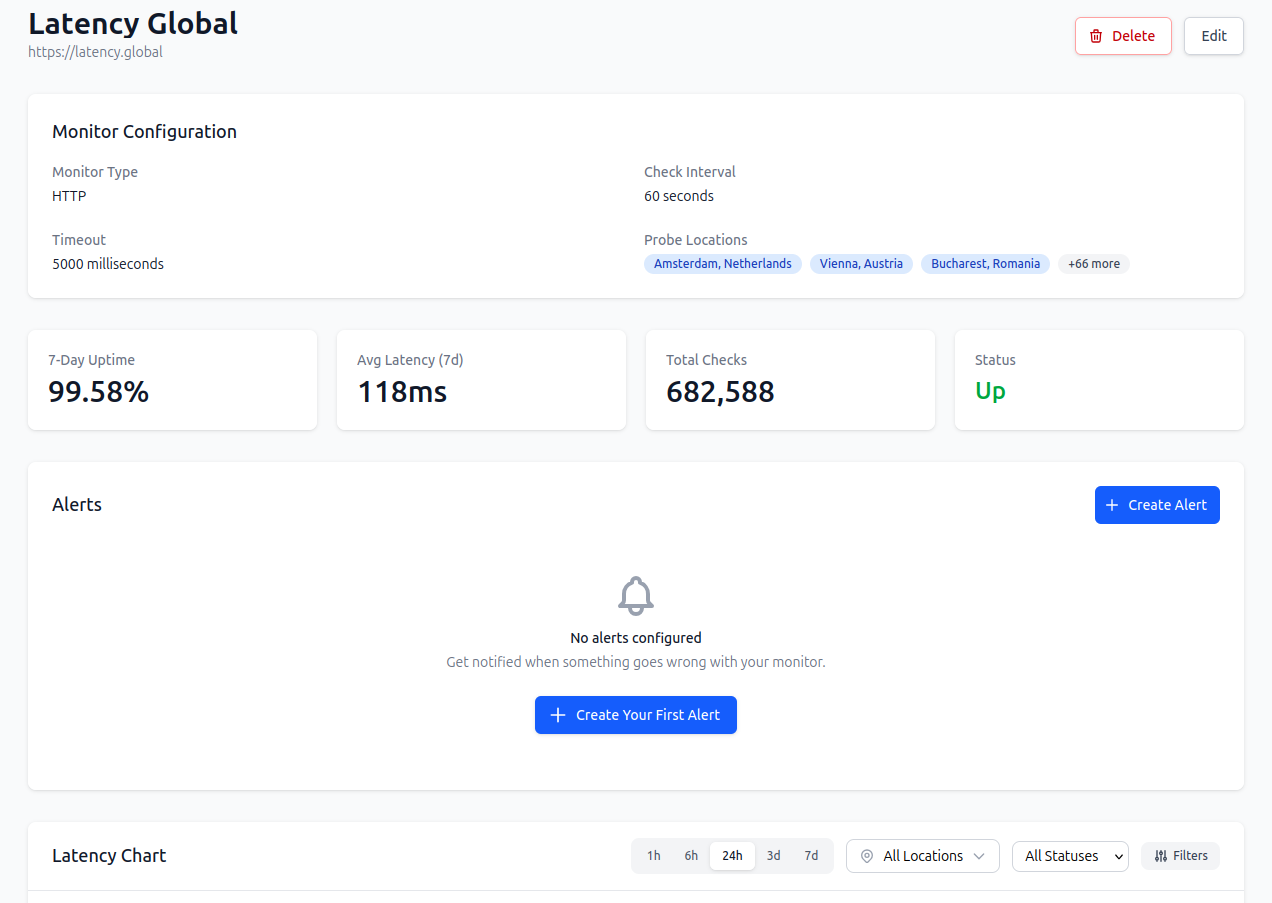
How It Works
- Sign up for a Latency Global account at latency.global
- Install and activate this plugin
- Enter your API key in the plugin settings
- Click "Create Monitor" to start monitoring your site
- View stats in your WordPress dashboard or the full Latency Global dashboard
Shortcodes
Display uptime information anywhere on your site:
[latency_uptime]- Show an uptime badge[latency_uptime style="minimal"]- Minimal text display[latency_uptime style="detailed"]- Detailed stats[latency_status]- Online/offline indicator[latency_stats]- Full statistics display
Why Choose Latency Global?
Unlike other monitoring services, Latency Global offers:
- More global locations - 110+ PoPs vs. typical 5-10
- Detailed latency breakdown - See DNS, TLS, and TTFB timings
- GeoDNS integration - Automatic traffic routing (Pro+)
- Affordable pricing - Plans starting at just $5/month
- Powerful API - Full programmatic access to all features
Requirements
- WordPress 5.8 or higher
- PHP 7.4 or higher
- A Latency Global account (plans start at $5/month)
Privacy
This plugin connects to the Latency Global API (latency.global) to:
- Verify your API key
- Create and manage monitors for your site
- Retrieve monitoring statistics
No personal data from your site visitors is collected or transmitted. Only your site URL and monitoring data is stored on Latency Global servers.
Installation
Automatic Installation
- Go to Plugins → Add New in your WordPress admin
- Search for "Latency Global"
- Click "Install Now" and then "Activate"
- Go to Latency Global in the admin menu
- Enter your API key and create a monitor
Manual Installation
- Download the plugin zip file
- Go to Plugins → Add New → Upload Plugin
- Upload the zip file and click "Install Now"
- Activate the plugin
- Go to Latency Global in the admin menu to configure
Getting Your API Key
- Sign up at latency.global
- Go to your dashboard → API section
- Click "Create Token"
- Copy the token (it starts with
lat_) - Paste it in the plugin settings
Frequently Asked Questions
Do I need a Latency Global account?
Yes, you need an account at latency.global. Plans start at $5/month and include all features.
Is there a free trial?
We don't offer free trials, but our Starter plan at $5/month is affordable for testing. We offer a money-back guarantee if you're not satisfied.
How often does it check my site?
Check intervals depend on your plan:
- Starter: Every 60 seconds
- Pro: Every 30 seconds
- Business: Every 10 seconds
Can I monitor multiple WordPress sites?
Yes! Each plan includes a number of monitors. Use the same API key across all your WordPress sites, or manage everything from the Latency Global dashboard.
What locations can I monitor from?
We have 110+ locations across:
- North America (US, Canada)
- Europe (UK, Germany, France, Netherlands, etc.)
- Asia (Singapore, Japan, India, etc.)
- South America (Brazil)
- Oceania (Australia)
How do I get alerts?
Configure alerts in your Latency Global dashboard. We support:
- Email notifications
- Slack integration
- Custom webhooks
- PagerDuty (Business+)
Does this plugin slow down my site?
No. The plugin only runs in the WordPress admin area. No JavaScript or API calls are made on the frontend (unless you use the uptime badge shortcode, which uses cached data).
Changelog
1.0.0
- Initial release
- Monitor management (create, view, delete)
- Dashboard widget with real-time stats
- Shortcodes for uptime badges
- Network diagnostic tools (ping, HTTP, DNS)
- Admin bar status indicator
Upgrade Notice
1.0.0 Initial release of the Latency Global WordPress plugin.
Additional Info
Support
- Documentation: latency.global
- Support: latency.global/contact
- GitHub: github.com/latencyglobal/wordpress-plugin
Contributing
We welcome contributions! Please submit issues and pull requests on our GitHub repository.
Credits
Developed by the Latency Global team. Built with ❤️ for the WordPress community.
Releases
1 release. Each count is every asset in that release; expand a row for the breakdown.