Content Audit Tool
Content quality, SEO, accessibility, and performance auditing for WordPress posts.
by Laban The Great · github.com/labanthegreat/content-audit-tool · website
Install
No release zip yet. The repository archive installs, but the folder name will carry the branch suffix and updates will not flow:
wp plugin install https://github.com/labanthegreat/content-audit-tool/archive/refs/heads/main.zipA WordPress plugin that audits published content for quality, SEO, accessibility, and performance issues. It scores each post on a 0-100 scale based on word count, readability, heading structure, link integrity, meta descriptions, duplicate content, and more. Results are available in the admin dashboard and via WP-CLI.
Requirements
- WordPress 6.0 or later
- PHP 8.0 or later
Installation
- Upload the
content-audit-tooldirectory towp-content/plugins/. - Activate through Plugins in the WordPress admin.
- Navigate to Tools > Content Audit to run your first audit.
Features
Core Content Checks
- Word count -- flags thin content (below 300 words fails, below 600 warns)
- Readability -- Flesch-Kincaid Reading Ease score (below 30 fails, below 50 warns)
- Heading structure -- validates H1-H6 hierarchy, detects skipped levels and multiple H1 tags
- Image alt text -- reports images missing alt attributes
- Meta description -- checks length (120-160 chars recommended), reads from Yoast, Rank Math, AIOSEO, or falls back to the post excerpt
- Internal link checking -- resolves internal URLs and flags broken links via HEAD requests
- External link checking -- validates up to 20 external links per post with rate limiting
- Duplicate content detection -- trigram-based fingerprinting (Jaccard similarity) against other published posts
- Orphan content -- detects posts with no inbound internal links
- Content freshness -- flags stale content (warning after 90 days, fail after 1 year without update)
- Reading time -- estimates based on 225 WPM average
SEO Checks (optional, via --include-seo in CLI)
- Focus keyword density and placement (title, H1, first paragraph, URL)
- Title tag length optimization (50-60 chars ideal)
- Meta description quality analysis (length, CTA words, keyword presence)
- URL slug analysis (stop words, length, consecutive hyphens, underscores)
- Schema.org markup detection (JSON-LD, Microdata, Yoast, Rank Math)
- Open Graph and Twitter Card meta validation
- Canonical URL verification
- Robots directives review (noindex/nofollow from Yoast, Rank Math, AIOSEO)
Accessibility Checks (optional, via --include-a11y in CLI)
- Alt text quality -- flags generic alt text (e.g. "image1", "DSC_0042"), overly long alt text (125+ chars), and empty alt without decorative role
- Color contrast -- checks inline styles against WCAG 2.0 AA ratio (4.5:1)
- Empty links and buttons -- missing accessible names or aria-labels
- Form label association -- inputs without linked labels or ARIA attributes
- Heading hierarchy -- strict validation including empty headings
- ARIA landmarks -- detects landmark roles and HTML5 semantic elements
- Table accessibility -- checks for
<th>,scopeattributes, and<caption>
Performance Checks (optional, via --include-perf in CLI)
- Image file sizes -- warns above 100 KB, fails above 200 KB per image
- Lazy loading -- checks for
loading="lazy"on below-fold images and iframes - Iframe/embed count -- warns above 1, fails above 3 embeds per page
- Page weight estimation -- HTML + image total (warns above 250 KB, fails above 500 KB)
- External resource detection -- flags third-party scripts, stylesheets, and fonts in content
Scheduled Audits
Automated audits via WP-Cron with configurable frequency (daily, weekly, monthly). Supports:
- Incremental auditing (only re-audit posts modified since last run)
- Email digest reports comparing current vs. previous audit
- Score threshold alerts when the average drops below a configured value
- Historical trend tracking (up to 52 snapshots)
Admin Interface
- Dashboard at Tools > Content Audit with sortable results table
- Per-post detail view with all check results
- CSV export of audit data
- Bulk re-audit of selected posts
- One-click fixes for certain issues (e.g. missing alt text)
- Schedule configuration UI
- Audit history charts
WP-CLI Commands
All commands are registered under the wp audit namespace.
Run an audit
wp audit run
wp audit run --post-type=page --limit=100
wp audit run --batch-size=25 --include-seo --include-a11y --include-perf
Options:
| Flag | Description | Default |
|---|---|---|
--post-type=<type> |
Limit to a specific post type | All public types |
--limit=<n> |
Maximum posts to audit | All |
--batch-size=<n> |
Posts per batch (for memory management) | 50 |
--include-seo |
Run SEO checks | false |
--include-a11y |
Run accessibility checks | false |
--include-perf |
Run performance checks | false |
View audit report
wp audit report
wp audit report --format=csv > audit.csv
wp audit report --status=fail --format=json
wp audit report --fields=ID,Title,Score,Status
Options:
| Flag | Description | Default |
|---|---|---|
--format=<format> |
Output format: table, csv, json | table |
--status=<status> |
Filter by status: pass, warning, fail | All |
--fields=<fields> |
Comma-separated list of columns | ID,Title,Type,Score,Status,Words,Issues |
Check a single post
wp audit check 42Outputs a detailed breakdown of all checks (core, SEO, accessibility, performance) for the given post ID.
View site-wide summary
wp audit summaryDisplays aggregate stats: total posts, average score, pass/warning/fail counts, average word count, readability, broken links, missing alt text, and score trend vs. previous audit.
Auto-fix issues
wp audit fix --dry-run
wp audit fix --auto
Currently supports two automatic fixes:
- Sets missing image alt text from the attachment filename
- Trims overly long excerpts used as meta descriptions (only excerpt-based, does not touch SEO plugin fields)
Options:
| Flag | Description |
|---|---|
--auto |
Apply fixes without confirmation |
--dry-run |
Preview what would be fixed without making changes |
Hooks and Filters
cat_auditable_post_types
Filter the post types included in audits. Receives an array of post type slugs (all public types except attachment by default).
add_filter( 'cat_auditable_post_types', function ( array $types ): array {
    // Exclude 'product' from audits.
    return array_diff( $types, [ 'product' ] );
} );
Data Storage
The plugin stores data in the wp_options table under the following keys:
cat_audit_results-- serialized audit results indexed by post IDcat_audit_timestamp-- Unix timestamp of the last auditcat_audit_history-- array of up to 52 historical audit snapshotscat_schedule_settings-- scheduled audit configurationcat_last_scheduled_audit-- timestamp of the last scheduled run
Per-post meta keys:
_cat_audit_score-- cached audit score (0-100)_cat_audit_time-- timestamp of the cached score
All plugin data is removed on uninstall.
SEO Plugin Compatibility
The plugin reads meta data from these SEO plugins (checked in this order):
- Yoast SEO
- Rank Math
- All in One SEO (AIOSEO)
If no SEO plugin data is found, the post excerpt is used as the meta description fallback.
Screenshots
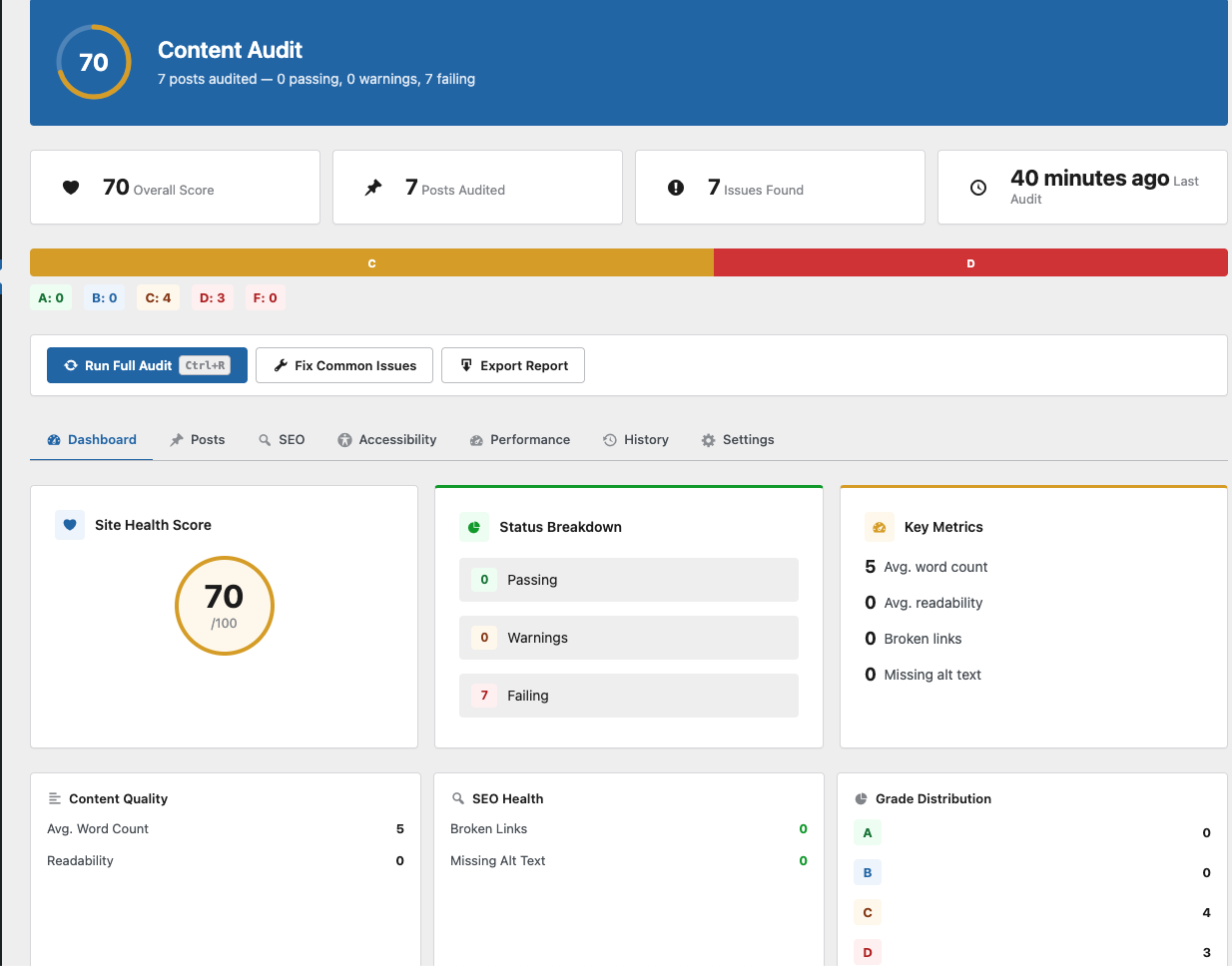 Audit dashboard with health score, grade distribution, status breakdown, and key metrics
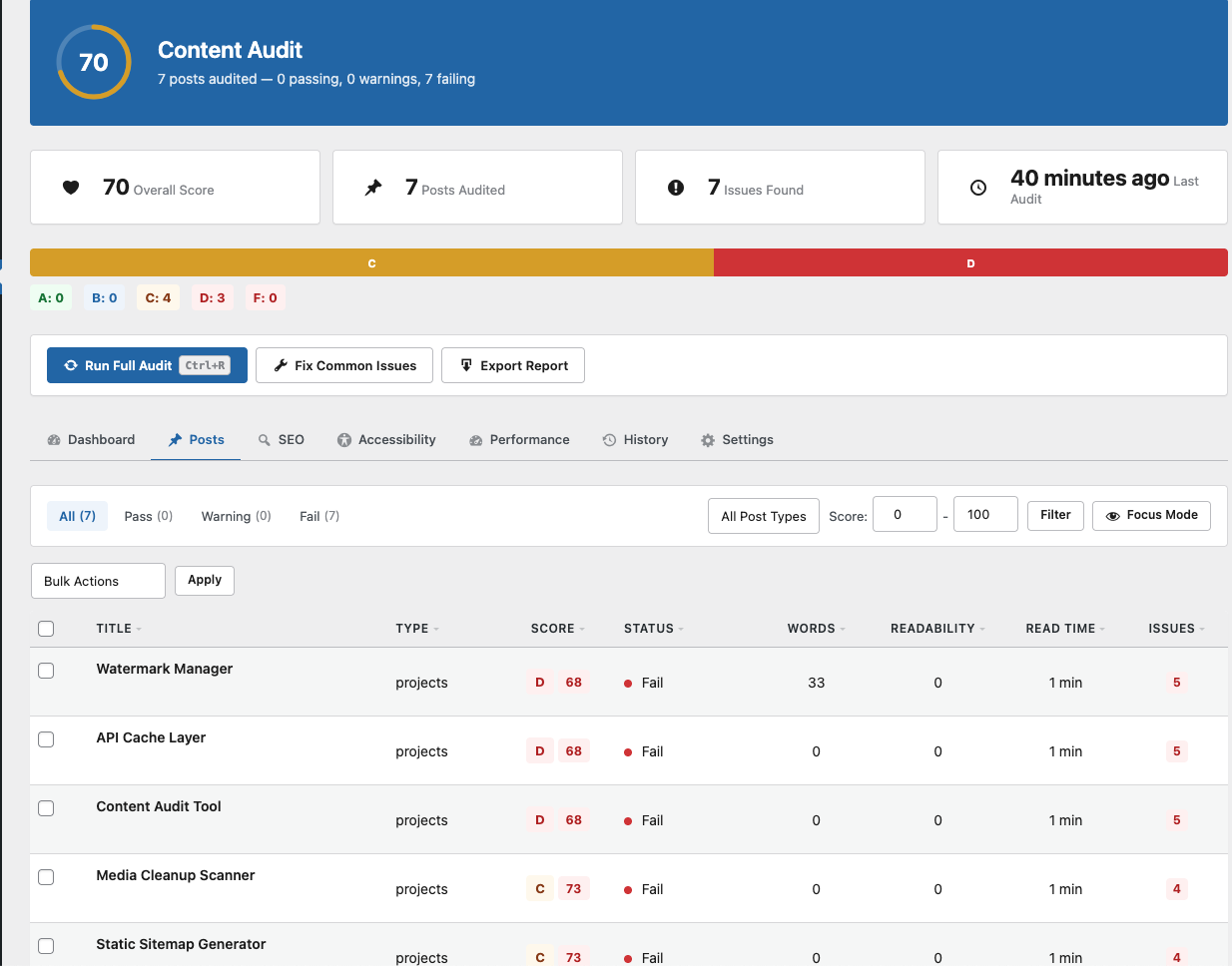 Posts tab with sortable results showing score, status, word count, readability, and issues
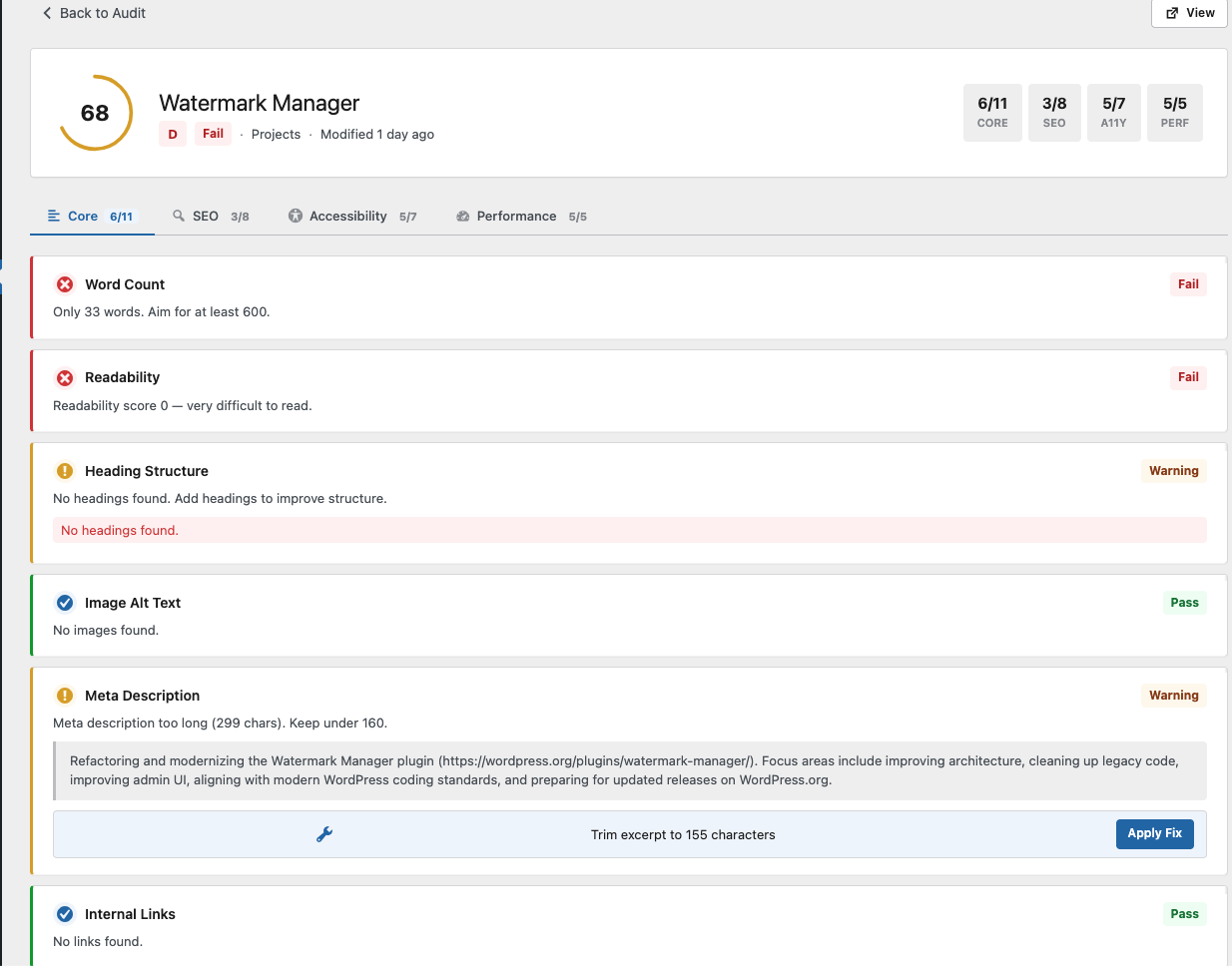 Per-post detail view with Core/SEO/Accessibility/Performance checks and inline fix suggestions
Changelog
2.1.0
- Refactored plugin bootstrap into a central
Pluginclass with singleton pattern - Centralized AJAX handler registration via
AjaxHandlerclass - Added cached audit scores as post meta for quick retrieval
2.0.0
- Added WP-CLI support (
wp audit run,report,check,summary,fix) - Added SEO checker (focus keyword, title length, schema, Open Graph, canonical, robots)
- Added accessibility checker (alt text quality, color contrast, empty links, form labels, heading hierarchy, ARIA landmarks, table headers)
- Added performance checker (image sizes, lazy loading, iframes, page weight, external resources)
- Added scheduled audits with cron, email digests, and score alerts
- Added duplicate content detection using trigram fingerprinting
- Added orphan content detection
- Added content freshness checks
- Added reading time estimation
- Added external link checking
- Added audit history and trend tracking
- Batch processing with memory management for large sites
1.0.0
- Initial release
- Core content analysis: word count, readability, heading structure, images, meta descriptions, internal links
- Admin dashboard and CSV export
License
GPL-2.0-or-later
Author
Laban The Great