Easy AI Chat Embed
Easy AI Chat Embed can integrate the powerful *Mistral AI* chat agent into your posts and pages.
Install
This is the repository archive. It installs, but the folder name will carry the branch suffix and updates will not flow.
Install straight from GitHub with WP-CLI:
wp plugin install https://github.com/krush666/easy-ai-chat-mistral/archive/refs/heads/main.zipEasy AI Chat Embed can integrate the powerful Mistral AI chat agent into your posts and pages.
Description
Transform your WordPress site into an interactive hub with the Easy AI Chat Embed plugin. Fully supports custom Mistral AI agents and Compatible with the Mistral API Tiers, seamlessly integrate the powerful Mistral AI Chatbot into your posts and pages, providing your visitors with instant, intelligent responses. Whether you want to enhance customer support, engage users with interactive content, or provide quick answers to common questions, this plugin has you covered.
Key Features:
- Easy Integration: Embed the chatbot effortlessly using a simple short code.
- Security Rate limiting design allows 50 messages an hour per user.
- Customizable Appearance: Personalize the chat box and button color to match your site's design.
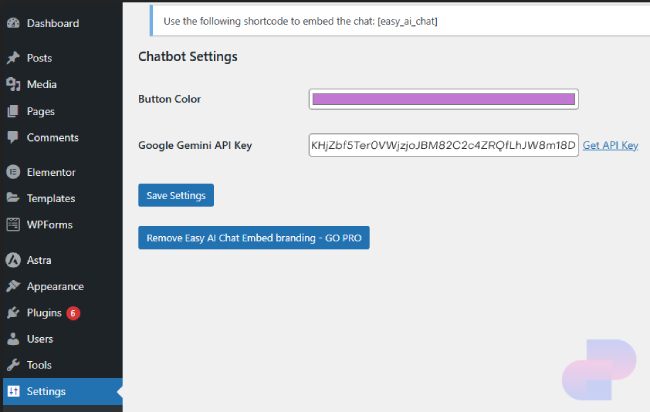
- API Key Management: Securely manage your Mistral AI API key directly from the settings page.
- Dynamic Responses: Leverage the advanced capabilities of Mistral AI to provide accurate and context-aware responses to user queries.
- Model Selection: Choose between different Mistral AI models to customize your chat experience.
Why Choose Easy AI Chatbot Embed?
- Boost Engagement: Keep your visitors engaged with real-time, interactive conversations. Or customize your agent to be your company receptionist.
- Improve Customer Support: Provide instant support and answers to common questions, reducing the load on your support team.
- Enhance User Experience: Offer a modern, AI-driven interface that enhances the overall user experience on your site.
- Easy to Use: With a user-friendly settings page, you can configure and customize the chatbot without any coding knowledge.
Installation
- Upload and install the plugin through the WordPress plugins screen directly.
- Activate the plugin through the 'Plugins' screen in WordPress.
- Go to 'Settings' -> 'Easy AI Chat' to configure the plugin settings.
- Use the
[easy_ai_chat]short code to embed the chatbot in any post or page.
Frequently Asked Questions
How do I get a Mistral AI API key?
You can obtain a Mistral AI API key by signing up for the Mistral AI service on their official website.
How do I customize the chat box and button color?
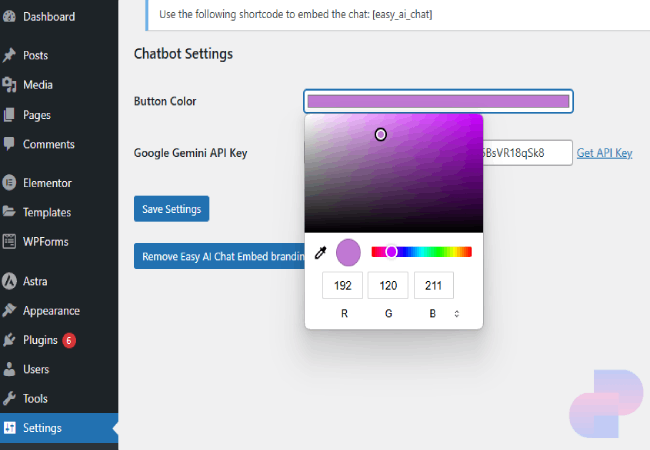
Go to 'Settings' -> 'Easy AI Chat' and enter your desired colors in the color picker.
How do I select a Mistral AI model?
Go to 'Settings' -> 'Easy AI Chat' and select your preferred Mistral AI model from the dropdown menu. Currently supported models:
- Mistral Small (Latest)
- Mistral Small 2501
- Open Mistral Nemo
- Codestral 2501
- Mistral Large 2411
- Open Mixtral 8x7B
What are the differences between these models?
- Mistral Small (Latest): A lightweight, general-purpose model suitable for most chat applications.
- Mistral Small 2501: An earlier version of the small model.
- Open Mistral Nemo: An open-source model with broad capabilities.
- Codestral 2501: Specialized for code-related tasks and programming assistance.
- Mistral Large 2411: A more advanced, larger model with enhanced reasoning capabilities.
- Open Mixtral 8x7B: A powerful open-source model with a mixture of experts architecture.
Screenshots
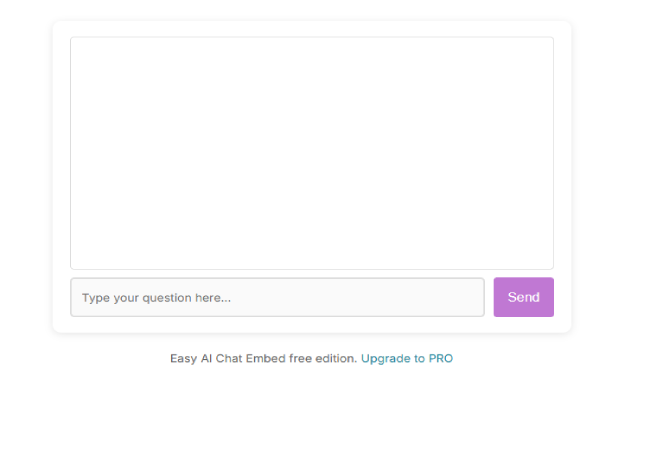
- Chat box - Beautifully styled easy chat embeds.
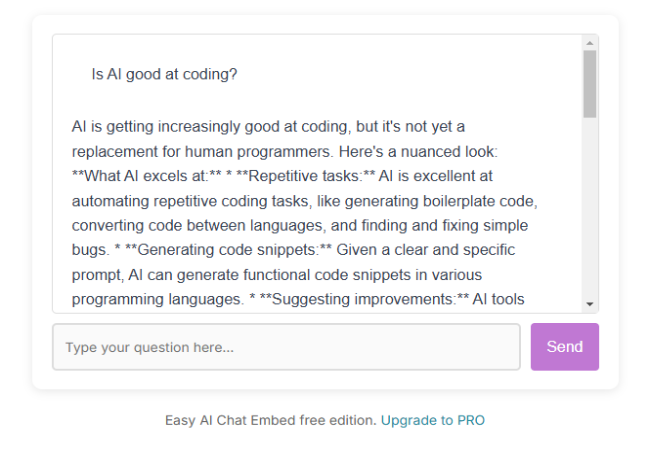
- Chat box sample output - The embedded Mistral AI Chatbot on a WordPress page.
- Admin settings - Configure the API key and chat box appearance.
- Customization setting - Customize the color to match your website.


Changelog
1.0.1
- Initial release.
Upgrade Notice
1.0.1
First Current stable release.
Disclaimer
This product is not endorsed or affiliated with Mistral AI or any of its products.
GNU General Public License
This base program is free software except PRO version which is not covered under this license otherwise: you can redistribute it and/or modify it under the terms of the GNU General Public License as published by the Free Software Foundation, either version 2 of the License, or (at your option) any later version.
This program is distributed in the hope that it will be useful, but WITHOUT ANY WARRANTY; without even the implied warranty of MERCHANTABILITY or FITNESS FOR A PARTICULAR PURPOSE. See the GNU General Public License for more details. You should have received a copy of the GNU General Public License along with this program. If not, see https://www.gnu.org/licenses/.
In addition to the rights granted under the GNU General Public License v3.0, users of Auto Dark Chrome Extension are granted the following permissions:
You may use this software for any purpose, including commercial use.
You must include this license and copyright notice with each copy of the software you distribute. If you modify the software, you must indicate the changes made to the code.
Any modifications or derivative works based on this software must also be released under the GNU General Public License v2.0. Disclaimer
This software is provided "as is," without warranty of any kind, express or implied. The authors or copyright holders shall not be liable for any claim, damages, or other liability arising from the use of the software. For the full text of the GNU General Public License v2