KMM KRoN
This is a short description of what the plugin does.
by Krone.at · github.com/kronemultimedia/plugin-kron · website
Install
No release zip yet. The repository archive installs, but the folder name will carry the branch suffix and updates will not flow:
wp plugin install https://github.com/kronemultimedia/plugin-kron/archive/refs/heads/master.zipkron
Replaces the built in cron system - which is based on wp_options - and introduces a standalone table one row per job - and a custom WP-CLI command to work on the jobs.
eliminates the problem with too many jobs in the "array" that is stored inside wp_options.
| Features | |
|---|---|
| :sweat_smile: | Built for large WordPress installations |
| :crown: | Supported and battle tested @krone.at |
| :octocat: | 100% free and open source |
there is no warranty that this will NOT blow your WP installation
You'd need to split your WordPress (webserver) and your cron-handler, by either running 2 different containers or the wp-cli command in a seperate process
Run
execute the following command:
wp krn_kron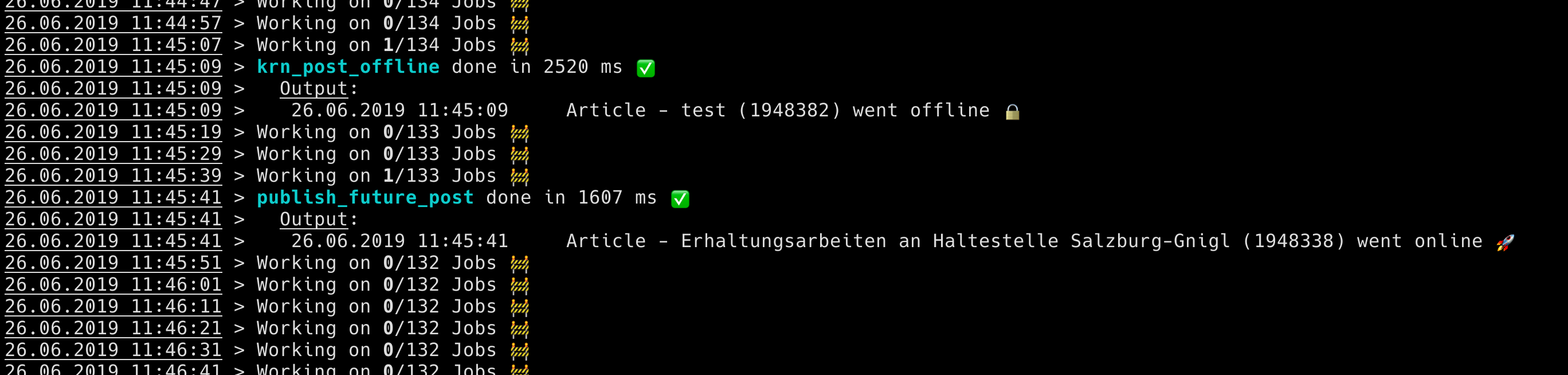
Convert
to migrate existing, jobs, that are stored in wp_options
wp krn_kron_convertAdvanced
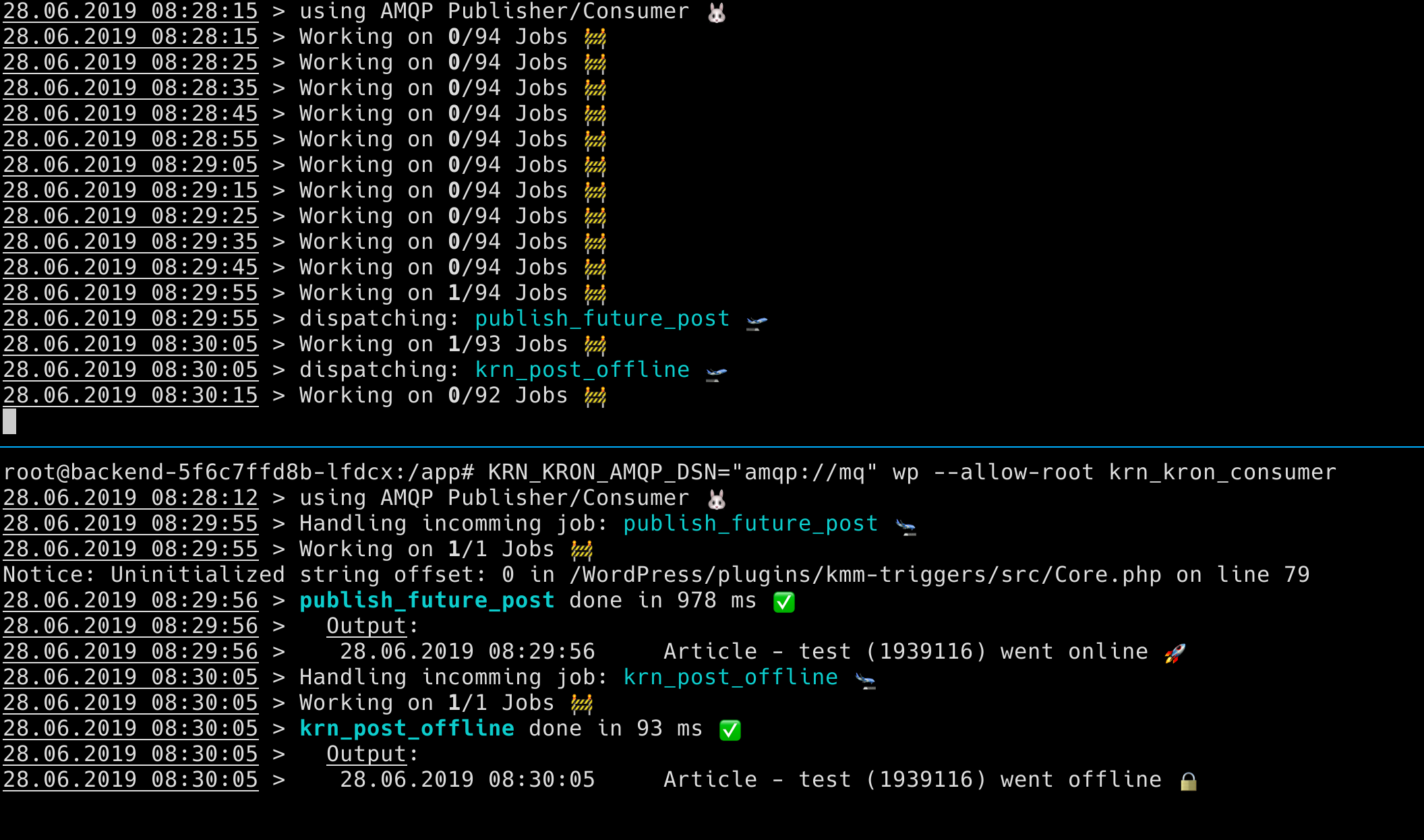
the above sample does not solve all scalability issues. as jobs are processed one after another. if you want to scale it to multiple workers, youd need a message queue, for example AMQP.
enqueue/amqp-ext needs to be installed. (or you bring your own Transporter)
Sample docker-compose:
plugin should be in $PWD/plugins/krn-kron after initial up -d you'd need to complete the WP-setup steps and enable the krn-kron plugin. and you could scale the consumer containers
version: '3.3'
services:
   db:
     image: mysql:5.7
     volumes:
       - db_data:/var/lib/mysql
     restart: always
     environment:
       MYSQL_ROOT_PASSWORD: somewordpress
       MYSQL_DATABASE: wordpress
       MYSQL_USER: wordpress
       MYSQL_PASSWORD: wordpress
   wordpress:
     volumes:
        - "./plugins/:/var/www/html/wp-content/plugins/my-plugin:ro"
     depends_on:
       - db
     image: wordpress:latest
     ports:
       - "8000:80"
     restart: always
     environment:
       WORDPRESS_DB_HOST: db:3306
       WORDPRESS_DB_USER: wordpress
       WORDPRESS_DB_PASSWORD: wordpress
       WORDPRESS_DB_NAME: wordpress
       KRN_KRON_AMQP_DSN: "amqp://mq"
   wordpress_kron_producer:
     depends_on:
       - db
     image: wordpress:latest
     command: "wp krn_kron_publisher"
     volumes:
      - "./plugins/:/var/www/html/wp-content/plugins/my-plugin:ro"
     restart: always
     environment:
       WORDPRESS_DB_HOST: db:3306
       WORDPRESS_DB_USER: wordpress
       WORDPRESS_DB_PASSWORD: wordpress
       WORDPRESS_DB_NAME: wordpress
       KRN_KRON_AMQP_DSN: "amqp://mq"

   wordpress_kron_consumer:
     depends_on:
       - db
     image: wordpress:latest
     command: "wp krn_kron_consumer"
     volumes:
       - "./plugins/:/var/www/html/wp-content/plugins/my-plugin:ro"
     restart: always
     environment:
       WORDPRESS_DB_HOST: db:3306
       WORDPRESS_DB_USER: wordpress
       WORDPRESS_DB_PASSWORD: wordpress
       WORDPRESS_DB_NAME: wordpress
       KRN_KRON_AMQP_DSN: "amqp://mq"

   mq:
     image: rabbitmq:latest
     restart: always

volumes:
    db_data: {}
Configure MQ settings
one of the following options
- set the env
KRN_KRON_AMQP_DSN - add
define('KRN_KRON_AMQP_DSN')inwp-config.php - defaults to localhost
Publish from non WP
the message format is just a json:
interval is optional
{
"hook": "wp_hook",
"timestamp": 1561712124,
"interval": "daily",
"args": [
123123
]
}
# Bring your Own Message Queue

the plugin, adds two filters:
  - `krn_kron_get_publisher`
  - `krn_kron_get_consumer`

    where you can return a instance of your own Code that implements the [TransportInterface](https://github.com/KroneMultimedia/plugin-kron/blob/master/src/transports/TransportInterface.php)

    sample implementation is [AMQP](https://github.com/KroneMultimedia/plugin-kron/blob/master/src/transports/AMQP.php)