Install
This is the repository archive. It installs, but the folder name will carry the branch suffix and updates will not flow.
Install straight from GitHub with WP-CLI:
wp plugin install https://github.com/kingdonrush/3d-viewer-to-wordpress/archive/refs/heads/main.zip3D Viewer for WordPress and Elementor
An Elementor widget for embedding interactive GLB/glTF models and supported model ZIP packages in WordPress pages. A custom media control connects uploads to a Three.js viewer, with editor controls and a frontend lifecycle that handles Elementor rerenders and history changes.
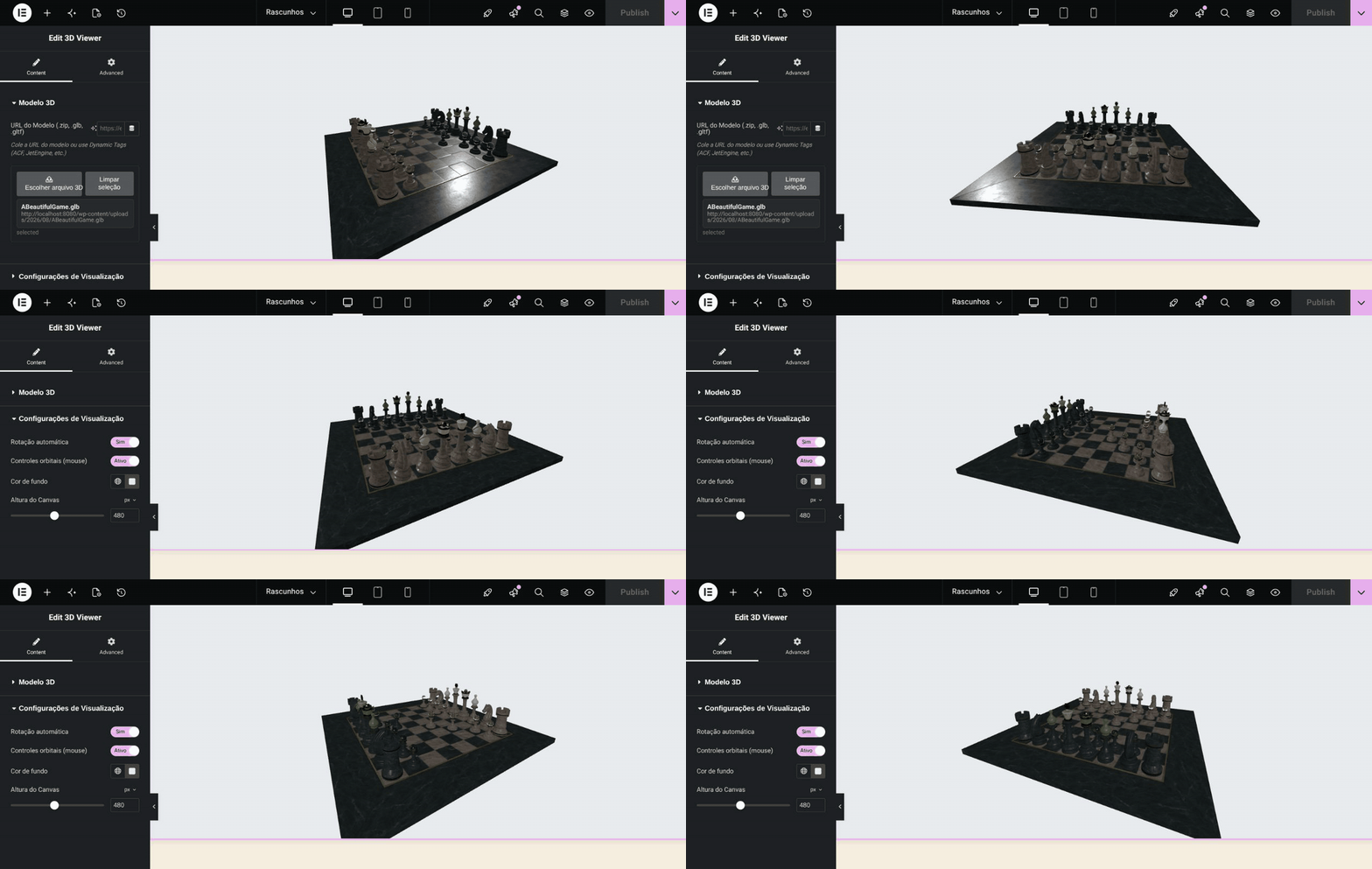
Select a model, inspect its display settings and orbit the live preview inside the Elementor editor. Model: A Beautiful Game, © 2020 ASWF / MaterialX Project; glTF conversion © 2022 Ed Mackey, CC BY 4.0.
Use the viewer
- Install the plugin directory in
wp-content/plugins/3d-viewer-to-wordpress. - Run
composer installin that directory to create the autoloader. - Activate Elementor and the plugin in a development site.
- Add the 3D viewer widget, select a model and configure the view.
- Check the Elementor editor and the published page with the same model.
GLB packages a scene into one binary. glTF may depend on additional resources; ZIP handling validates supported contents before upload. Hosting limits still apply: the admin diagnostic identifies the limiting upload layer and does not attempt to raise PHP or webserver limits.
Implementation
- Widget and controls translate Elementor settings into viewer data.
- Viewer core manages scene, camera and model resources.
- Frontend lifecycle manages mounting and updates.
- Plugin bootstrap registers WordPress hooks and upload validation.
- Asset registration configures browser dependencies.
This branch contains the focused viewer integration. It does not expose an asset studio, revision workflow or scene-authoring platform. Browser dependencies are loaded through the configured CDN/import-map setup; network availability and other plugins' module loading can affect integration.
Verification
The upload-validation and upload-capacity smoke scenarios run inside WordPress:
wp eval-file wp-content/plugins/3d-viewer-to-wordpress/tests/upload-validation-smoke.php
wp eval-file wp-content/plugins/3d-viewer-to-wordpress/tests/upload-capacity-policy-smoke.php
Both passed with WordPress 6.9, PHP 8.4 and Elementor 4.0.8 in an isolated site. The capacity test also checks that WordPress can invoke the notice callback. These checks cover server-side upload behavior, not rendered 3D appearance or a browser/Elementor compatibility matrix. Validate actual model loading, camera interaction and editor lifecycle in the target browser before release.