Install
This is the repository archive. It installs, but the folder name will carry the branch suffix and updates will not flow.
Install straight from GitHub with WP-CLI:
wp plugin install https://github.com/keatonmurray/headless-payments/archive/refs/heads/main.zipHeadless Payments is a free and open-source Wordpress plugin for handling payment flow via REST API designed to extend your custom checkout functionality in a headless CMS architecture.
Currently supporting PayPal and Stripe, this plugin offers customizable gateway settings and a frontend-agnostic design — making it ideal for JAMstack-style setups that use WordPress as a headless CMS.
Headless Payments leverages a clean and scalable OOP structure allowing you to customize your backend logic according to your requirements.
One of the pain points in a headless CMS architecture is being limited from Woocommerce's core functionality. We strive to make payment integration less of a hassle allowing you to focus on things that matter the most.
✨ Features
- ✅ PayPal & Stripe integration (Sandbox + Live)
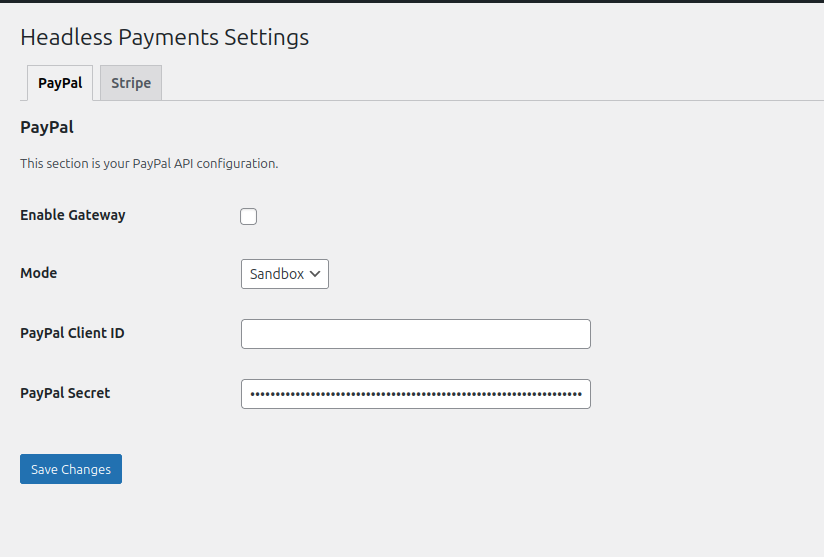
- ⚙️ Admin settings page with configurable credentials
- 🔘 Toggle gateways on/off via UI
- 🔌 Custom REST API endpoints for:
- Creating PayPal orders
- Capturing payments after approval
- Creating Stripe payment intents
- 📦 Modular OOP structure (cleanly namespaced)
- 🔧 Ready for extension: Stripe, Square, etc.
- 💻 React/Vite compatible (but backend-agnostic)
Admin Dashboard
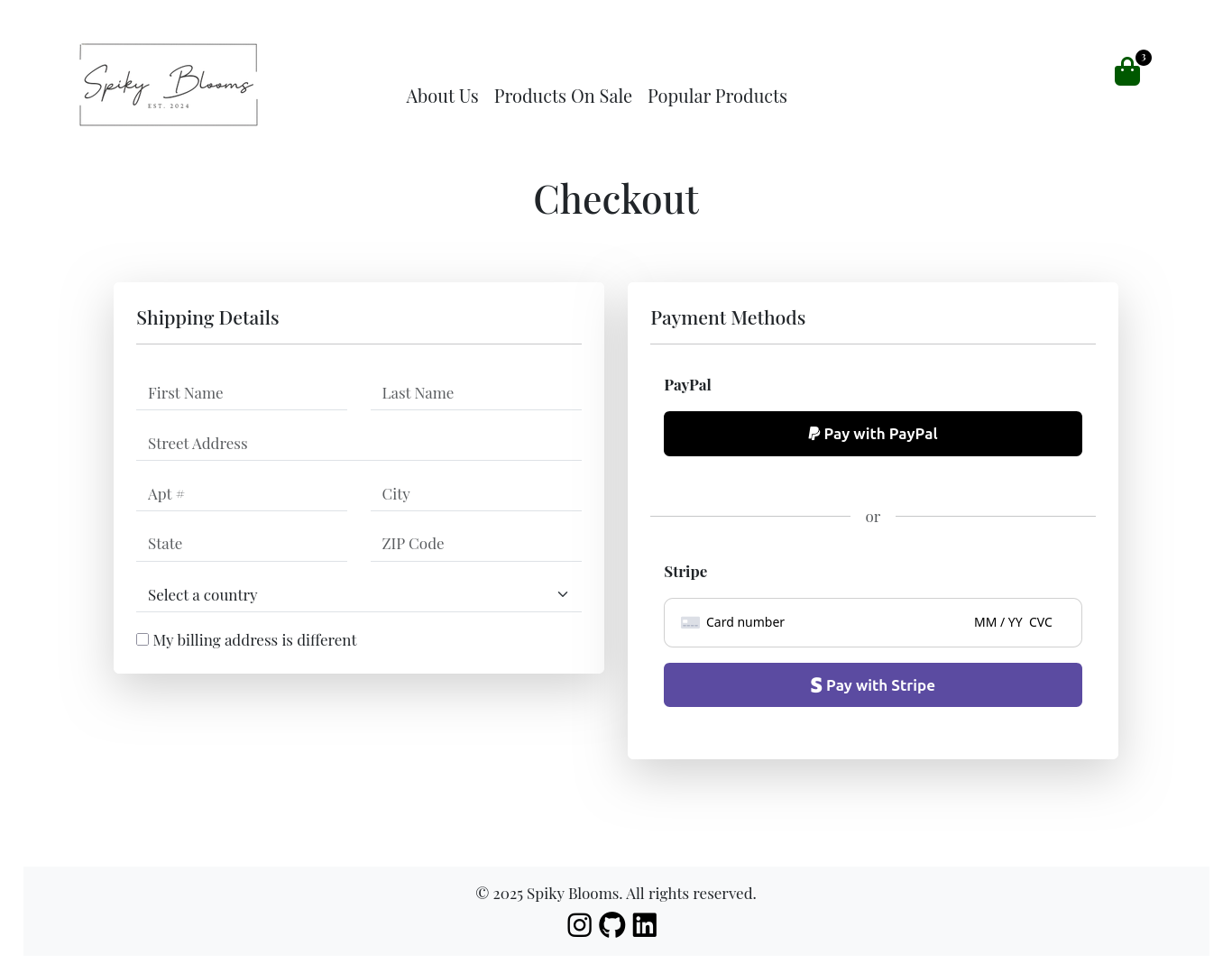
Custom Checkout
⚡ Frontend Frameworks Supported
- React JS
- Vue JS
- Next.js
(Or any framework of your choice — the API is frontend-agnostic)
📦 Installation
-
Requirements
- WordPress 6.x+
- WooCommerce (optional, unless you're using it as the eCommerce backend)
- PHP 7.4+
- A headless frontend (React, Next.js, Vue, etc.)
- Composer (for local development)
- A custom-built checkout page
-
Install the Plugin
- Clone this repository or download the ZIP
- Place the plugin folder (
headless-payments) inside your/wp-content/plugins/directory - In your
/wp-content/plugins/headless-payments, install the composer dependencies (composer install)
-
Activate the Plugin
- Log in to your WordPress dashboard
- Go to Plugins → Installed Plugins
- Activate Headless Payments
-
Configure Payment Settings
- Navigate to Headless Payments in the WordPress admin sidebar
- Under the tab of the gateway you intend to use (PayPal or Stripe), fill in your sandbox/live credentials
-
Integrate with Frontend
- In
/src/Api/PayPalController.php, API routes are defined inregister_routes() - Use the following REST endpoints:
POST /wp-json/hp/v1/paypal/create-orderPOST /wp-json/hp/v1/paypal-capture-order
Sample Axios Integration (PayPal)
axios.post('http://your-website.com/wp-json/hp/v1/paypal/create-order', { amount: cartData.amount, currency: cartData.currency || 'USD' }) .then(res => { const { approval_url } = res.data; if (approval_url) { setApprovalUrl(approval_url); } else { setError('Failed to get approval URL.'); } }) .catch(err => { console.error(err); setError('Failed to create PayPal order.'); }) .finally(() => setLoading(false)); - In
-
Integrate with Your Frontend
In the
/src/Api/PayPalController.phpfile, API routes are declared in theregister_routes()method.
Use the following REST API endpoints in your frontend app:POST /wp-json/hp/v1/paypal/create-orderPOST /wp-json/hp/v1/paypal-capture-order
Here’s a sample React integration that shows how to:
- Trigger PayPal order creation
- Redirect the user to PayPal for approval
- Bind the logic to a "Pay with PayPal" button
 import axios from 'axios';
 import React, { useState } from 'react';

 const Checkout = ({ cartData }) => {
    const [approvalUrl, setApprovalUrl] = useState('');
    const [error, setError] = useState('');
    const [loading, setLoading] = useState(false);

    const handlePayNow = () => {
       setLoading(true);

       axios.post('http://your-website.com/wp-json/hp/v1/paypal/create-order', {
          amount: cartData.amount,
          currency: cartData.currency || 'USD'
       })
       .then(res => {
          const { approval_url } = res.data;
          if (approval_url) {
             setApprovalUrl(approval_url);
             window.location.href = approval_url; // Redirect user to PayPal
          } else {
             setError('Failed to get approval URL.');
          }
       })
       .catch(err => {
          console.error(err);
          setError('Failed to create PayPal order.');
       })
       .finally(() => setLoading(false));
    };

    return (
       <button onClick={handlePayNow} disabled={loading}>
          {loading ? 'Processing...' : 'Pay with PayPal'}
       </button>
    );
 };
Stripe Integration
In the /src/Api/StripeController.php file, API routes are declared in the register_routes() method.
Use the following REST API endpoint in your frontend app:
POST /wp-json/hp/v1/stripe/create-payment-intent
Here’s a sample React integration using Stripe.js to:
- Create a Stripe PaymentIntent
- Use Stripe Elements to collect card info
- Confirm payment via the client secret
import { loadStripe } from '@stripe/stripe-js';
import { Elements, CardElement, useStripe, useElements } from '@stripe/react-stripe-js';
import axios from 'axios';

const stripePromise = loadStripe('your-publishable-key');

const StripeCheckout = ({ amount }) => {
  const stripe = useStripe();
  const elements = useElements();

  const handleStripePayment = async () => {
    const card = elements.getElement(CardElement);
    const { data } = await axios.post('http://your-website.com/wp-json/hp/v1/stripe/create-payment-intent', {
      amount,
      currency: 'USD'
    });

    const { error, paymentIntent } = await stripe.confirmCardPayment(data.client_secret, {
      payment_method: {
        card,
        billing_details: { name: 'Jane Doe' }
      }
    });

    if (error) {
      console.error(error);
    } else if (paymentIntent.status === 'succeeded') {
      console.log('Payment successful!');
    }
  };

  return (
    <button onClick={handleStripePayment}>
      Pay with Stripe
    </button>
  );
};

// Wrap in <Elements stripe={stripePromise}> in your app
📝 Changelog
[v1.0.0] - 2025-06-10
- 🎉 Initial release with PayPal and Stripe support ((REST endpoint + admin settings))
Thank You For Your Support
We strive to improve stability, security, and extensibility — contributions, issues, and suggestions are welcome!