Install
This is the repository archive. It installs, but the folder name will carry the branch suffix and updates will not flow.
Install straight from GitHub with WP-CLI:
wp plugin install https://github.com/juanma-wp/search-resources-commands/archive/refs/heads/main.zipNo built-in updater. New versions won't appear under Dashboard → Updates. Install new releases yourself, or let Git Updater track the repository.
WordPress plugin for searching WordPress resources (handbooks, Learn WordPress, WordPress TV) via keyboard shortcuts and command palette (see video or live demo).
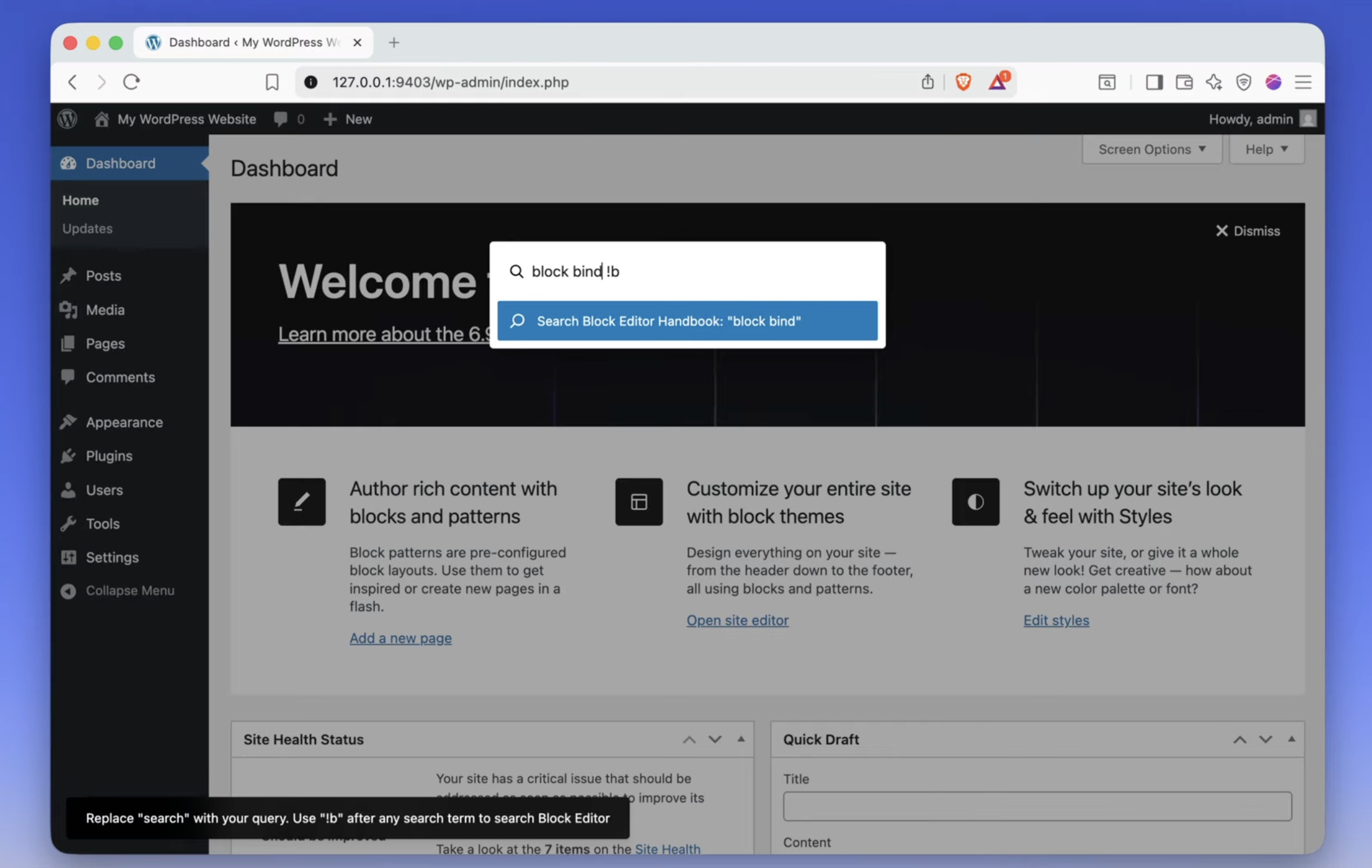
Features
- Command Palette Integration: Type search terms followed by prefixes:
!b- Block Editor!t- Theme!p- Plugin!r- REST API!l- Learn WordPress!v- WordPress TV
Installation
- Clone or download this repository to your WordPress plugins directory
- Install dependencies:
npm install - Build the plugin:
npm run build - Activate the plugin in WordPress admin
Development
npm start- Start development mode with hot reloadnpm run build- Build for production
Usage
Method 1: Direct Search with Prefixes
- Press
Cmd+Kto open command palette - Type your search term followed by a prefix (e.g., "blocks !b" for Block Editor, "gutenberg !l" for Learn WordPress)
- Press Enter to search the selected resource
Method 2: Using Search Commands (No Need to Remember Prefixes)
- Press
Cmd+Kto open command palette - Type "handbook" or "search" to see available search commands for each resource (Block Editor, Theme, Plugin, REST API, Learn WordPress, WordPress TV)
- Select the resource you want to search
- The command palette will be pre-filled with your search term and the correct prefix automatically
- Press Enter to search
Requirements
- WordPress 6.0+
- Node.js 14+
- npm or yarn