ACF Rating Field WP Registry grade A. No security issues foundWP RegistryNo security issues foundOpen the reportA
ACF rating field for WordPress with decimal values and customizable symbol (★ by default)
Install
Upload it under Plugins → Add New Plugin → Upload Plugin, then activate.
Install straight from GitHub with WP-CLI:
wp plugin install https://github.com/jpfleury/acf-rating-field/releases/download/1.0.14/acf-rating-field.zipACF Rating Field is a WordPress plugin that adds a new field type to ACF, allowing you to manage ratings with decimal values. ACF (Advanced Custom Fields) is a popular WordPress plugin that enables developers to add custom fields to posts, pages, and other content types. By default, the rating field uses a star ("★") symbol, but this can be customized to suit your needs.
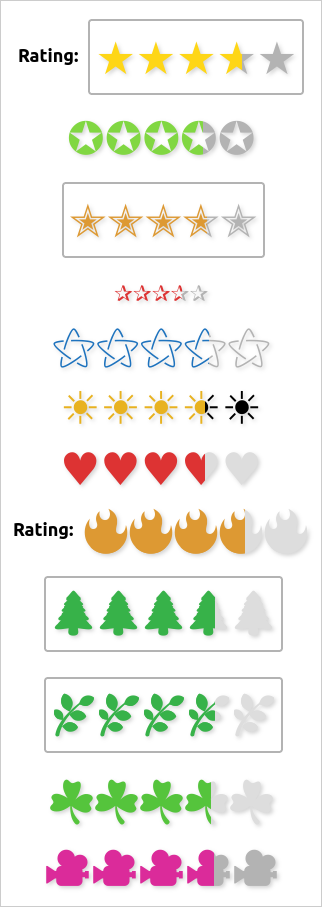
Here are examples of how a rating of 3.6 out of 5 can be rendered:
Installation
-
Download the latest version on GitHub.
-
Extract the archive and copy the folder (
acf-rating-field) to the WordPress plugins directory (/wp-content/plugins/). -
Go to the WordPress Plugins page on your website (
your-website.ext/wp-admin/plugins.php) and activate the ACF Rating Field plugin.You can also enable auto-updates.
Usage
Admin
Go to the ACF field groups page (your-website.ext/wp-admin/edit.php?post_type=acf-field-group), add a new field group, and choose the field type Rating:
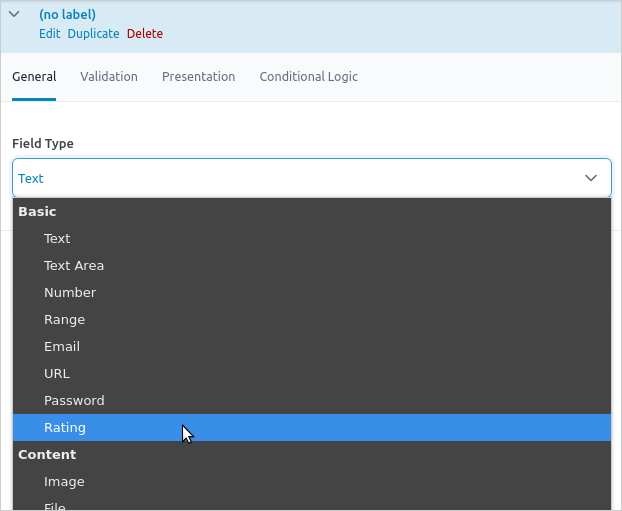
Adjust the field settings as needed.
Front-end
To display the field value, you can use the acf_rating_field shortcode. By default, it retrieves the custom field value for the current post. For example, the following shortcode:
[acf_rating_field name="FIELD_NAME"]is equivalent to:
[acf_rating_field name="FIELD_NAME" type="post"]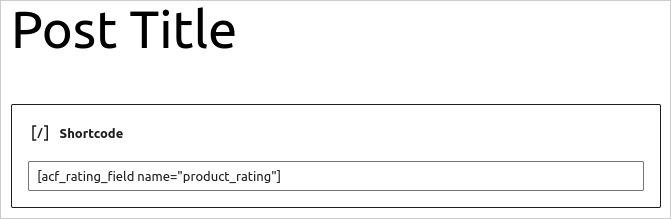
To get the field value from another post, use the id attribute:
[acf_rating_field name="FIELD_NAME" id="POST_ID"]If the rating field is linked to a comment, set the type to comment. By default, it will look at the current comment:
[acf_rating_field name="FIELD_NAME" type="comment"]To specify a specific comment, use the id attribute:
[acf_rating_field name="FIELD_NAME" type="comment" id="COMMENT_ID"]If the rating field is linked to a user, set the type to user. By default, it will use the current user:
[acf_rating_field name="FIELD_NAME" type="user"]To target a specific user, set the id attribute:
[acf_rating_field name="FIELD_NAME" type="user" id="USER_ID"]Displaying a custom value
Use the value attribute to display a custom rating, either standalone or based on the styling of a specific field. If both value and name are provided, the style of the named field will be used:
[acf_rating_field name="FIELD_NAME" value="3.6"]To set the rating style manually, use the style attribute. Available styles are custom and simple:
[acf_rating_field style="simple" value="3.6"]License
ACF Rating Field: Rating field for ACF supporting decimal numbers and a custom symbol
Copyright © 2022-2025 Jean-Philippe Fleury https://github.com/jpfleury
This program is free software: you can redistribute it and/or modify it under the terms of the GNU General Public License as published by the Free Software Foundation, either version 3 of the License, or (at your option) any later version.
This program is distributed in the hope that it will be useful, but WITHOUT ANY WARRANTY; without even the implied warranty of MERCHANTABILITY or FITNESS FOR A PARTICULAR PURPOSE. See the GNU General Public License for more details.
You should have received a copy of the GNU General Public License along with this program. If not, see https://www.gnu.org/licenses/.
Third-party code
-
Plugin Update Checker, under the MIT License, is used to manage auto-updates in the WordPress plugin admin page.
-
Thanks to ACF Example Field Type for template reference.
Releases
2 releases. Each count is every asset in that release; expand a row for the breakdown.