Gravity Forms Popup Confirmations WP Registry grade A. No security issues foundWP RegistryNo security issues foundOpen the reportA
Adds ability for form submission confirmations to be displayed on modal popups for Gravity Forms.
Install
Upload it under Plugins → Add New Plugin → Upload Plugin, then activate.
Install straight from GitHub with WP-CLI:
wp plugin install https://github.com/joelmcdwebworks/gf-popup-confirmations/releases/download/2.0.0-rc.1/gf-popup-confirmations.zipGravity Forms Popup Notifications
Adds the ability for form submission confirmations to be displayed on modal popups for Gravity Forms.
Warning This plugin is in development. The developer makes no garauntees about functionality or compatibility. The developer assumes no responsibility for its use. Please use at your own risk.
Overview
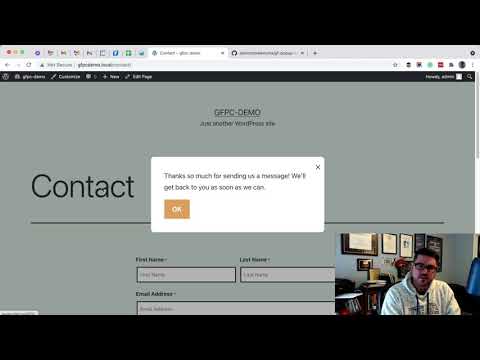
The image above is a link to a video overview and demo of this plugin. I recommend opening in a new tab or window.
This plugin allows Gravity Form confirmations to be displayed in a modal popup.
Installation
-
Download Plugin using this link or by cliking then selecting Download ZIP.
-
In your WordPress dashboard, click Add New and then Upload Plugin.
-
Find the downloaded zip file for the plugin, and then click Open.
Use
-
In the confirmation settings for your form, select Text as the confirmation type for the default confirmation or any other confirmation you may need for the form.
-
In the form settings for your form, add gf_confirmation_popup to the CSS class for your form.
-
Test your form.
-
Optional: Use CSS to style the popup and buttons.
Adding URL Parameters
You may find yourself wanting to pass URL parameters along with the confirmation. Because we're not using the standard Gravity Forms redirect settings, a way to add URL parameters via the form's CSS has been added. For example, to add the URL parameter "success=1", add the following CSS class to the form's settings, "urlparam-success-1".
Updates
Plugin updates will be automatically available as stable releases are published on Github.
Releases
23 releases. Each count is every asset in that release; expand a row for the breakdown.