PrismPress WP Registry grade A. No security issues foundWP RegistryNo security issues foundOpen the reportA
A gutenberg block for displaying code blocks which utilise Prism.js
Install
Upload it under Plugins → Add New Plugin → Upload Plugin, then activate.
Install straight from GitHub with WP-CLI:
wp plugin install https://github.com/jmwhitworth/prismpress/releases/download/v1.4.0/prismpress.zipVersion: 1.4.0
PrismPress is a WordPress plugin that adds a new Gutenberg block for display syntax-highlighted code powered on the front-end by Prism.js, and powered in the editor by CodeMirror.
Installation
On Github, download the package from the latest release. This will be called prismpress.zip.
You can then upload this file directly to your WordPress installation and activate the plugin.
How to use
With the plugin installed and activated, edit a post with the Gutenberg editor.
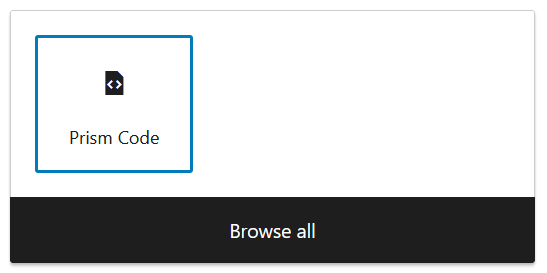
When adding a new block, you can then select the Prism Code block:
All content is added and managed via the 'Block settings' menu on the right-hand side and NOT in the block preview itself. This is due to the way Prism.js rewrites the structure of the markup, editing the text within the block isn't reliable so this resolves that issue.
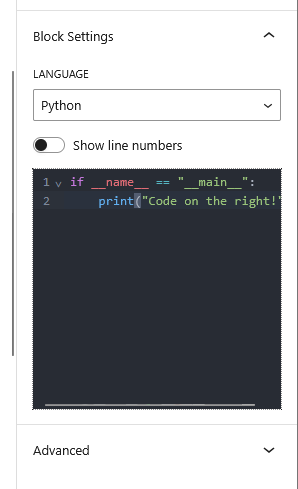
Final result:

Prism.js information
Prism.js details:
- Version:
1.29.0 - Theme:
- Okaidia
- Language support:
- Markup (HTML + XML + SVG + MathML + SSML + Atom + RSS)
- CSS
- C-like
- Javascript
- Bash + Shell
- Docker
- JSON
- Markup templating
- PHP
- Python
- YAML
- Prism.js Plugins:
- Line numbers
- Show language
- Toolbar
- Copy to clipboard
- Manual download Link for the above configuration
Releases
10 releases. Each count is every asset in that release; expand a row for the breakdown.