A/B Testing for WordPress WP Registry grade D. High-severity findings · 5 findingsWP RegistryHigh-severity findings · 5 findingsOpen the reportD #9 in Analytics & Tracking
WordPress plugin which allow you to run A/B tests from anywhere within your content.
Install
Upload it under Plugins → Add New Plugin → Upload Plugin, then activate.
Install straight from GitHub with WP-CLI:
wp plugin install https://github.com/jjj/ab-testing-for-wp/releases/download/1.18.2/ab-testing-for-wp.zipWordPress plugin which allow you to run A/B tests from anywhere within your content.
Utilize the new Gutenberg editor to create split tests to serve to your visitors and find out which variation works best.
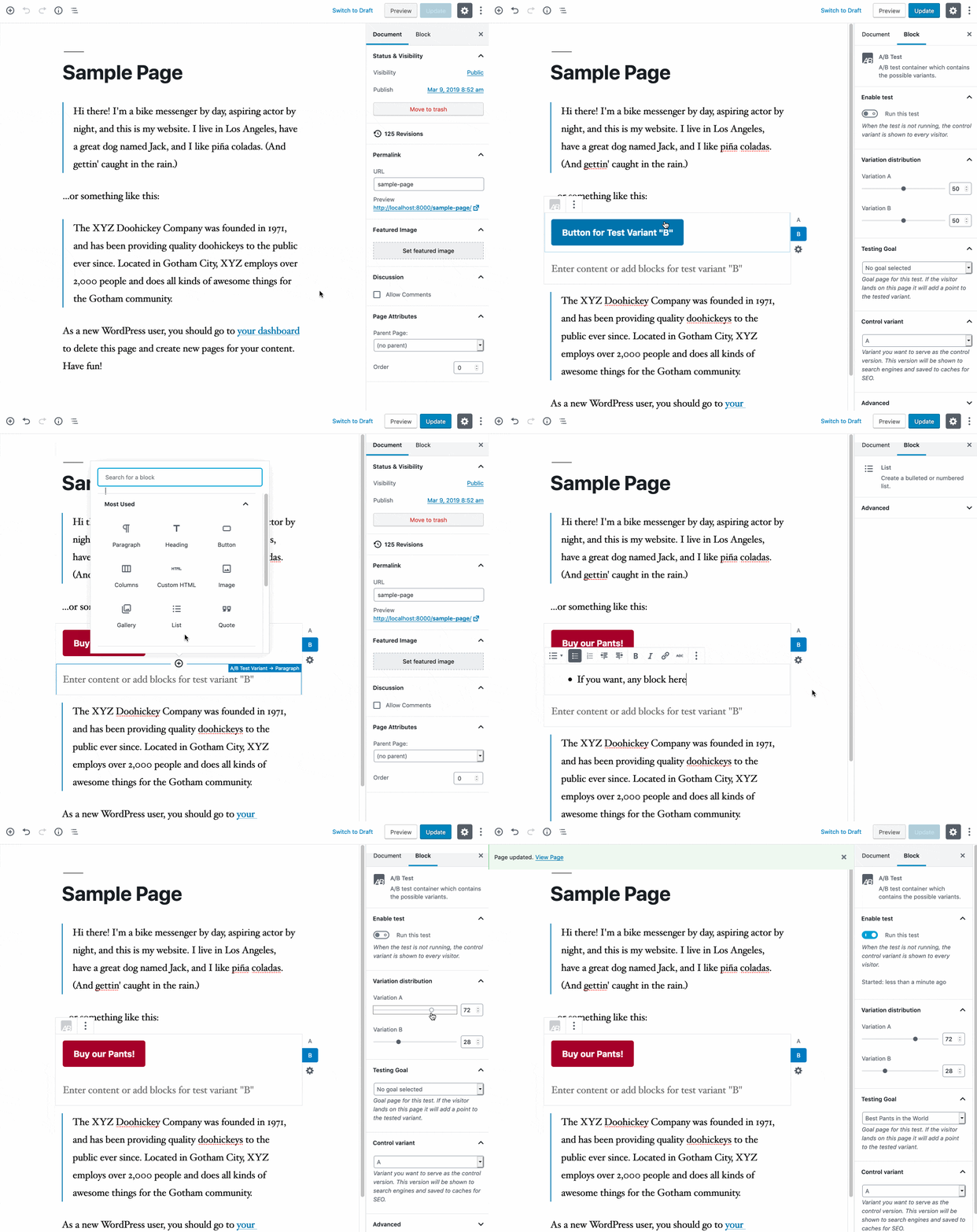
Installing
- Download
ab-testing-for-wp.zipfound on the latest release - Unzip contents and upload "ab-testing-for-wp" folder to the "/wp-content/plugins/" directory.
- Activate the plugin through the "Plugins" screen in WordPress.
- You can now add tests to your content!
Requirements
- At least WordPress 5.0 (uses the new Gutenberg editor)
JavaScript Bundle Development
Requirements: Node.js
Clone the project and npm install.
Use the following commands:
# one time build
npm run build

# development watch mode for JavaScript
npm run dev

# prepare for release (clean, build, archive)
npm run release
Using Docker for development
Requirements: Composer, Docker
# Starting Docker container:
docker-compose up -d
Development WordPress install now runs at localhost:8000
./wp-content of the project root is synced with the development install's wp-content.
Look at docker-compose.yml for database passwords.
Testing and linting
This project is tested using Cypress and linted using eslint. These dependencies get installed with the project automatically.
ESLint
Linting makes sure the code style is in order. This will also be performed on the main repository when creating a pull request.
In order to run linting on your local environment run the following command from the root of the project:
npm run lintCypress
Running all end-to-end tests makes sure all functionality is still in place after updates to the code have been made.
Run all tests by entering the following command:
npm run testThere are a few extra command to help you test and develop locally:
# run local test environment and open Cypress
npm run test:dev

# tear down the setup environment and create a new one
npmr run e2e:setup-env

# reset the database to be a fresh WordPress install
npm run e2e:reset-db
Releases
23 releases. Each count is every asset in that release; expand a row for the breakdown.
Active-site estimate ≈10 comes from the median of recent superseded releases. Method.