Shariff Social Share WP Registry grade A. No security issues foundWP RegistryNo security issues foundOpen the reportA
Install
Upload it under Plugins → Add New Plugin → Upload Plugin, then activate.
Install straight from GitHub with WP-CLI:
wp plugin install https://github.com/jg-bits/shariff-social-share/releases/download/1.2.0/shariff-social-share.zipThe Shariff-Social-Share Wordpress-Plugin is based on the open-source-project ct shariff from ct und heise online.
Installation
- Download this repo https://github.com/JG-Bits/shariff-social-share/archive/master.zip
- Unzip the downloaded archive, if directoryname contains "-master" remove/rename it.
- enter your domain in backend/index.php in line 22 and your facebook app-id and secret in line 36-37. If you dont know how to create a facebook-app-id, you get more information here: https://developers.facebook.com/docs/apps/register
- Upload the directory containing this modified plugin to your Website using FTP or upload it at the WordPress-Backend --> Plugins
- activate the plugin
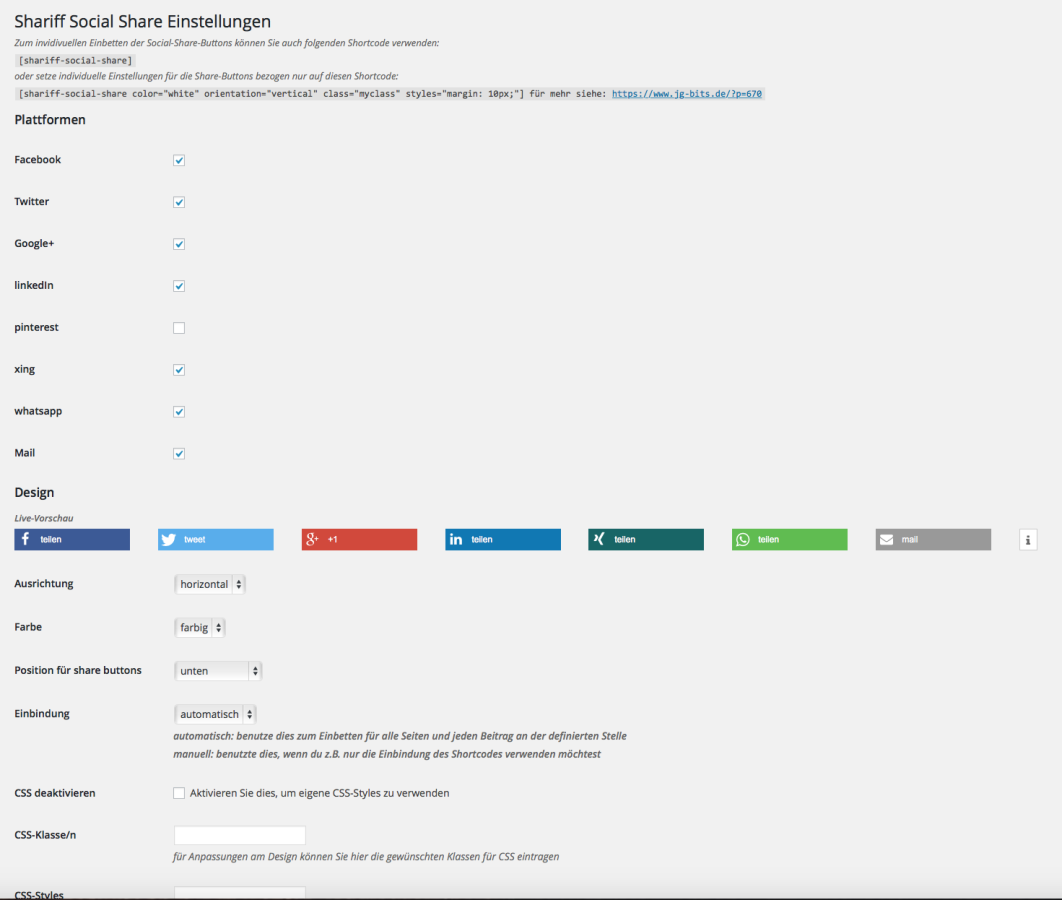
- Configure it in Settings --> Shariff-Social-Share
- Have fun :-)
Use of Shortcodes
With help of Shortcodes you can place the Social-Share-Buttons on any place in your editor. A direct integration in a template file is mostly possible.
Simple:
[shariff-social-share]With attributes for Shortcode related settings:
[shariff-social-share atts="Wert"]| atts (Attribut) | Wert |
|---|---|
| color | colored, white, grey |
| orientation | horizontal, vertical |
| class | html class attribute |
| styles | CSS-Styles |
CSS & JS Import-modes
For embedding CSS and Javascript there are following modes available:
- automatically
- manually
automatically
Automatically the CSS and JS file loads in relation to:
- Settings for embedding on page and posts
- websites-/postbased deactivation
manually
The CSS and JS file are only loaded manually when Shortcode is embedded into the page or post.
Screenshot
Database-Prefix
All settings of the plugin are saved via the WordPress-Settings-API into the database with the following prefix:
shariff_social_share_Releases
2 releases. Each count is every asset in that release; expand a row for the breakdown.