Install
This is the repository archive. It installs, but the folder name will carry the branch suffix and updates will not flow.
Install straight from GitHub with WP-CLI:
wp plugin install https://github.com/jevuska/ccn-browser-blocking/archive/refs/heads/master.zipNo built-in updater. New versions won't appear under Dashboard → Updates. Install new releases yourself, or let Git Updater track the repository.
Contributors: Jevuska Donate link: https://www.jevuska.com/donate/ Requires at least: 1.5 Tested up to: 4.8 License: GPLv2
CCNINJA Browser Blocking
Simple browser blocking and redirect to another one for your WordPress, i.e UC Browser to Chrome. No setup needed, install and you are ready to go.
Features
- Redirect browser visitors, i.e UC Browser to Chrome browser
- Change user agent "ubrowser|ucbrowser" to another one, separate by "|"
- Use filter
args_variable_js_bbccnto change value of js variable, i. e user-agent, text and url redirection
Requirement
- WordPress min version 1.5
Installation
- Upload the entire
ccn-browser-blockingfolder to the/wp-content/plugins/directory. - Activate the plugin through the
Pluginsmenu in WordPress, done!.
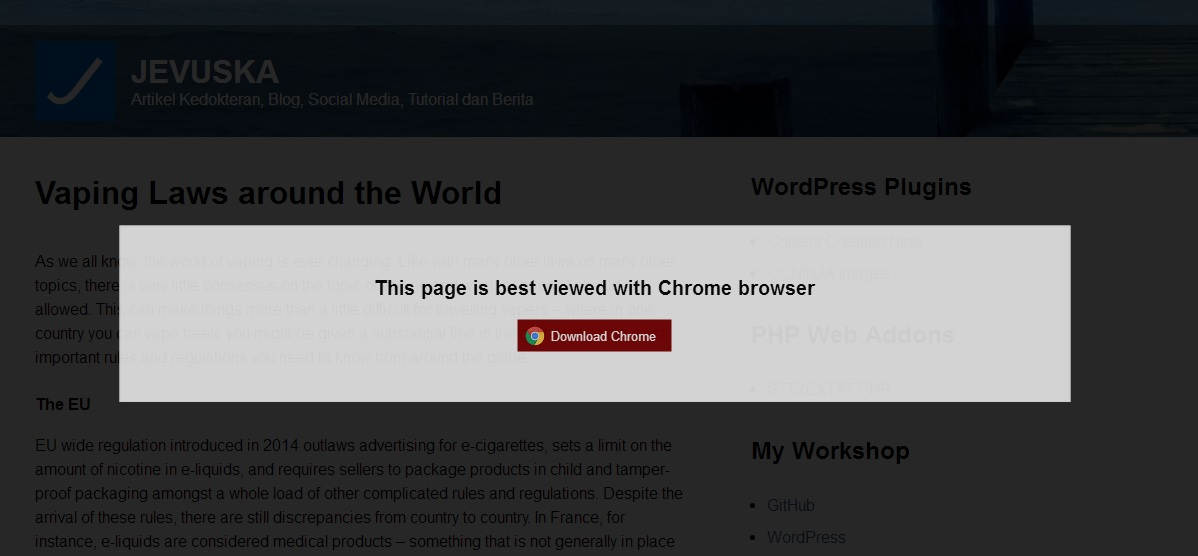
Screenshot
Browser Blocking plugin appeareance
Changelog
-
1.0.1 = October 01, 2017
-
Fixes user-agent
-
1.0.0 = October 01, 2017
-
First official release!
Upgrade Notice
v1.0.1 =
Updagrade Immediately!
v1.0.0 =
First official release!
Note
Releases
1 release.
Tag
Published
v1.0.0
latest
Oct 1, 2017 9 years ago
These releases are tags only. The author does not attach a packaged zip, so there are no download counts to report.