Install
This is the repository archive. It installs, but the folder name will carry the branch suffix and updates will not flow.
Install straight from GitHub with WP-CLI:
wp plugin install https://github.com/jerl92/millages/archive/refs/heads/master.zipNo built-in updater. New versions won't appear under Dashboard → Updates. Install new releases yourself, or let Git Updater track the repository.
Millages Plugin for Wordpress
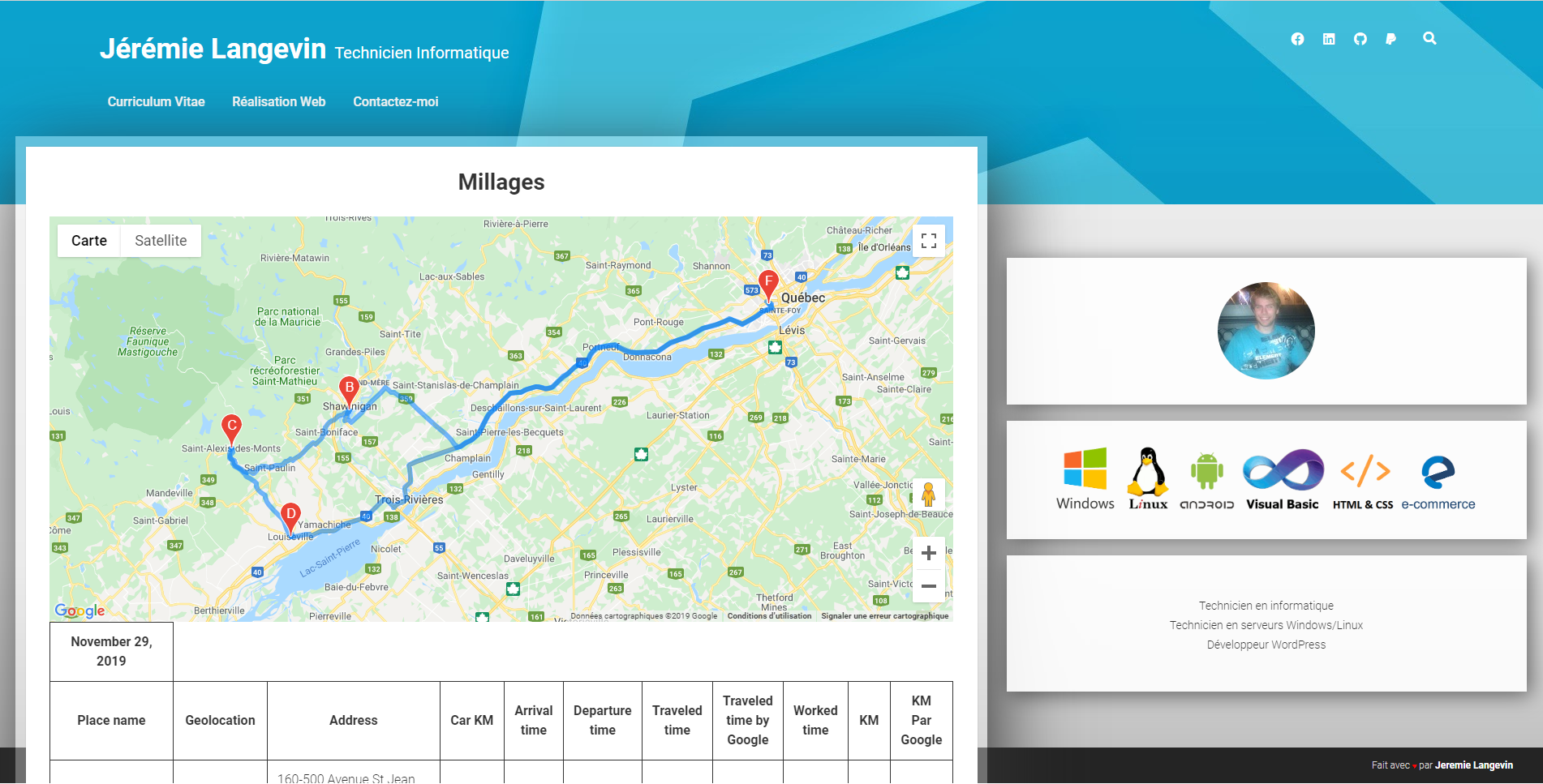
How does it work
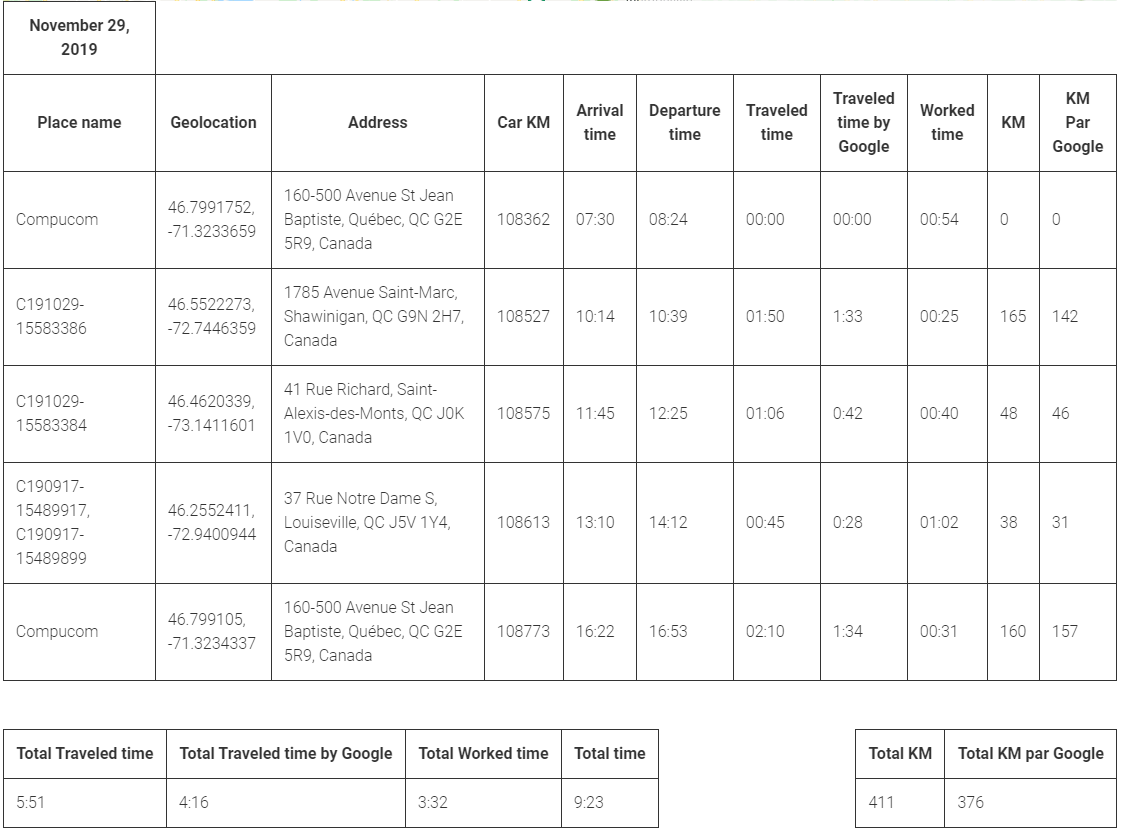
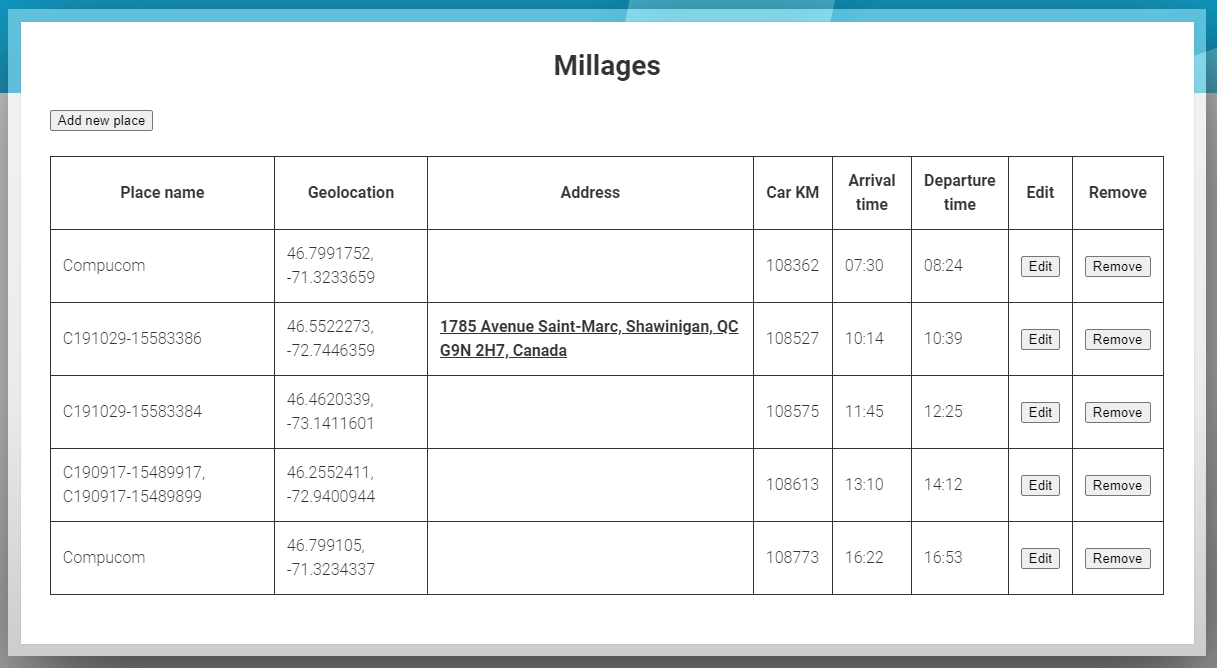
Responsive and interactive table to count the kilometer and worked time
Screenshot
Installation
- Unzip file in your /wp-content/plugins directory.
- Activate plugin in wp-admin.
- Make a new page with the shortcode [show_millage]
- Go to the page and start new millage.
Google API KEY
In file /millages/includes/millage-ajax.php. You need to add the Google Map API KEY to the enqueue script « map ». wp_enqueue_script( 'map', "https://maps.googleapis.com/maps/api/js?key=YOUR_API_KEY_HERE", array( 'jquery' ), '1.0.0', true );
Changelog
- 0.1 - Init commit.