Category Display for WooCommerce
Free Gutenberg block to display WooCommerce product categories in grid or slider layout. Live editor preview, no page builder needed. Sort, filter, responsive, PHPCS compliant.
Install
Upload it under Plugins → Add New Plugin → Upload Plugin, then activate.
Install straight from GitHub with WP-CLI:
wp plugin install https://github.com/jenish-wordpress/woocommerce-categories-gutenberg-block/releases/download/v1.0.0/woocommerce-categories-gutenberg-block-1.0.0.zipCategory Display for WooCommerce — Free Gutenberg Block Plugin
Free native Gutenberg block to display WooCommerce product categories in a responsive grid or slider layout — with live editor preview, no page builder required.
📦 Download Latest Release | 🐛 Report a Bug | 💡 Request a Feature | 🤝 Contributing
Table of Contents
- What Is This?
- Screenshots
- Features
- Installation
- How to Use
- Development Setup
- CSS Classes
- Roadmap
- FAQ
- Contributing
- Changelog
- License
What Is This?
Category Display for WooCommerce is a free, lightweight WordPress plugin that adds a native Gutenberg block for displaying WooCommerce product categories.
Most WooCommerce stores need product categories displayed on the homepage or shop page — in a grid or a slider. The available options always come with a catch: install a bloated page builder, pay for a Pro plugin, or write custom code.
This plugin solves it with a single block. Drop it into any page, configure it from the sidebar, and your categories appear — live, styled, and responsive.
Who Is This For?
- WooCommerce store owners who want categories displayed without installing Elementor or Divi
- WordPress developers building client stores who need a clean, standards-compliant solution
- Freelancers and agencies looking for a free, extendable block to use across projects
- Developers who want to fork, extend, or learn from a well-structured Gutenberg block
Screenshots
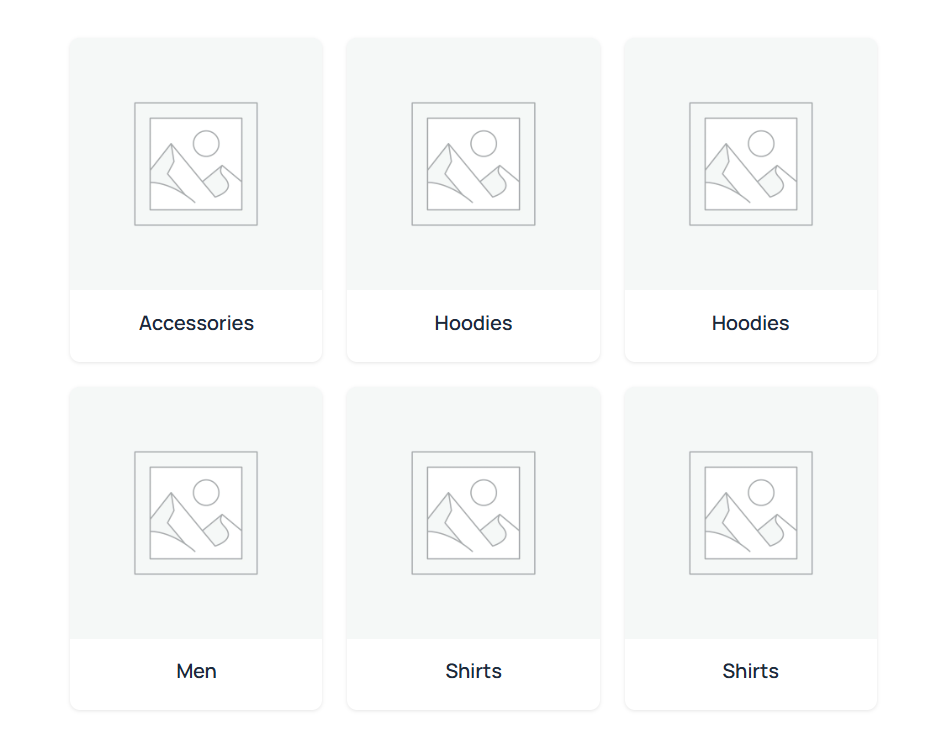
Frontend — Grid Layout
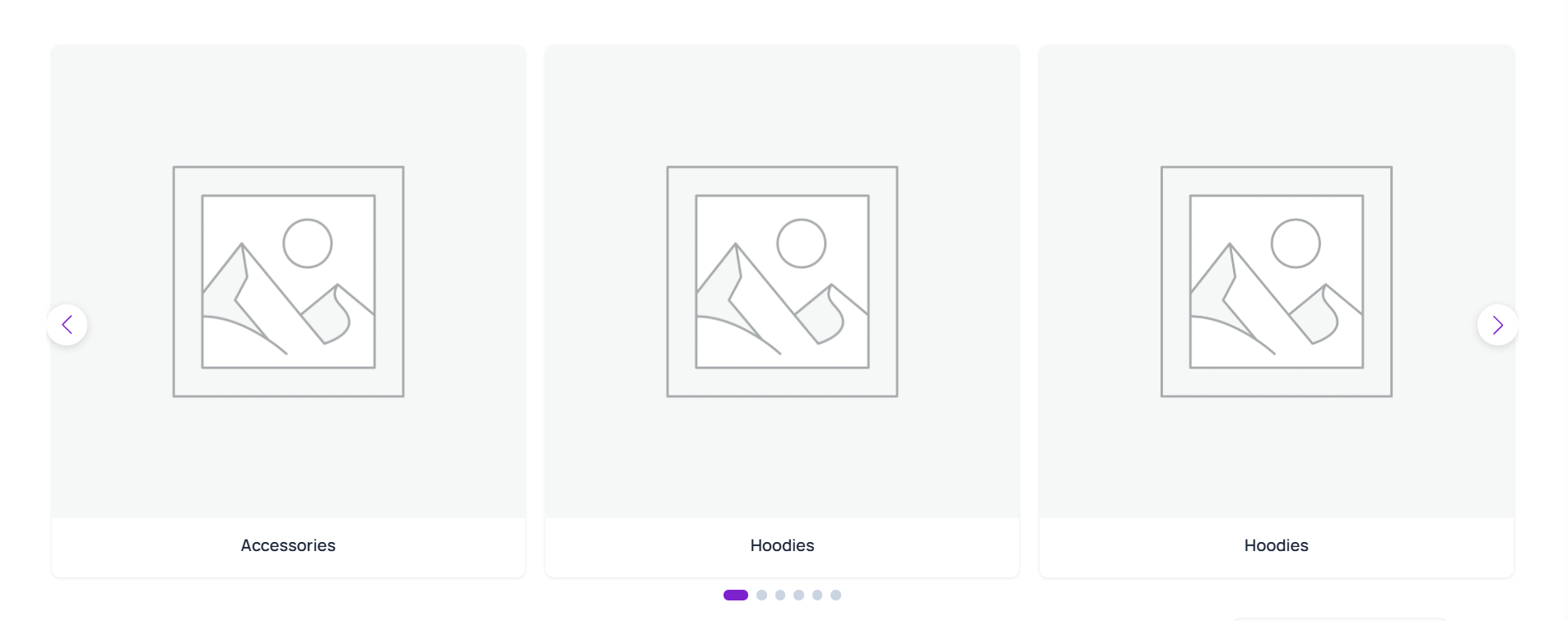
Frontend — Slider Layout
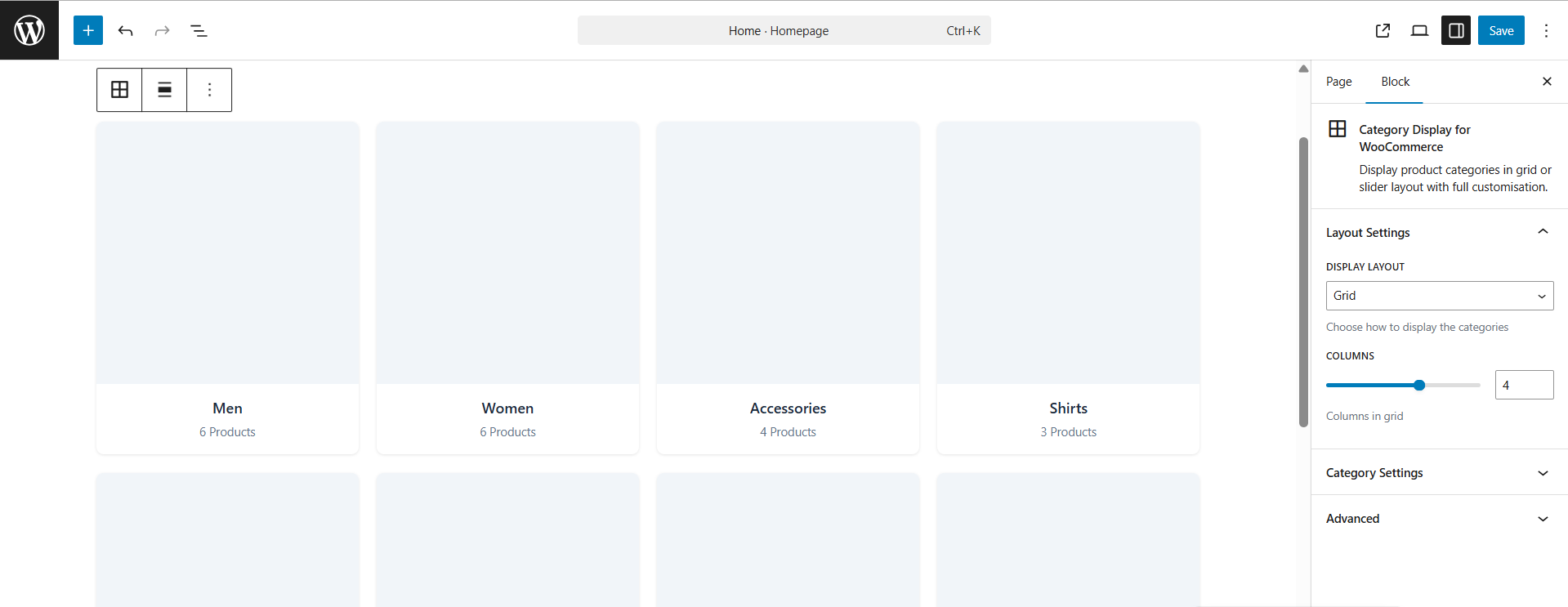
Block Editor — Live Preview with Settings
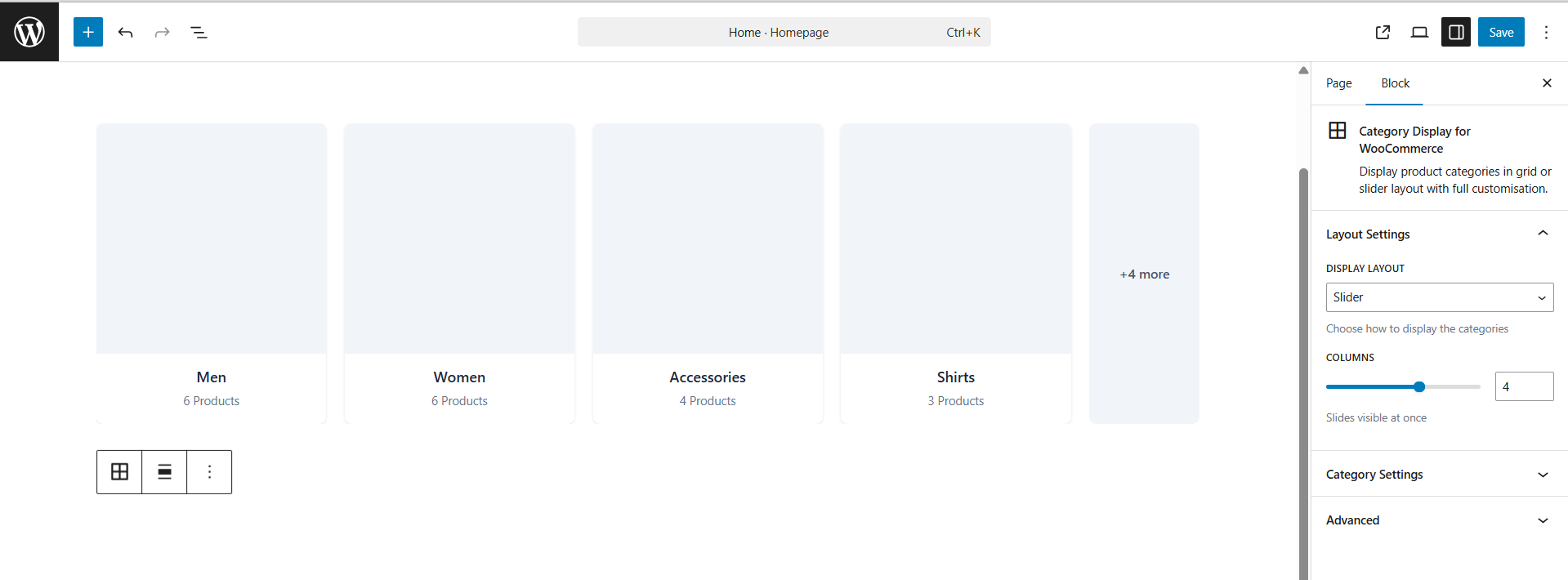
Block Editor — Slider Preview
Block Settings Panel — Category Controls
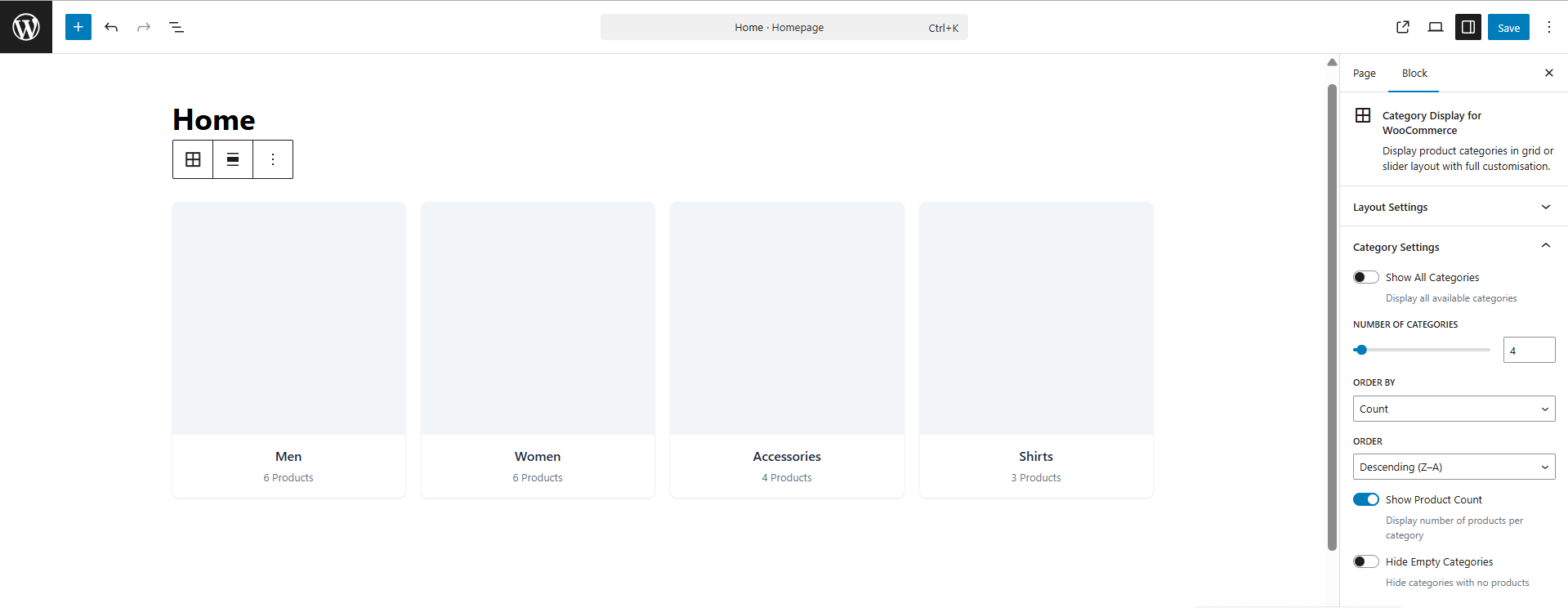
Features
Layout and Display
| Feature | Details |
|---|---|
| Grid Layout | Responsive CSS grid with 1–6 columns and fluid breakpoints |
| Slider Layout | Touch-enabled carousel powered by Swiper.js v11, bundled locally |
| Live Editor Preview | Real product_cat terms rendered inside Gutenberg via REST API |
| Wide and Full Alignment | Native block alignment support out of the box |
Category Controls
| Feature | Details |
|---|---|
| Category Limit | Show all or limit to 1–50 categories |
| Sort Options | Sort by name, product count, term ID, or slug |
| Order Control | Ascending or descending |
| Product Count | Show or hide product count per category |
| Hide Empty Categories | Toggle categories with zero products on or off |
Performance and Standards
| Feature | Details |
|---|---|
| No Page Builder Required | Native Gutenberg block, works with any WordPress theme |
| Swiper Bundled Locally | No CDN calls, no external network requests |
| Lazy Loading Images | Native loading="lazy" on all category images |
| PHPCS Compliant | Follows WordPress Coding Standards throughout |
| Secure Output | All output properly escaped — secure by default |
| Translation Ready | Fully internationalised with i18n support |
| Semantic HTML | Clean, accessible, SEO-friendly markup |
Installation
From GitHub Releases
- Download the latest ZIP from Releases
- Go to WordPress Admin → Plugins → Add New → Upload Plugin
- Upload the ZIP and click Activate
- Open any page in the Gutenberg editor and add the Category Display block
Requirements
| Requirement | Minimum Version |
|---|---|
| WordPress | 6.0 |
| WooCommerce | 6.0 |
| PHP | 7.4 |
How to Use
- Make sure WooCommerce is installed and you have at least one product category
- Open any page or post in the Gutenberg block editor
- Click + and search for Category Display
- Insert the block — your live WooCommerce categories load immediately inside the editor
- Use the Block Settings panel on the right to configure:
- Display Layout — Grid or Slider
- Columns — 1 to 6 columns
- Number of Categories — limit or show all
- Order By — name, count, ID, or slug
- Order — ascending or descending
- Show Product Count — toggle on or off
- Hide Empty Categories — toggle on or off
- Publish or update the page
Development Setup
Prerequisites
- Node.js 16+
- npm 8+
- Local WordPress install with WooCommerce active
Clone and Build
# Clone the repository
git clone https://github.com/jenish-wordpress/woocommerce-categories-gutenberg-block.git

# Move into the plugin folder
cd woocommerce-categories-gutenberg-block

# Install dependencies
npm install

# Start development with hot reload
npm run start

# Build for production
npm run build
Folder Structure
category-display-for-woocommerce/
│
├── assets/
│   ├── frontend.js               # Slider initialisation — vanilla JS, no jQuery
│   ├── style.css                 # Extra frontend styles
│   ├── swiper-bundle.min.js      # Swiper.js v11 bundled locally
│   └── swiper-bundle.min.css     # Swiper.js styles bundled locally
│
├── build/                        # Compiled output — generated by npm run build
│   ├── block.json
│   ├── index.js
│   ├── index.css
│   ├── style-index.css
│   └── render.php
│
├── src/
│   ├── block.json                # Block metadata, attributes, supports
│   ├── index.js                  # Block registration entry point
│   ├── edit.js                   # Editor component with live REST API preview
│   ├── render.php                # PHP server-side render callback
│   ├── style.scss                # Frontend styles compiled to build/
│   └── editor.scss               # Editor-only styles
│
├── category-display-for-woocommerce.php    # Main plugin bootstrap file
├── readme.txt                              # WordPress.org readme
└── package.json
CSS Classes for Custom Styling
Target these classes in your theme style.css or via Appearance → Customize → Additional CSS:
/* Main block wrapper */
.cat-display-block { }

/* Layout modifiers */
.cat-display-layout-grid   { }
.cat-display-layout-slider { }

/* Column count modifiers — 1 through 6 */
.cat-display-cols-1 { }
.cat-display-cols-2 { }
.cat-display-cols-3 { }
.cat-display-cols-4 { }
.cat-display-cols-5 { }
.cat-display-cols-6 { }

/* Category card elements */
.cat-display-item    { }
.cat-display-image   { }
.cat-display-content { }
.cat-display-title   { }
.cat-display-count   { }
Roadmap
Planned features for upcoming releases:
- [ ] Custom card color and background options
- [ ] Category image hover overlay with title text
- [ ] Hand-pick specific categories to display
- [ ] Drag-and-drop custom category ordering
- [ ] Ajax-powered live category filtering
- [ ] Multiple slider skin and style options
- [ ] Pro version with advanced layouts and design controls
Have a feature idea? Open an issue — the roadmap is shaped by community feedback.
FAQ
Does this plugin require WooCommerce?
Yes. WooCommerce must be installed and activated. The block displays product_cat taxonomy terms which are registered by WooCommerce.
Does it work with any WordPress theme? Yes. It is a native Gutenberg block and works with any theme that supports the block editor — including block themes, FSE themes, and classic themes with Gutenberg support.
Is Swiper.js loaded from a CDN?
No. Swiper.js is bundled inside the plugin assets/ folder. No external network requests are made.
Does it show a live preview in the block editor?
Yes. The block uses @wordpress/core-data and wp.apiFetch to fetch your real WooCommerce categories and renders them live inside the editor. What you see while building is exactly what visitors see on the frontend.
Can I display all categories without a limit? Yes. Toggle Show All Categories in the block settings panel.
Will this slow down my site? No. All images use native lazy loading, Swiper is served locally, and the block outputs clean semantic HTML with no render-blocking resources.
Can I use multiple instances on the same page? Yes. Each block instance is independent with its own unique ID and settings.
Is it compatible with WooCommerce HPOS? Yes. The block only reads product category taxonomy terms and does not interact with order storage.
Does it work without a page builder? Yes. It is a standalone native Gutenberg block. Elementor, Divi, Beaver Builder, or any other page builder is not required.
Contributing
Contributions are welcome. Please open an issue before submitting a pull request for major changes.
- Fork the repository
- Create a feature branch —
git checkout -b feature/your-feature-name - Commit your changes —
git commit -m "Add: description of change" - Push to your branch —
git push origin feature/your-feature-name - Open a Pull Request against the
mainbranch
Please follow WordPress Coding Standards for PHP and WordPress JavaScript Coding Standards for JS contributions.
Support
| Channel | Link |
|---|---|
| Bug Reports | GitHub Issues |
| Feature Requests | GitHub Issues |
| Discussions | GitHub Discussions |
Changelog
1.0.0 — March 2026
- Initial release
- Grid layout with 1–6 responsive columns
- Slider layout with Swiper.js v11 bundled locally
- Live Gutenberg editor preview via WordPress REST API and WooCommerce REST API
- Sort by name, count, ID, or slug — ascending or descending
- Show or hide product count per category
- Hide empty categories toggle
- Wide and full alignment support
- Fully responsive — mobile, tablet, desktop
- PHPCS compliant — WordPress Coding Standards throughout
- Translation ready with i18n support
- No CDN dependencies — all assets served locally
License
Licensed under the GNU General Public License v2.0 or later. See LICENSE for the full license text.
Author
Jenish Dholakiya
Found this useful? Give it a ⭐ on GitHub — it helps other WooCommerce developers and store owners find this plugin.
Releases
1 release. Each count is every asset in that release; expand a row for the breakdown.