Insider for Gravity Forms WP Registry grade A. No security issues foundWP RegistryNo security issues foundOpen the reportA
Gravity Forms add-on that sends leads to Insider through the web SDK, with field mapping done in the WordPress admin.
Install
Upload it under Plugins → Add New Plugin → Upload Plugin, then activate.
Install straight from GitHub with WP-CLI:
wp plugin install https://github.com/jeffersonrucu/wp-gf-insider/releases/download/v1.1.5/gf-insider-1.1.5.zipSends Gravity Forms submissions to Insider and prints the Insider tag. One feed per form, mapped in the admin — no code.
How it works
The push runs in the visitor's browser, through window.InsiderQueue, not through
a server-side API call. Two reasons:
- The lead stays tied to the session Insider already knows, so it is the same person who browsed the site and can receive web push. A server-side upsert loses that link.
- The values come from the server, built from the saved entry, so a multi-page form sends every field — not just the last screen.
What the plugin appends to the form confirmation:
window.InsiderQueue.push({ type: 'user', value: {
  email: 'maria@example.com',
  phone_number: '+5531988887777',
  name: 'Maria', surname: 'Silva',
  custom_identifiers: { cpf: '52998224725' },
  gdpr_optin: true,
  custom: { city: 'Belo Horizonte', loan_amount: 15000 }
}});
window.InsiderQueue.push({ type: 'custom_event', value: [{
  event_name: 'lead_contact',
  event_parameters: { custom: { form_name: 'Contact' } }
}]});
Requirements
WordPress 5.9+ · PHP 7.4+ · Gravity Forms 2.5+ · an Insider account with your domain allowed (without it the SDK loads but sends nothing).
Install
Download the .zip from the latest release
and install it under Plugins › Add New › Upload Plugin.
{
  "type": "package",
  "package": {
    "name": "plugins/gf-insider",
    "type": "wordpress-plugin",
    "version": "1.0.0",
    "dist": {
      "url": "https://github.com/jeffersonrucu/wp-gf-insider/releases/download/v1.0.0/gf-insider-1.0.0.zip",
      "type": "zip"
    }
  }
}
Setup
1. Account
Forms › Settings › Insider. Both values come from the tag Insider gives you —
in https://{name}.api.useinsider.com/ins.js?id={id}.
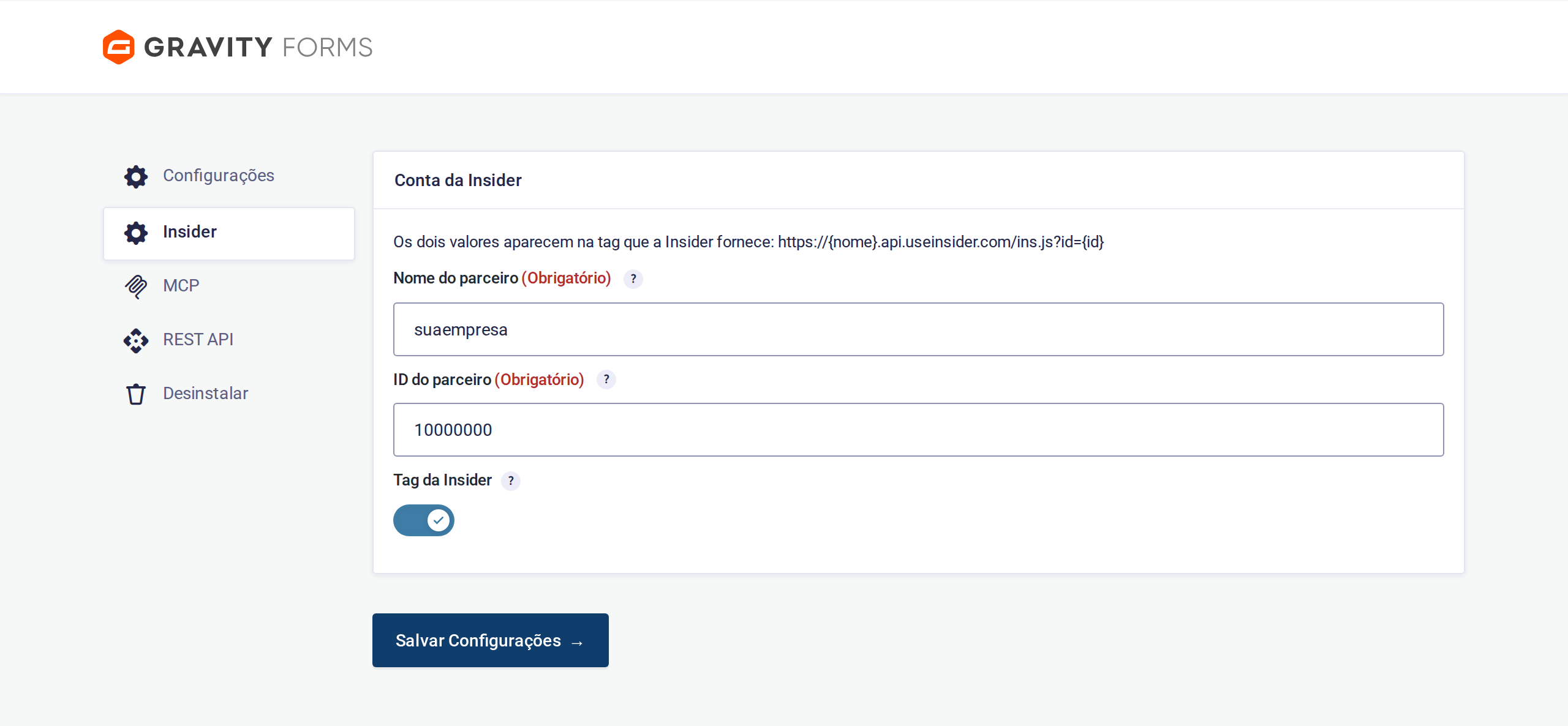
With the toggle on, the plugin prints this in <head> on every page:
<script>window.InsiderQueue = window.InsiderQueue || [];</script>
<script async src="https://yourcompany.api.useinsider.com/ins.js?id=10000000"></script>
The queue is declared before the tag because the SDK reads whatever is already in it on load. Turn the toggle off if a tag manager already injects the tag.
2. Feed
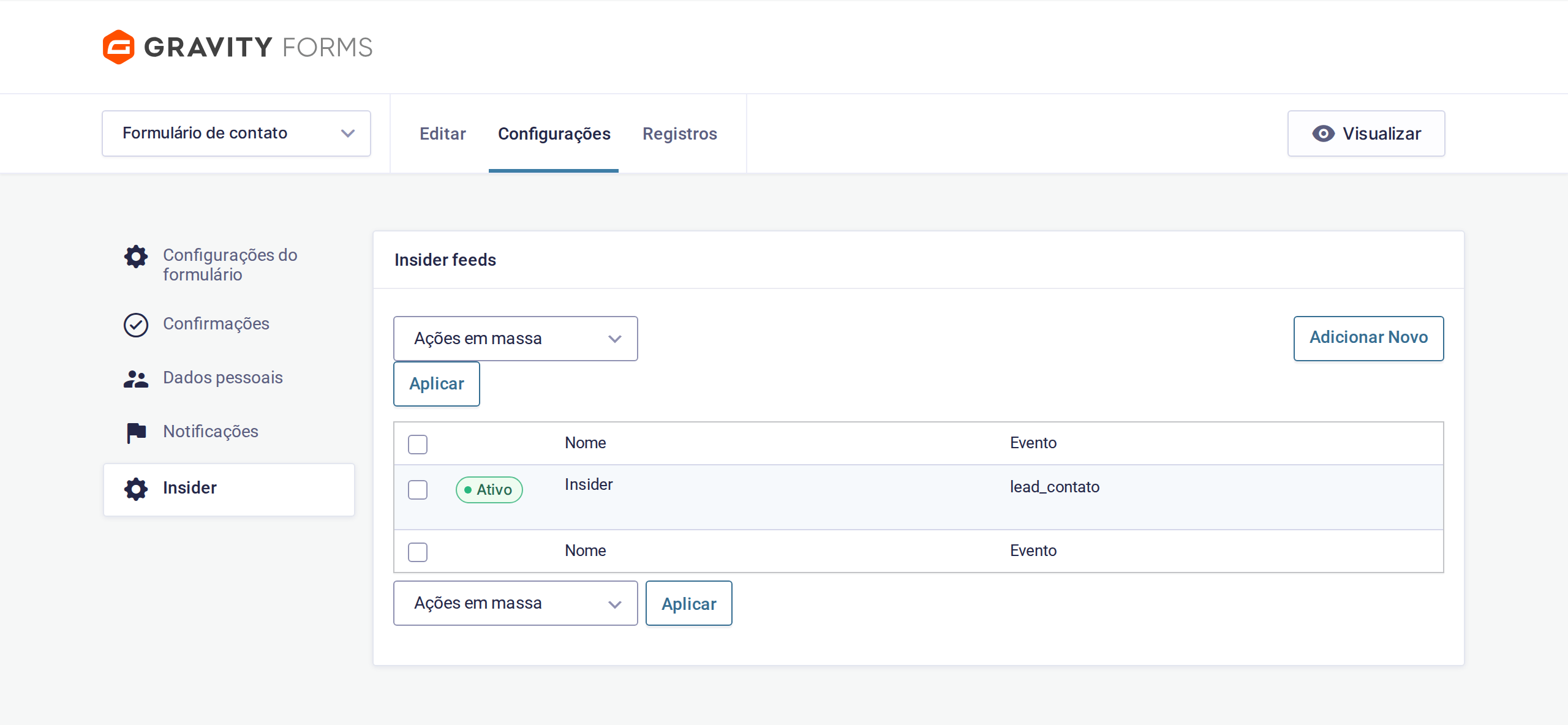
Forms › [your form] › Settings › Insider › Add New.
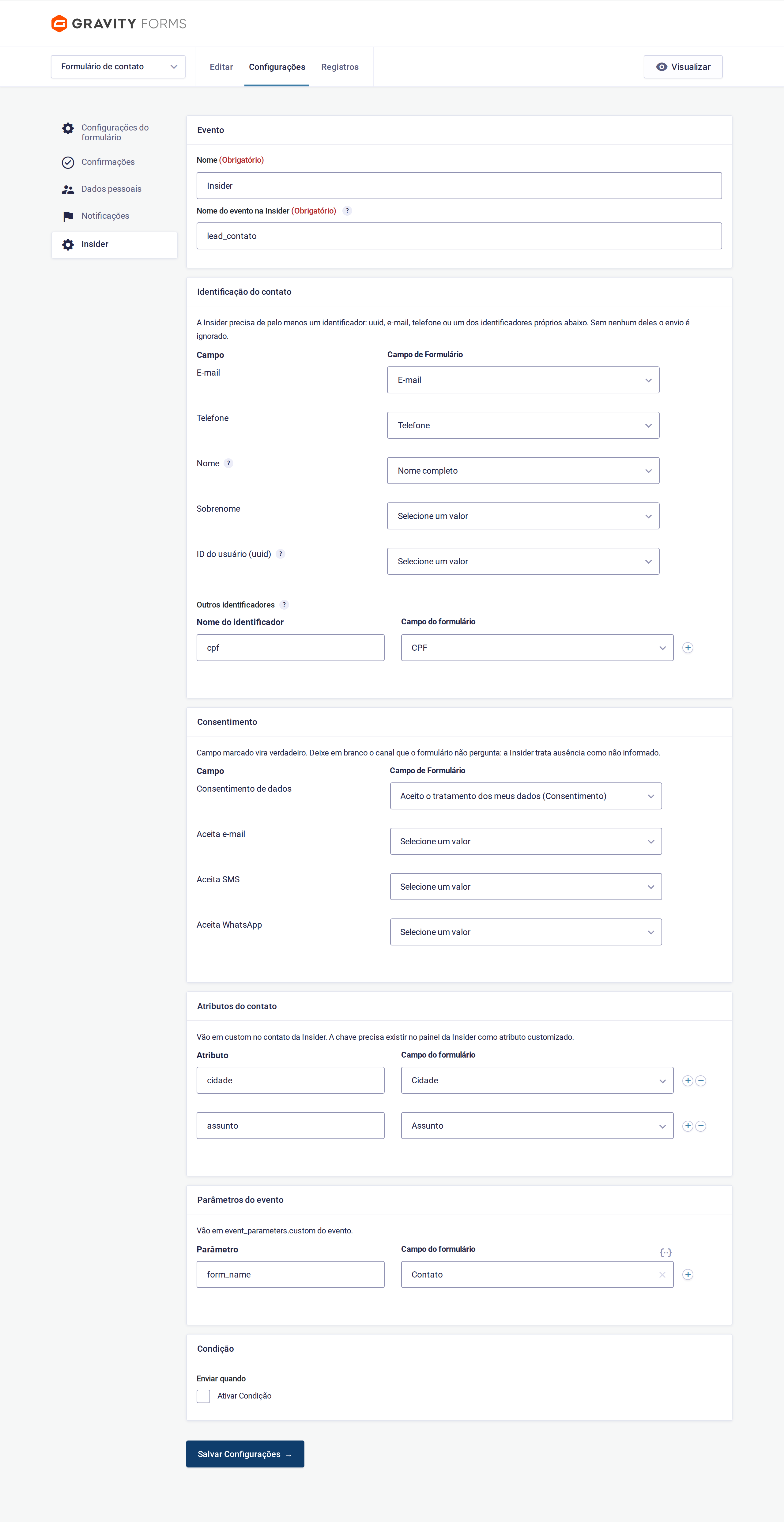
The event name must match the one registered in your Insider panel.
Insider needs at least one identifier. Without any, the contact is skipped and only the event fires.
| Field | Notes |
|---|---|
| Email, Phone | Standard identifiers. Phone is converted to E.164 ((31) 9 8888-7777 → +5531988887777) |
| Name | A full-name field also fills the surname, splitting at the first space |
| Surname | Map it only if the form asks separately |
| User ID (uuid) | Insider's main identifier: the id the person already has in your system. Leave empty if the form does not know it |
| Other identifiers | An extra identifier with its own name, such as a national ID. Insider receives it as c_cpf |
Do not put a document number in
uuid. If your back end sendsuuidwith an internal id and the site sendsuuidwith a document, Insider keeps two people. Use Other identifiers — the plugin strips punctuation before sending, which is how a back end usually stores it.
A checked consent field becomes true. Leave blank any channel the form does not ask about:
a data-processing consent is not a marketing opt-in, and Insider treats absence as
"unknown".
- Contact attributes → the contact's
custom - Event parameters →
event_parameters.custom, accepting a form field or a fixed value
Numbers are sent as numbers (15000, not "15000") so Insider can segment by range.
A leading zero means a code, not a quantity: 01310 stays text.
Use Condition to send only entries matching a rule.
3. In the Insider panel
- Allow your domain on the account.
- Attributes › Create — every key used in Contact attributes, with the right data type (Number for amounts and counts, String otherwise).
- Events › Create — every event name used in your feeds, with its parameters.
An attribute or event that does not exist in the panel is dropped on arrival.
Testing
Install Insider Hits: it adds a DevTools tab listing every hit, split by event.
- Open any page — a page view proves the domain is allowed.
- Submit the form. Two hits should follow: the contact and the event.
- In the panel, find the contact under User Profiles and the event under Event History.
To inspect the push without waiting on Insider, run this in the console before submitting:
(() => { const p = window.InsiderQueue.push.bind(window.InsiderQueue);
  window.InsiderQueue.push = (...a) => { console.log('InsiderQueue →', ...a); return p(...a); }; })()
Gotchas
- Caching plugins. The plugin already excludes itself from WP Rocket and
Perfmatters. Otherwise Rocket delays the tag until first interaction and minifies
ins.jsinto a local copy, freezing the SDK at the cached version. - Redirect confirmations. The push rides the form confirmation, and a redirect has no markup to carry it. Use a text confirmation on forms that feed Insider.
- No identifier, no contact. A form asking only for a subject and a message fires the event but creates no contact.
Development
The conversion rules — E.164, name splitting, consent, typing, identifiers — live in
includes/class-gf-insider-payload.php with no WordPress dependency, and have their
own check:
php tests/test-payload.phpLicense
GPL-2.0-or-later
Releases
7 releases. Each count is every asset in that release; expand a row for the breakdown.