Install
Upload it under Plugins → Add New Plugin → Upload Plugin, then activate.
Install straight from GitHub with WP-CLI:
wp plugin install https://github.com/jcbenton/nobloat-webp-converter/releases/download/v1.4.1/nobloat-webp-converter-1.4.1.zip
Nobloat WebP Converter
Generate .webp versions of JPEG and PNG images directly from the WordPress Media Library. Safe, simple, and fast. Uses Imagick (preferred) or GD as fallback.
Contributors: mailborder
Tags: webp, image optimization, media library, imagick, gd
Requires at least: 6.2
Tested up to: 7.0
Requires PHP: 7.4
Stable tag: 1.4.3
License: GPL v3 or later
License URI: https://www.gnu.org/licenses/gpl-3.0.html
Donations: https://donate.stripe.com/3cIfZi81NbxX9CX4uybfO01
Description
Nobloat WebP Converter adds one-click controls to your WordPress Media Library so you can:
- Create
.webpversions of existing.jpgand.pngimages. - Delete the original images after conversion (optional).
- Automatically register generated
.webpfiles in the Media Library.
No content rewrites, no background daemons, and no heavy frameworks — this plugin operates entirely within WordPress core standards.
Features
- Uses Imagick if available, with GD fallback.
- Single-file plugin — lightweight and portable.
- No JavaScript or CSS dependencies.
- Secure AJAX requests with nonces.
- Configurable WebP quality (default 82).
- Optional thumbnail conversion.
- Optional auto-convert on upload.
Security
- All AJAX operations are nonce-protected.
- Only authenticated users with proper permissions can trigger conversions or deletions.
- No filesystem writes occur outside of the WordPress uploads directory.
Ideal For
- Site owners who want to convert existing images to
.webpwithout changing post content or URLs. - Developers who prefer a clean, auditable plugin over complex optimization suites.
Installation
You can install Nobloat WebP Converter in three ways:
1. From the WordPress Plugin Directory
- In your WordPress admin panel, go to Plugins → Add New.
- Search for Nobloat WebP Converter.
- Click Install Now, then Activate.
2. Upload the ZIP File Manually
- Download the latest release from GitHub.
- In WordPress, go to Plugins → Add New → Upload Plugin.
- Choose the downloaded ZIP file and click Install Now.
- Click Activate Plugin once installation completes.
3. Copy the Plugin Manually
- Download or clone the repository from GitHub.
- Extract and upload the
nobloat-webp-converterfolder to/wp-content/plugins/. - Go to Plugins → Installed Plugins in WordPress and click Activate.
Once activated:
- Visit Settings → Nobloat WebP to configure image quality and options.
- Open any image in the Media Library and click “Create .webp” to generate WebP versions.
More details and documentation:
https://www.mailborder.com/nobloat-webp-converter/
Frequently Asked Questions
Does this plugin rewrite image URLs or modify post content?
No. It only generates and registers .webp images. Your posts, pages, and HTML remain untouched.
Where are the WebP images stored?
In the same directory as the original image, e.g. /uploads/2025/10/image.webp.
Can I safely delete the original files?
Yes. The Delete Original button is only available when a valid .webp version exists. It requires double-click confirmation before deletion.
Do I need Imagick installed?
No. The plugin automatically falls back to the GD library if Imagick is not available.
Will this affect new uploads?
By default, no. However, you can enable "Auto-Convert on Upload" in Settings to automatically create WebP versions when images are uploaded.
Screenshots
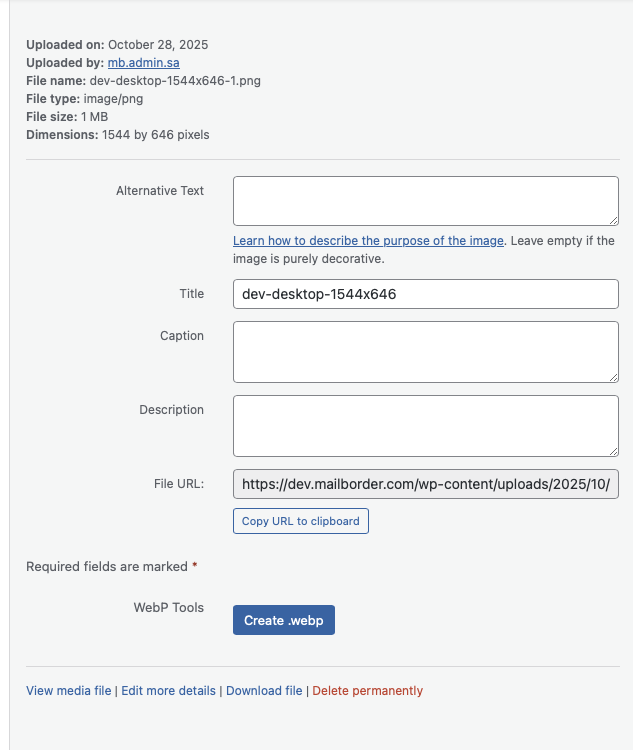
1. Media Library Integration
Easily create and delete WebP versions of your images directly from the Media Library attachment view.
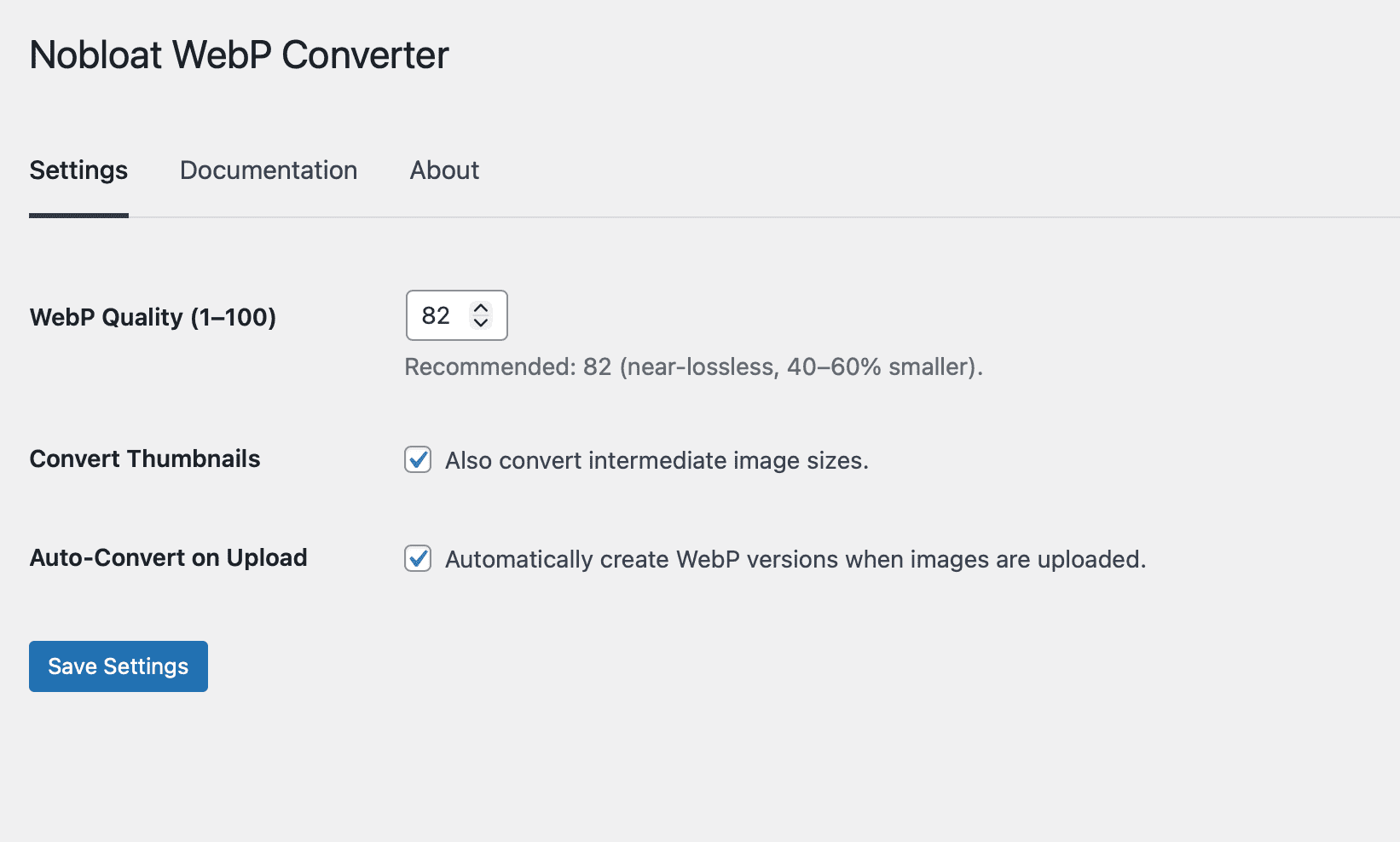
2. Settings Page
Configure global options such as WebP quality and whether to convert intermediate (thumbnail) image sizes.
Changelog
1.4.3
- Confirmed compatibility with WordPress 7.0.
- Added
clearstatcache()after file deletions so deletion-success counts reflect the actual on-disk state.
1.4.2
- Fixed DOM-based XSS vector in JavaScript status messages (replaced
.html()with.text()). - Fixed mixed escaped/unescaped output in printf patterns using
wp_kses(). - Added client-side redirect URL validation for defense-in-depth.
- Added upload directory path validation for main image files (previously only thumbnails were validated).
- Added atomic file writes via temp file + rename to prevent race conditions.
- Added pixel dimension check in GD fallback to prevent memory exhaustion on large images.
- Added uninstall hook to clean up plugin options from database.
- Fixed misleading "WebP created" count when files already existed and were up to date.
- Fixed deletion count to verify files were actually removed before incrementing.
- Replaced CRC32 cache key hashing with MD5 to reduce collision risk in large media libraries.
- Removed unused
NBWPC_META_MARKconstant.
1.4.1
- Wordpress coding standards cleanup.
1.4.0
- Added tabbed settings interface with Settings, Documentation, and About tabs.
- Added auto-convert on upload option (disabled by default).
- Improved WordPress naming conventions using wp_unique_filename().
- Added duplicate attachment prevention.
- Added path traversal protection.
- Fixed GUID calculation for dated subdirectories.
- Optimized JavaScript loading to media-related screens only.
1.2.3
- Full WPCS compliance.
1.2.2
- Added full in-admin AJAX integration for Create/Delete operations.
- Added dynamic UI refresh and double-click confirmation for deletions.
- Added detailed documentation and security hardening.
1.2.0
- Introduced Create/Delete controls in the Media Library.
- Added AJAX processing and nonce validation.
1.0.1
- Initial release.
License
This plugin is licensed under the GNU General Public License v3.
You are free to use, modify, and distribute it under the same license.
Author & Project Links
- Author: Mailborder
- Plugin Page: https://www.mailborder.com/nobloat-webp-converter/
- GitHub Repository: https://github.com/jcbenton/nobloat-webp-converter
Releases
1 release. Each count is every asset in that release; expand a row for the breakdown.