Install
This is the repository archive. It installs, but the folder name will carry the branch suffix and updates will not flow.
Install straight from GitHub with WP-CLI:
wp plugin install https://github.com/jansengreat/gco-wp-care/archive/refs/heads/main.zipNo built-in updater. New versions won't appear under Dashboard → Updates. Install new releases yourself, or let Git Updater track the repository.
A WordPress plugin that adds a complete WordPress care & security service page to a site, plus an "Ask GCO" request banner on every page. Requests are saved in the WordPress dashboard and emailed to the site owner, with a reply box built in.
Built and used on globalcentreone.com by Global Faith Connection LLC.
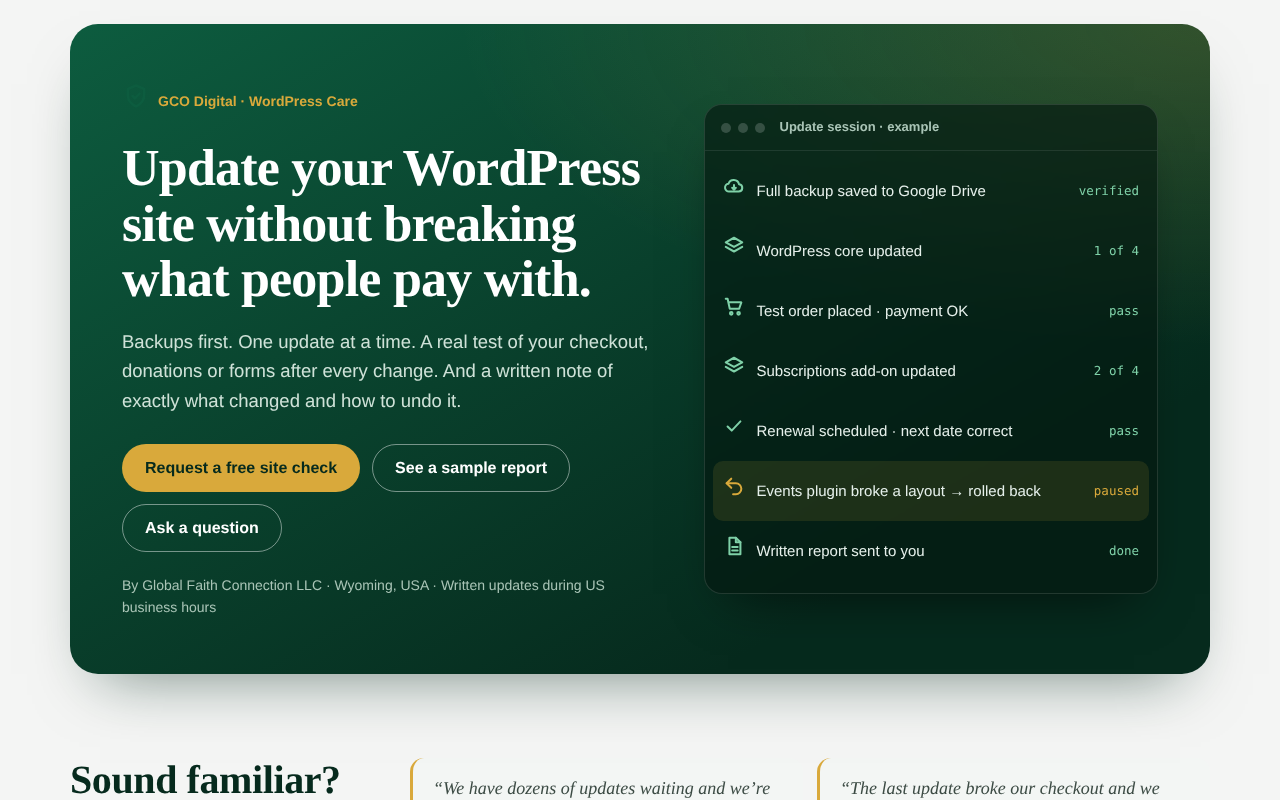
Features
- Service page with one shortcode:
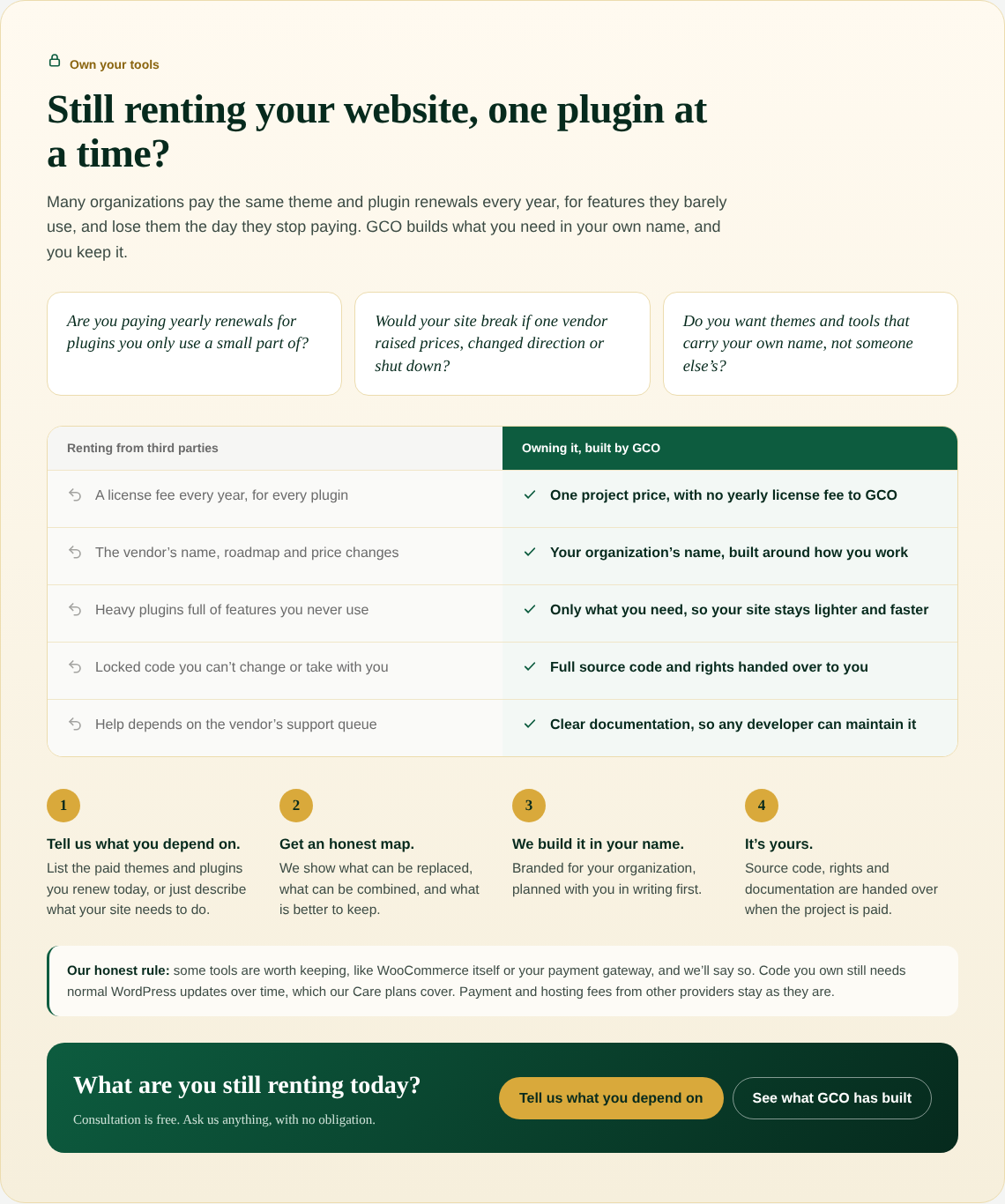
[gco_care]renders the hero, common problems, how the work is done, a sample report, portfolio, plans, other services, an "Own your tools" section, FAQ and a request form. - Page created on activation: a "WordPress Care & Security" page with the shortcode is created for you.
- Ask GCO banner on every page: a quiet banner above the theme footer that opens a short request dialog. It can also be a floating button, or turned off.
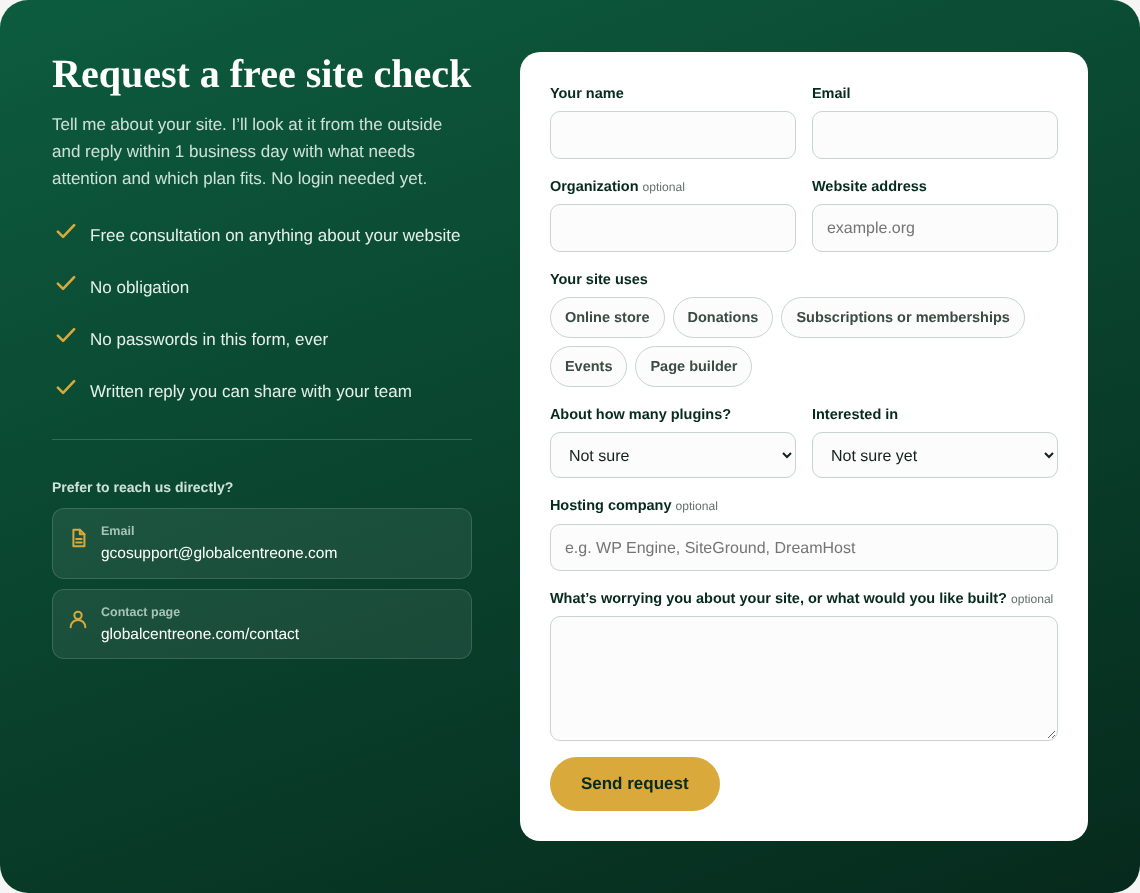
- Requests saved in the dashboard: every message is stored under Care Requests with status, site, plan and contact details. Nothing is lost if email fails.
- Reply from WordPress: a reply box on each request sends the answer by email and keeps a history.
- Emails both ways: the site owner gets a notification with Reply-To set to the sender, and the sender gets a confirmation.
- Works with page caching: no nonce on the public form, so cached pages still submit. Spam is handled with a honeypot field, a time check and a rate limit (3 per 10 minutes). Suspicious messages are saved as "Check", never silently dropped.
- Form drafts kept: if a submission fails validation, what the visitor typed is restored.
- Settings screen: email, company, plans, services, portfolio, banner text, button style and brand colors under Settings → GCO WordPress Care.
- Structured data: JSON-LD for the service and the FAQ.
- Accessible and mobile-safe: keyboard focus styles, reduced-motion support, native
<dialog>, and layouts tested from 240px to 412px wide with no horizontal scrolling. - No third-party services or paid add-ons.
Screenshots
| Mobile | Ask GCO dialog |
|---|---|
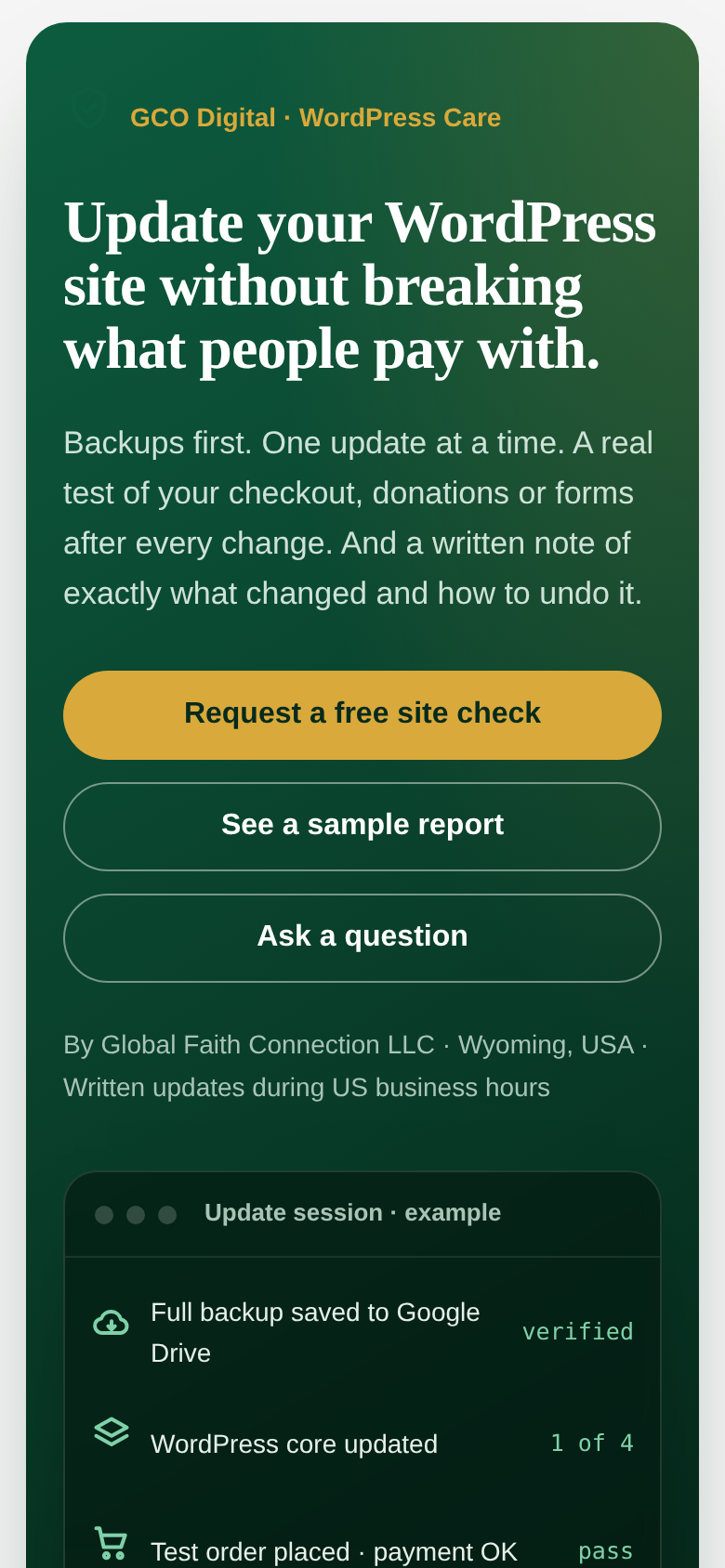 |
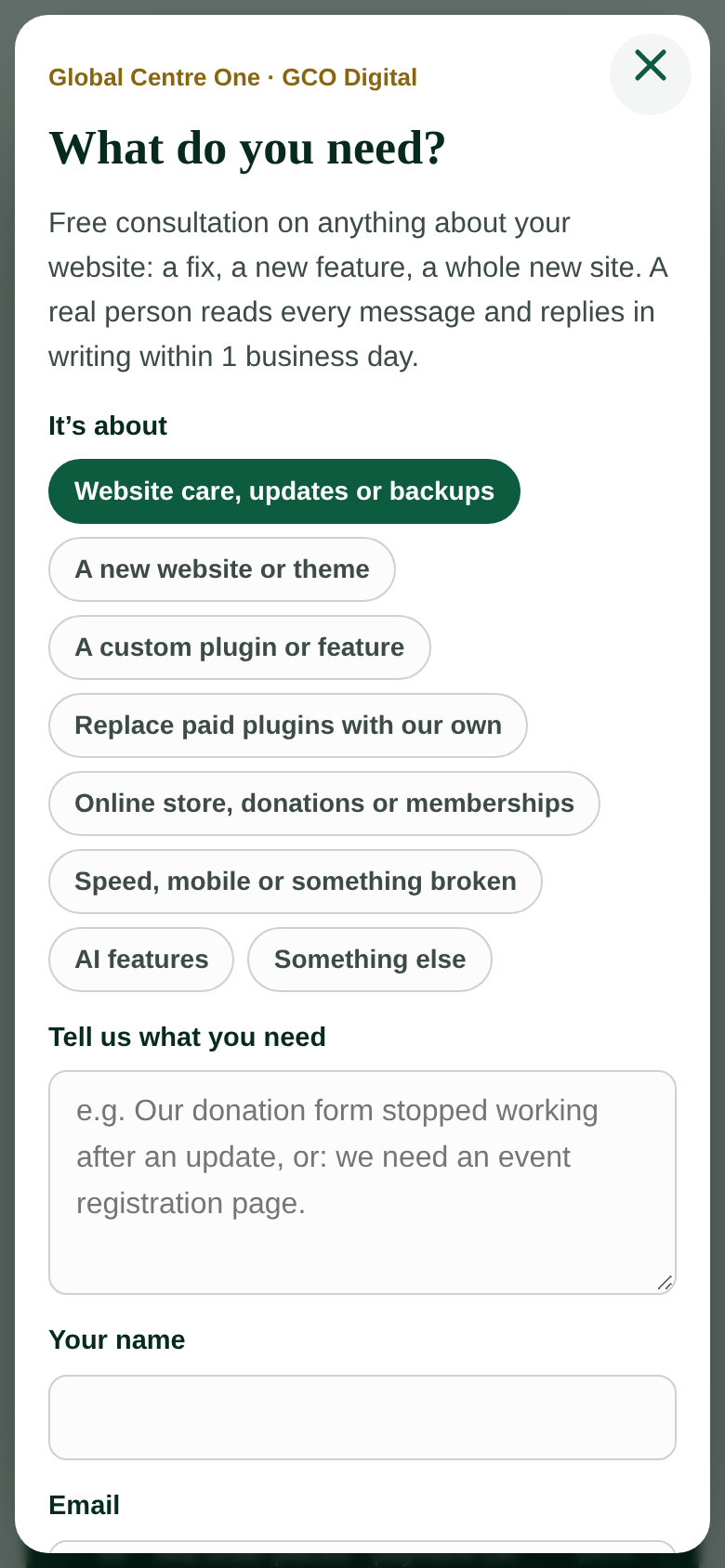 |
Plans
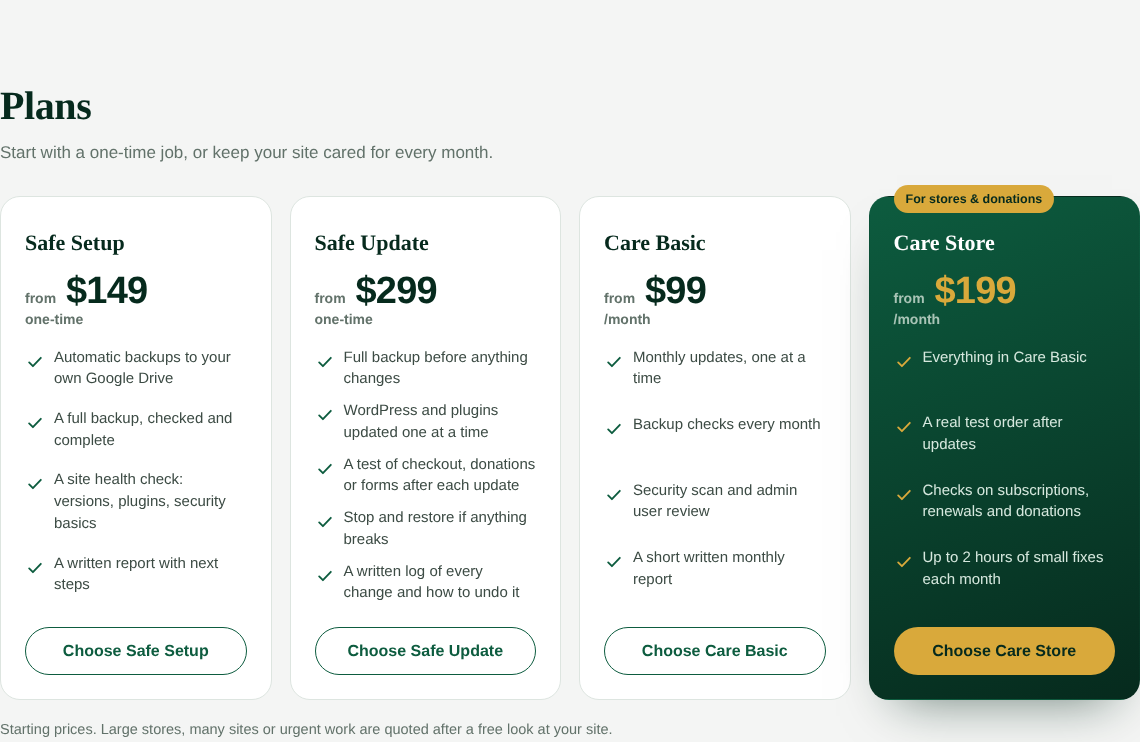
"Own your tools" section
Request form
Banner shown on every page

Requirements
- WordPress 6.0 or newer
- PHP 7.4 or newer
- Working outgoing email (an SMTP plugin is recommended)
Installation
- Download this repository as a ZIP (Code → Download ZIP).
- In WordPress, go to Plugins → Add New → Upload Plugin and upload the ZIP.
- Activate GCO WordPress Care.
- Open Settings → GCO WordPress Care to set your email, plans and colors.
- Visit the new WordPress Care & Security page.
File structure
gco-wp-care.php        Plugin bootstrap and activation
includes/settings.php  Settings screen and option helpers
includes/render.php    [gco_care] shortcode output and JSON-LD
includes/requests.php  Care Requests post type, form handler, emails, replies
includes/ask.php       Ask GCO banner and dialog on every page
assets/care.css        Styles, scoped to the plugin
assets/care.js         Dialog, drafts, banner placement
License
GPL-2.0-or-later. See LICENSE.
Author
Jansen Great · jansengreat.globalcentreone.com · Global Faith Connection LLC, Wyoming, USA