Install
This is the repository archive. It installs, but the folder name will carry the branch suffix and updates will not flow.
Install straight from GitHub with WP-CLI:
wp plugin install https://github.com/jadogmbh/gallery-masonryer/archive/refs/heads/main.zipNo built-in updater. New versions won't appear under Dashboard → Updates. Install new releases yourself, or let Git Updater track the repository.
jado Gallery Masonryer Plugin for WordPress
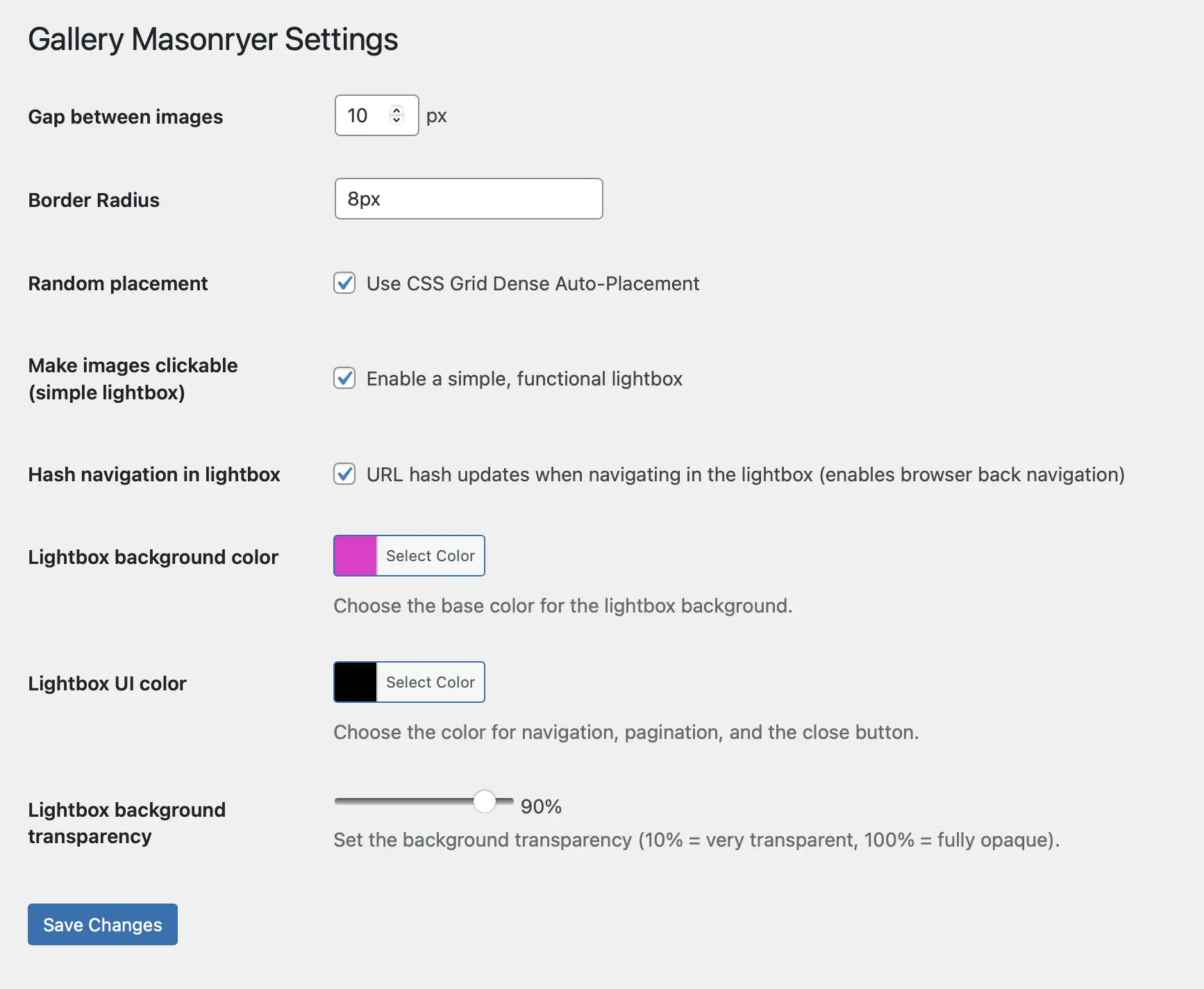
Turns every WordPress Gallery into a Masonry Grid (pure CSS) after activating the plugin.
Features
- Border Radius: Customize the border radius of all images
- Gap Control: Adjust spacing between images
- CSS Grid Dense Auto-placement: Enable advanced grid positioning
- Lightbox Integration: Activate lightbox on all gallery images using Swiper.js
- Hash Navigation: Enable URL-based navigation in lightbox (optional)
- Color Customization: Configure overlay colors when lightbox is activated
- UI Color Settings: Customize lightbox navigation and button colors
- Background Opacity: Adjust lightbox background transparency
Installation
- Upload the plugin files to
/wp-content/plugins/gallery-masonryer/ - Activate the plugin through the 'Plugins' screen in WordPress
- Go to Settings → Gallery Masonryer to configure options
Requirements
- WordPress 5.0 or higher
- PHP 7.4 or higher
Demo
Visit our demo website: https://albert.ag
License
This plugin uses Swiper.js (MIT License) – Copyright © Vladimir Kharlampidi
Releases
1 release.
Tag
Published
1.3.4
latest
Sep 12, 2025 1 year ago
These releases are tags only. The author does not attach a packaged zip, so there are no download counts to report.