Install
This is the repository archive. It installs, but the folder name will carry the branch suffix and updates will not flow.
Install straight from GitHub with WP-CLI:
wp plugin install https://github.com/j0w0/wp-google-maps-block/archive/refs/heads/master.zipNo built-in updater. New versions won't appear under Dashboard → Updates. Install new releases yourself, or let Git Updater track the repository.
Google Maps Block
Custom Google Maps block for Wordpress full site editing. Insert custom Google Maps block, customize the map, and set a location with information. A single page can have more than 1 map.
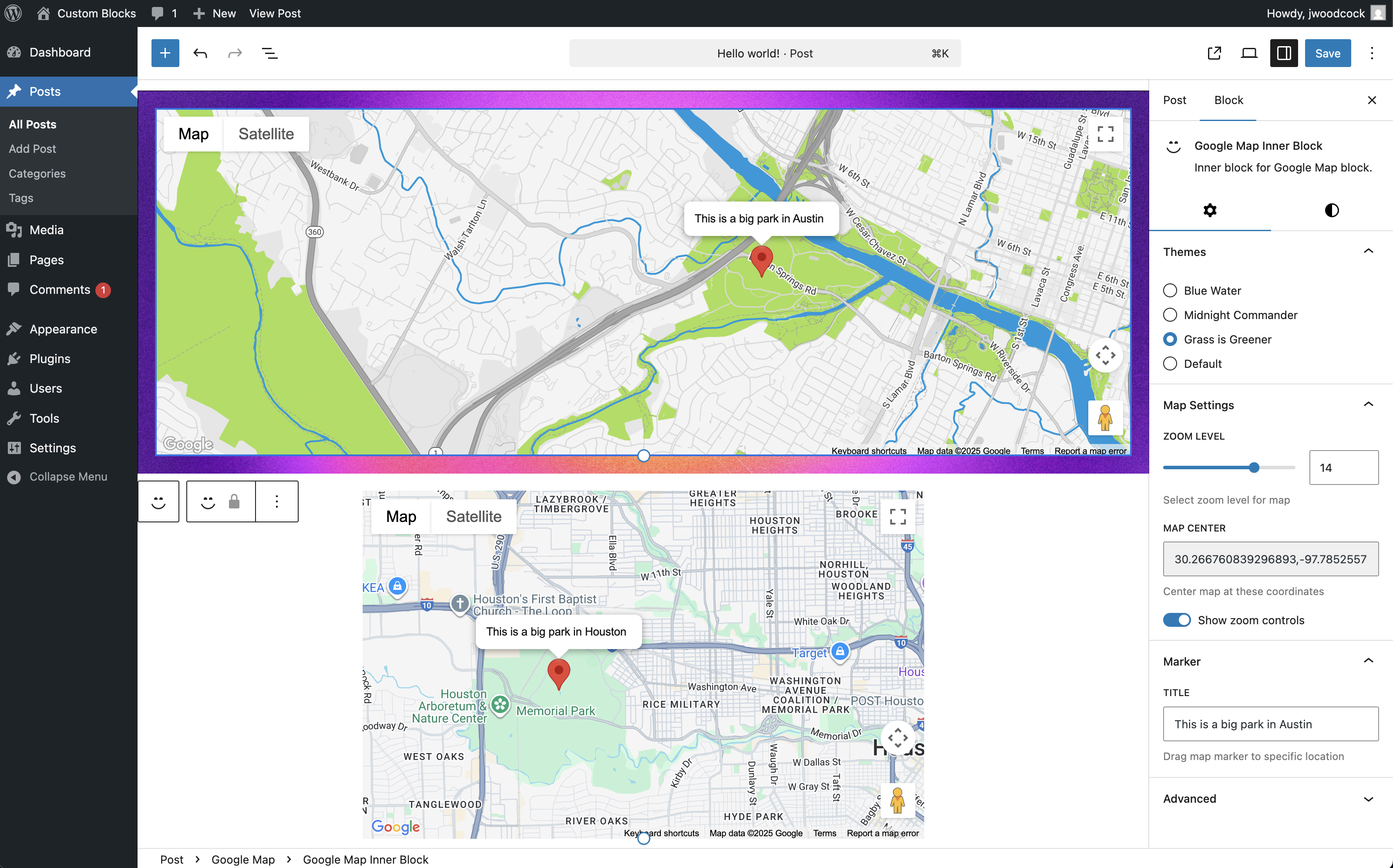
Allows the user to customize and set:
- Map theme (SnazzyMaps)
- Zoom level
- Map's position (via draggable Google Map)
- Show/hide map controls
- Map marker's position (draggable on the admin side)
- Map marker's label
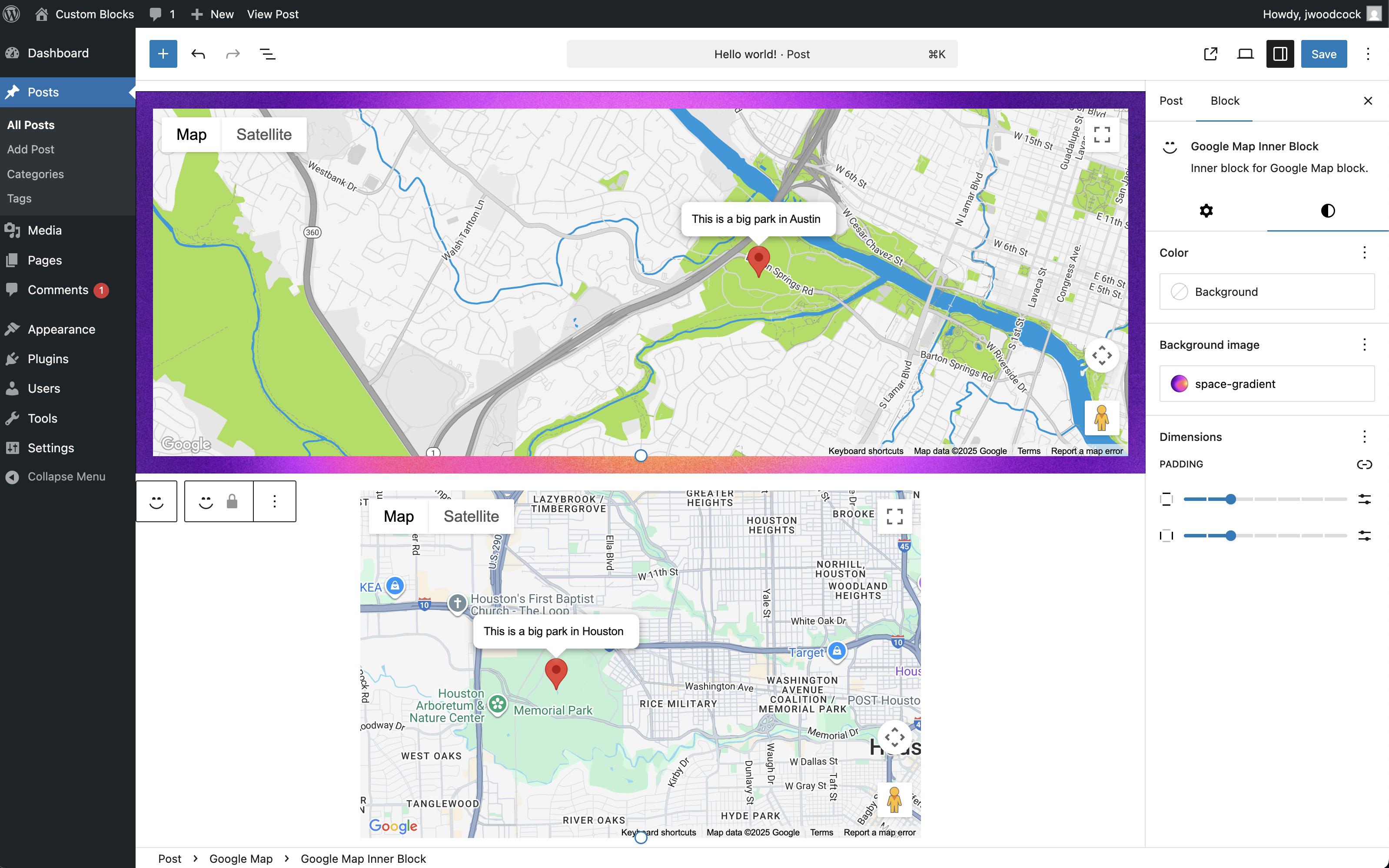
- Block background color/image
- Block padding
Uses Google Maps JavaScript API for front-end view and react-google-maps for admin/full site editing.
Environment Variable
Add Google Maps API key to wp-config.php
define('GOOGLE_MAPS_API_KEY', 'google-api-key-here');
Development / Builds
npm install
npm run start or npm run build
Upload and activate in Wordpress plugins.
Screenshots
Admin block settings:
Admin block styles:
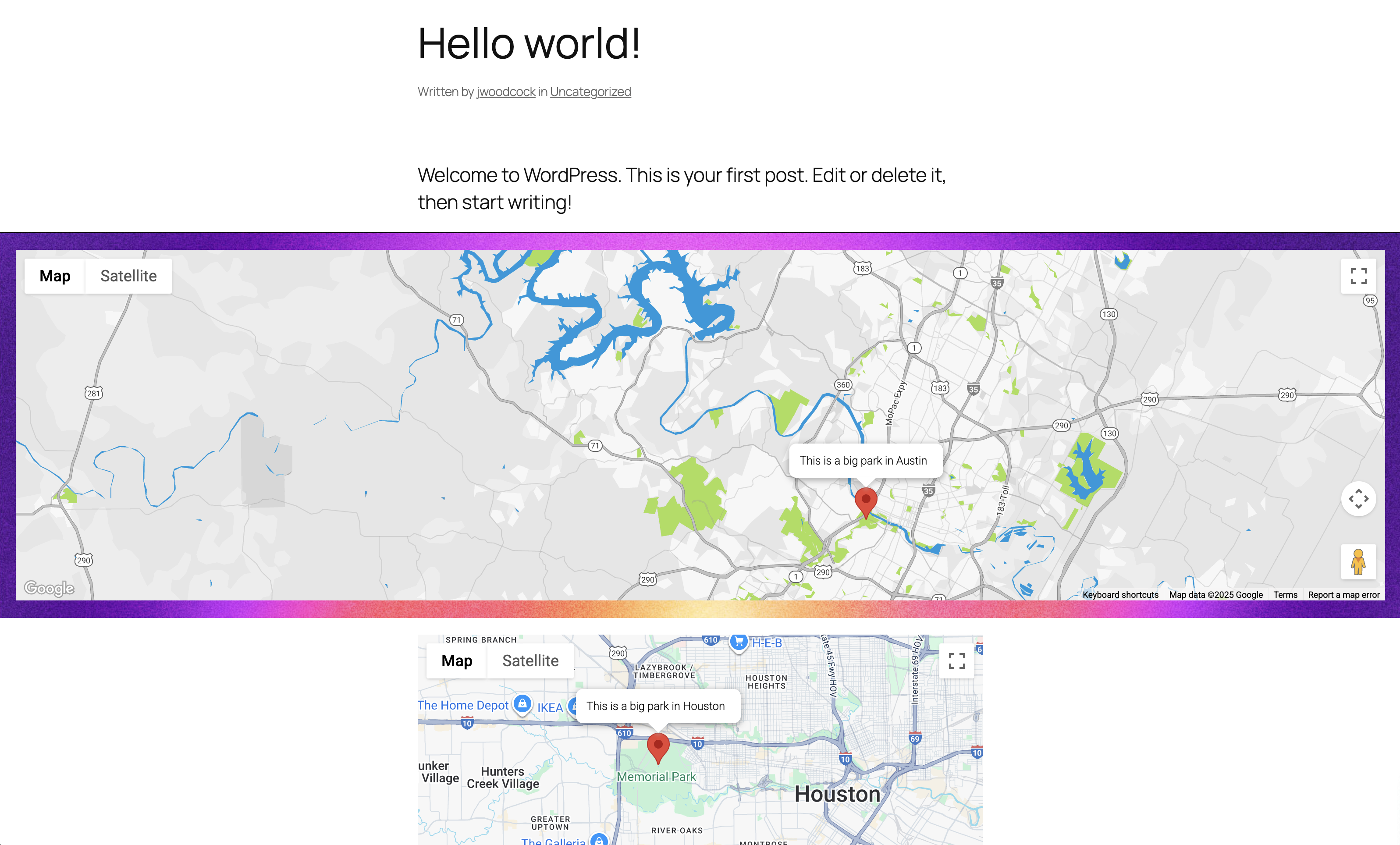
Front-end block view: