FitnessClub
A coaching platform for WordPress: members track workouts, meals and health; trainers coach them; administrators run the site. Built on WP Bones, with a Vite/React front end.
by FitnessClub · github.com/ivanwashere/fitness-plugin · website
Install
No release zip yet. The repository archive installs, but the folder name will carry the branch suffix and updates will not flow:
wp plugin install https://github.com/ivanwashere/fitness-plugin/archive/refs/heads/main.zipA coaching platform for WordPress: members track workouts, meals and health; trainers coach them; administrators run the site. Built on WP Bones, with a Vite/React front end.
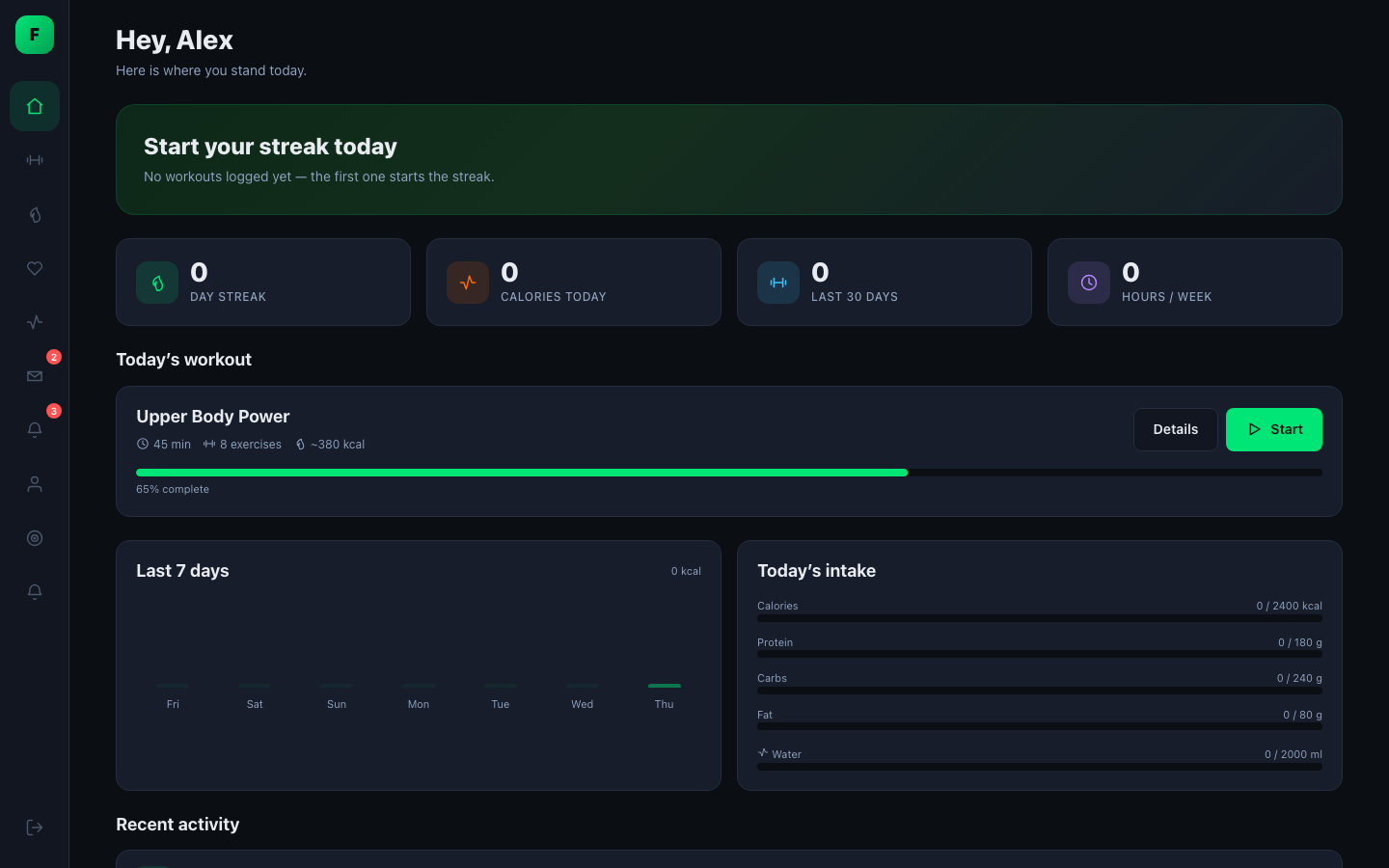
- Three apps, one URL. Member, trainer and admin apps live at
example.com/fitness. Your account's role decides which one you see. - One REST API behind them. Custom tables and ownership checks on every endpoint. A generated OpenAPI document describes it.
- Replaceable front end. A WordPress theme can ship its own app for any role.
Looking for the WordPress-format plugin description? See
readme.txt. Role guides: administrators · trainers · theme developers.
Contents
Features
Member app
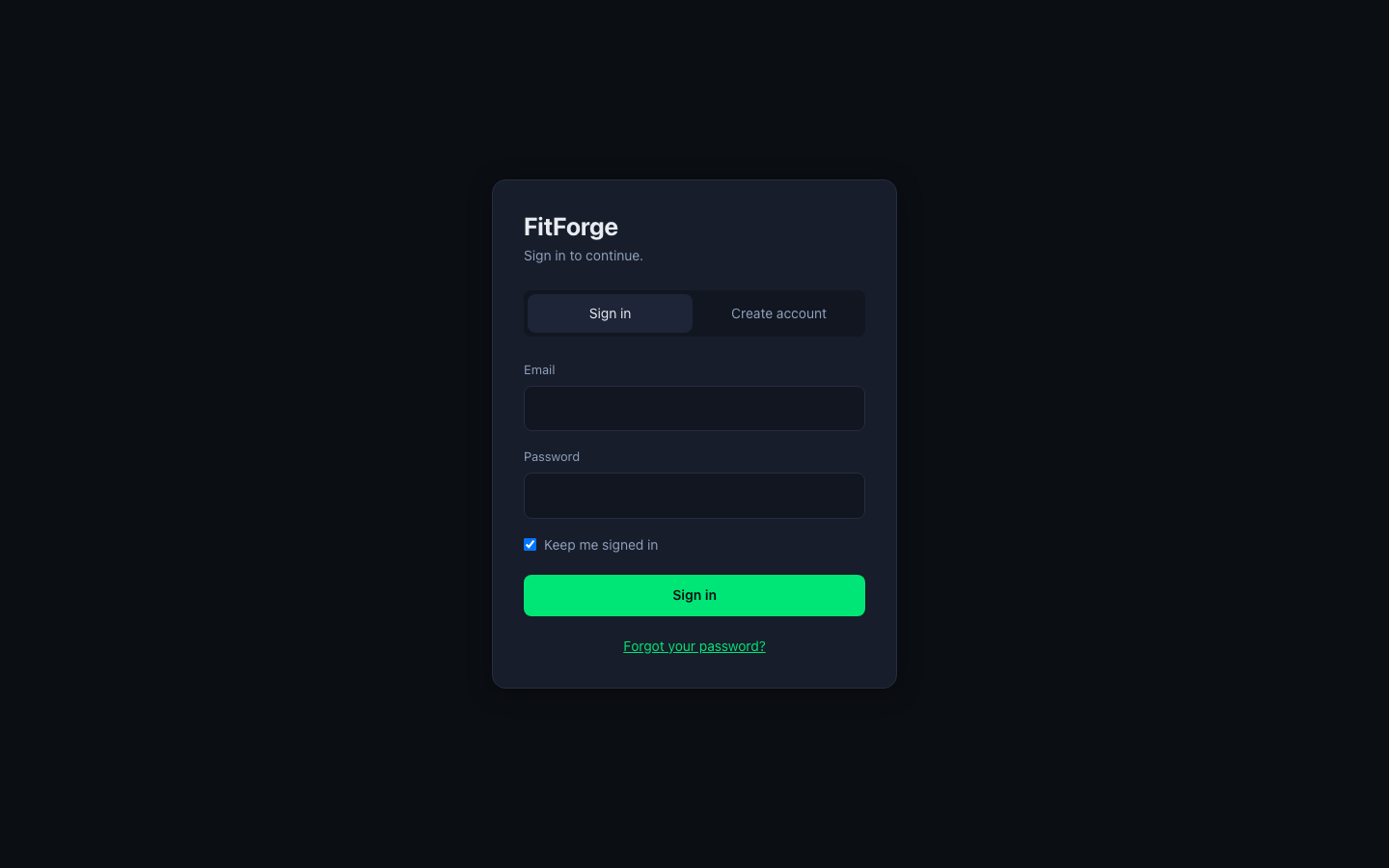
The member app works on desktop and phone. Wide screens get a sidebar; narrow screens get a bottom navigation bar.
 |
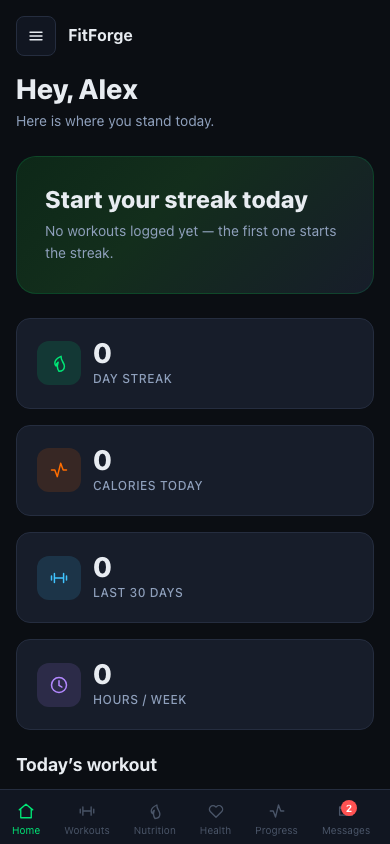 |
| Sign in / create account | Mobile layout |
🏠 Dashboard
Shows your streak, today's calories, workouts in the last 30 days and weekly training hours. Below that: today's assigned workout with its progress, a 7-day activity chart, today's macro and water intake, and a recent activity feed.
🏋️ Workouts and the workout player
 |
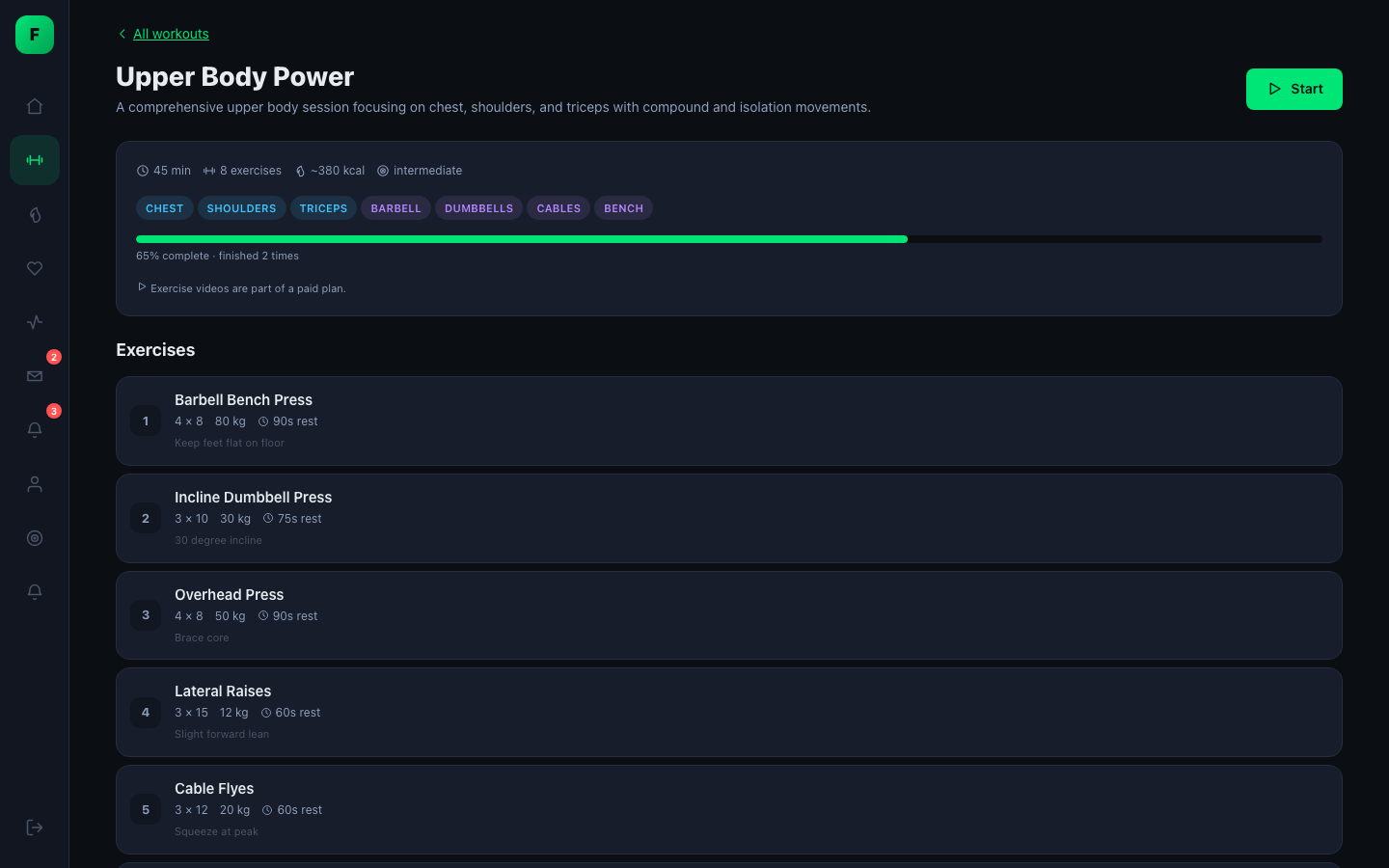 |
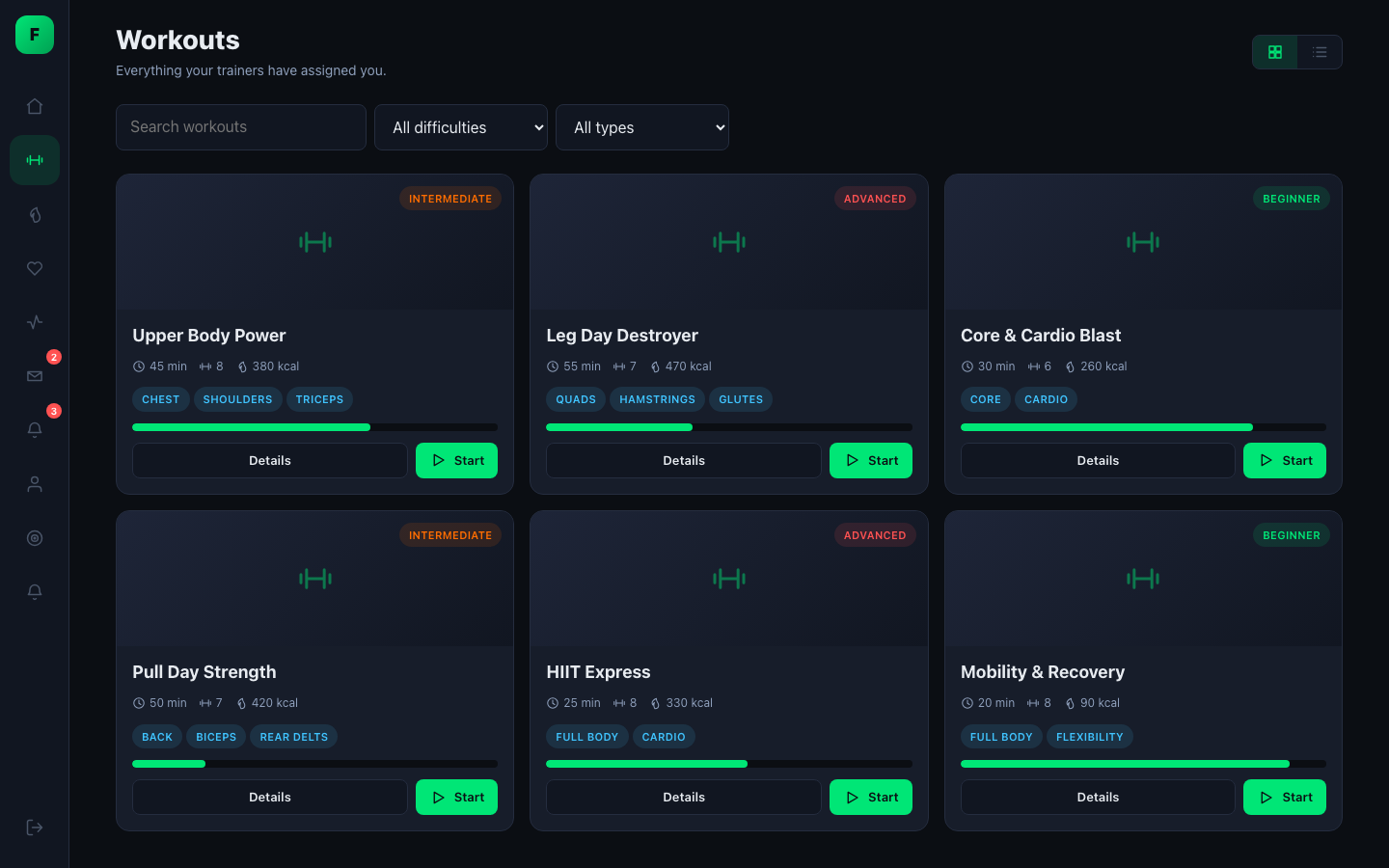
- Browse the workouts your trainers assigned, plus the platform library.
- Start, pause and resume a session, including on a different device.
- Log every set: reps, weight, seconds or distance, depending on the exercise.
- Timers are calculated from timestamps, so locking your phone between sets doesn't throw them off.
- Offline set queue. Sets logged on bad gym Wi-Fi are retried, not lost.
- Finish with a summary and an optional review. Calories burned are estimated from MET values for the workout type and your body weight.
- Personal records are detected automatically: heaviest set, best volume, most reps, best time.
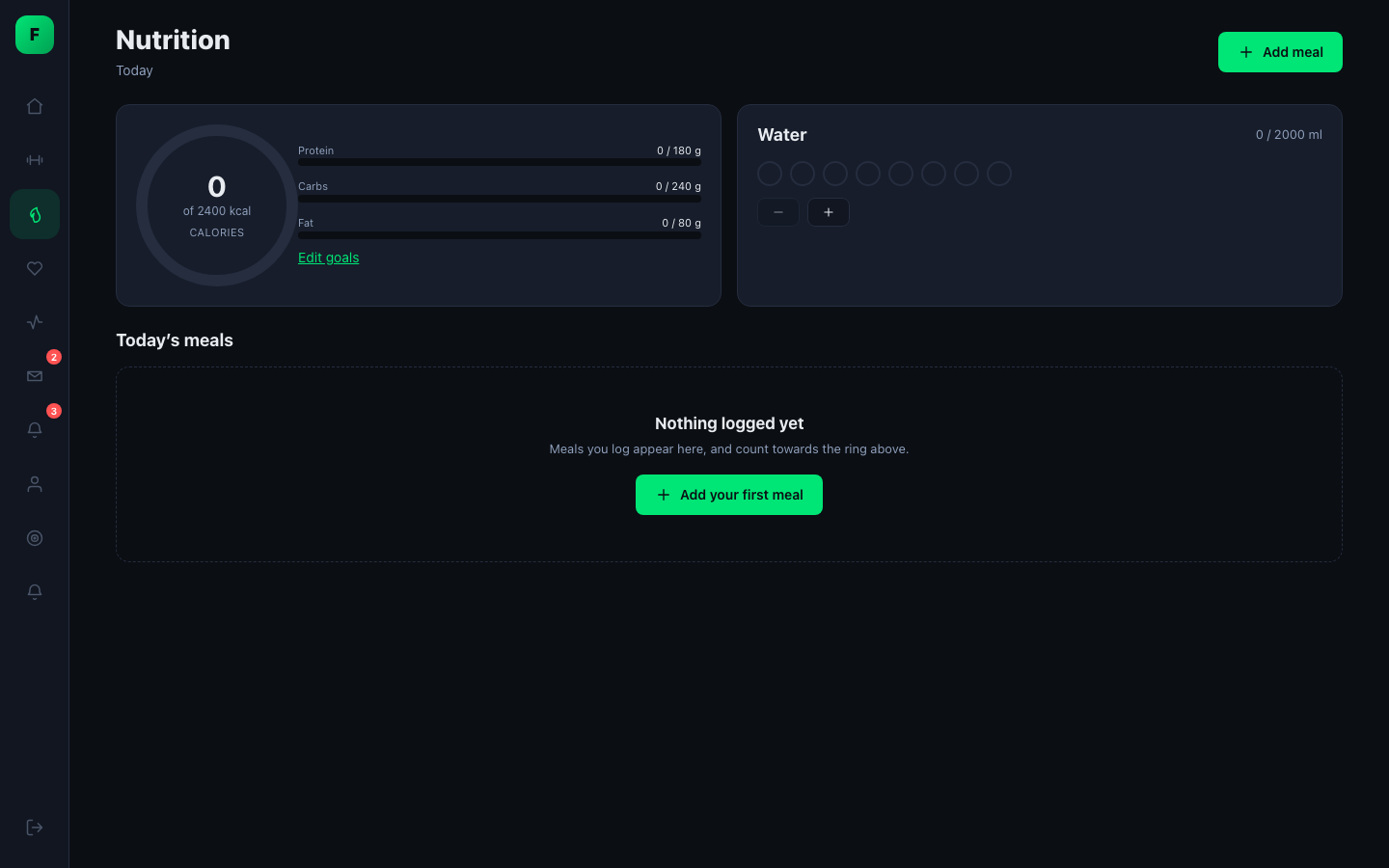
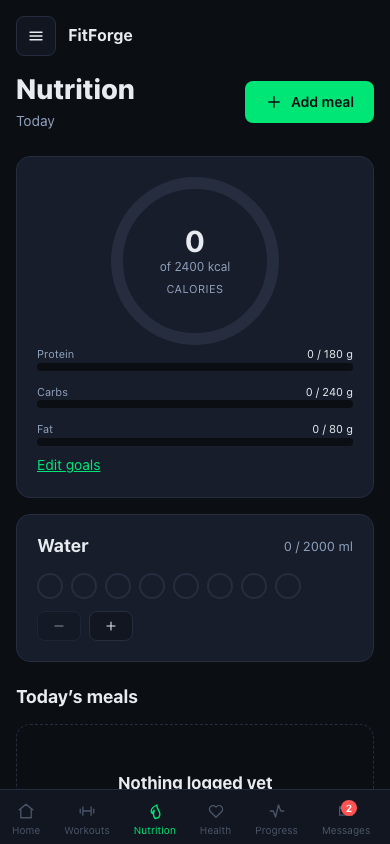
🥗 Nutrition
 |
 |
- Food database with search, barcode lookup and custom foods.
- Log meals as breakfast, lunch, dinner or snack. Macros are tracked per meal and totalled per day.
- Water tracking and personal calorie and macro goals.
❤️ Health
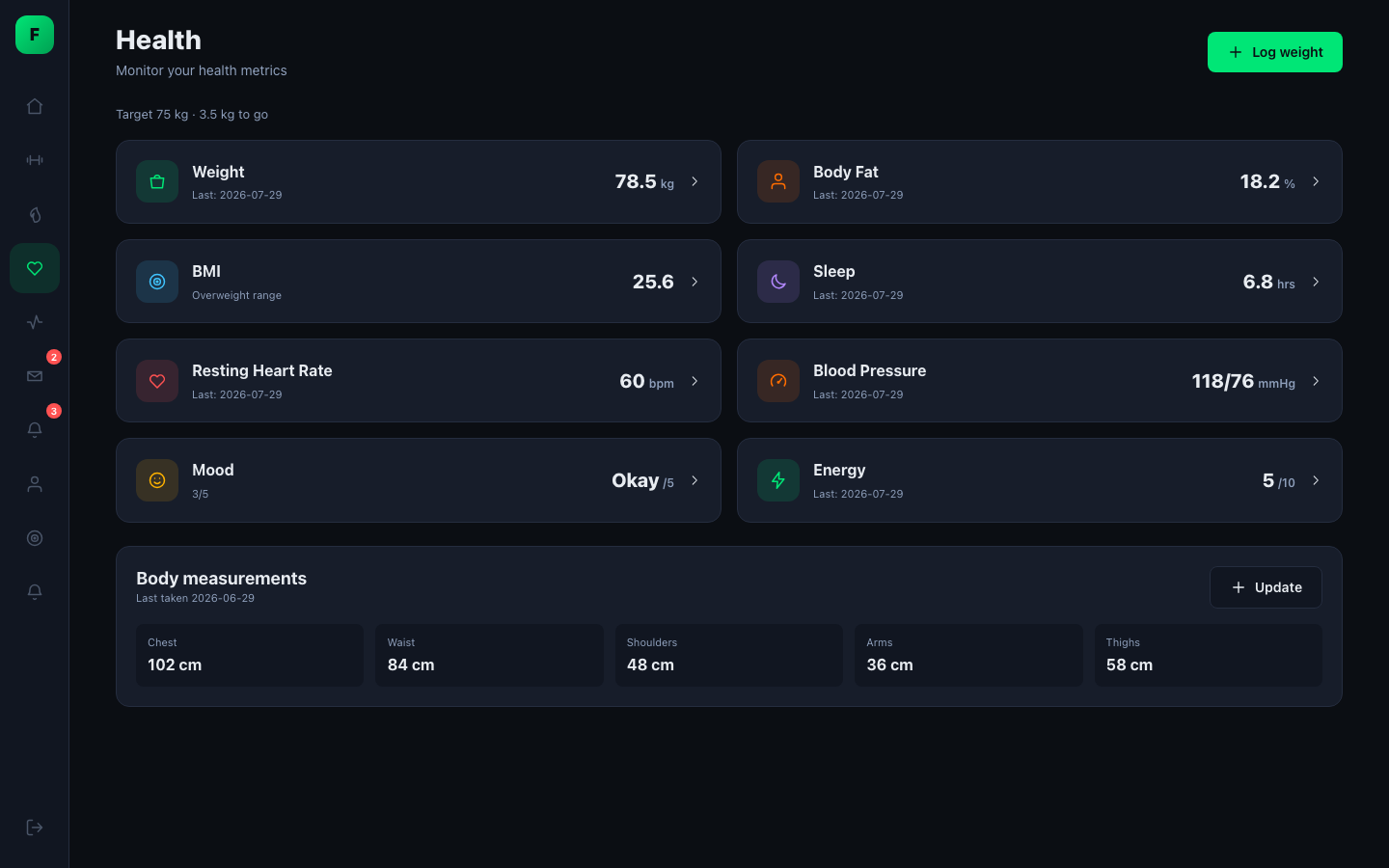
- Weight, body fat, sleep, resting heart rate, blood pressure, mood and energy.
- BMI is always calculated from your latest data, never stored as a typed-in value.
- Body measurements over time.
- If staff edit your health data, the change is recorded in an audit trail.
📈 Progress
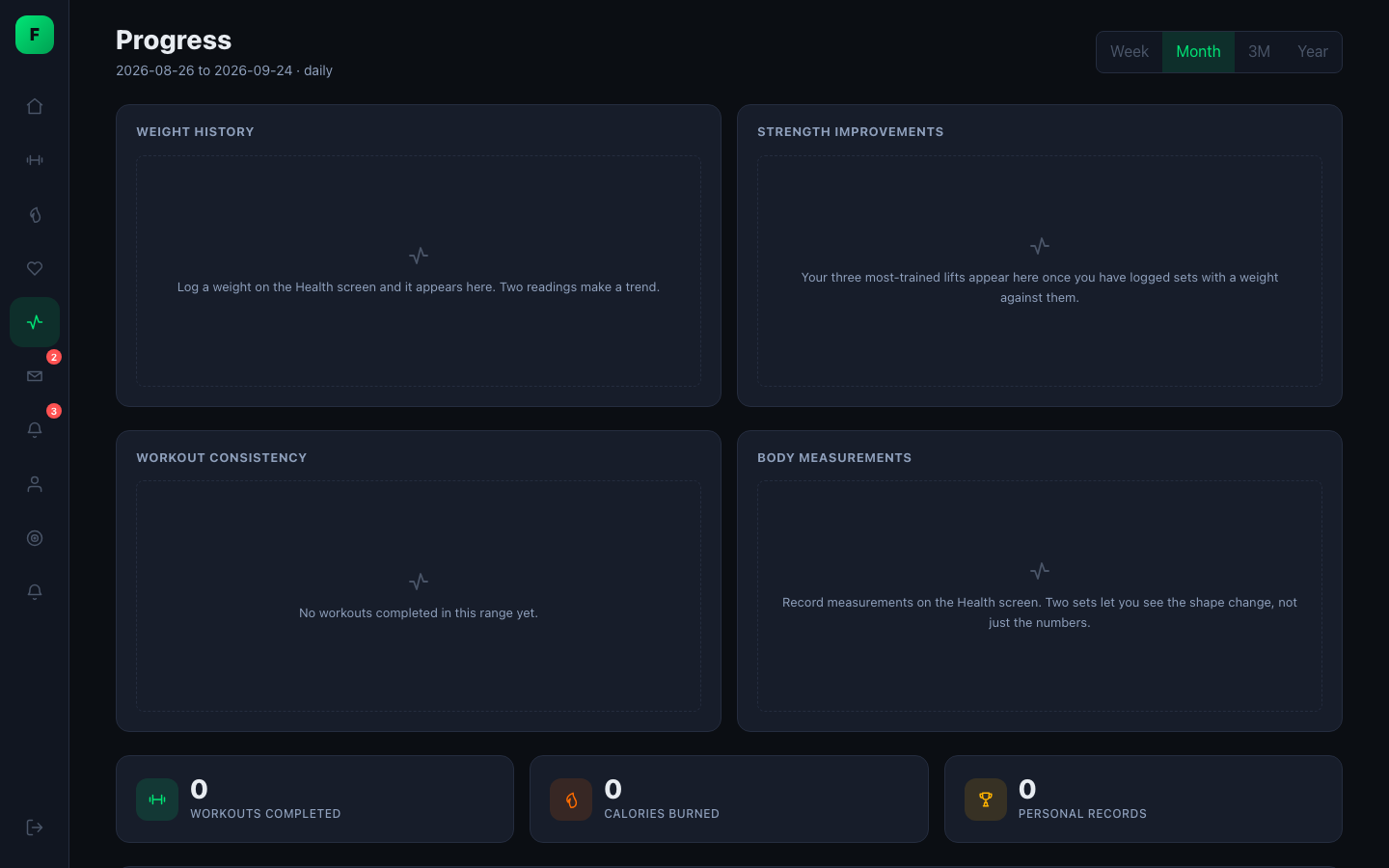
- Charts for weight history, strength gains on your most-trained lifts, workout consistency and body measurements.
- Week, month, 3-month and year ranges, with data grouped to match the range.
- Totals for completed workouts, calories burned and personal records.
- Streaks and the activity feed use your own timezone.
💬 Messages and 🔔 notifications
 |
 |
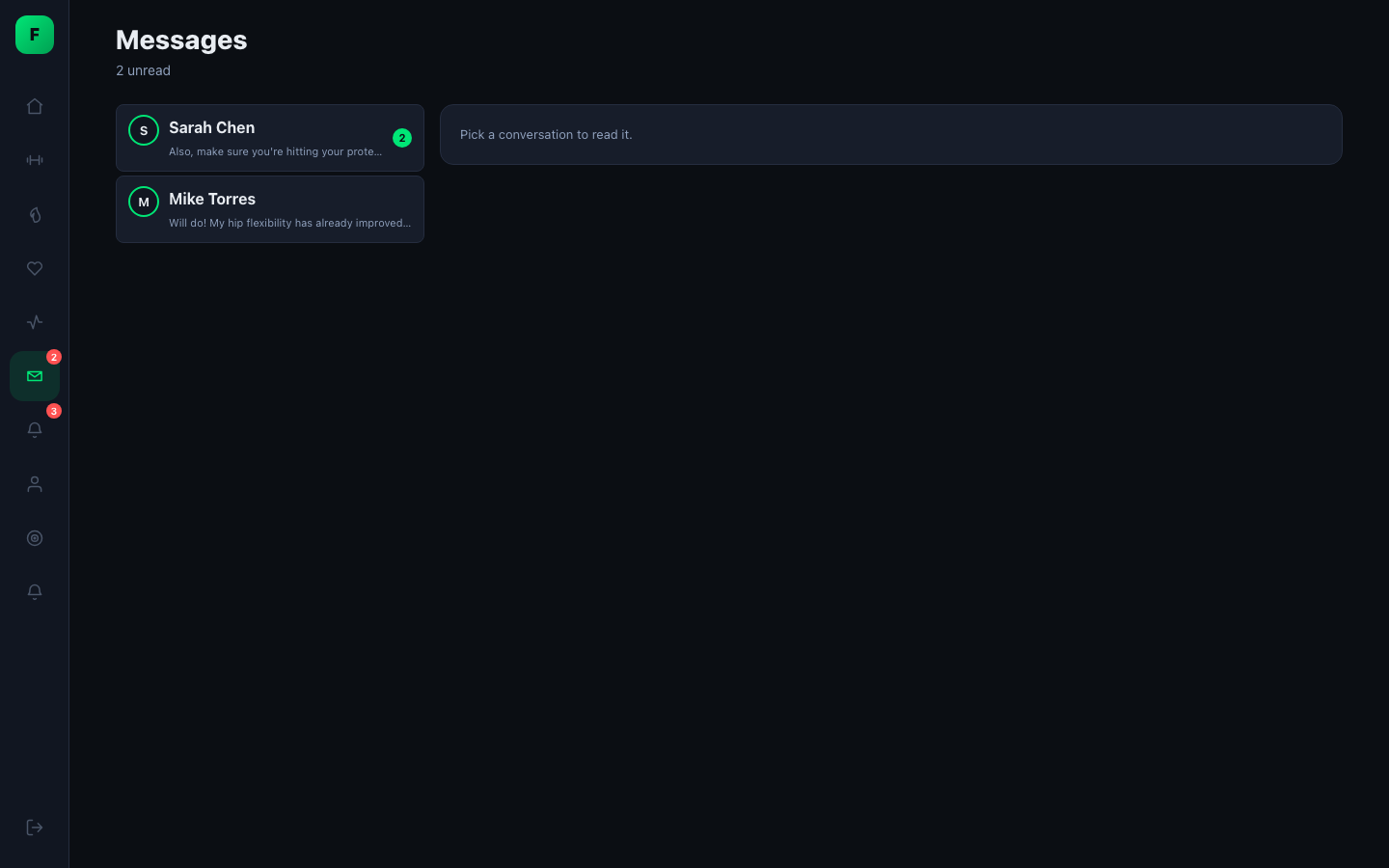
- One conversation per trainer, with attachments and unread badges. How many messages you can send depends on your plan.
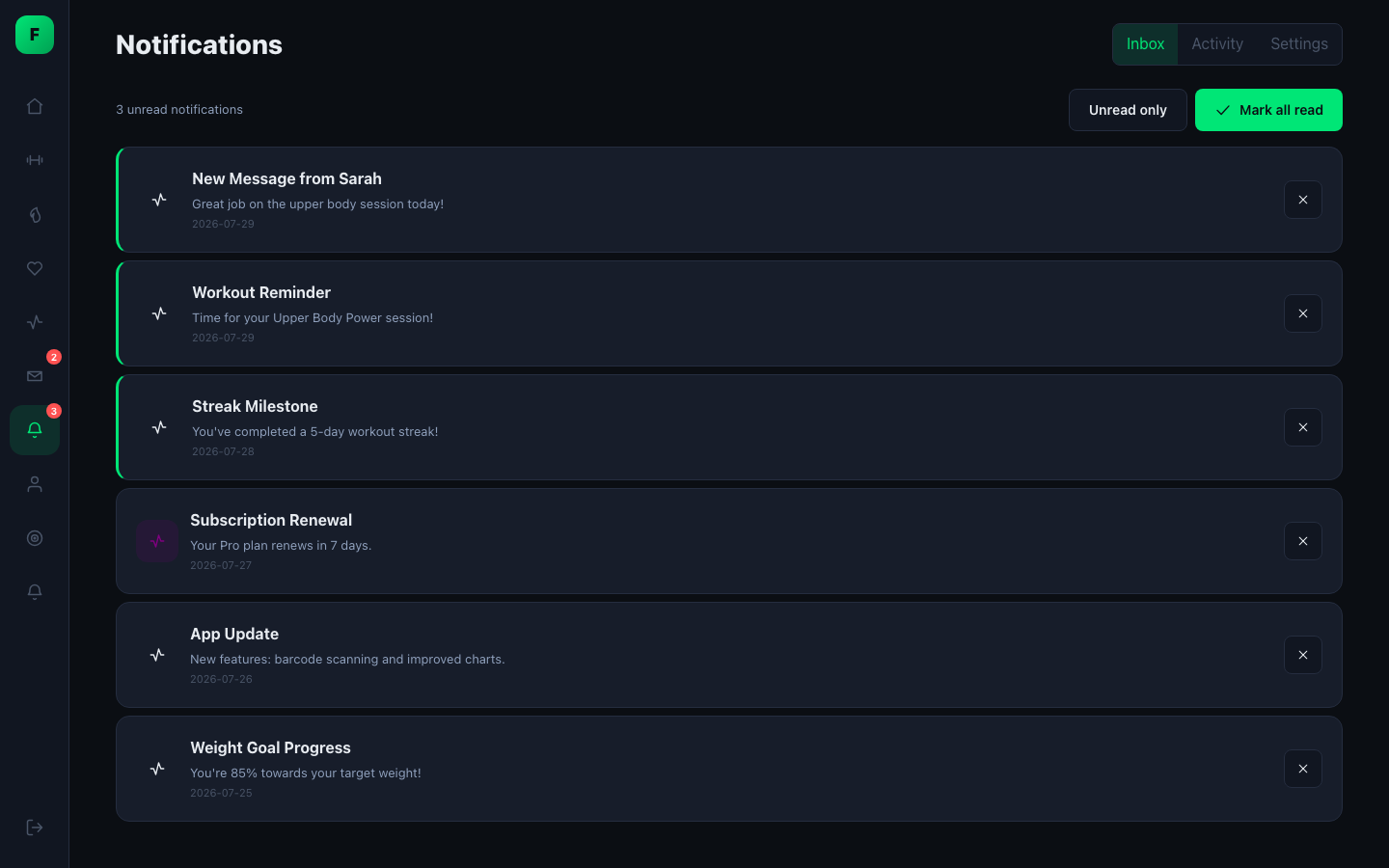
- Notifications for workouts, messages, achievements, subscriptions, progress and support. Turning off a category in your preferences means those notifications are never created, not just hidden.
🔎 Trainer directory
 |
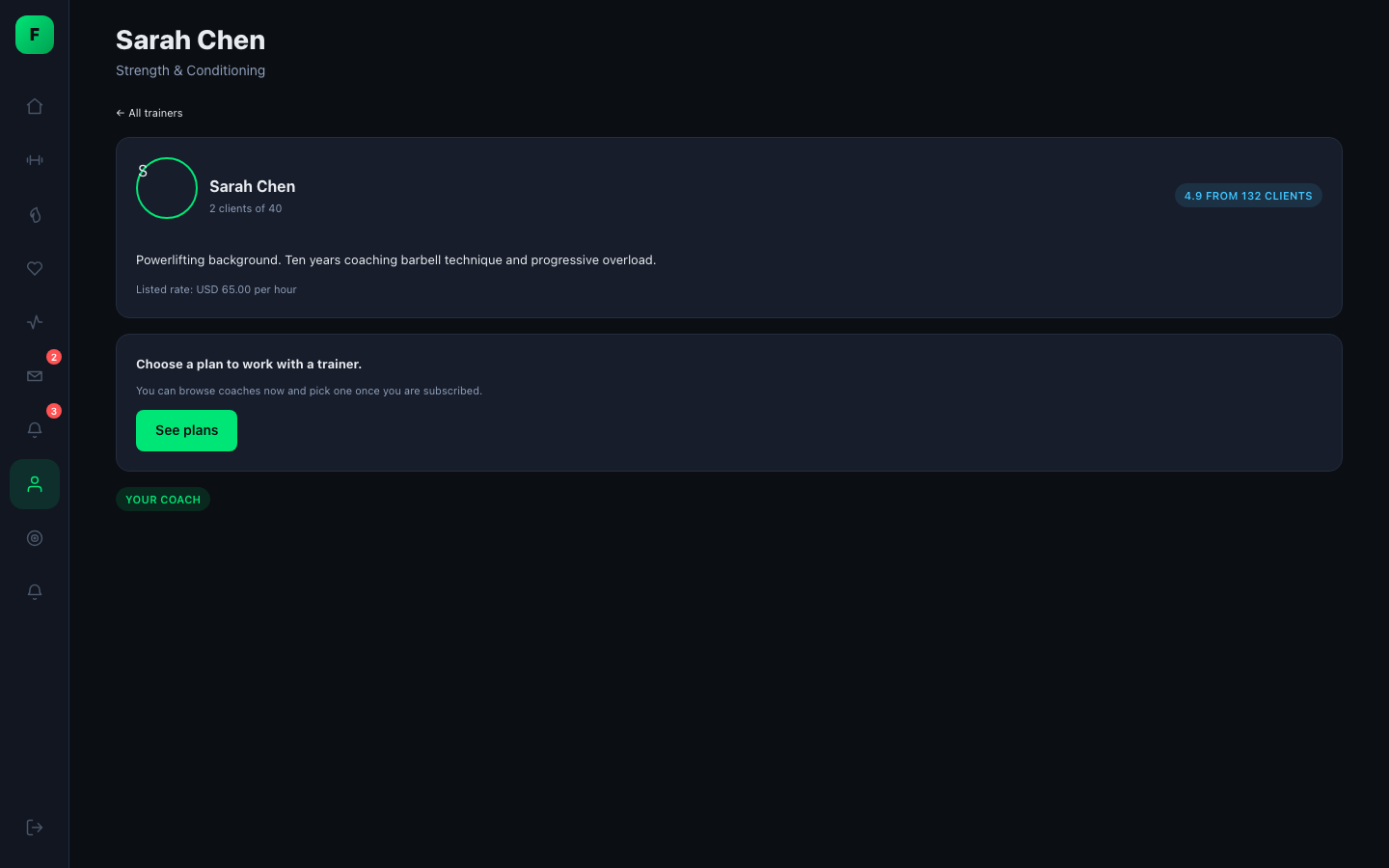 |
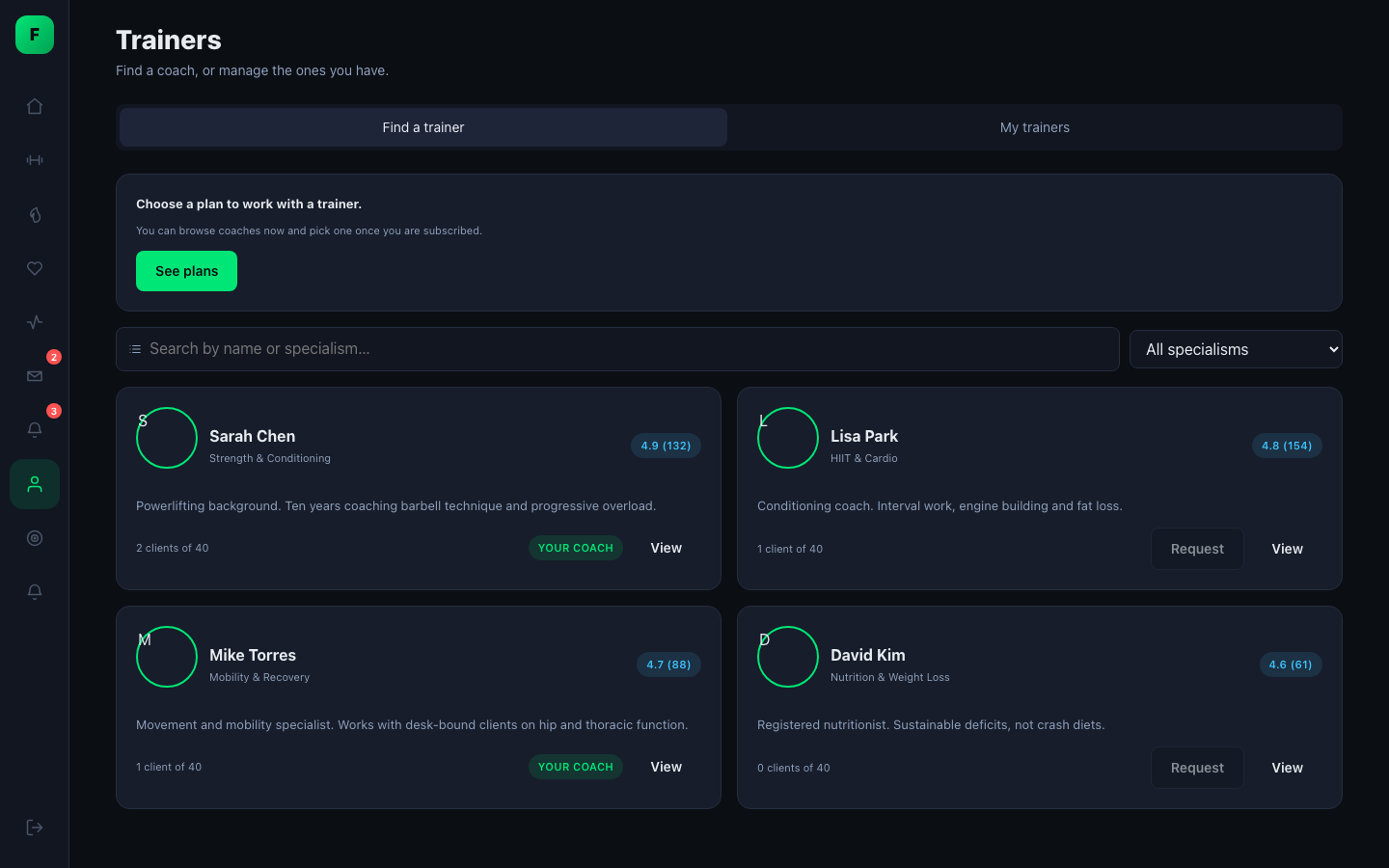
- Browse coaches, read their profiles and see whether they have room for new clients.
- Send a request, or withdraw it. You can have several coaches and choose one as your primary.
- Limits: 3 pending requests at a time, 10 per week, and requests expire after 14 days.
💳 Subscription and 🎫 support
 |
 |
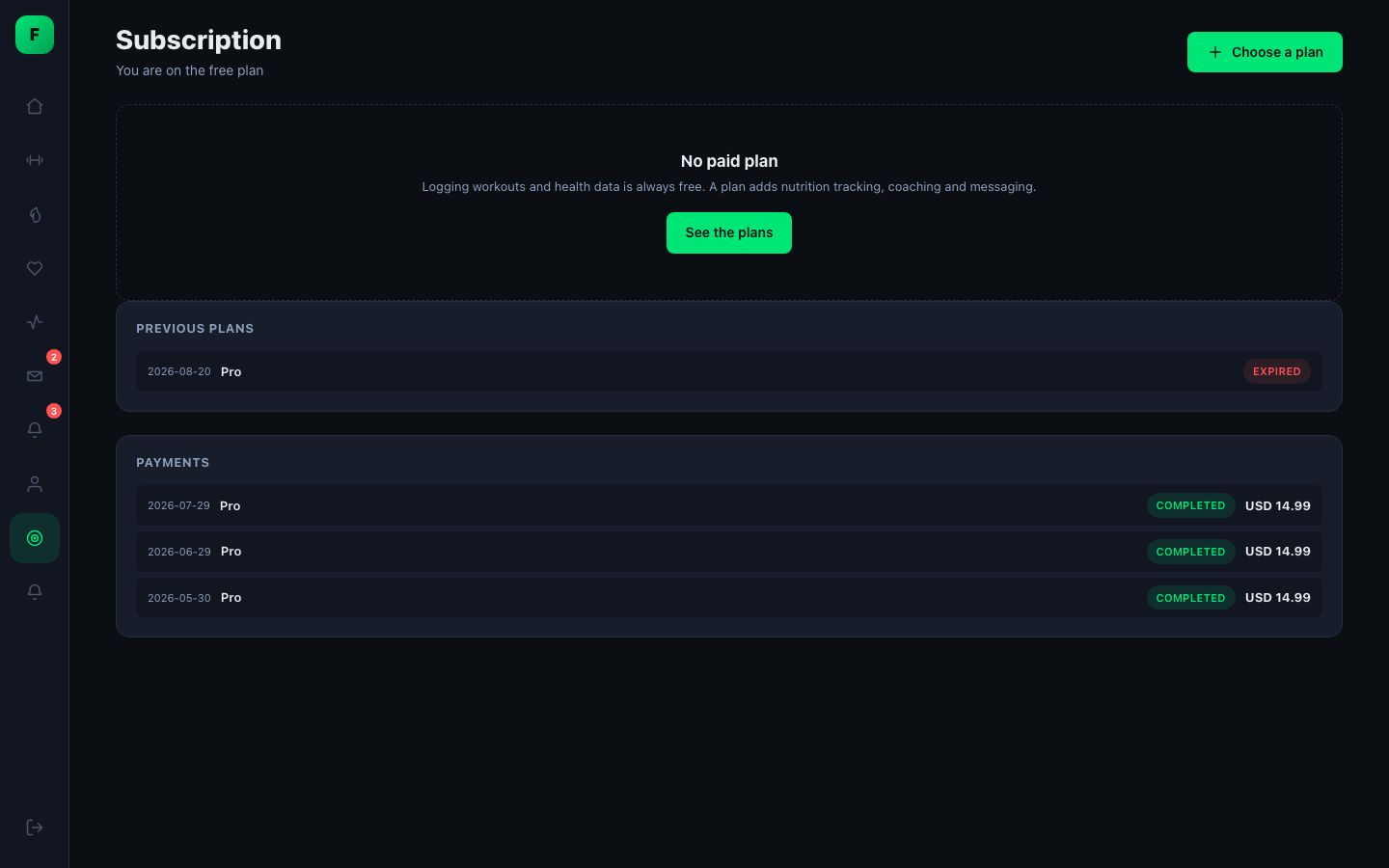
- Compare plans, check out, change plan, cancel and resume. Payment history is included.
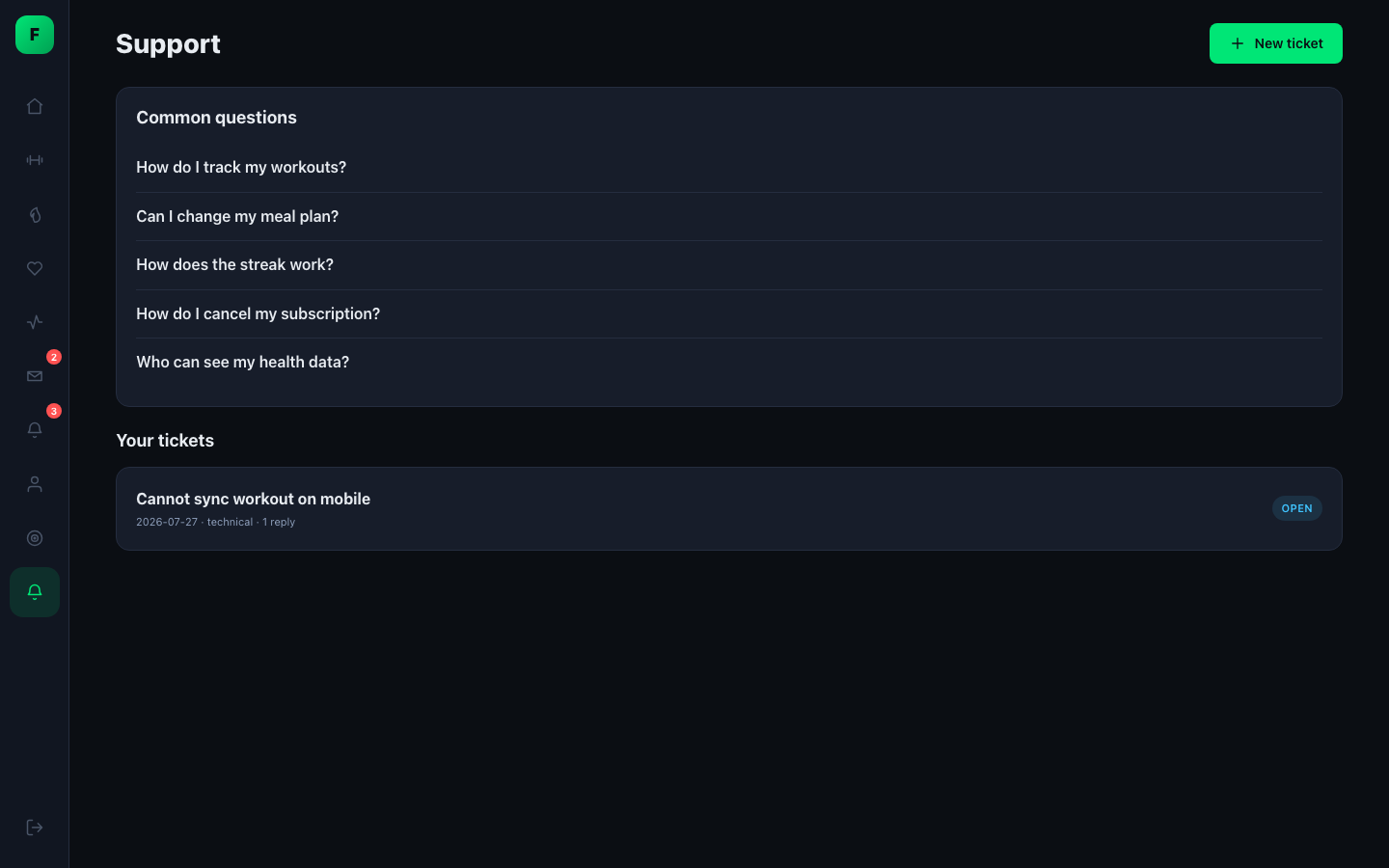
- Support tickets with categories, priorities and replies back and forth.
- An FAQ that admins edit in settings, not in code.
Trainer app
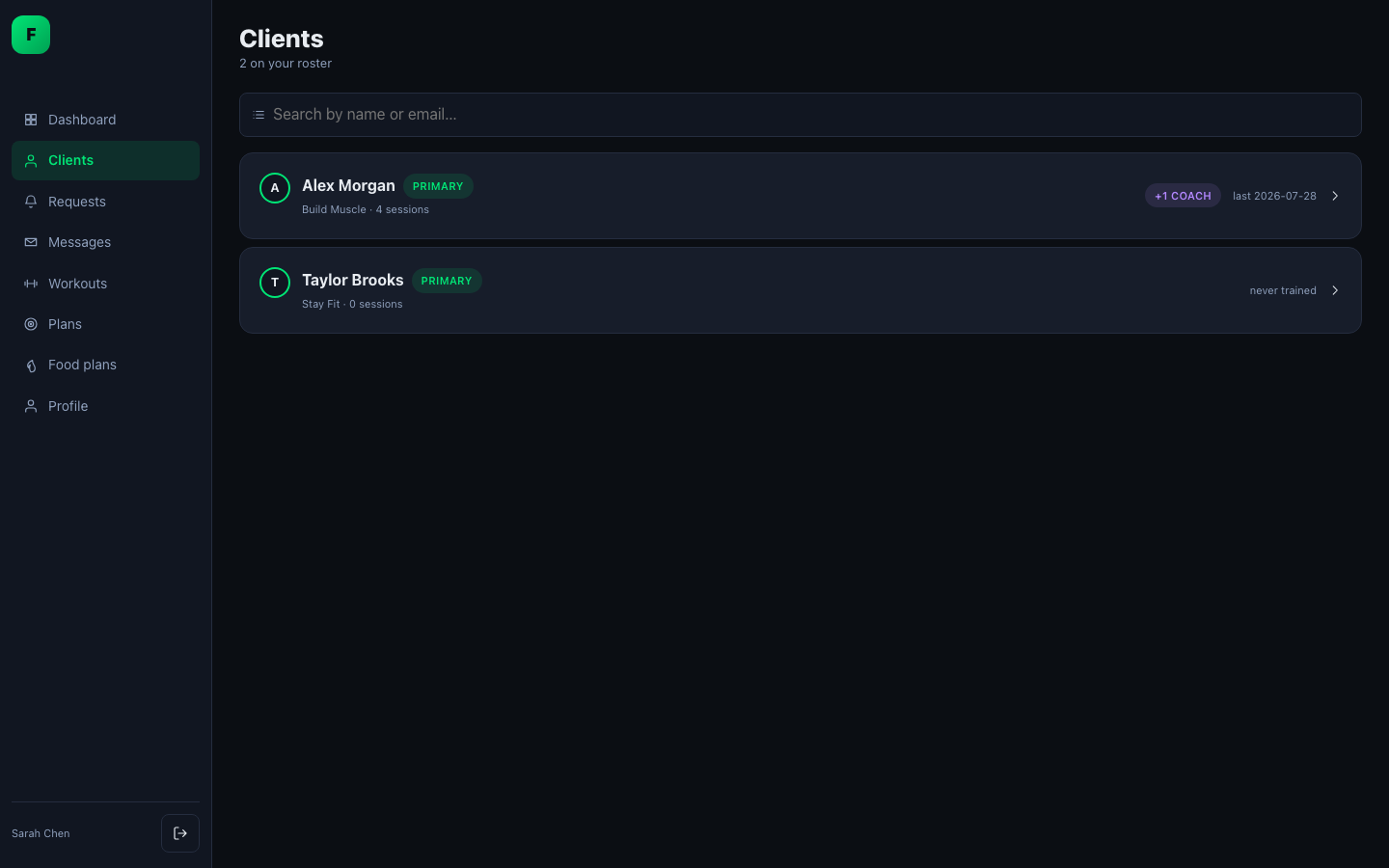
📋 Clients
 |
 |
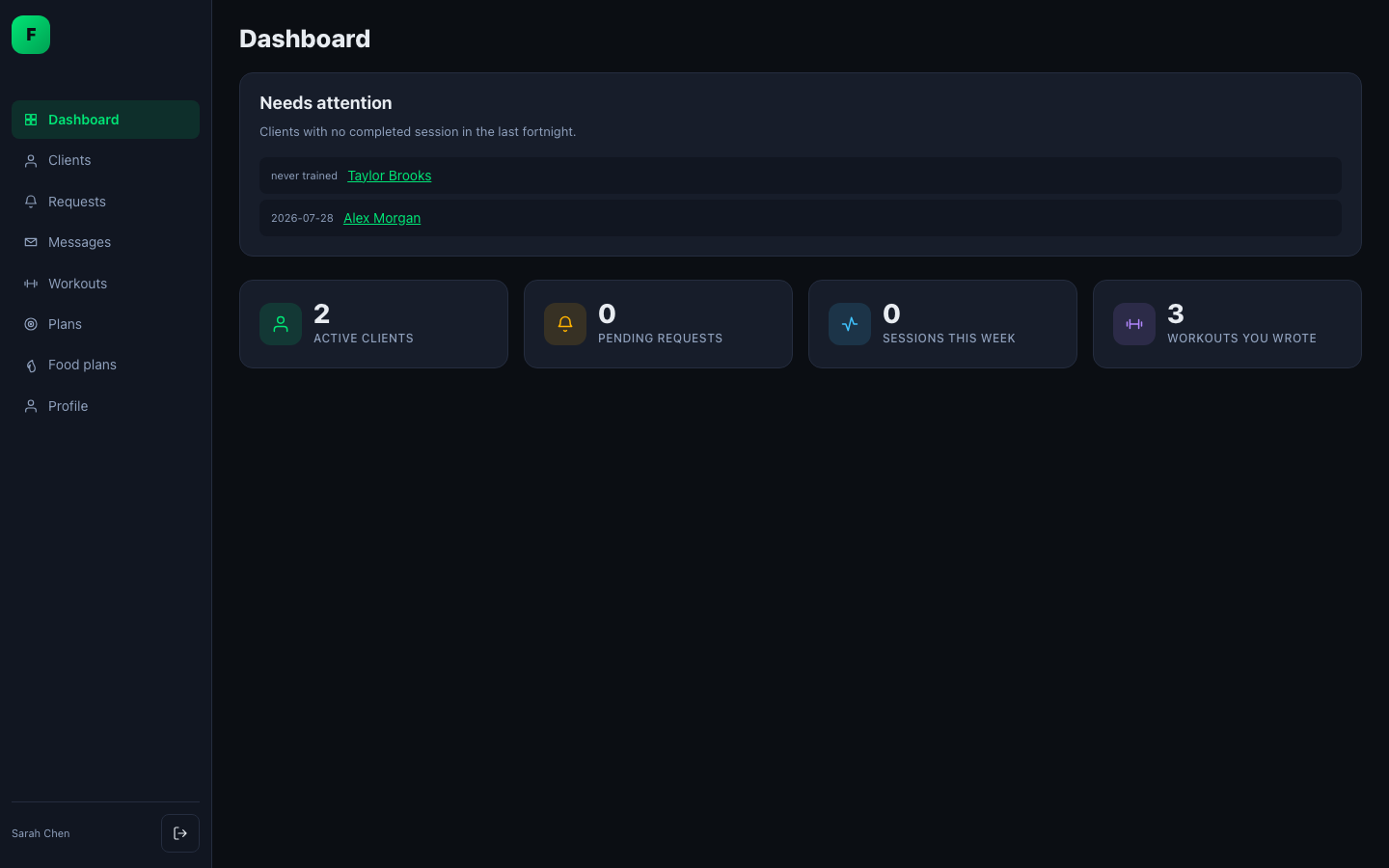
- The client list starts with the clients who need attention.
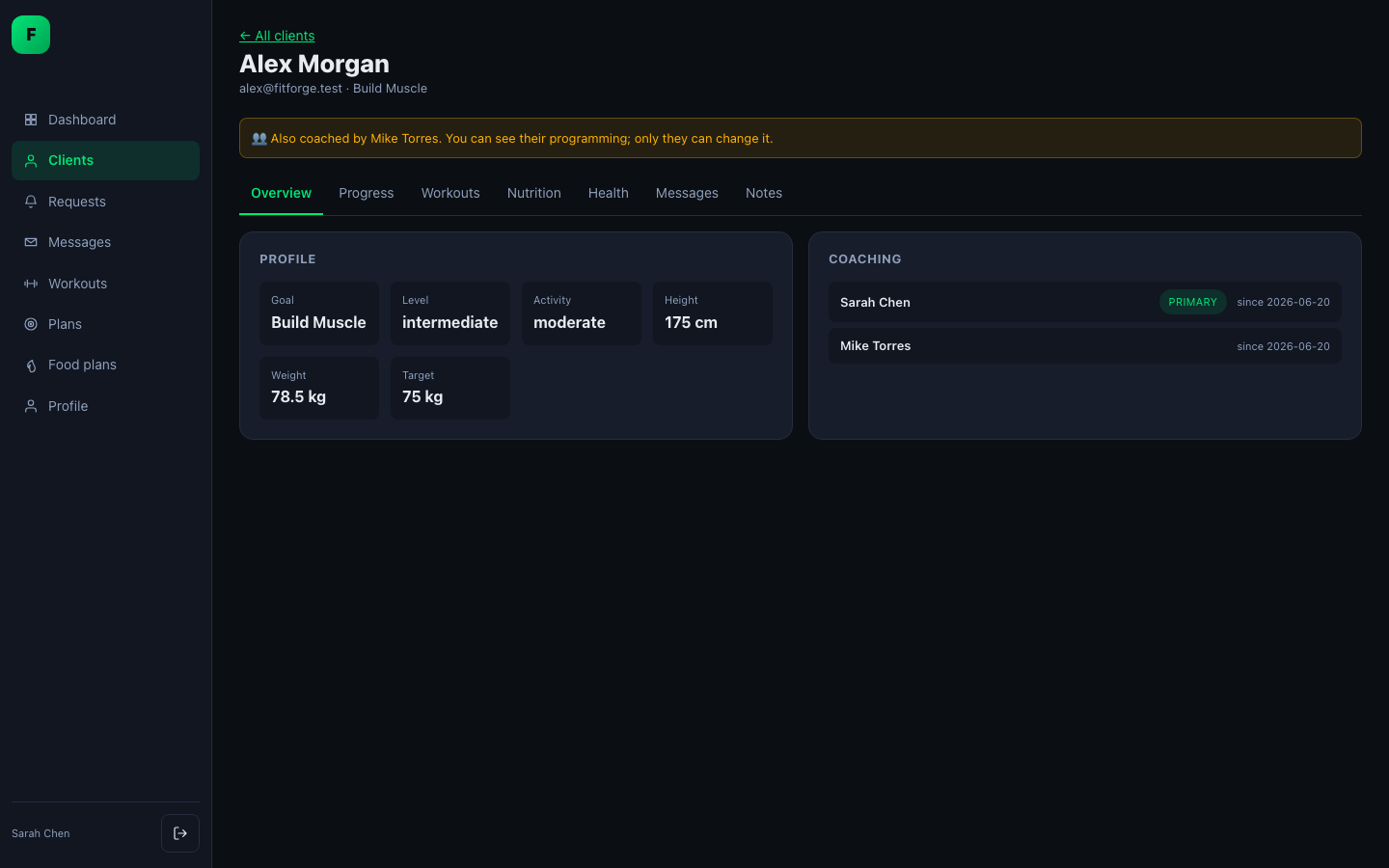
- Each client record has seven tabs: overview, progress, workouts, nutrition, health, messages and notes.
- Private notes that other trainers can't see.
- Shared clients. When a member has more than one coach, you can see the other coaches' programming but can't change it. A banner shows who else coaches the member.
- Assign workouts and food plans to a client, or remove them.
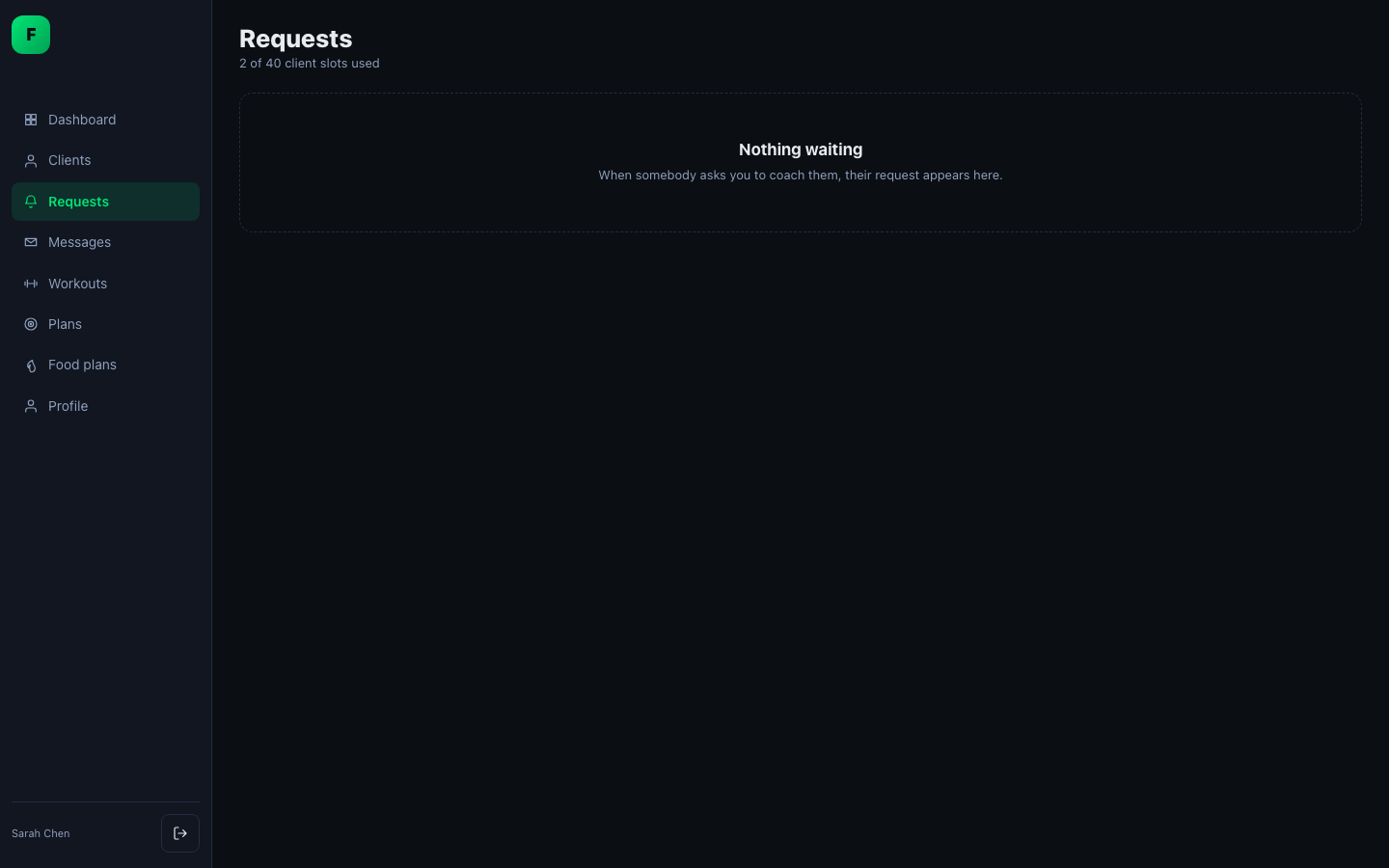
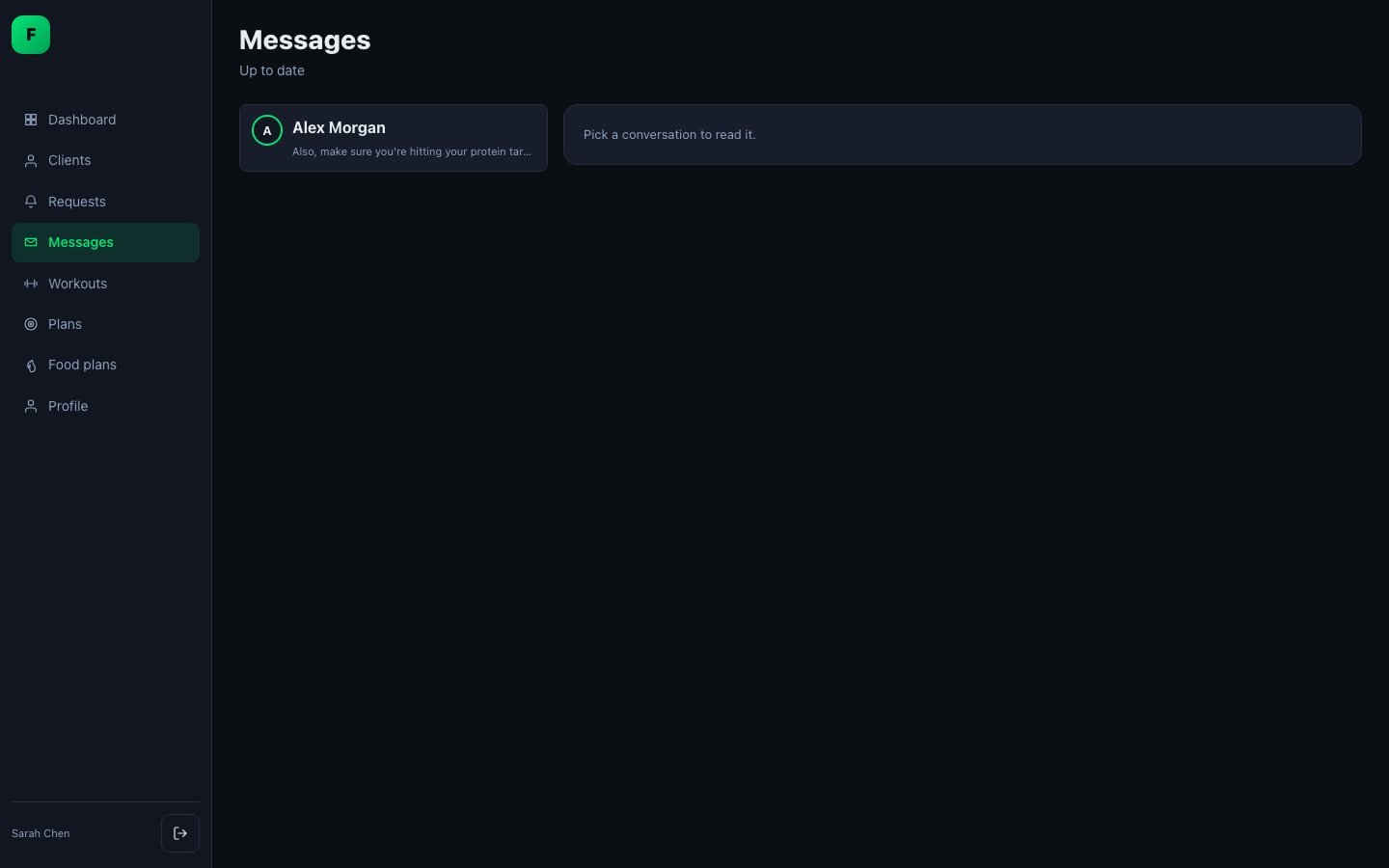
✅ Requests and 💬 messages
 |
 |
- Accept or decline new clients. You can't accept more clients than your capacity allows.
- The sidebar shows badges for pending requests and unread messages.
🏗️ Workout builder
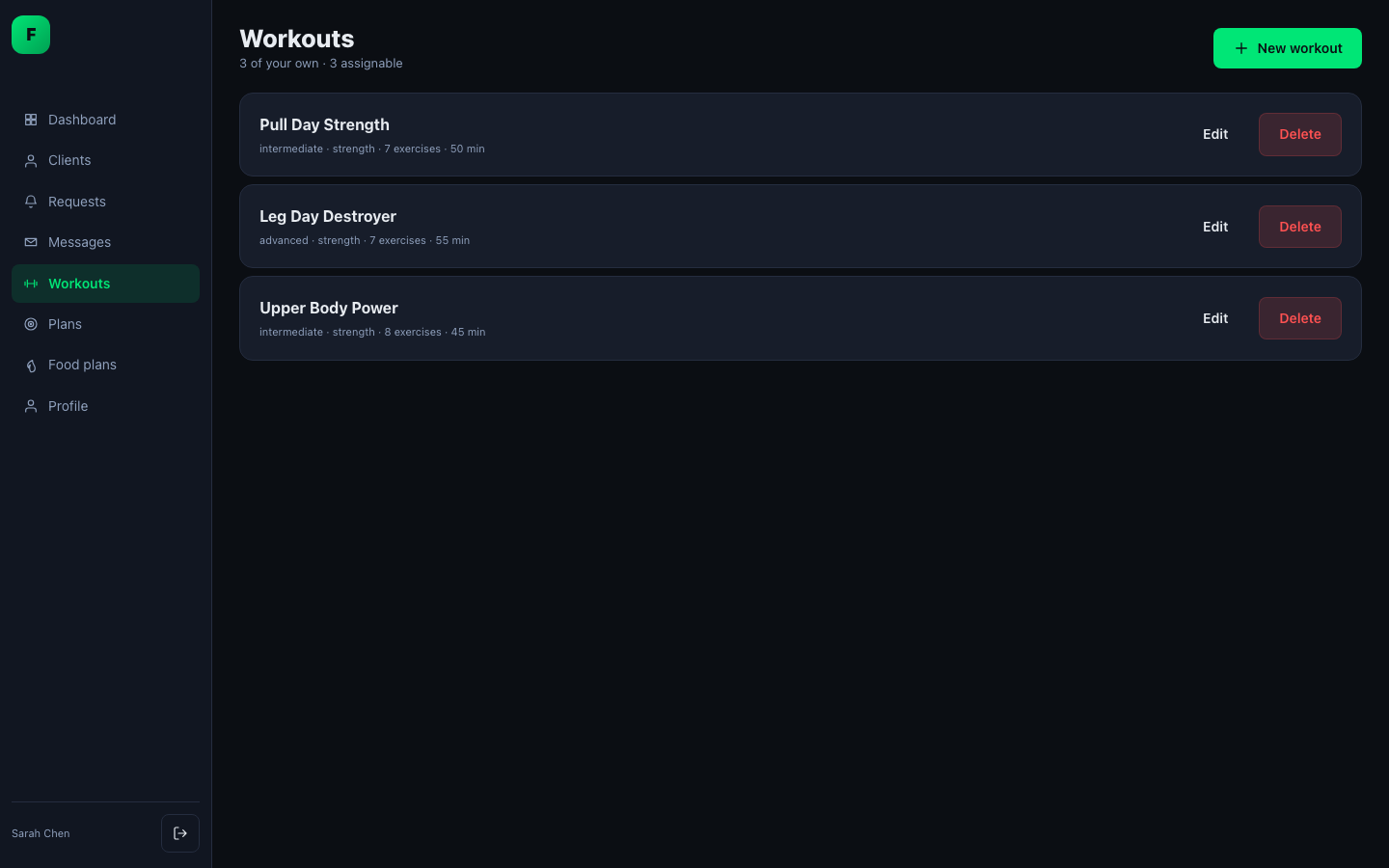 |
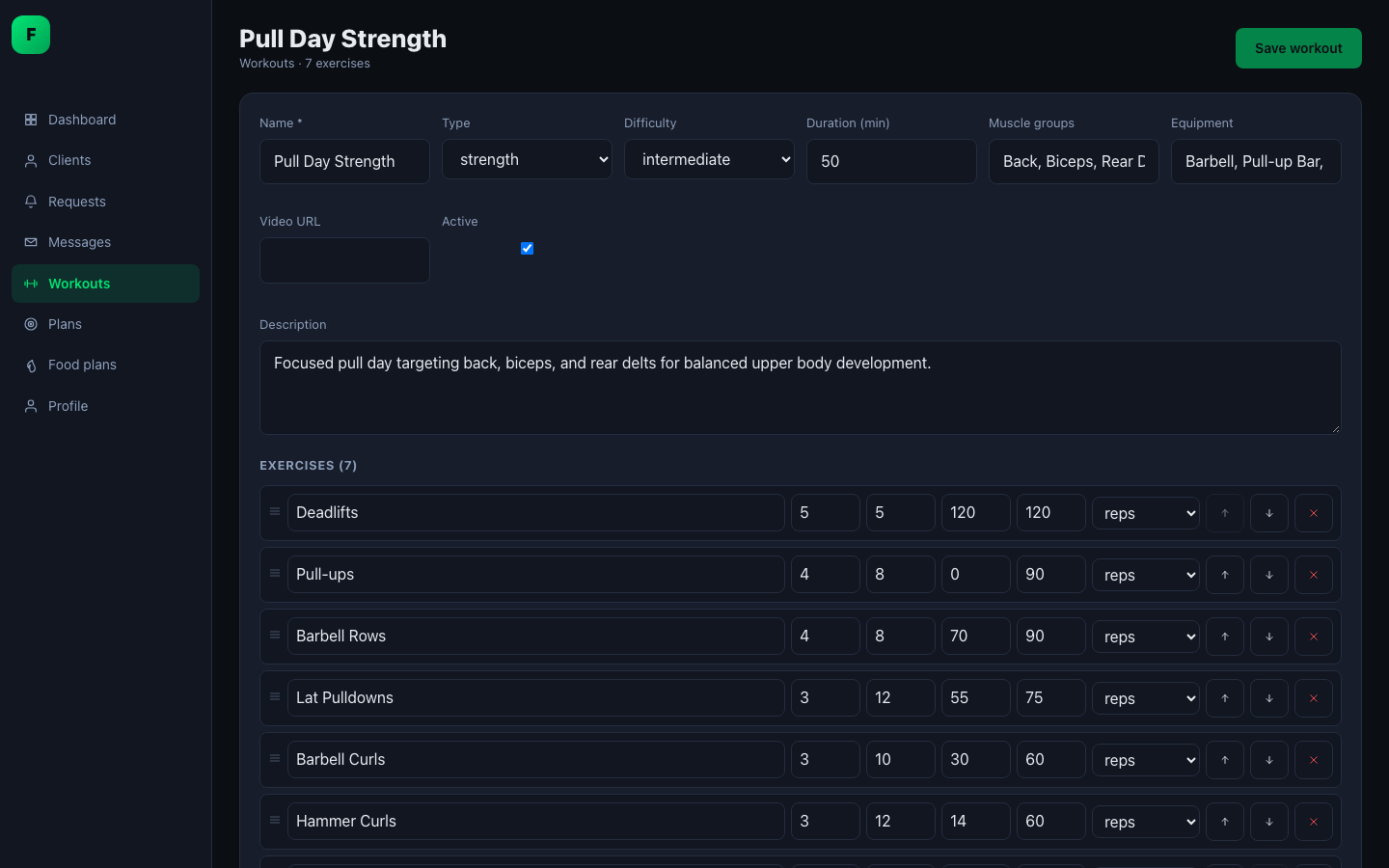 |
- Set the name, type (strength, cardio, HIIT, flexibility, recovery), difficulty, duration, muscle groups, equipment and an optional video URL.
- Reorder exercises by dragging. Each exercise has sets, reps, weight, rest and a metric (reps, seconds or distance).
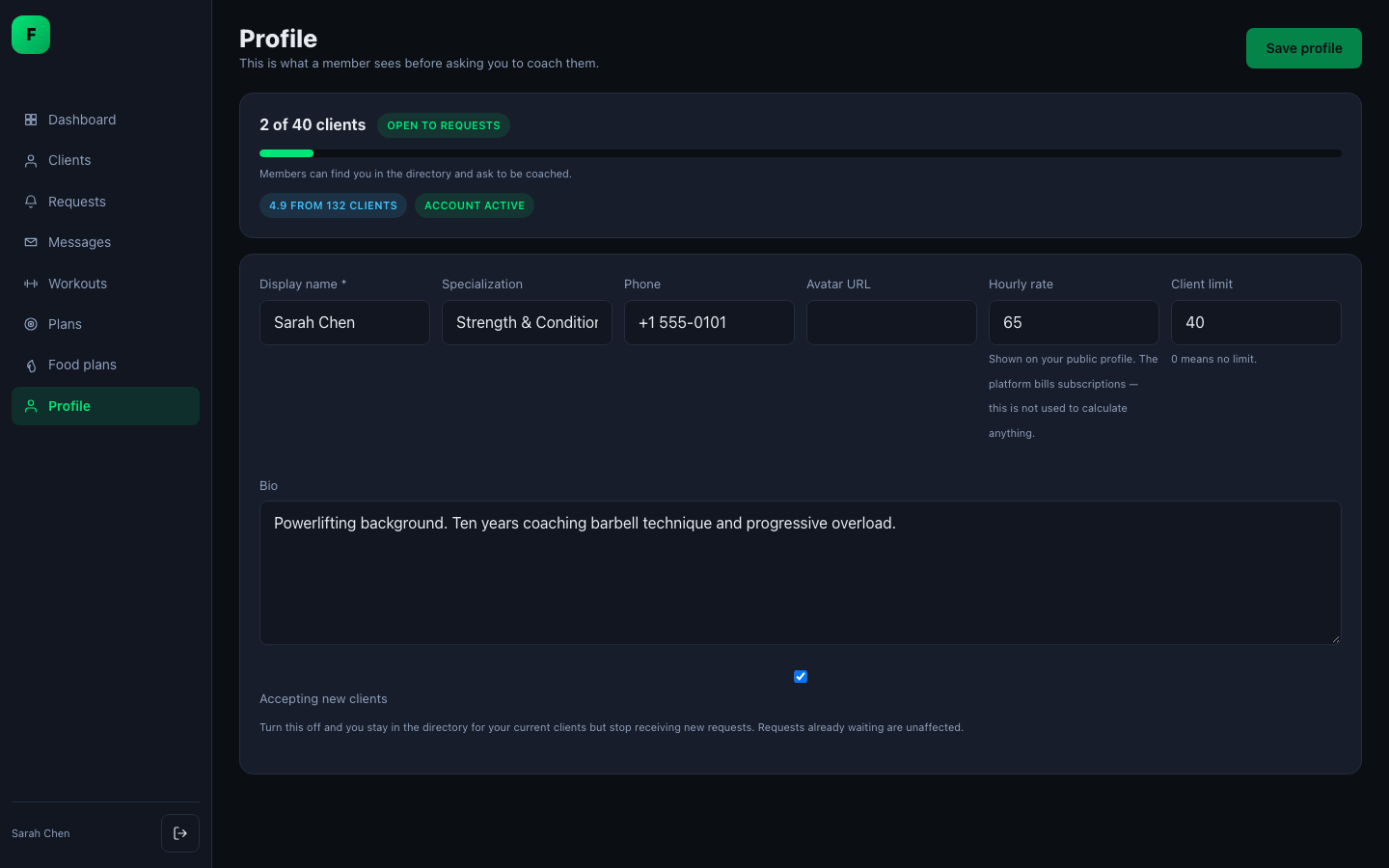
💵 Coaching plans, 🍱 food plans and 👤 profile
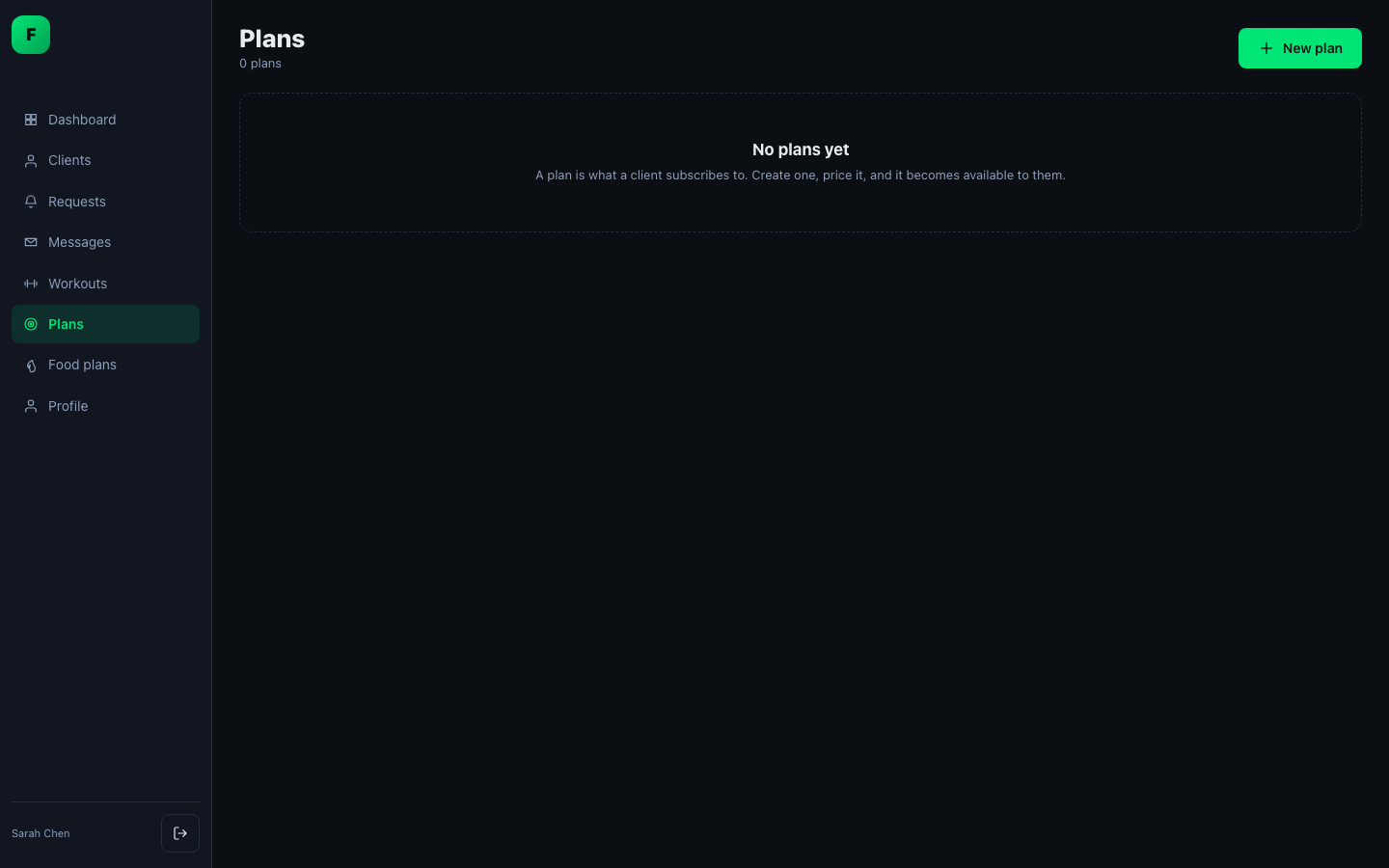 |
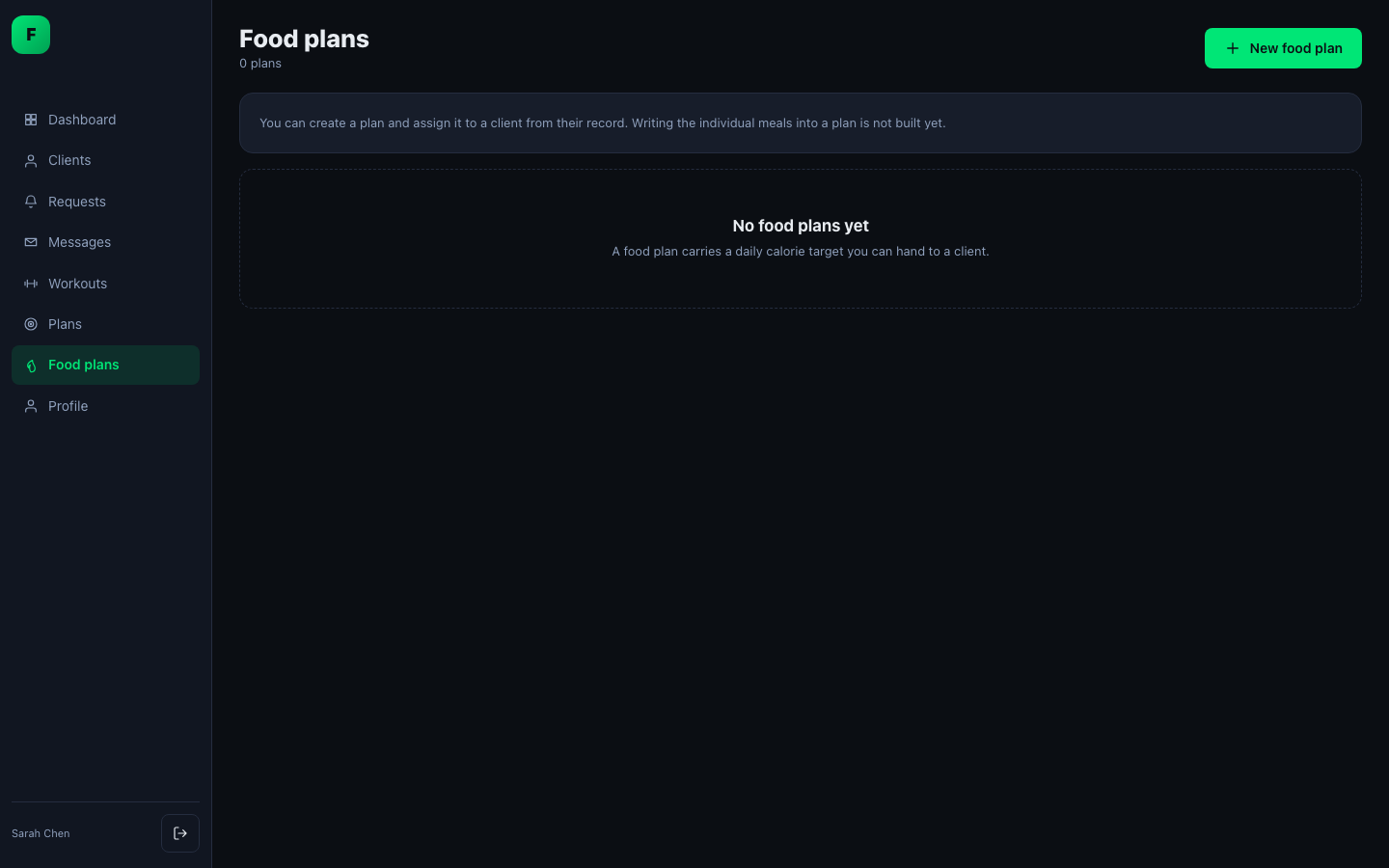 |
 |
- Create your own priced coaching plans: workout, nutrition or combined.
- Create food plans and assign them to clients.
- Your public profile controls whether you appear in the trainer directory, and how many clients you accept.
See the trainer guide for the full walkthrough.
Admin app
The admin app lives at the same URL and opens for accounts with the admin role. The plugin also adds a wp-admin → FitnessClub screen. It shows the generated first administrator password and lets you fix the app URL if a bad value breaks it.
-
📊 Dashboard: members, trainers, MRR, sessions, failed payments and recent signups.
-
🗄️ Create, view, edit and delete 10 resources: users, trainers, workouts, foods, meals, plans, subscriptions, payments, tickets and health entries. Every list has search, sorting, paging and filters.
-
⚙️ Settings:
-
Brand: the site name and look.
-
App URL: the address the apps live at.
-
Email: outgoing mail settings.
-
Feature toggles:
Toggle Controls Messaging Member ↔ trainer conversations Nutrition Meal and water logging Health Health metrics and measurements Support Tickets Trainer directory Browsing and requesting coaches Open registration Whether strangers may create accounts JWT API External/mobile clients Turning a feature off hides it in every app and makes its API endpoints refuse requests. It doesn't just hide buttons.
-
-
📝 Audit trail: when staff edit a member's health or nutrition data, the plugin records who made the change, whose data it was, and the values before and after.
-
🚫 Protected deletes: the app refuses, with a reason, to delete a trainer who still has active clients or a workout that has logged sessions.
See the administrator guide.
Accounts and security
- The plugin has its own accounts. A WordPress login is not a FitnessClub login, and FitnessClub members are not WordPress users. A WordPress administrator with no FitnessClub account can't use the apps or the API.
- Roles are user, trainer and admin. Access checks use FitnessClub
capabilities, never
manage_options. - Passwords are hashed with bcrypt (cost 12) and upgraded automatically on the next sign-in. Passwords must be at least 10 characters.
- Sessions use a cookie plus an
X-FC-CSRFheader. A session ends after 12 hours idle or 24 hours in total, or 14 days idle and 90 days in total with "remember me". - After 10 failed sign-ins an account is locked for 15 minutes. Login, registration, password reset and the API are rate-limited per IP.
- Password reset links expire after an hour. Changing a password signs out every device.
- Every endpoint looks up the user from the session. No endpoint accepts a user id, and requesting someone else's record returns 404.
Subscriptions and entitlements
- Plans come in two kinds: platform tiers, seeded on activation, and trainer plans that trainers create themselves.
- Billing cycles are weekly, monthly, quarterly or yearly. The subscription states are trialing, active, past due, paused, cancelled and expired.
- Entitlements decide what a member can do: log workouts, nutrition and health, send messages, have trainers, access video workouts and food plans. If a member has several active plans, they get the combined entitlements. Without a plan, they fall back to a free tier and never lose access to workouts and health logging.
- Dunning: a past-due subscription keeps its features for a 14-day grace period before it is suspended.
- Payment gateways plug in through a common interface. Webhooks verify their signatures. Manual payments work today; the Stripe adapter is not written yet.
Front-end themes
The three bundled React apps are the default front end. A WordPress theme can replace one or all of them:
- Add
Fitness Plugin Extension Enabled: trueto the theme'sstyle.css. - Put a Vite build in the theme's
fitnessclub/directory. - Select it at wp-admin → FitnessClub → Front-end.
This works per role. A theme can ship only a member app, and trainers and
admins keep the plugin's apps. If the theme is deleted or not built, the plugin
falls back to its own app instead of showing an error. There is no upload form,
on purpose: see docs/theme-development.md.
REST API, mobile and JWT
-
121 endpoints under
/wp-json/fitnessclub/v1/. They're listed inreadme.txtand described in full indocs/openapi.json. -
List endpoints return 20 items by default and up to 100, with the total in
X-WP-Total. -
Errors carry stable
fc_*codes. Clients should check the code, not the message. -
Mobile and external clients: turn on JWT API in Settings → Features and define a secret in
wp-config.php:define('FITNESSCLUB_JWT_SECRET', 'a-long-random-string-of-at-least-32-characters');POST /auth/tokenreturns a 15-minute access token and a refresh token that can be revoked. Use/auth/token/refreshto get a new pair and/auth/token/revoketo sign a device out. -
Delta sync: add
?modified_since=to list requests to get only records that changed. Responses are compressed.
WP-CLI
wp fitnessclub seed --demo                 # demo trainers, members, workouts, messages…
wp fitnessclub seed --volume=1000:180      # 1000 sessions over 180 days, for perf work
wp fitnessclub seed --purge-volume         # remove only the synthetic rows

wp fitnessclub account list
wp fitnessclub account create --login=coach --email=c@example.com --role=trainer
wp fitnessclub account reset-password <login>   # the lost-admin-password recovery path
wp fitnessclub account promote <login> --role=admin
wp fitnessclub account revoke-sessions <login>

wp fitnessclub openapi [--check]           # regenerate / verify docs/openapi.json
Demo accounts all sign in with the password demo-password-2026, for example
alex@fitforge.test (member) and sarah@fitforge.test (trainer).
Background jobs
Two daily WP-Cron jobs are registered on activation:
- Stale session cleanup. Workouts left open for more than 24 hours are marked abandoned. They are credited only with the time actually spent training, not the hours the tab sat open.
- Subscription expiry and dunning.
The activity feed is kept for 12 months. Audit rows are never deleted.
Known limitations
- 💳 No Stripe adapter yet. Manual payments work.
- 🌍 Single-site only. Multisite isn't supported.
- 📱 JWT is off by default. Delta sync doesn't report deletions yet.
- 🎨 No colour-theme editor or light mode for the bundled apps.
- 🧾 No invoice PDFs, no proration when changing plans, and no CSV import/export.
- 🍱 No food-plan meal editor, exercise library browser or onboarding wizard.
Quick start
Requires PHP 8.1+, WordPress 6.2+, MySQL 5.7+/8 and Node 20+.
composer install
cd ui && npm install && npm run build && cd ..
wp plugin activate fitnessclub
wp fitnessclub seed --demo # optional- Go to wp-admin → FitnessClub and copy the generated administrator password. It is shown only once.
- Open
https://your-site/fitnessand sign in.
To recapture the screenshots in docs/screenshots/, seed the demo data and
sign in as the demo accounts above.
The shape of it
The plugin is two things, deliberately separable:
┌─ WordPress backend ──────────────┐     ┌─ Front end ─────────────────┐
│  29 custom tables                │     │  Vite workspace in ui/      │
│  118 REST endpoints              │◄────┤  3 React SPAs:              │
│  plugin-owned accounts + guards  │ API │    user / trainer / admin   │
│  services, no logic in views     │     │  served at /{app_base}      │
└──────────────────────────────────┘     └─────────────────────────────┘
Every architectural decision is recorded in plans/00-architecture.md
as a numbered decision (D1–D11) with its rationale, its cost, and what was
rejected. Read that before changing anything structural — several decisions
supersede earlier ones, and the reasoning matters more than the outcome.
The four that shape everything else:
| D4a | The plugin owns its accounts. A WordPress login is not a FitnessClub login, and a WP administrator with no fc_accounts row is anonymous to this API. |
| D5 | DB::table() for simple queries, raw $wpdb for joins. No ORM. PHPCS blocks unprepared SQL. |
| D9/D10 | One configurable front-end URL; the server resolves the role and serves that role's SPA. |
| D11 | A theme can replace any of the three apps. This makes the REST API and boot payload a published contract. |
Layout
fitnessclub/
├── api/fitnessclub/v1/routes.php   every endpoint, with its args schema
├── plugin/
│   ├── Auth/                       accounts, sessions, CSRF, capabilities, Guard
│   ├── Cli/                        WP-CLI: seed, account, openapi
│   ├── Database/                   migrations, seeders, upgrade dispatcher
│   ├── Http/Controllers/           thin — they resolve, delegate, present
│   ├── Providers/                  rewrite, auth, api, schedule, cli
│   ├── Services/                   the domain. Almost all the logic lives here
│   └── Support/                    Guard helpers, ViteAssets, ThemeExtension, OpenApi
├── ui/                             Vite workspace, three entries + src/shared
├── database/migrations/            29 migrations
├── docs/                           generated + written documentation
├── plans/                          the implementation plan and decision record
└── tests/Integration/              PHPUnit, against a real WordPress + MySQL
Controllers stay thin. They resolve the caller's id (never accept it as a
parameter), check the gate, call a service, and turn a DomainException into the
error envelope. Business rules belong in plugin/Services/.
Getting set up
Requires PHP 8.1+, WordPress 6.2+, MySQL 5.7+/8, Node 20+.
composer install          # also copies the `bones` CLI
cd ui && npm install && npm run build && cd ..
wp plugin activate fitnessclub
Activation creates the tables, seeds the platform plans, and generates one administrator account. Its password is shown once, on the wp-admin → FitnessClub screen.
wp fitnessclub seed --demo # optional: the demo datasetFront-end development
cd ui && npm run dev # Vite dev server with HMR on :5173Then add to wp-config.php:
define('FITNESSCLUB_VITE_DEV', true);The shell detects it and loads modules from the dev server instead of the built manifest. Note this bypasses any selected front-end theme — it is a switch for developing the plugin's own apps.
Checks
composer check                # phpcs + phpunit
composer phpcs                # PSR-12 + WordPress security sniffs + no-raw-SQL gate
./vendor/bin/phpunit          # integration tests against the real WP runtime

cd ui
npm run typecheck && npm run lint && npm run format:check && npm run build
Tests are integration tests against a real WordPress and MySQL, not mocks.
The Guard, the rewrite render and the REST endpoints are all about behaviour
against the real runtime, so mocking would test nothing. tests/bootstrap.php
locates wp-load.php above the plugin.
Anything that touches the database cleans up after itself — a test run leaves the development database as it found it.
Documentation
docs/openapi.json |
The REST API. Generated — see below |
docs/admin-guide.md |
Running a site |
docs/trainer-guide.md |
Coaching in the app |
docs/theme-development.md |
Building a front-end theme |
plans/ |
Architecture, schema, API contract, roadmap, gap register |
readme.txt |
User-facing, WordPress plugin format |
docs/screenshots/ |
Screenshots of the member and trainer apps, used above |
The API document is generated, and the build enforces it
wp fitnessclub openapi          # regenerate docs/openapi.json
wp fitnessclub openapi --check  # fail if it is out of date (CI)
It is built from rest_get_server()->get_routes() — the registry WordPress
actually dispatches from — so every type, enum, bound and required flag comes
from the schema the request validator enforces. It cannot describe a parameter
the API does not have.
What cannot be derived is prose, which lives in plugin/Support/ApiDocs.php.
That is hand-maintained, so three things stop it rotting: undocumented routes are
reported, documented-but-deleted routes are reported, and OpenApiTest asserts
both sets are empty and that the committed file matches the code.
Adding a route therefore fails the suite until you describe it. That is deliberate. It is the only mechanism that has ever kept API documentation current.
Conventions worth knowing before your first change
- Never accept a user id as a parameter. Resolve it from the session. Every controller does this and it is the reason no endpoint can be made to act on someone else's data by changing a number in a URL.
- Scope in the query, not in a check.
WHERE user_id = %dbeats a separateifthat a later refactor can drop. A foreign id should be a 404. - *Errors carry stable `fc_` codes.** Clients branch on the code; messages are translated and may change.
- Derived values are derived on read or recomputed on write — never assigned. BMI, session duration, day totals and the profile's cached weight are all recomputed, because assignment is correct only on the happy path.
- Announce changes, don't call cleanups. Writers fire
do_action('fitnessclub/user_data_changed', $userId, $reason)after commit; caches subscribe. A cache every future write site must remember to clear is a cache that goes stale. - No hex literals outside the token layer, and no
#fc-app *selectors — that gives a reset id-level specificity and it beats every class in the file. - Strings go through
__()with thefitnessclubtext domain.
Where the bodies are buried
Hard-won details, each of which cost real time. All are written up at length in
plans/08-roadmap.md under the package that found them.
activation.phpruns before any table exists — schema upgrades dispatch fromUpgradeProvideroninitinstead.- wpBones does not bootstrap WordPress for custom console commands, so
anything needing
$wpdbis a WP-CLI command, not aphp bonesone. wp-settings.phpuses$pluginas a global loop variable andunset()s it — a script that loads WordPress and keeps its own$pluginsilently loses it.WP_Theme::get()caches parsed headers, so custom headers must be read withget_file_data()or they answerfalseon a warm cache.- Exact duration assertions need ±1s tolerance when the test spans a real-clock leg, or the suite is flaky one run in five.
Contributing
- Read the relevant plan document first. If your change contradicts a decision, the decision needs amending — that is a normal thing to do, and the process is to supersede it explicitly rather than to diverge quietly.
composer checkand theui/gate must be green.- Add or update
plugin/Support/ApiDocs.phpfor any route change. - Add a build note to
plans/08-roadmap.mddescribing what you learned, not just what you did.
Licence
GPL-2.0-or-later.