iThemes Exchange - Licensing Add-on WP Registry grade D+. High-severity findings · 2 findingsWP RegistryHigh-severity findings · 2 findingsOpen the reportD+
iThemes Exchange Licensing Add-on
Install
Upload it under Plugins → Add New Plugin → Upload Plugin, then activate.
Install straight from GitHub with WP-CLI:
wp plugin install https://github.com/iron-bound-designs/exchange-addon-licensing/releases/download/v1.0.1/exchange-addon-licensing-1.0.1.zipLicensing add-on for iThemes Exchange
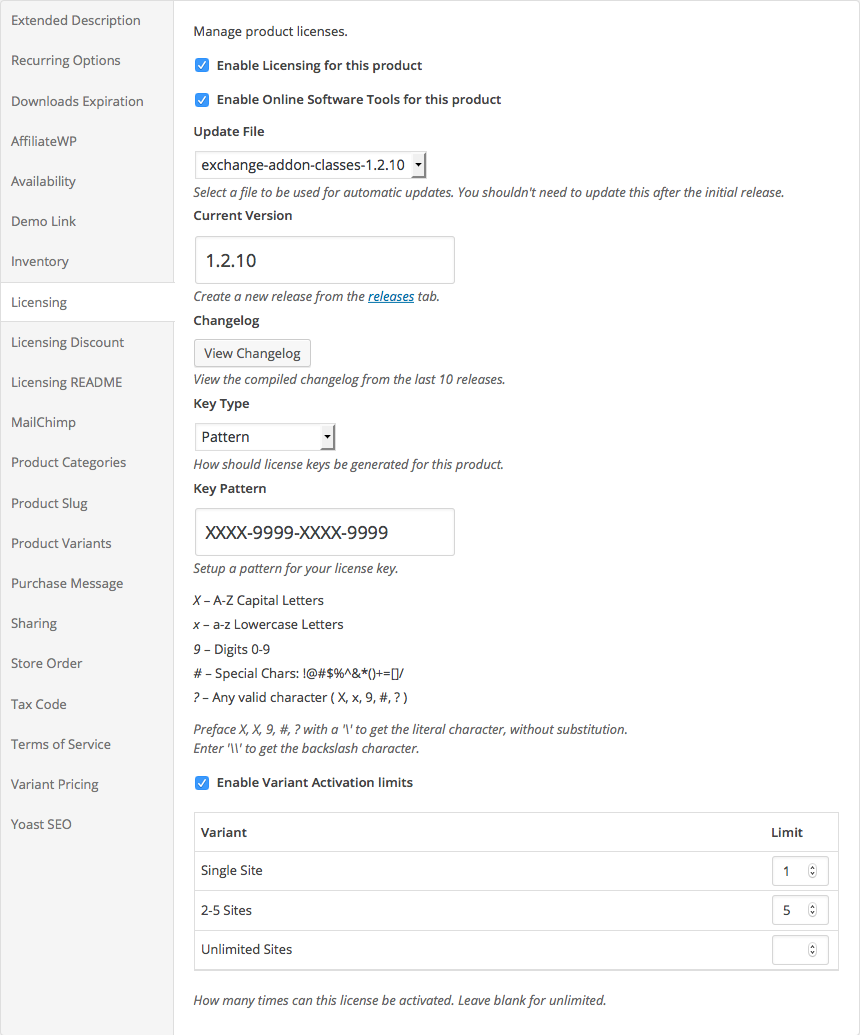
Licensing for iThemes Exchange allows you to sell license keys for your digital products.
Licensing is a commercial plugin available from Iron Bound Designs. The plugin is hosted here on a public Github repository in order to better faciliate community contributions from developers and users alike. If you have a suggestion, a bug report, or a patch for an issue, feel free to submit it here. We do ask, however, that if you are using the plugin on a live site that you please purchase a valid license from the website. We cannot provide support to anyone that does not hold a valid license key.
Installation
Stable
Download the latest version from the Releases tab on GitHub.
Trunk
Licensing uses composer for dependency management. After cloning the repository run the following command:
composer install --no-devDemo Data
Licensing comes with a bash script to create demo data. I recommend doing this on a clean WordPress install. Before running the import script, be sure to add at least one zip file to your media library. This is used to create demo products and releases.
From the main plugin directory run the following commands:
cd wp-cli
./demo-data.sh <size>
Size can be one of small, medium, large, or giant. I'd recommend sticking with small or medium, as the
default Exchange admin won't scale well to a large purchase count.
Running the demo data script will create customers, product, releases, activations and renewal records.
Recommended Add-ons
-
Recurring Payments. The Recurring Payments add-on allows you to limit the length of a license. It also allows you configure the license to auto-renew.
-
Variants. The Product Variants add-on allows you to offer different activation limits depending on the type of license purchased. For example: individual, developer and unlimited license types.
-
Stripe. The Stripe add-on is the easiest way to accept payments for your products. However, all payment gateways should work.
-
wpMandrill. Licensing sends renewal reminders to your customers when their license key is about to expire. Additionally, emails can be sent to customers who have not yet updated to the latest version of your products. By installing the wpMandrill plugin, these notifications will be automatically sent out using Mandrill's HTTP API instead of
wp_mail(). This should significantly improve the speed notifications are sent at. -
Manual Purchases. The Manual Purchases add-on allows you to manually create license keys if needed.
Help
Documentation can be found in our Help Center. Additionally, on every admin page has a Help tab with inline help for that screen.
HTTP API
Licensing comes with an HTTP API for handling product updates, site activations and deactivations, etc... The API is authenticated using Basic Auth for providing license keys and activation records.
A sample Plugin Updater and Theme Updater are provided. You can check these out to see how the API can be consumed.
WP CLI
Licensing has robust support for WP CLI. Just about anything you can do from the admin UI can be done via the command line.
All commands are under the main itelic command followed by a grouping command.
For example this following will list the first 20 license keys:
wp itelic key listThis will disable the license key abcd-1234
wp itelic key disable abcd-1234You can create a new release from the command line like so. This will create a new major release for the product with
an id of 7. The new version will be 1.2 and the file ID used for updates is 7. This can be used in combination with the
wp media import command to streamline how you release new updates for your software.
wp itelic release create --product=5 --version=1.2 --file=7 --type=majorScreenshots
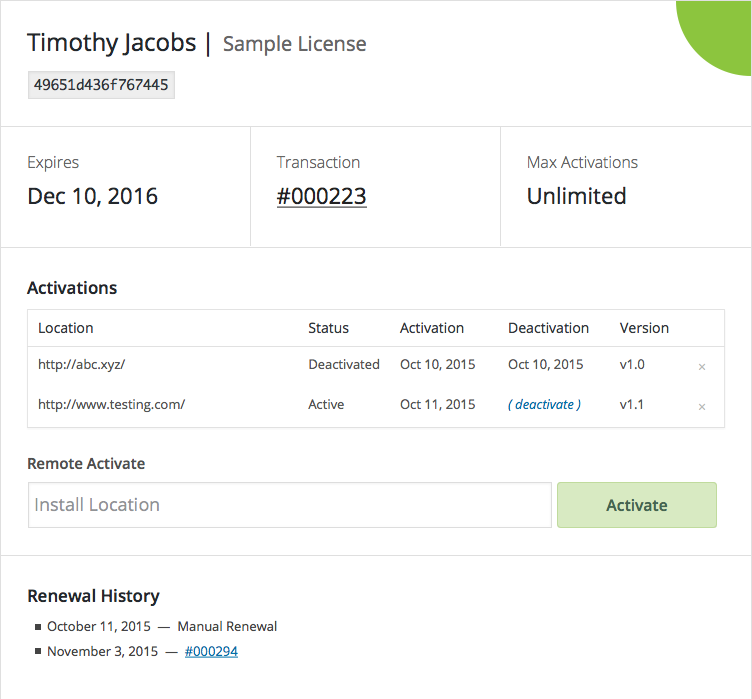
Licenses
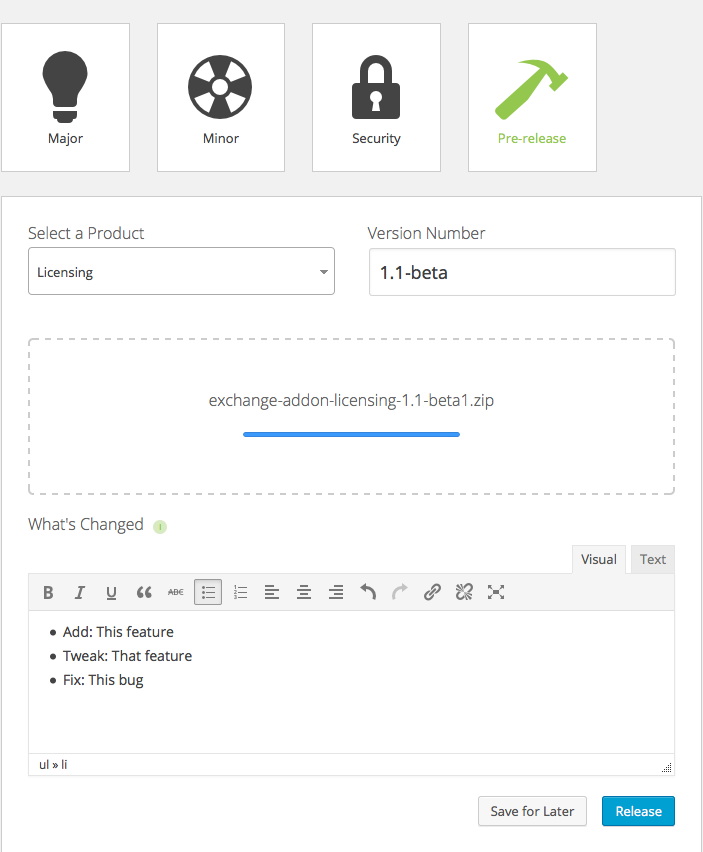
Releases
New
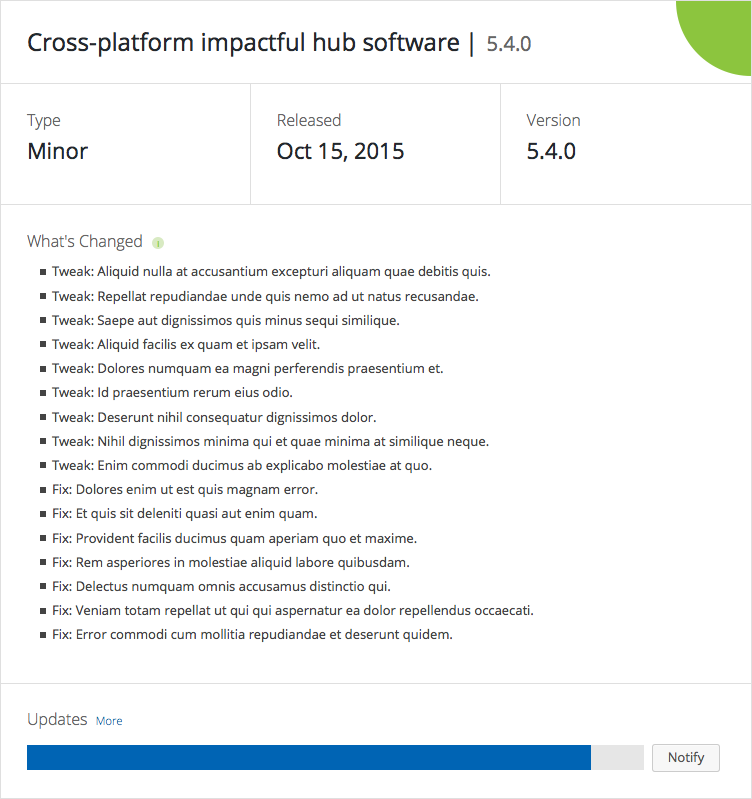
Overview
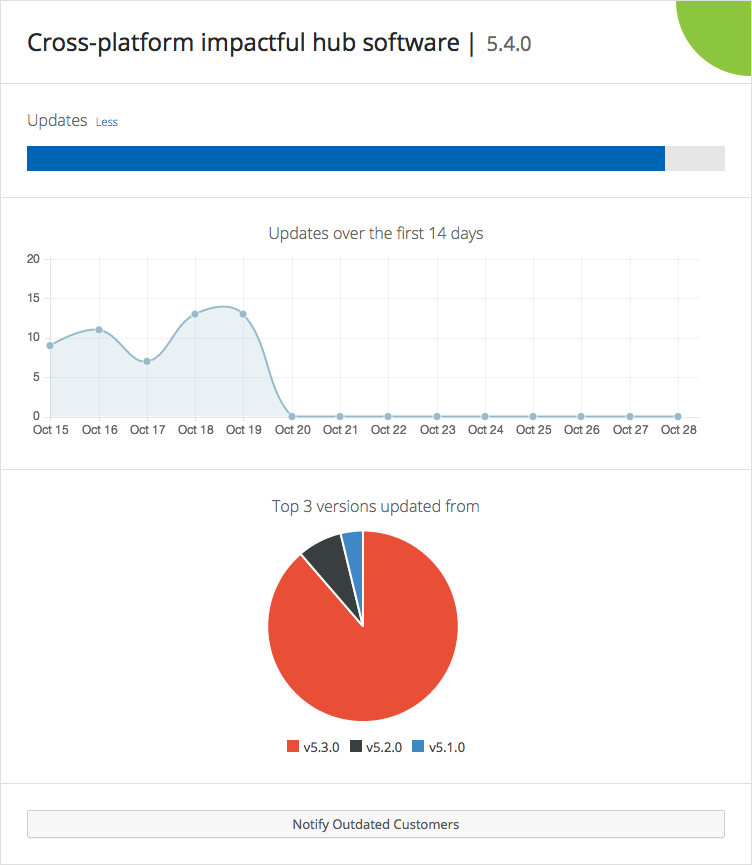
Stats
Notification Editor
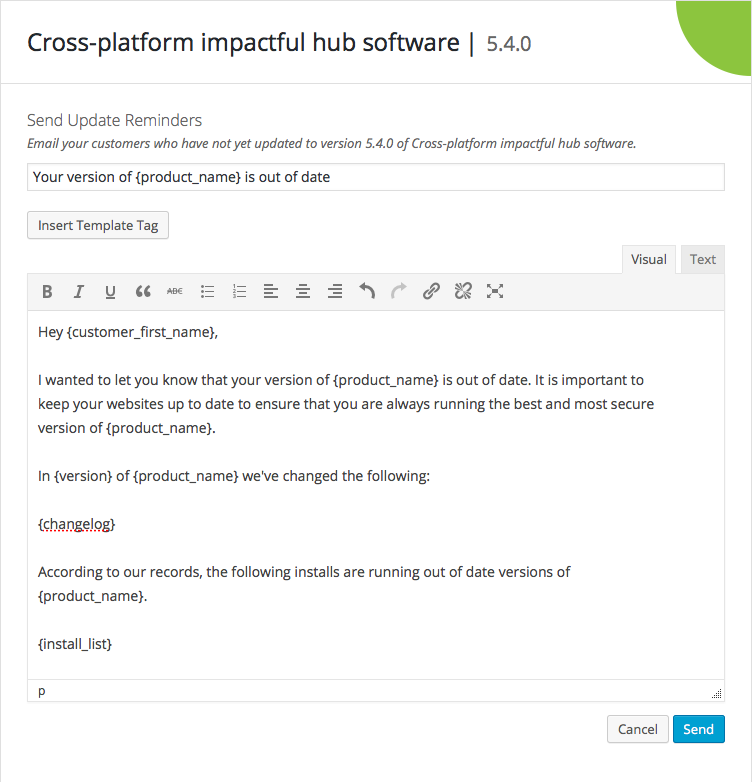
Reports
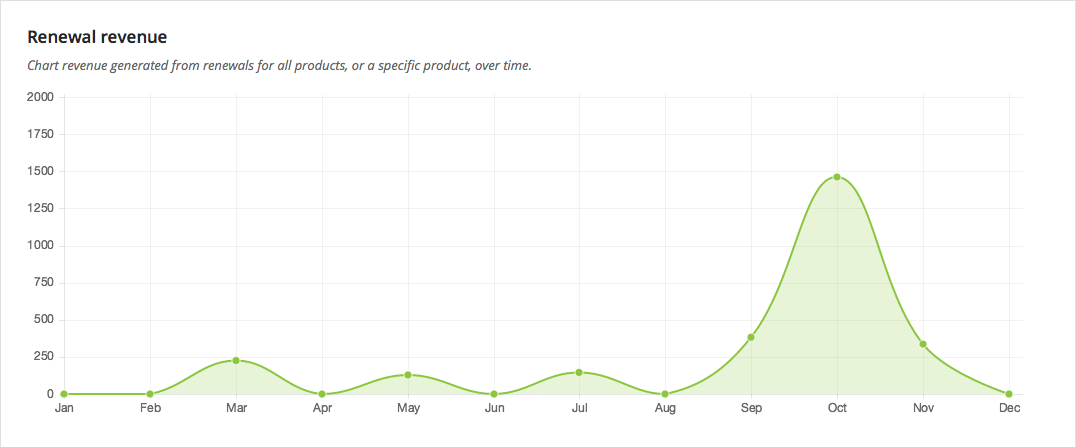
Renewals
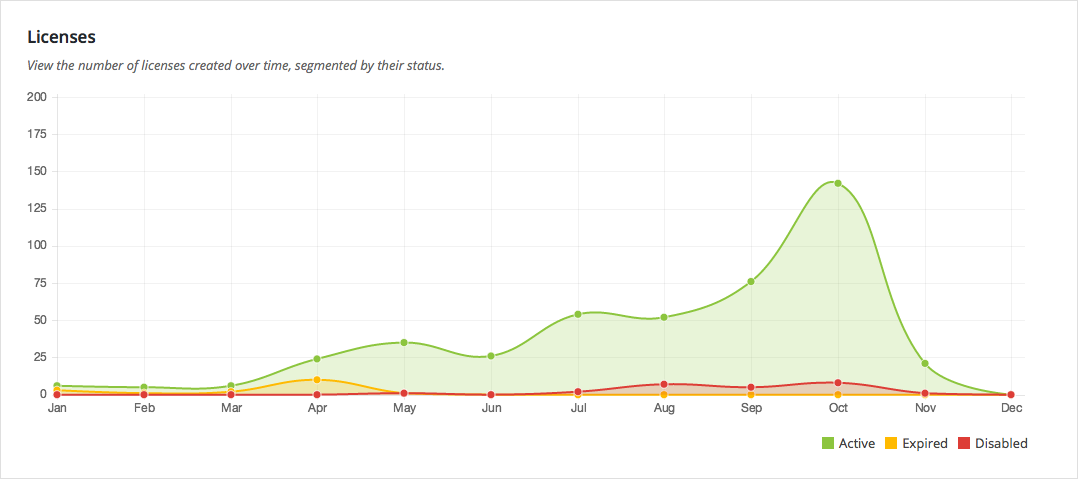
Licenses
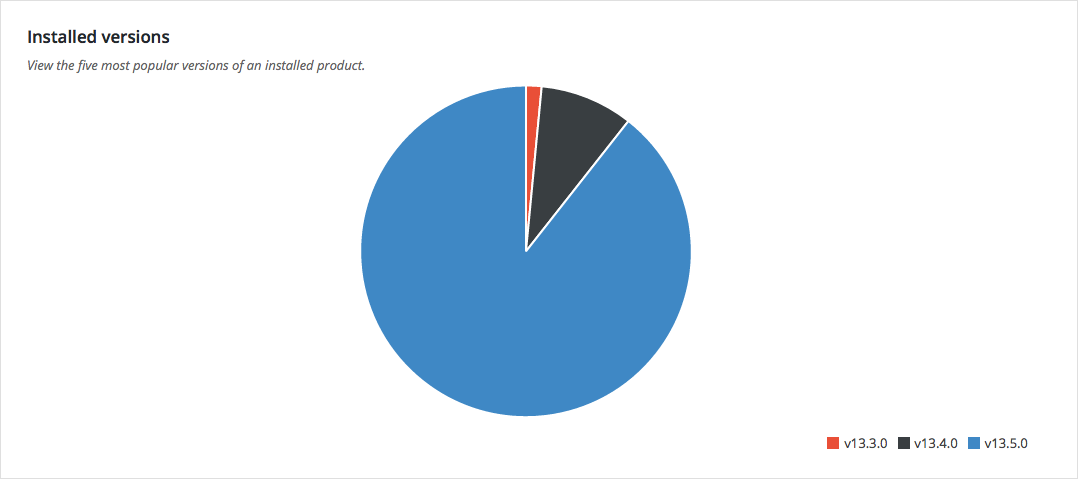
Installed Versions
Product
Releases
4 releases. Each count is every asset in that release; expand a row for the breakdown.
Active-site estimate ≈10 comes from the median of recent superseded releases. Method.