Install
This is the repository archive. It installs, but the folder name will carry the branch suffix and updates will not flow.
Install straight from GitHub with WP-CLI:
wp plugin install https://github.com/irina-grigoreva/advanced-gutenberg-blocks-showcase/archive/refs/heads/main.zipA portfolio WordPress plugin demonstrating custom Gutenberg blocks, block attributes, Inspector Controls, responsive styling, and accessibility-focused frontend markup.
Overview
Advanced Gutenberg Blocks Showcase is a standalone demo plugin built for public GitHub portfolio use. It contains original demo content only and does not depend on private APIs, client data, custom post types, ACF fields, external services, or production business logic.
The plugin registers three static Gutenberg blocks under the portfolio-blocks namespace and ships compiled build assets so it can be installed directly in a local WordPress environment.
Features
- Three custom Gutenberg blocks registered from
block.jsonmetadata. - React-based editor interfaces using WordPress block editor components.
- InspectorControls for block-specific settings.
- Static frontend output with semantic HTML.
- Responsive SCSS compiled by
@wordpress/scripts. - Defensive PHP block registration with build-file existence checks.
- No runtime JavaScript dependency for FAQ interactions.
Blocks Included
CTA Block
- Editable heading, description, button text, and button URL.
- New-tab toggle with safe
relhandling. - Alignment controls.
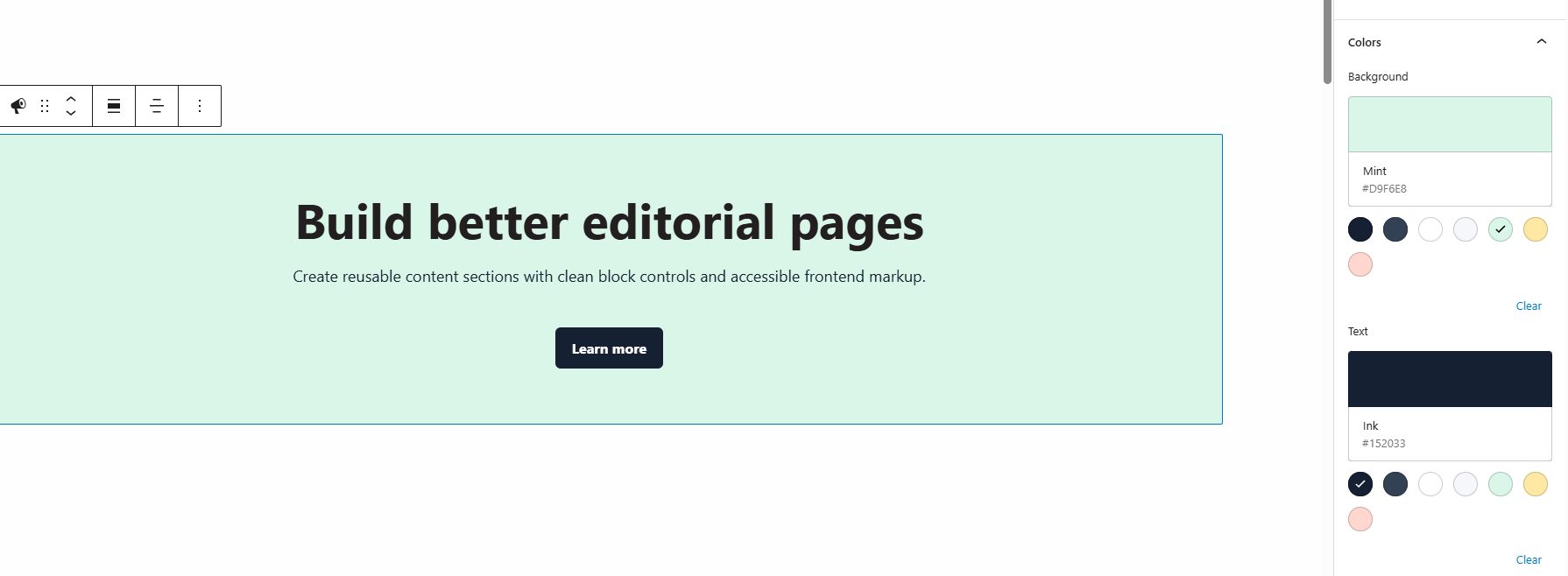
- Background and text color controls.
- Frontend button renders only when link text and a safe URL are present.
FAQ Block
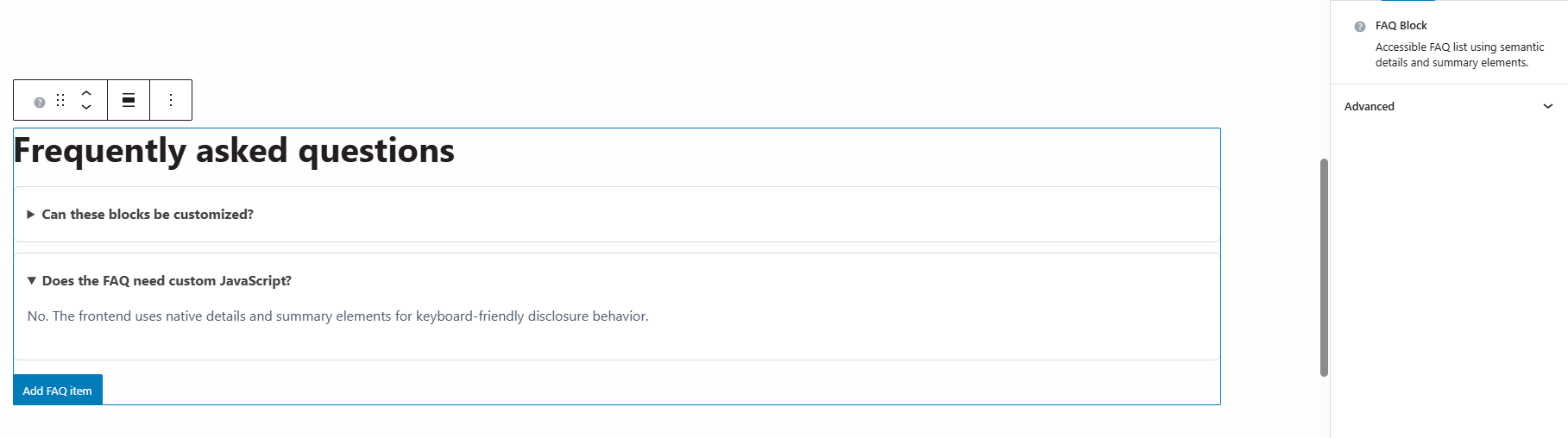
- Editable list of question and answer items.
- Add and remove controls in the editor.
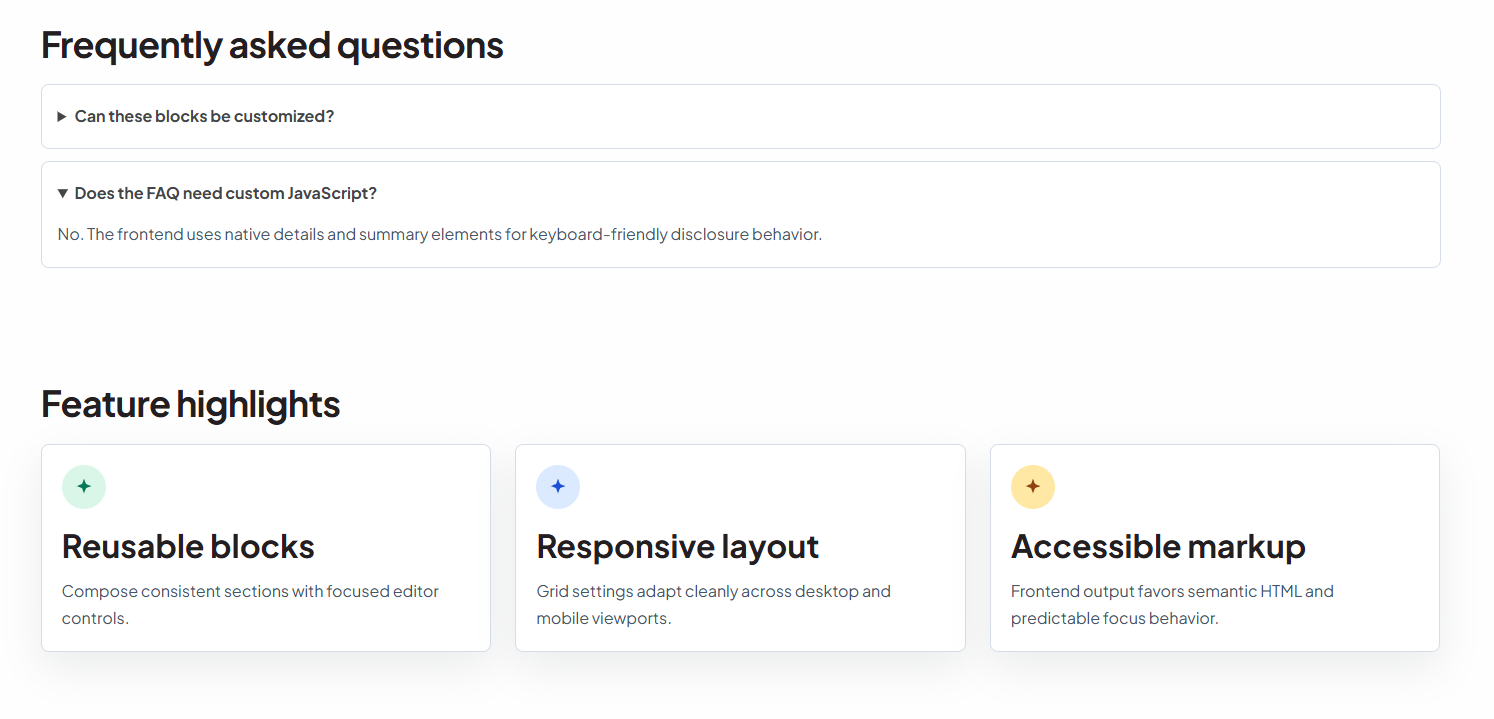
- Frontend uses native
detailsandsummaryelements. - Items without a question are not rendered, preserving semantic markup.
Card Grid Block
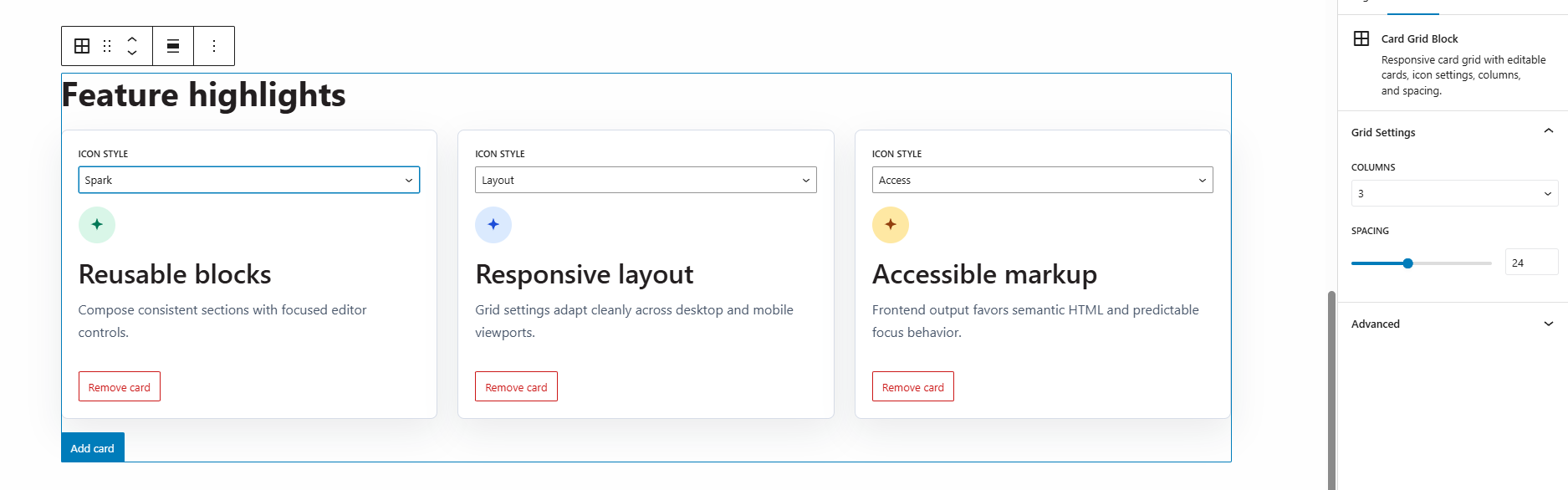
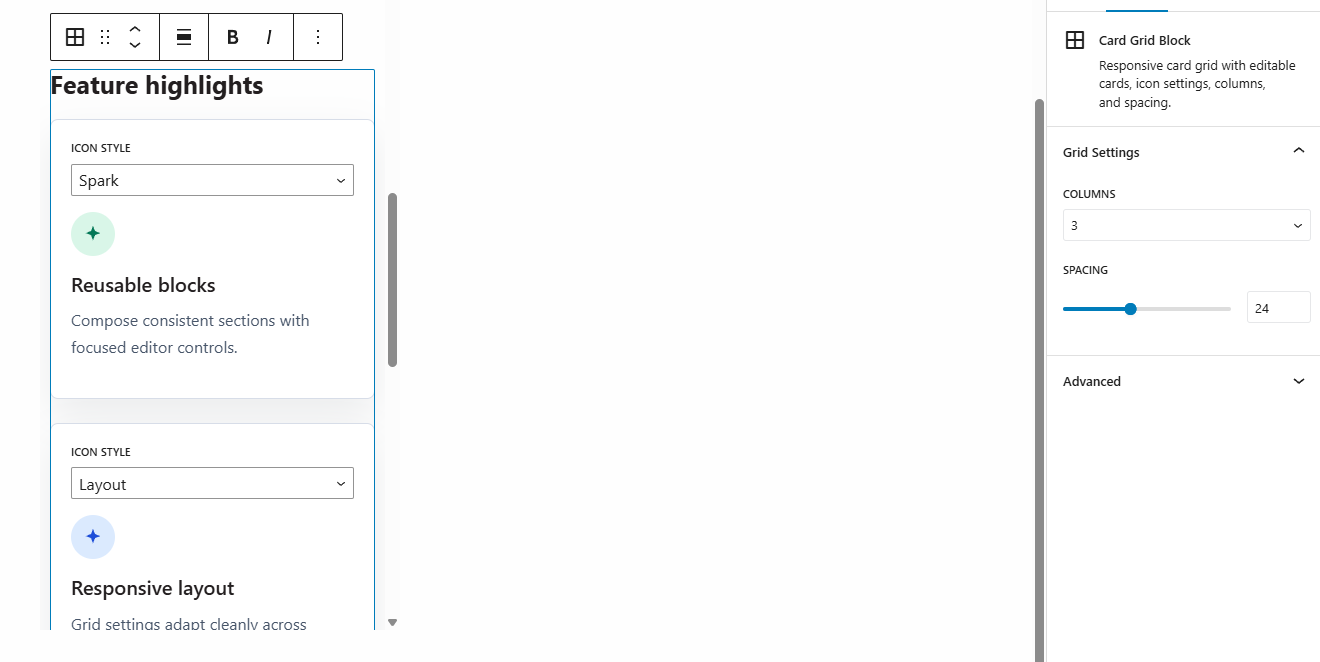
- Editable cards with title, text, and decorative icon style.
- Add and remove controls in the editor.
- Column settings for 2, 3, or 4 columns.
- Responsive grid layout with spacing controls.
- Decorative icon classes are restricted to a known whitelist.
Tech Stack
- WordPress
- Gutenberg Block Editor
- React
@wordpress/scripts- JavaScript
- SCSS/CSS
- PHP
Requirements
- WordPress 6.0 or later
- PHP 7.4 or later
- Node.js and npm for development builds
Installation
- Copy this folder into
wp-content/plugins/advanced-gutenberg-blocks-showcase. - Activate Advanced Gutenberg Blocks Showcase in the WordPress admin.
- Open the block editor and search for CTA Block, FAQ Block, or Card Grid Block.
The repository includes compiled build/ assets. Running npm is only required when modifying source files.
Development
Install dependencies:
npm installStart a development build:
npm run startCreate a production build:
npm run buildRun JavaScript linting:
npm run lintFormat source files:
npm run formatQuality Checks
The current project has been checked with:
npm run lint
npm run build
npm audit --omit=dev
php -l advanced-gutenberg-blocks-showcase.php
php -l includes/register-blocks.php
Continuous integration is configured in .github/workflows/ci.yml to run linting, production dependency audit, asset build, and PHP syntax checks on pushes and pull requests.
Screenshots
Frontend Overview
Editor Overview
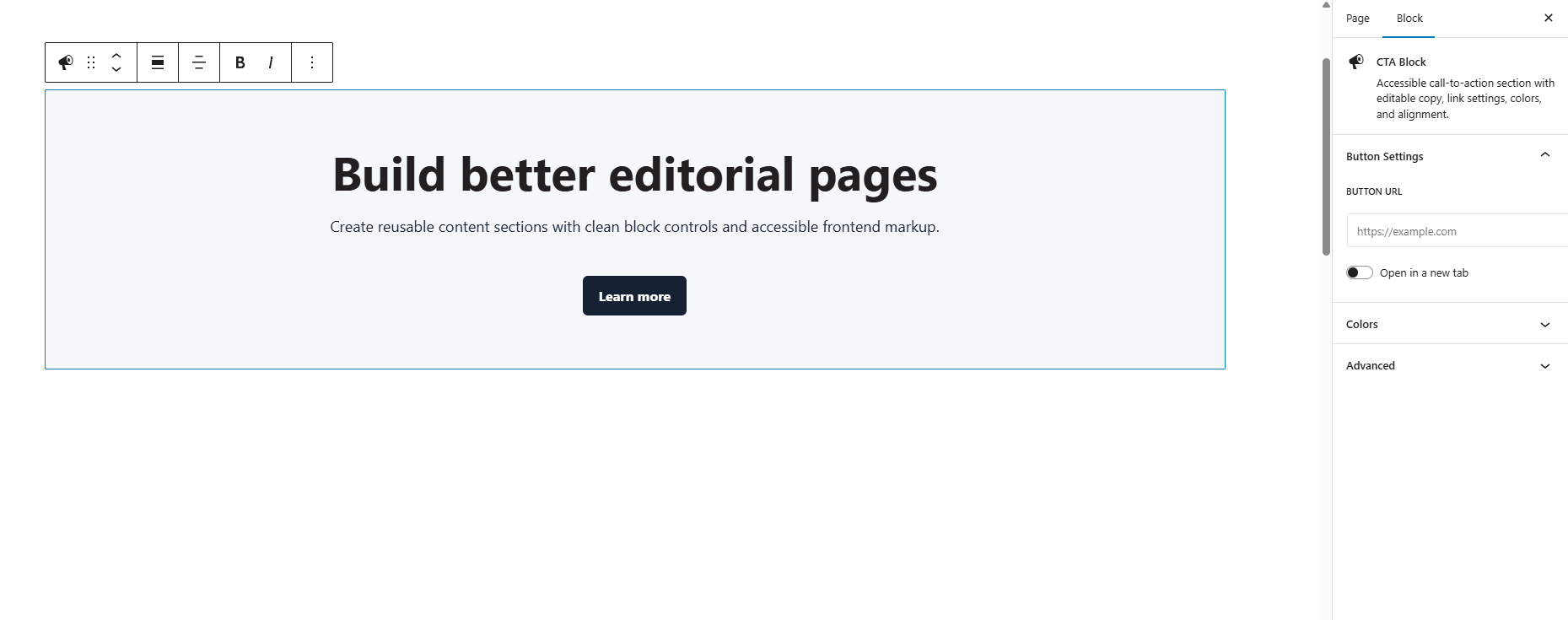
CTA Inspector Controls
FAQ Expanded State
Responsive Card Grid
Accessibility Notes
- CTA links are only rendered when both link text and a safe URL are present.
- CTA links opened in a new tab include
rel="noreferrer noopener". - FAQ interactions use native
detailsandsummarybehavior without custom JavaScript. - FAQ items without a question are not rendered on the frontend.
- Decorative SVG icons are marked with
aria-hidden="true"andfocusable="false". - No positive
tabindexvalues are used. - Headings follow predictable section-level markup.
Security And Privacy Notes
- The plugin does not register REST API endpoints.
- The plugin does not read or write private data.
- The plugin does not call external APIs.
- The plugin does not depend on client-specific post types, taxonomies, fields, domains, images, or copy.
- CTA URL output is restricted to common safe URL patterns.
- Card icon class names are restricted to a known whitelist.
Project Structure
advanced-gutenberg-blocks-showcase/
  advanced-gutenberg-blocks-showcase.php
  includes/
    register-blocks.php
  src/
    blocks/
      cta-block/
        block.json
        edit.js
        save.js
        style.scss
        editor.scss
      faq-block/
        block.json
        edit.js
        save.js
        style.scss
        editor.scss
      card-grid-block/
        block.json
        edit.js
        save.js
        style.scss
        editor.scss
  build/
  screenshots/
    README.md
  scripts/
    copy-block-metadata.js
  webpack.config.js
  .github/
    workflows/
      ci.yml
  package.json
  README.md
  RELEASE_CHECKLIST.md
  LICENSE
  .gitignore
What This Project Demonstrates
- Custom Gutenberg block development.
- React-based block editor UI.
- InspectorControls.
- Dynamic attributes.
- Semantic frontend markup.
- Responsive styles.
- WordPress plugin architecture.
- Build tooling with
@wordpress/scripts. - Public-demo code hygiene without client data.
License
GPL-2.0-or-later.
Releases
1 release.
These releases are tags only. The author does not attach a packaged zip, so there are no download counts to report.