Visual Edit Lite – Visual Editor for Block Themes WP Registry grade A. No security issues foundWP RegistryNo security issues foundOpen the reportA
Visual editor for WordPress block themes — click-to-edit on the live page, sections, save history, forms, SEO & AI readiness. Free edition of Visual Edit Pro.
Install
Upload it under Plugins → Add New Plugin → Upload Plugin, then activate.
Install straight from GitHub with WP-CLI:
wp plugin install https://github.com/iosdevsk/visual-edit-lite/releases/download/1.31.5/visual-edit-lite-1.31.5.zip

Visual Edit Lite – Visual Editor for Block Themes
Click any text, image or section on the live page and change it right there — the design stays as it was built. For native Gutenberg block themes, and for WordPress sites converted from hand-written or AI-generated HTML. This is the free edition of Visual Edit Pro.
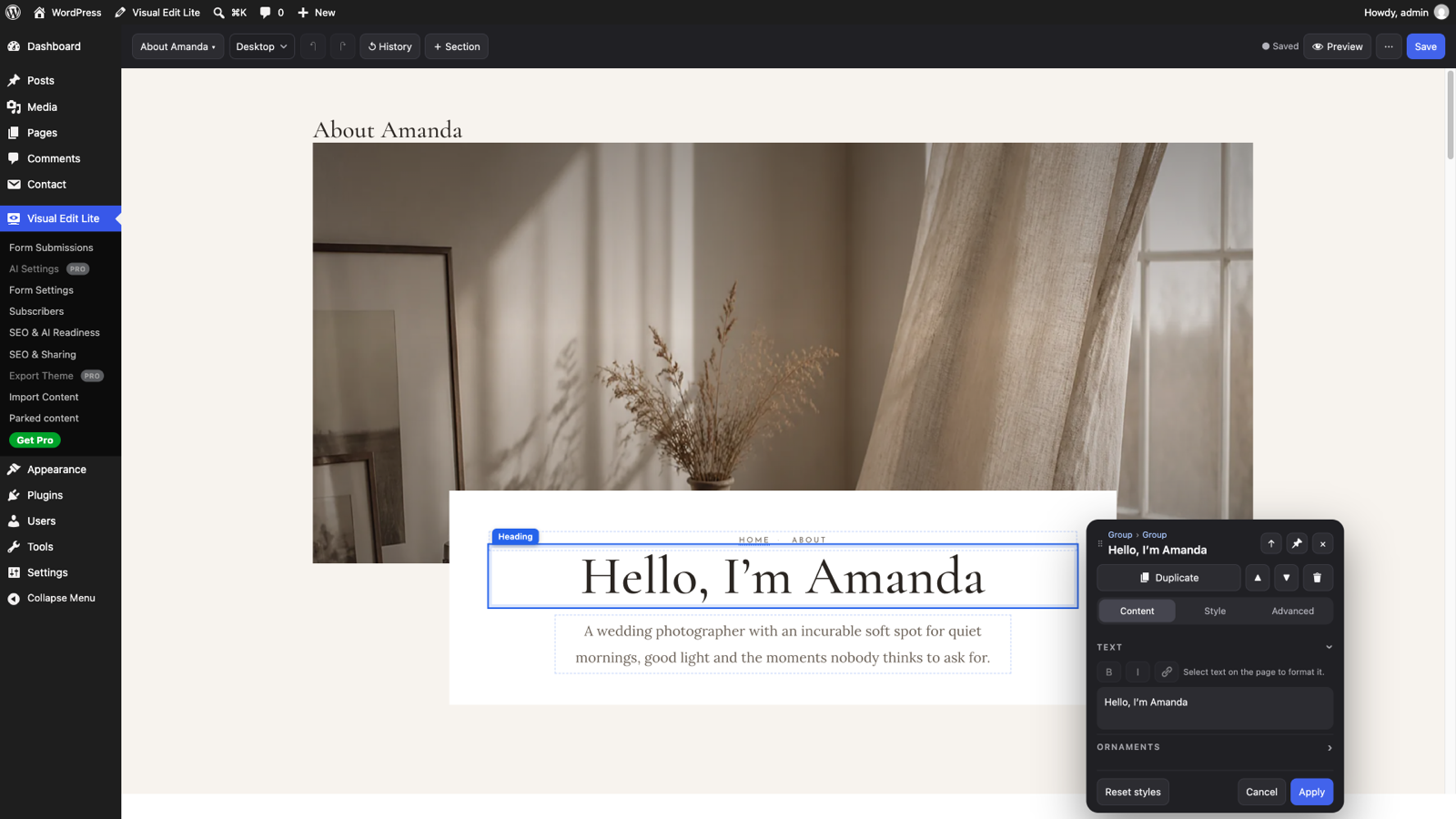
- Point-and-click editing on the real page: typography, colour, spacing, layout and responsive controls per element, without touching the markup
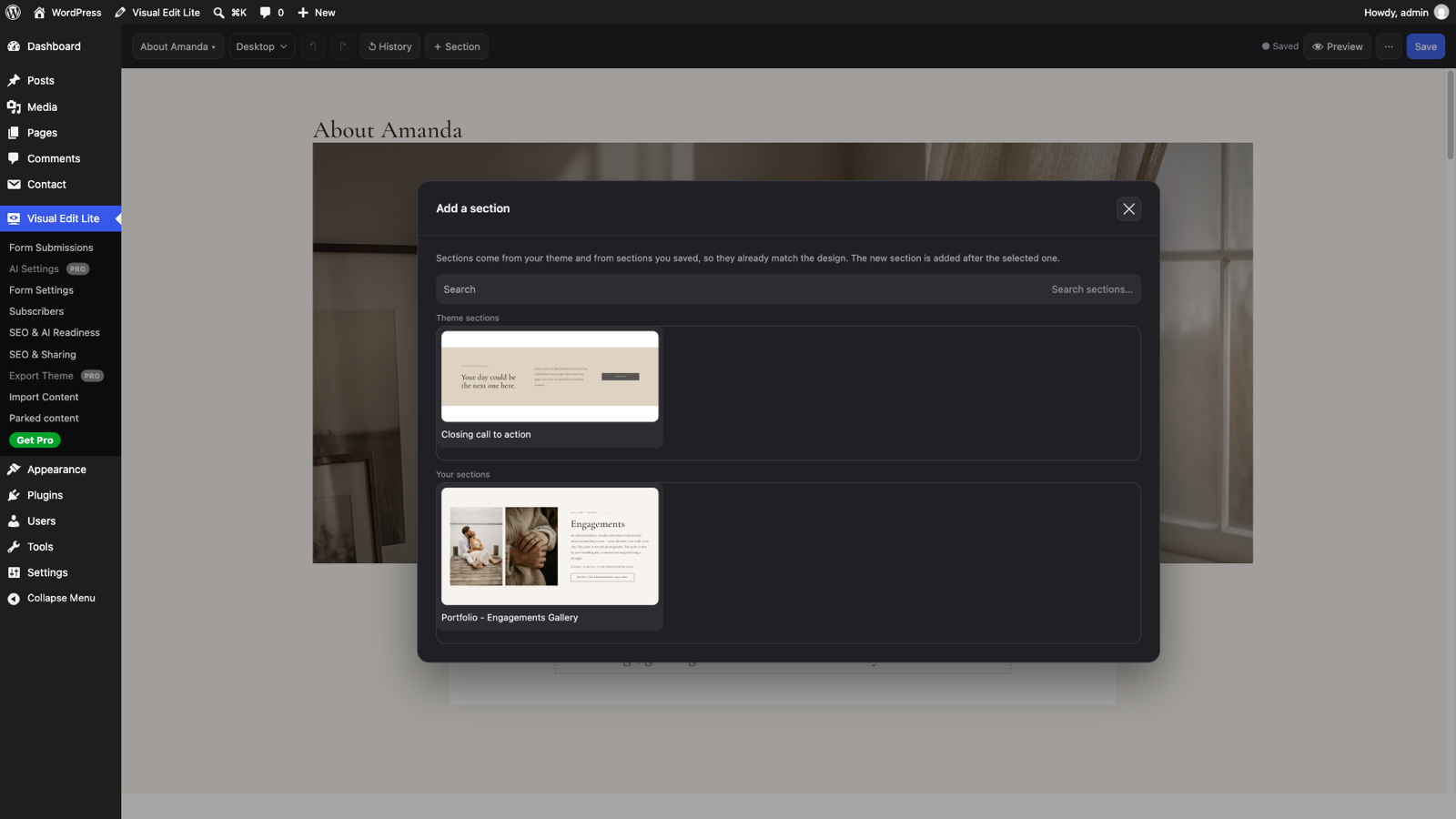
- Sections from your theme and the ones you save, so new content matches the design
- Save history per page: every save is a restore point, and the Original can always be restored
- Forms that keep their designed markup — signed delivery, layered anti-spam, real email providers, no separate SMTP plugin
- SEO & AI readiness: titles, descriptions, Open Graph, structured data,
llms.txt, and a read-only report that names what needs attention - Import a content bundle or a full theme ZIP without overwriting what you already changed
Install
- From WordPress.org — Plugins → Add New → search for "Visual Edit Lite" → Install Now → Activate. (Submitted to the directory; the listing is pending review.)
- From a release — download
visual-edit-lite-X.Y.Z.zipfrom Releases, then Plugins → Add New → Upload Plugin.
WordPress 6.6 or newer, PHP 7.4 or newer. No build step, no dependencies. The theme and the plugin are two separate files: a theme ZIP never contains the plugin.
Support
- Bugs and feature requests: GitHub Issues
- Questions: the WordPress.org support forum, once the plugin is listed
- Security problems: SECURITY.md — please not a public issue
How it works
Visual editing for native Gutenberg block themes and WordPress sites converted from hand-written or AI-generated HTML. Block themes keep the complete Site Editor; converted themes keep their byte-identical markup and gain direct click-to-edit controls on the real page.
On a block theme the VE workspace shows the page, one toolbar and one dark
popup, with WordPress's editor working underneath. Both editors share the
window.ClaraVE editor API; the
acceptance matrix records what is
verified.
What it needs from a theme
Native block themes work through Gutenberg without a VE contract. Raw-HTML
editing needs a converted theme that declares what its markup means through
the clara_ve_theme_contract filter.
That contract is open and documented. Everything a theme must provide is
written down in docs/developer/theme-requirements.md
— a front-page pattern, a handful of template parts, a key marker per block,
and per-key structural anchors. Any theme can satisfy it, hand-written or
generated, and no part of it depends on a service.
In practice most such themes are produced by a converter that turns a finished HTML site — one built in Lovable, Bolt, aidesigner.ai, v0.dev, Claude design, or written by hand — into a WordPress theme with the original markup intact. That converter is a separate project; this repository is the editor.
Install the plugin on a converted theme that declares the contract and the raw-HTML editor opens. Install it on a native block theme and Visual Edit Lite opens a VE workspace hosting WordPress's editor, with a floating inspector.
It is not a page builder and does not work with one. Elementor, Divi and Beaver Builder store your page as their own data structure and render markup from it; this plugin does the opposite, editing the markup the theme already carries, in place. A page built by one of those gives it nothing to work on.
Gutenberg block themes use Gutenberg itself. The VE workspace hosts the native Site Editor, so registered blocks, nested blocks, Query Loops, navigation, patterns, templates, template parts and Global Styles keep their complete WordPress controls and save through core's entity store. Visual Edit Lite adds its popup, typography, Google Fonts, search appearance, movement and responsive controls. The separate raw-HTML mode remains for themes that declare the converter contract.
Parts of the plugin that do not depend on the theme — forms, email
delivery, mailing lists, the SEO record and emitter, redirects, structured
data and llms.txt — will still work anywhere. The editing canvas is the part
that needs the converted theme.
What it does
Editing
- Native Gutenberg Site and Post Editors on block themes; click-to-edit on the live page for converted raw-HTML themes
- Typography, colour, spacing and layout controls per element, without touching the markup
- Edit CSS
::before/::afterornaments, or promote one into real editable text - Manage any set of repeating cards or list items — reorder, edit, add, remove — in one step
- Per-page version history with restore, kept independently for every page — ten saves deep plus the Original, all of it listed and all of it restorable
Content
- Connect a designed HTML form by clicking; the form's own markup is never rebuilt. Submissions are stored in WordPress and emailed
- Layered anti-spam: honeypot, minimum fill time, per-IP rate limiting that survives a CDN, and optional Akismet
- Email delivery through your server, SMTP, or the Brevo / SendGrid / Postmark / Mailgun APIs — no separate SMTP plugin
- Mailing-list signup with double opt-in and a subscriber consent record
- Blog listings that repeat the design's own card markup for real WordPress posts, with "load more"
Search and AI readiness
- Title, description, canonical, Open Graph and robots per page, edited from a small panel in the editor
- Writes through to Yoast SEO or Rank Math when either is installed, and emits the tags itself when neither is
- schema.org structured data,
llms.txt, and AI-crawler rules — all extracted from the site's own content, never invented - A read-only readiness report that names problems and stops there
Moving a site
- Import a converted theme's content bundle — pages, posts, menus, media, forms, SEO records
- Import reviews everything first and never overwrites work you have already done — conflicts are reported and left alone
Lite and Pro
This is the free edition, distributed through the WordPress.org plugin directory. It has no licence key, no trial and no locked buttons: what it does not have, it does not contain.
Visual Edit Pro adds an AI assistant that edits pages conversationally, AI image editing and video generation, Cloudflare Turnstile and one-click theme export. None of that code is in this repository. It is sold separately and is not required for anything Lite does. Both editions store their data under the same names, so either one reads what the other wrote — and they cannot run at the same time: with Pro active, Lite switches itself off and says so.
Requirements
| WordPress | 6.6 or newer |
| PHP | 7.4 or newer |
| Capabilities | Gutenberg's normal entity capabilities; raw-HTML mode also needs unfiltered_html |
| Theme | native Gutenberg block theme, or a converted theme declaring clara_ve_theme_contract |
Raw-HTML editing requires unfiltered_html, the capability WordPress uses to
mean "this person is trusted with markup". Native block-theme editing uses
Gutenberg's normal per-page and site-editing permissions.
No build step, no Composer, no npm. The plugin has no dependencies.
Documentation
Full documentation is in docs/.
- New here? Start with Getting started.
- Using the editor day to day? The site owner's guide.
- Integrating or extending? Developer reference.
License
GPL-2.0-or-later. See LICENSE.
The editor is open source on purpose. It is delivered to every site it converts, so it is code you can read, audit and keep — which matters for a plugin that handles your markup, your form submissions and your subscriber list. The converter is a separate project; this repository is the editor, and its theme contract is documented so anyone can build against it.
Verifying a build
tools/verify.shBuilds the package, boots a throwaway WordPress in Docker, installs the
extracted ZIP under its real slug, installs the official
Plugin Check if it is not
already there, runs it across every category, and asserts the Lite-specific
behaviour (no licence gate, no Pro classes, no AI routes, history keeping ten
saves plus the Original with every one of them restorable). Exits non-zero on any failure; --keep leaves the site up
on localhost:8897. Offline, point it at a local copy:
PLUGIN_CHECK_ZIP=/path/to/plugin-check.zip tools/verify.sh.
Releasing
tools/release.sh # or: tools/release.sh X.Y.ZVerifies, pushes, builds, tags (bare version — no v prefix), publishes the
GitHub Release with the ZIP attached, then downloads the published asset
back and diffs it against a fresh build. One command, because "push now,
release later" is how the download stops matching the code.
Release notes are read from the matching = X.Y.Z = block in readme.txt,
so the changelog has one home.
Regenerating the translation template
php tools/make-pot.phpRewrites languages/visual-edit-lite.pot from the source. Run it after
changing any translatable string.
Releases
23 releases. Each count is every asset in that release; expand a row for the breakdown.
Active-site estimate ≈30 comes from the median of recent superseded releases. Method.