Install
This is the repository archive. It installs, but the folder name will carry the branch suffix and updates will not flow.
Install straight from GitHub with WP-CLI:
wp plugin install https://github.com/imranhsayed/cg-blocks/archive/refs/heads/master.zipDescription
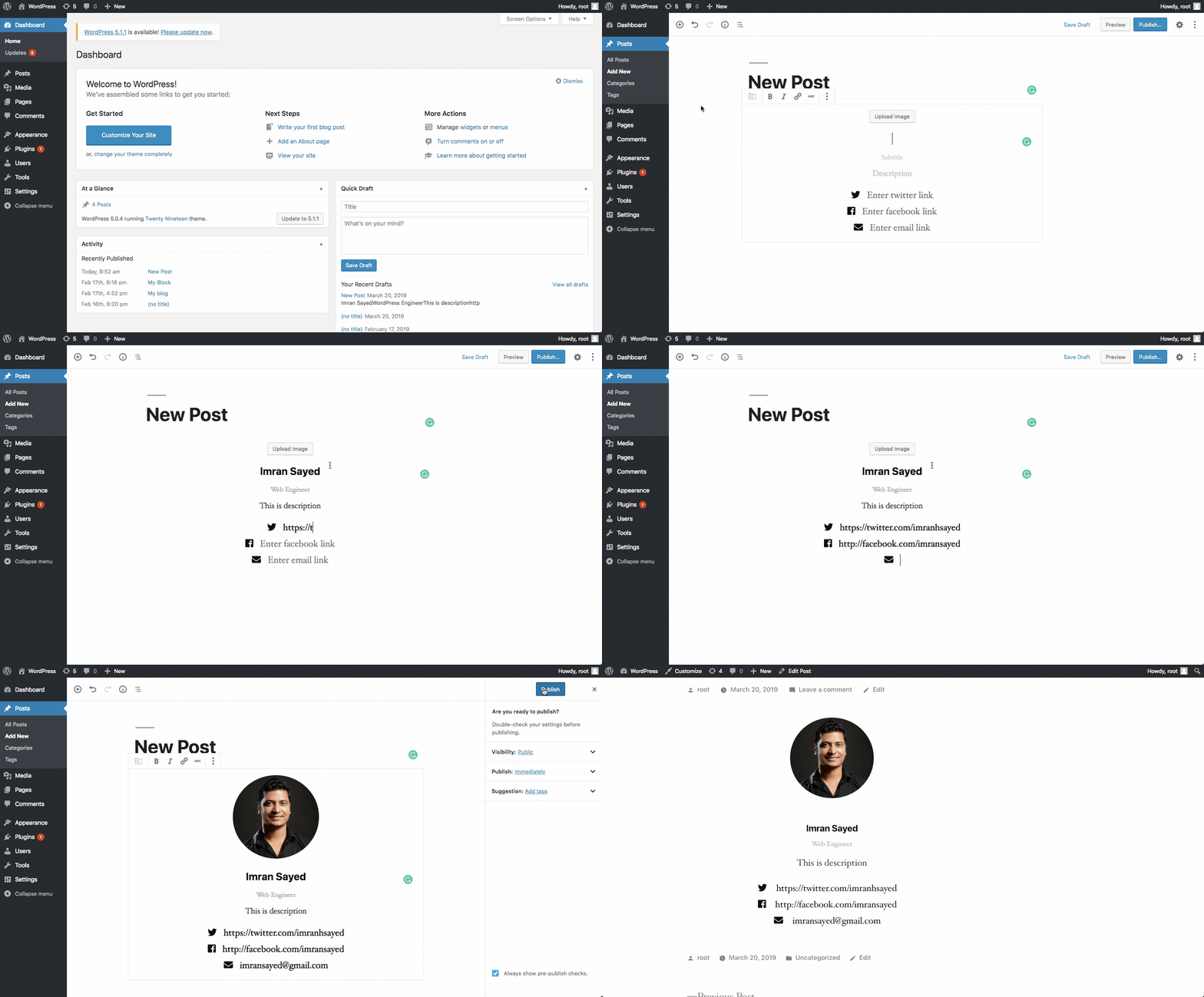
This plugin adds a simple block in the Gutenberg editor of your WordPress dashboard. You can add a card called Contact card where you can add your image, description, contact email and social links
Plugin Demo
Installation
-
Download the zipped plugin. Unzip the plugin. Rename the plugin directory from
cg-blocks-mastertocg-blocks. Zip the renamed plugin directory -
Navigate to the Plugins > Add new screen in your WordPress administrative dashboard.
-
Click Add New at the top of the page.
-
Click Upload Plugin at the top of the page.
-
Click Choose File, then find and Upload the downloaded renamed zip file.
-
After the plugin finishes installing, click Activate.
or, Go to your plugin directory from terminal and Clone this repo in wp-content/plugins directory
git clone https://github.com/imranhsayed/cg-blocksAnd then activate it from Plugins screen in your WordPress administrative dashboard. -
Thats it!
What is included in this plugin ?
- The plugin uses ReactJS & ESNext for creating custom gutenberg block, along with PHP's OOP concept
- It uses Webpack to bundle all of its dependencies into one file index.js
- Has separate stylesheet for front-end & editor.
- Linting Tools used:
ESLINTcoding standard configuration.stylelintconfiguration.phpcsfor code sniffing. It uses phpcs.xml configuration file.
How to use ?
- Go to WordPress Dashboard > Posts/Pages > Add New > Add block ( + icon ) > Layout Elements > Contact Card
- Now you can add your picture, name, subtitle, description, twitter link, facebook link and email.
- When you publish the post you can see this custom contact card block as a part of your post/page on dashboard as well as on front end.
- This gutenberg block is reusable so you can use it as many times as you want on a post or page to share your contact details.