Install
This is the repository archive. It installs, but the folder name will carry the branch suffix and updates will not flow.
Install straight from GitHub with WP-CLI:
wp plugin install https://github.com/imranhsayed/acf-guten-blocks/archive/refs/heads/master.zipNo built-in updater. New versions won't appear under Dashboard → Updates. Install new releases yourself, or let Git Updater track the repository.
This plugin creates Gutenberg blocks using ACF
Getting Started :clipboard:
These instructions will get you a copy of the project up and running on your local machine for development purposes.
Prerequisites :door:
You need to have any WordPress theme activated on your WordPress project, which has ACF Pro Plugin installed and activated.
Installation :wrench:
- Clone the plugin directory in the
/wp-content/plugins/directory, or install a zipped directory of this plugin through the WordPress plugins screen directly ( also remove the -master from the plugin directory ) - Activate the plugin through the 'Plugins' screen in WordPress
Use :ski:
- Click on
Custom Fieldsmenu item on WordPress dashboard. - Create a new Field group called
Testimonialand add below fields
- Testimonial ( type: text )
- Author ( type: text )
- Role ( type: text )
- Image ( type: image )
- Background Color ( type: text )
- Text Color ( type: text )
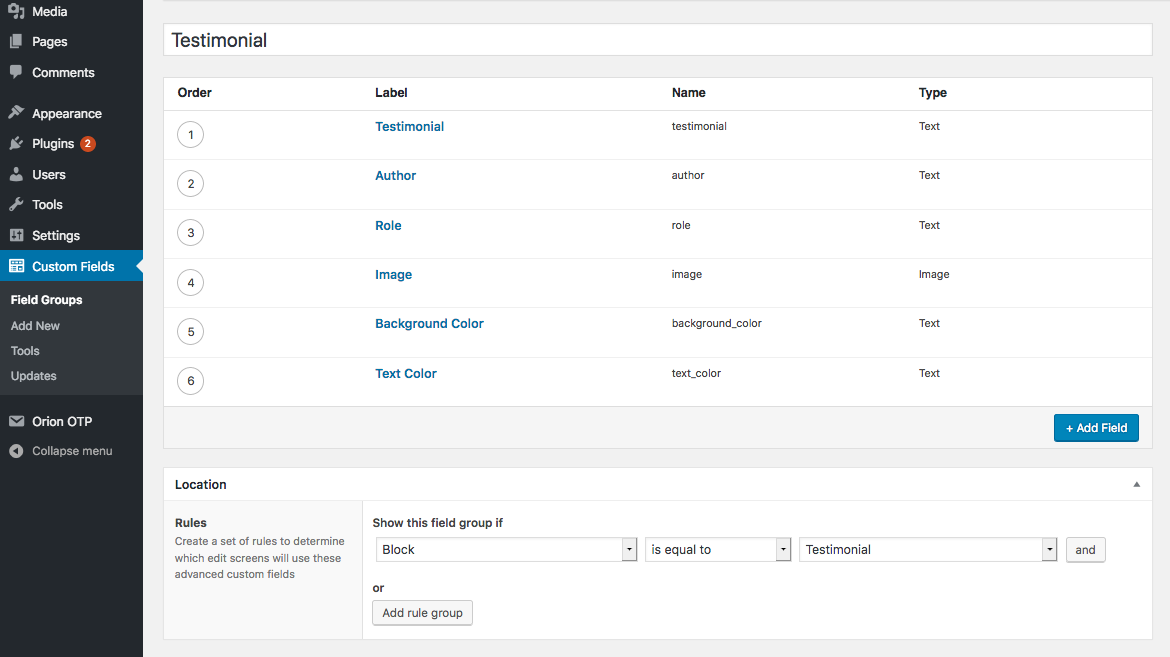
- Add a new post and select the block called
Testimonial - Add the values from the of the above custom fields using control panel on the right.
- Now you will be able to see the content of your block template written in php inside the block.
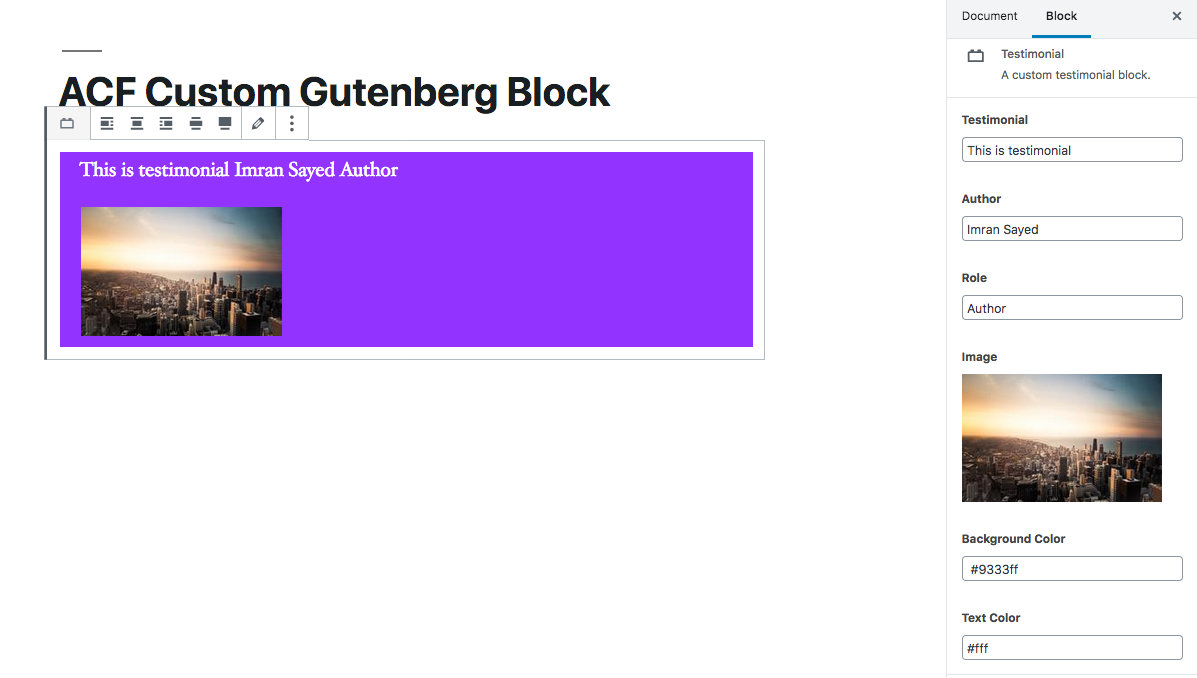
You can also add the values of custom field by clicking on the inspector control edit icon, in the block.
Contributing :busts_in_silhouette:
Please read CONTRIBUTING.md for details on our code of conduct, and the process for submitting pull requests to us.
Versioning
I use Git for versioning.