Install
Upload it under Plugins → Add New Plugin → Upload Plugin, then activate.
Install straight from GitHub with WP-CLI:
wp plugin install https://github.com/imandresi/team-tally/releases/download/v1.0.0/team-tally.zipTEAM TALLY WordPress Plugin
"TEAM TALLY plugin" is a custom WordPress plugin designed for sports enthusiasts and professionals alike. This powerful plugin makes it easy to store and manage football or other sports teams, categorized by their respective leagues.
Description
With "TEAM TALLY plugin," you can create a comprehensive database of teams, complete with their names, history, logos, and nicknames. Additionally, the plugin supports the ability to add league logos, giving you a fully immersive experience.
One of the standout features of "TEAM TALLY plugin" is the custom-made Elementor widget, which allows you to effortlessly list and query teams by keyword, number, or league. Plus, you can easily change their basic styling, including color and font styling, to match your website's overall aesthetic.
Whether you're a sports blogger looking to enhance your website's content or a sports professional seeking to streamline your team management processes, "TEAM TALLY plugin" is the ultimate solution. Get started today and take your sports-related website to the next level.
Main Features
-
TEAM MANAGEMENT: Users can create and manage football/sports teams with various information such as team name, history, logo, and nickname, and associate them with a league.
-
LEAGUE MANAGEMENT: Users can create and manage leagues with information such as name, country, and logo.
-
ELEMENTOR WIDGETS: There are two custom-made Elementor widgets for users to display their football/sports teams on their website:
-
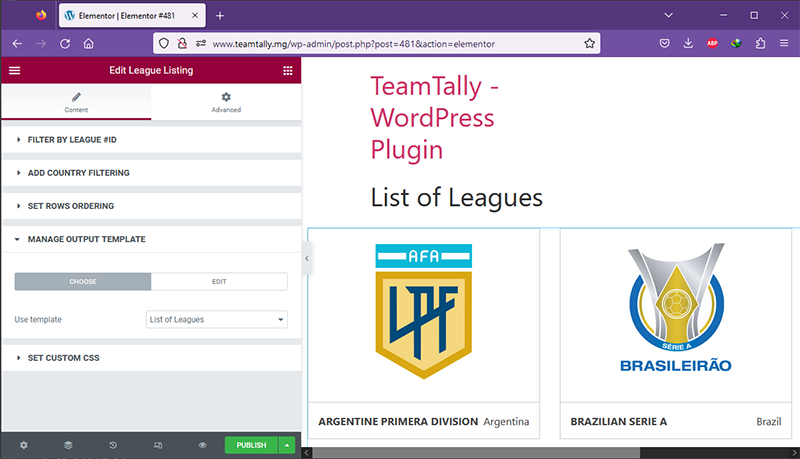
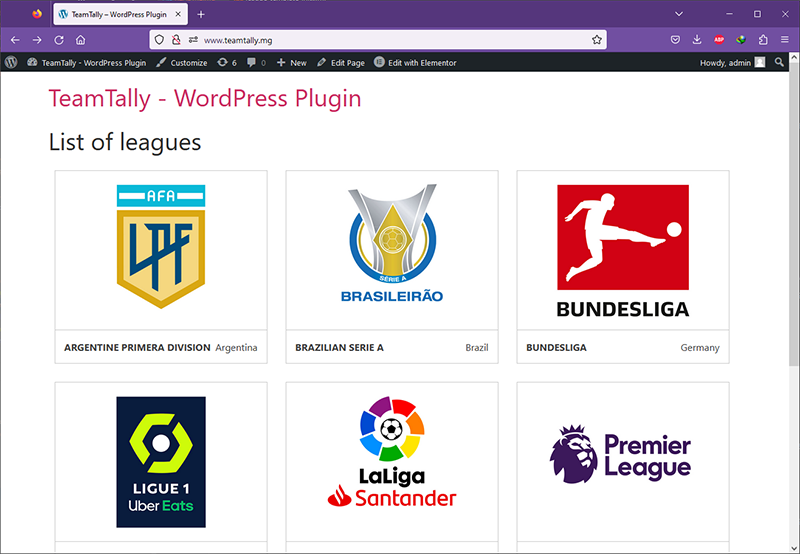
League Elementor Widget : Users can display a list of leagues on a page, which can be filtered by ID or country, and sorted in a particular order. They can also customize the layout and design of the list using custom templates and CSS.
-
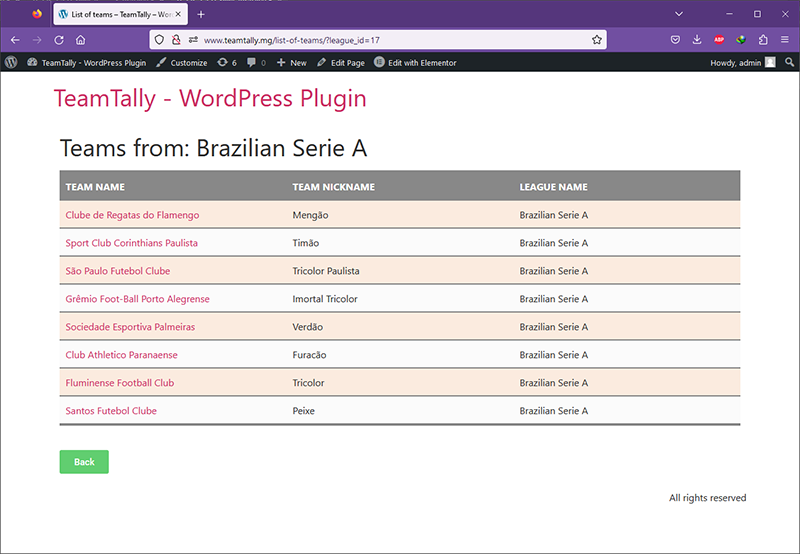
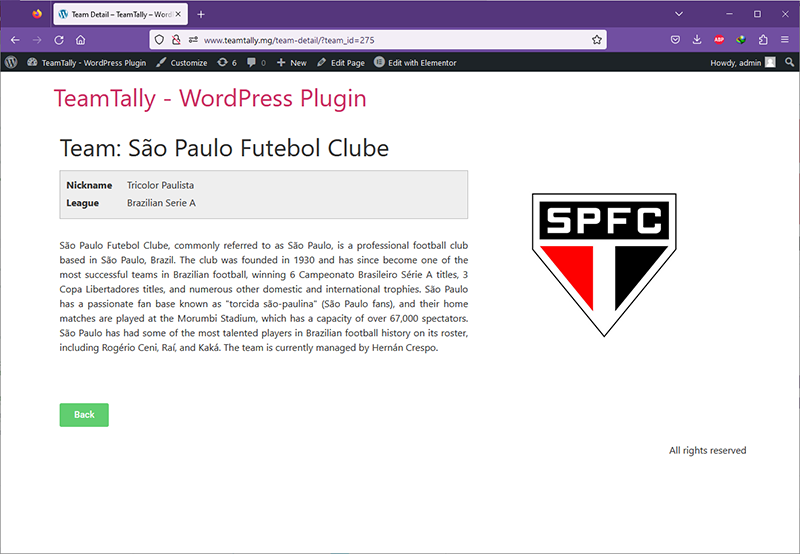
Team Elementor Widget : Users can display a list of teams on a page, which can be filtered by league, team, or keyword. They can choose the display order, the number of rows, and enable pagination if needed. The widget also includes styling options for each displayed row, including color, background, and typography. Users can also customize the layout of the list using custom templates and CSS. Moreover, this feature enables users to create a dynamic list of teams that can be attached to a URL, allowing them to showcase the full detail of each team on a separate page.
-
Overall, this plugin provides sports enthusiasts with a user-friendly platform to store and showcase their football/sports teams, with a wide range of customization options to suit their website's design and style.
Installation
Please, follow these steps in order to install the "TEAM TALLY" plugin on your WordPress Website :
- Download the plugin ZIP file and extract the files to a folder on your computer.
- Connect to your website via FTP or cPanel file manager.
- Navigate to the wp-content/plugins directory.
- Upload the extracted plugin into the
team-tallyfolder - Log in to your WordPress dashboard.
- Click on "Plugins" in the left-hand menu.
- Locate "TEAM TALLY" in the list of plugins and click "Activate".
- Take note that in order to fully exploit the plugin to its maximum potential, Elementor also needs to be installed.
That's it! Your plugin should now be installed and activated on your WordPress site.
Usage
To learn how to use the TEAM TALLY plugin and its various features, please refer to our usage manual.
This document provides detailed instructions on how to configure the plugin to display the list of leagues and teams, as well as how to customize pagination, output templates, and more. We encourage you to experiment with the plugin's options and have fun exploring its capabilities.
Development Process
If you are interested on learning more about my development journey in building the TEAM TALLY plugin, please click here.
License
This plugin is released under the GPLv2 or later license.
You are free to use, modify and redistribute this plugin, in accordance with the terms and conditions of the GPL. The GPL ensures that you retain the same freedoms that you received when you obtained the plugin, and that any derivative works you create are also freely available under the same GPL license terms.
For more information about the GPL, please visit the GNU website.
Contact
If you have any questions or suggestions regarding the TEAM TALLY WordPress plugin, please feel free to contact me on my GitHub profile: https://www.github.com/imandresi/
Releases
1 release. Each count is every asset in that release; expand a row for the breakdown.