Install
This is the repository archive. It installs, but the folder name will carry the branch suffix and updates will not flow.
Install straight from GitHub with WP-CLI:
wp plugin install https://github.com/iamomarfaruk/wpforms-legal-footer/archive/refs/heads/main.zipNo built-in updater. New versions won't appear under Dashboard → Updates. Install new releases yourself, or let Git Updater track the repository.
Add professional "Teams and Conditions" and "Privacy Policy" links under your WPForms submit buttons with smart auto-detection.
🚀 Why this plugin?
Adding legal text links (like GDPR terms or Privacy Policies) directly under a submit button usually requires hacking functions.php or adding custom HTML.
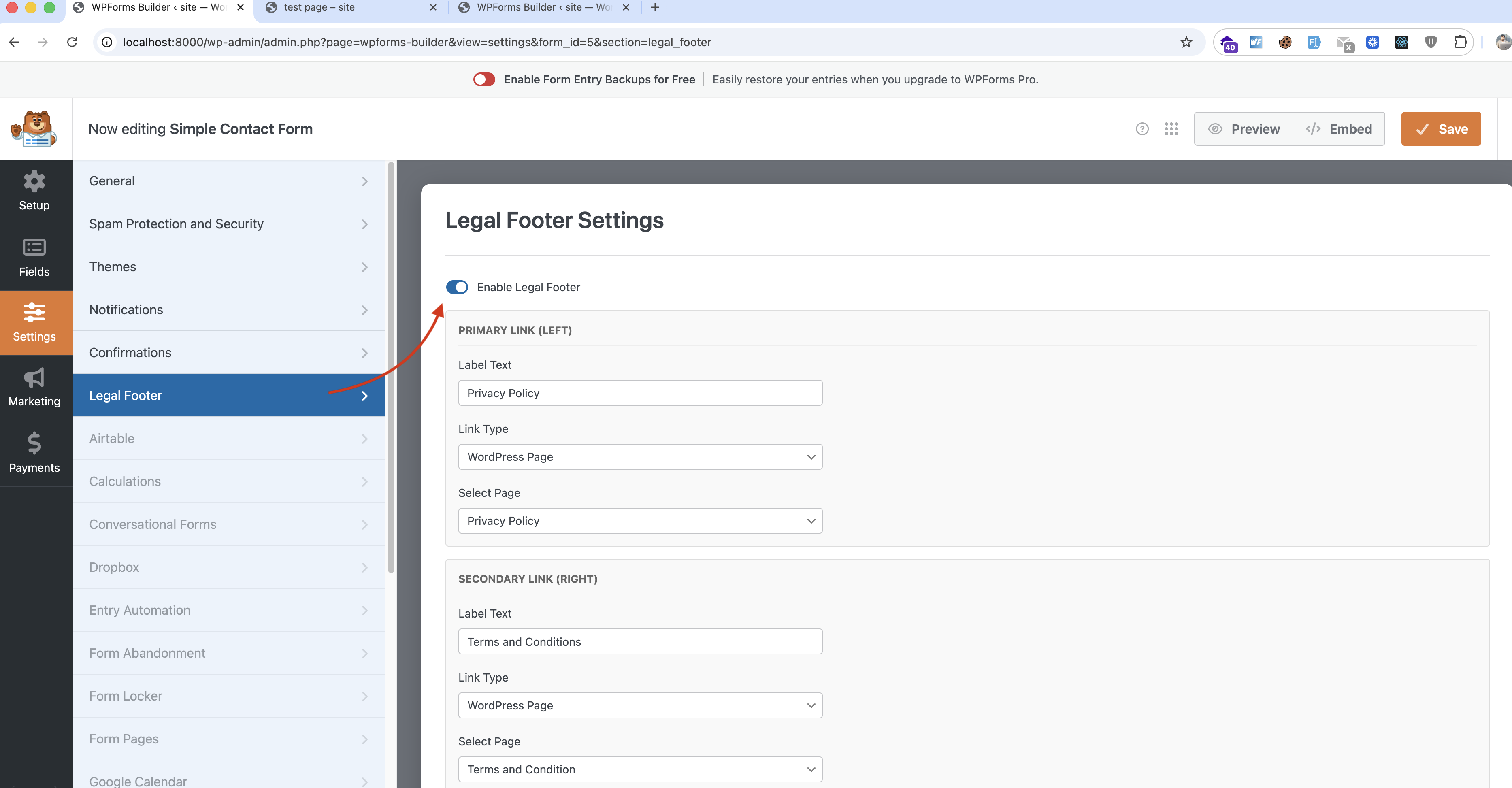
WPForms Legal Footer solves this by adding a native "Legal Footer" tab inside the WPForms Builder. It feels 100% official and requires zero coding.
✨ Features
- 🤖 Smart Auto-Detection: Automatically scans your site for "Privacy" and "Terms" pages and pre-selects them to save you time.
- 🔗 Dual Link Support: Add a Primary Link (Left) and a Secondary Link (Right).
- 🎨 Visual Customization:
- Full color control.
- Adjustable font size (default 12px).
- Alignment options (Left, Center, Right).
- Toggle Bold text.
- 🔒 Conditional Loading: Assets only load when the footer is enabled for a specific form.
- ✅ Native UI: Integrates deeply into
WPForms > Builder > Settings.
📦 Installation
- Download the plugin zip or clone this repository into
wp-content/plugins/.cd wp-content/plugins/ git clone https://github.com/iamOmarFaruk/wpforms-legal-footer.git - Activate WPForms Legal Footer via the WordPress Plugins menu.
- Open any WPForm in the Builder.
- Go to Settings > Legal Footer.
- Toggle "Enable Legal Footer".
🤝 Contributing
Contributions are welcome! Please feel free to submit a Pull Request.
👨💻 Author
Omar Faruk
Chief Coffee Consumer ☕
This plugin is not affiliated with WPForms.