Install
This is the repository archive. It installs, but the folder name will carry the branch suffix and updates will not flow.
Install straight from GitHub with WP-CLI:
wp plugin install https://github.com/iamleese/scroll-animations/archive/refs/heads/trunk.zipAdds Locomotive.js scroll animation attributes to Gutenberg blocks
Description
This plugin uses Locomotive scroll to create beautiful scroll-based animations. It will add Locomotive Scroll attributes to blocks that you would like to animate. For more details on Locomotive Scroll visit their github page at: https://github.com/locomotivemtl/locomotive-scroll
Installation
- Upload the plugin files to the
/wp-content/plugins/scroll-animationsdirectory, or install the plugin through the WordPress plugins screen directly. - Activate the plugin through the 'Plugins' screen in WordPress
Basic Usage
Creating Scroll Sections
Scroll sections are optional but is recommended to improve performance — especially with longer pages.
Create a group block: Add a group block to your editor:
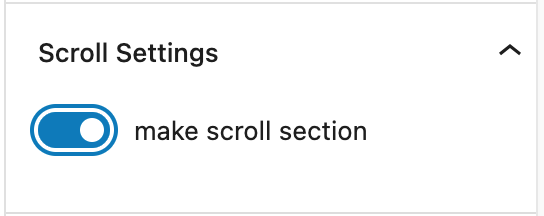
Activate Scroll Section Go to the block settings and under the Scroll Settings Tab check "make scroll section."
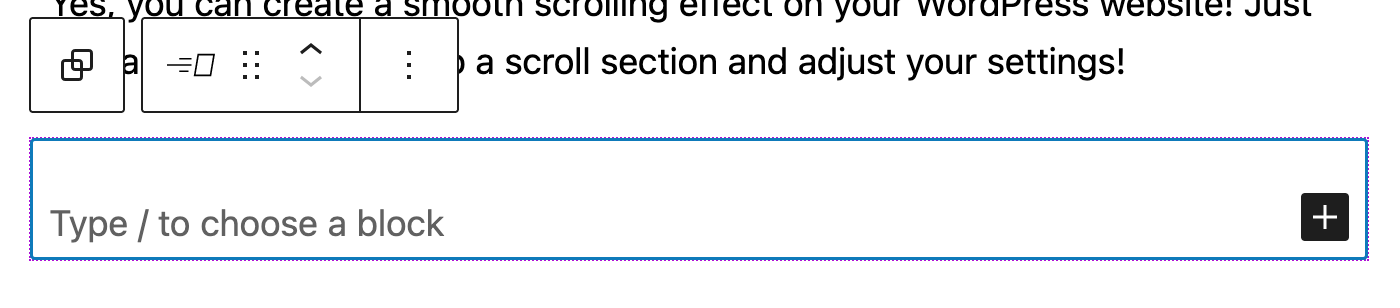
Add an Animated Block
You can find the Animated Block under the "Design" category in your block menu. Add the block and drop whatever you need animated inside of the block. Settings can be adjusted in the block menu.
Advanced Usage
Call Functions
Call functions can be found under the "Interactivity" panel. This will require some advanced knowledge of WordPress enqueuing and javascript.
Create your javascript file:
//your_theme_file.js

sayHello(){
    console.log("Hello!");
}
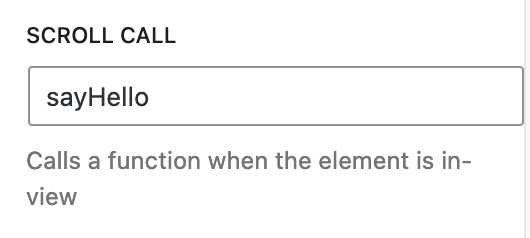
Enter the function name under the "Scroll Call" input:
Events and objects
The event and object parameters are passed in each call. You can track the triggered event and the object information when the animation block comes in view.
//your_theme_file.js

sayHello(event,obj){
    console.log("Hello!");
    console.log(event);
    console.log(obj);
}
Changelog
1.0.3 (7/27/2023)
- Bug Fix: Removed min-width from range control in animation block.
1.0.2 (6/2/2023)
- Added "Drop Zone" for blocks.
1.0.1 (4/24/2023)
- Added intuitive "call" function with updated instructions.
1.0.0 (3/29/2023)
- Stable Version
0.1.0
- Release
To Do
- Create advanced settings for Locomotive instance options
- Create a filter for a scrollTo() target on links and buttons.
Credits
Thank you to the developers at Locomotive for creating the scripts to make our websites awesome: https://github.com/locomotivemtl/locomotive-scroll