Ongkir Indonesia for WooCommerce WP Registry grade A. No security issues foundWP RegistryNo security issues foundOpen the reportA
WooCommerce plugin to calculate the shipping costs for Indonesian couriers like JNE, J&T, TIKI, POS, etc. Requires RajaOngkir PRO License.
Install
This is the repository archive. It installs, but the folder name will carry the branch suffix and updates will not flow.
Install straight from GitHub with WP-CLI:
wp plugin install https://github.com/hrsetyono/wc-ongkir-indonesia/archive/refs/heads/master.zipOn Packagist as pixelstudio/woocommerce-ongkir:
composer require pixelstudio/woocommerce-ongkirOngkos Kirim Indonesia for WooCommerce
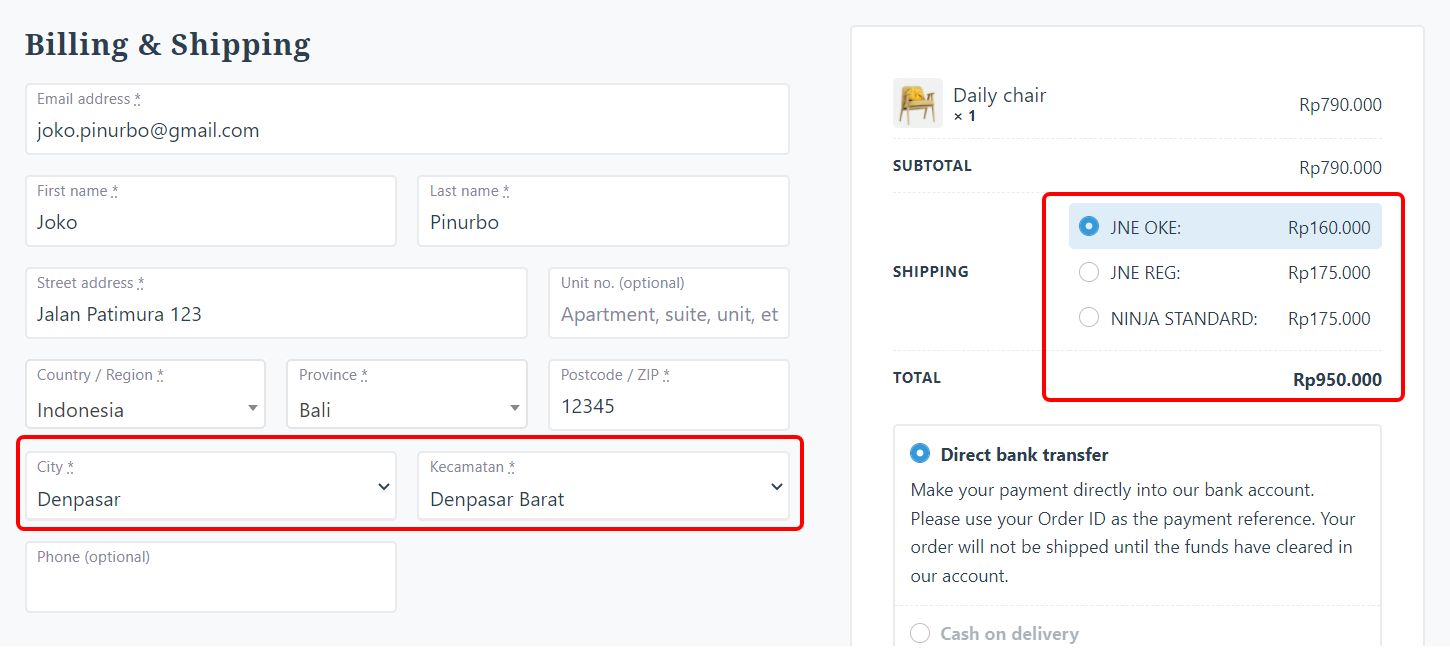
Calculate the shipping costs for Indonesian couriers in WooCommerce.
This plugin requires PRO License from RajaOngkir.com. We are not affiliated with them in any way.
This plugin is free and provided as is. If you found a bug, please submit it here.
Supported Couriers:
- JNE
- TIKI
- Pos Indonesia
- J&T
- SiCepat
- Ninja Express
- AnterAja
- LION Parcel
- ID Express
- SAP
Tested working on:
- PHP 7.3 with
CURLandALLOW_URL_FOPENenabled. - WooCommerce 5.9.0
- WordPress 5.8.3
- Storefront theme and Edje Theme
1. How to Install
-
Download our latest version at https://github.com/hrsetyono/wc-ongkir-indonesia/releases/
-
Go to your WP Admin panel > Plugins > Add New
-
Choose to upload your own zip file.
Alternative Way using Composer:
This plugin is available in Composer under this name:
"pixelstudio/wc-ongkir-indonesia": "~2.4.0"If you don't know how to use Composer to manage plugins, visit here https://wptips.dev/composer-to-manage-plugins/
2. Initial Setup
-
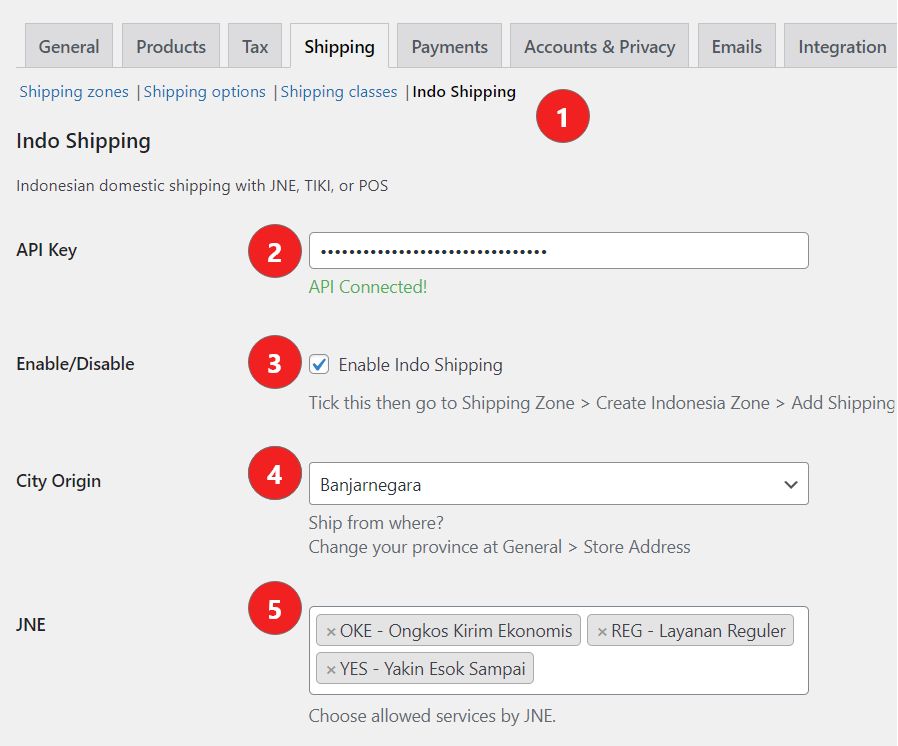
Go to WooCommerce > Settings > Shipping > Indo Shipping.
-
Enter RajaOngkir PRO API Key and press "Save". If it's correct, it will say "Connected" and the rest of the fields will appear.
-
Tick Enable.
-
Set your shop's city / district location. It is based on the Province you set in General setting.
-
Select the service you want to enable from each courier. Leave empty if you want to disable it.
-
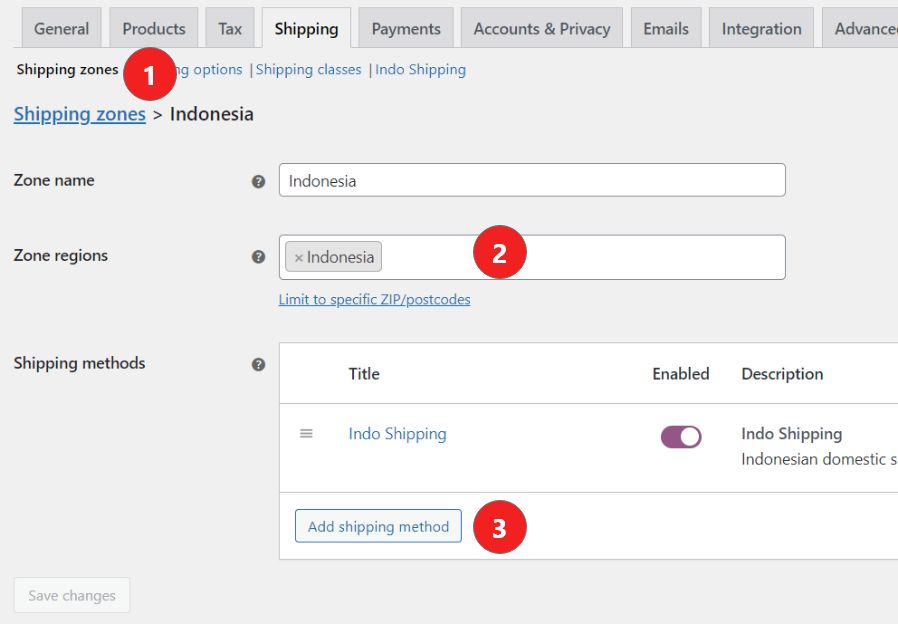
Go to Shipping Zone and click "Add Shipping Zone" button. You will see the screen above.
-
Set regions as "Indonesia".
-
Click "Add shipping method" and select "Indo Shipping".
Done! You will now see additional fields for City and District (Kecamatan) when Checkout.
Releases
19 releases.
These releases are tags only. The author does not attach a packaged zip, so there are no download counts to report.