Install
This is the repository archive. It installs, but the folder name will carry the branch suffix and updates will not flow.
Install straight from GitHub with WP-CLI:
wp plugin install https://github.com/homezonic/block-woocommerce-spam-orders/archive/refs/heads/main.zipNo built-in updater. New versions won't appear under Dashboard → Updates. Install new releases yourself, or let Git Updater track the repository.
Author URL: https://jits.ng License: GPL-2.0+
A WordPress plugin for WooCommerce to block spam orders by rejecting suspicious email patterns. Includes advanced analytics to track blocked attempts over different time periods.
Features
-
Spam Email Blocking:
- Detects spam emails based on patterns from customer names (full name or first + last name) with random numbers and Gmail domains.
- Blocks such emails during checkout and notifies the user with a message.
-
Advanced Analytics:
- Tracks the total number of blocked attempts.
- Logs each block with a timestamp.
- Provides detailed analytics for today, yesterday, last 7 days, last 30 days, and all time.
-
Dashboard Integration:
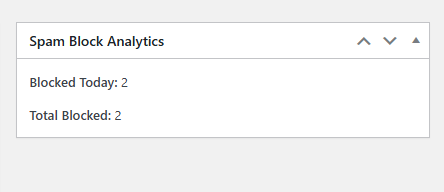
- Adds a widget to the WordPress dashboard showing total blocked orders and today's blocked attempts.
-
Admin Analytics Page:
- Dedicated page in the WordPress admin menu to view detailed block logs.
- Real-time filtering by date range using a dropdown.
Installation
- Download the plugin files as a
.zip. - Go to your WordPress Admin Dashboard > Plugins > Add New > Upload Plugin.
- Choose the downloaded
.zipfile and click Install Now. - Activate the plugin.
Usage
Spam Detection
- The plugin automatically validates emails during WooCommerce checkout.
- It checks for two scenarios:
- Emails derived from
billing_first_nameandbilling_last_name. - Emails derived from
billing_full_name.
- Emails derived from
Example of a blocked email pattern:
JohnDoe.123456@gmail.com
Analytics
- Visit the Spam Block Analytics page under the WordPress admin menu.
- Use the dropdown to filter analytics by:
- Today
- Yesterday
- Last 7 Days
- Last 30 Days
- All Time
- The dashboard widget also provides a quick summary.
Screenshots
Dashboard Widget
Detailed Analytics Page

Changelog
Version 1.4
- Added dual support for
billing_first_name+billing_last_nameandbilling_full_name. - Enhanced the admin analytics page with real-time date filtering.
Version 1.3
- Introduced detailed analytics page.
- Added analytics widget to the WordPress dashboard.
Version 1.2
- Initial version with basic spam email detection and logging.
License
This plugin is licensed under the GPL-2.0+ license. See the LICENSE file for details.
Support
For support or feature requests, please visit https://jits.ng or contact Akande Joshua on homezonic@gmail.com