Hellotext WP Registry grade A. No security issues foundWP RegistryNo security issues foundOpen the reportA
Hellotext Wordpress Plugin
Install
Upload it under Plugins → Add New Plugin → Upload Plugin, then activate.
Install straight from GitHub with WP-CLI:
wp plugin install https://github.com/hellotext/hellotext-wordpress/releases/download/v1.3.1/hellotext-wordpress.zipHellotext WordPress - WooCommerce Plugin
If you have a store using WooCommerce, you can easily connect it to Hellotext.
By connecting your WooCommerce store, you'll be able to start tracking all your customers' activity, automatically creating profiles with their data and updating them with the activities they perform.
The following activities are tracked automatically:
- Products viewed
- Abandoned carts
- Cart updates
- Coupons applied
- Orders placed
- Orders updated
With this information, you'll be able to create segmented audiences and much more effective promotional campaigns.
Download Plugin
Download the latest version of the Hellotext plugin for WooCommerce.
Installation
Visit the control panel of your WordPress site where you manage your WooCommerce store, and from the Plugins section, click on Add New Plugin.
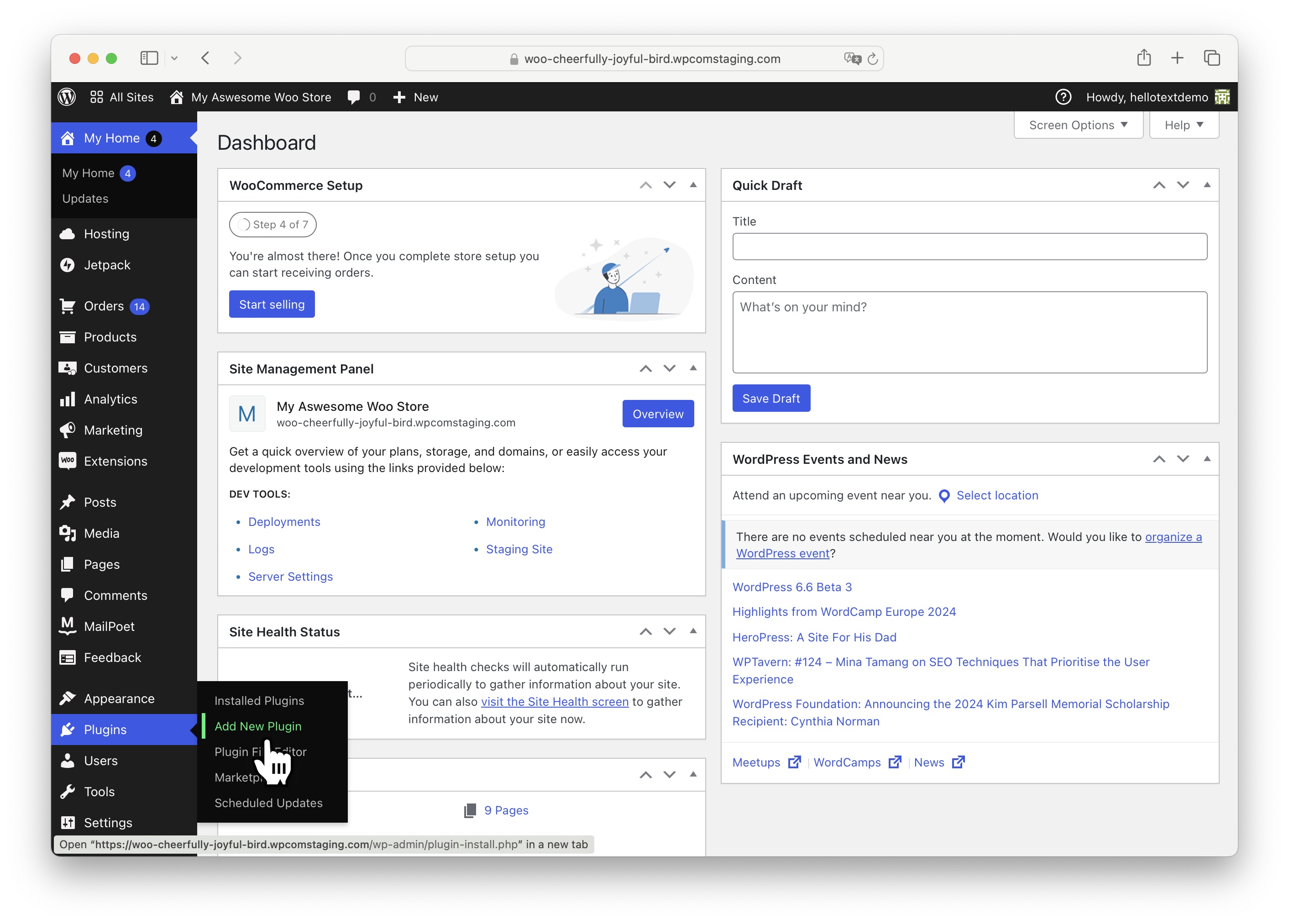
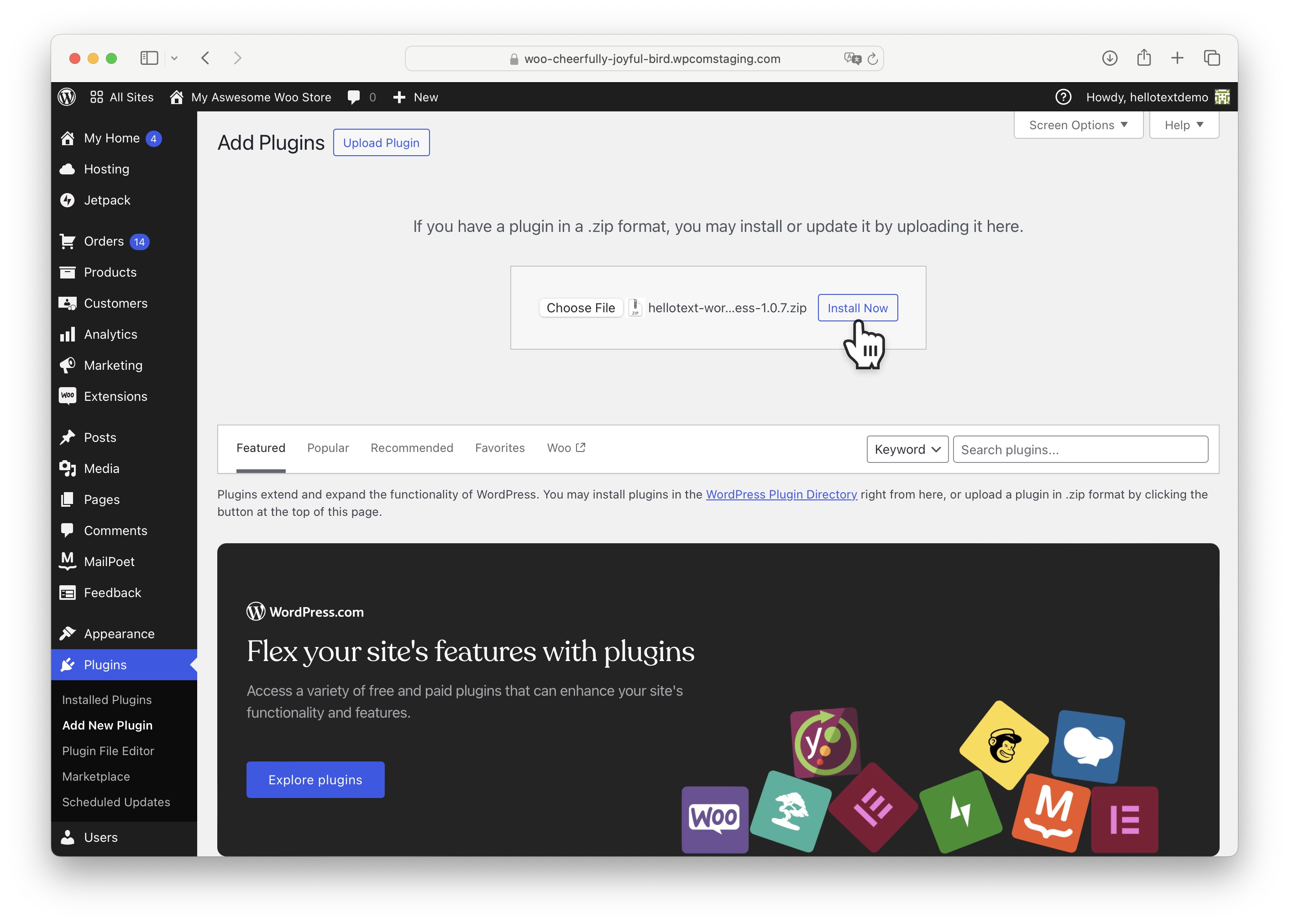
At the top, click on Upload Plugin.
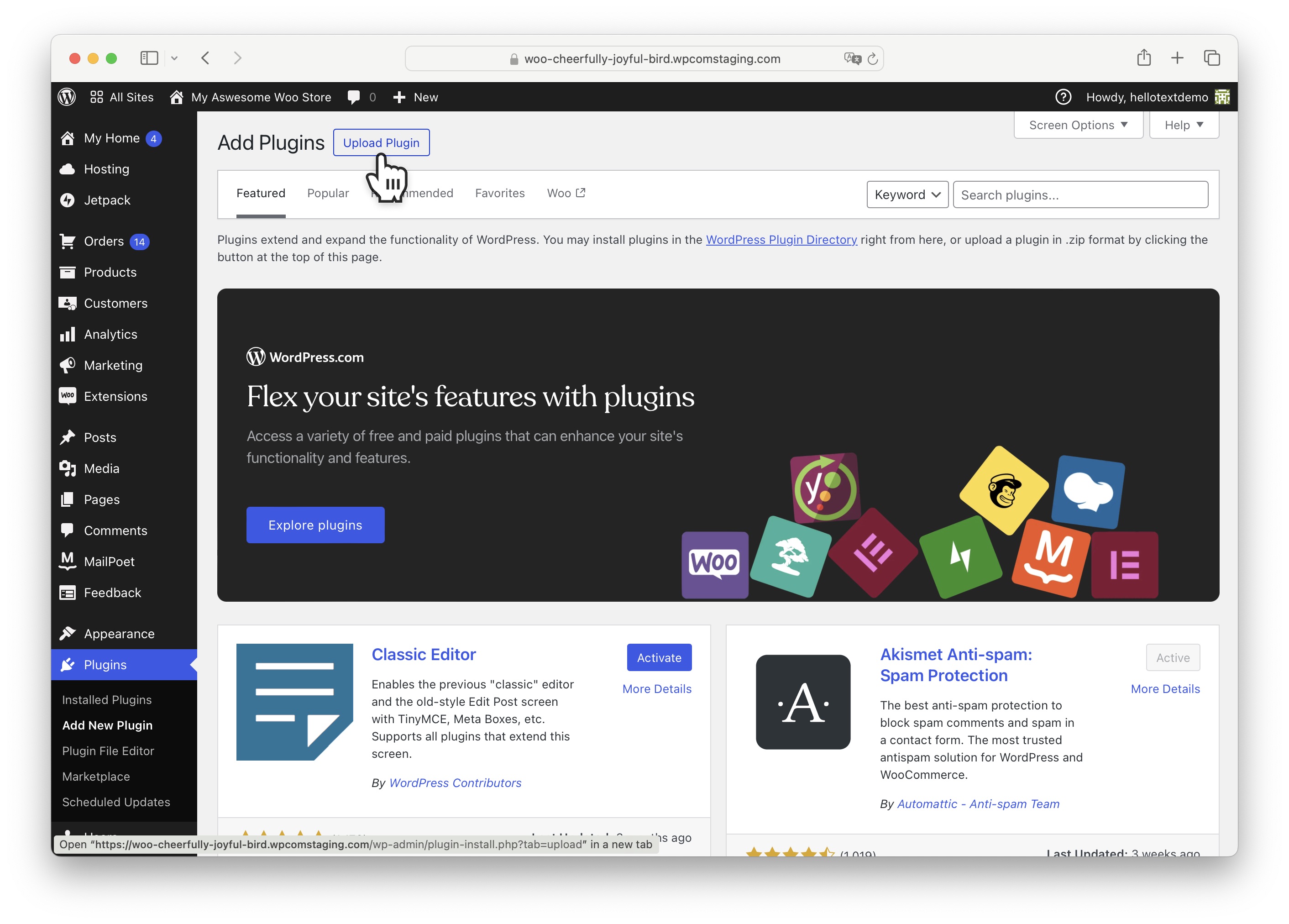
Click the button to choose the Hellotext plugin you downloaded in .zip format from your files.
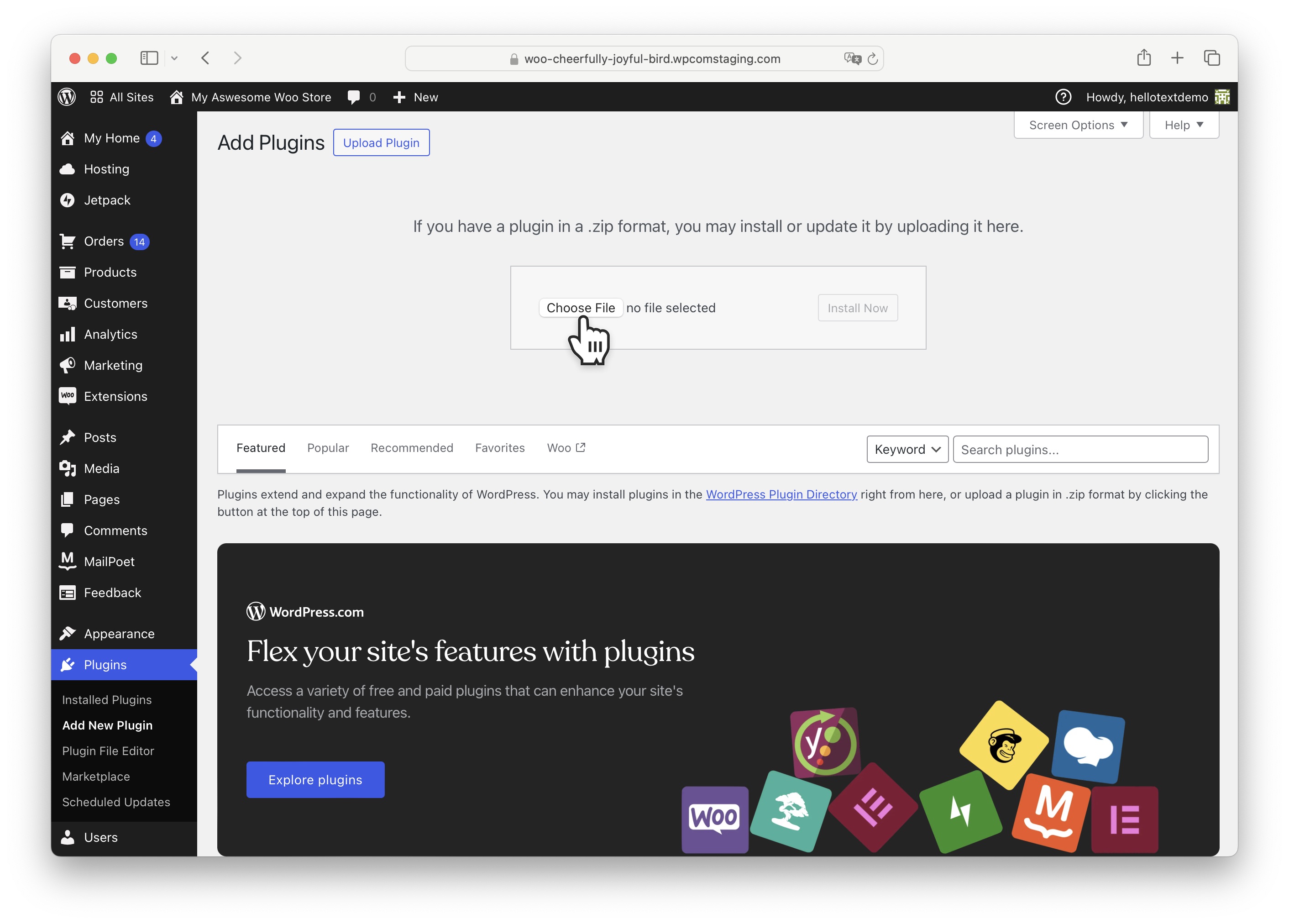
Select the file from where you downloaded it (typically in the Downloads folder) and confirm to upload it to WordPress.
Click on Install Now to install the plugin.
Once installed, click on Activate Plugin to activate it.
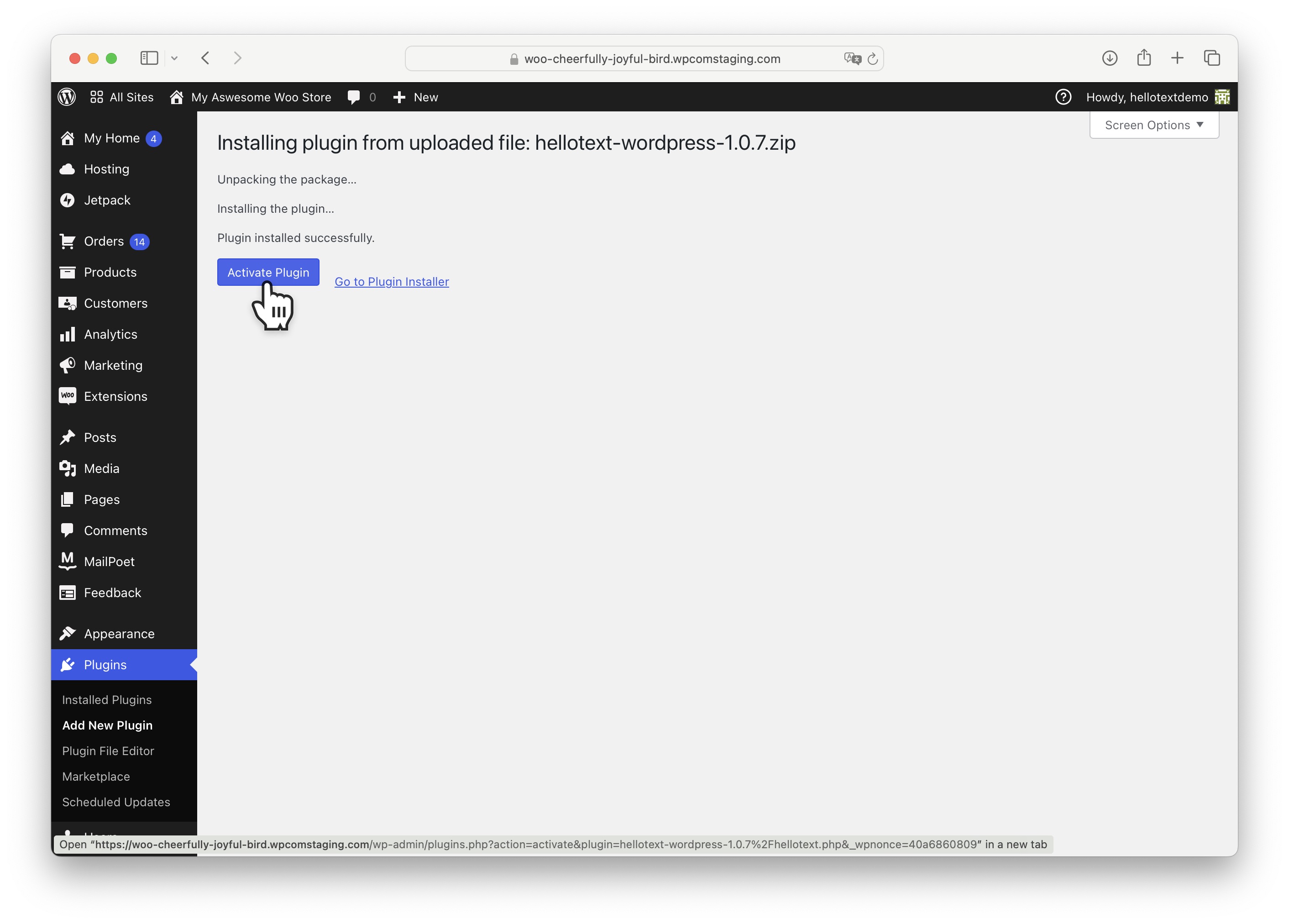
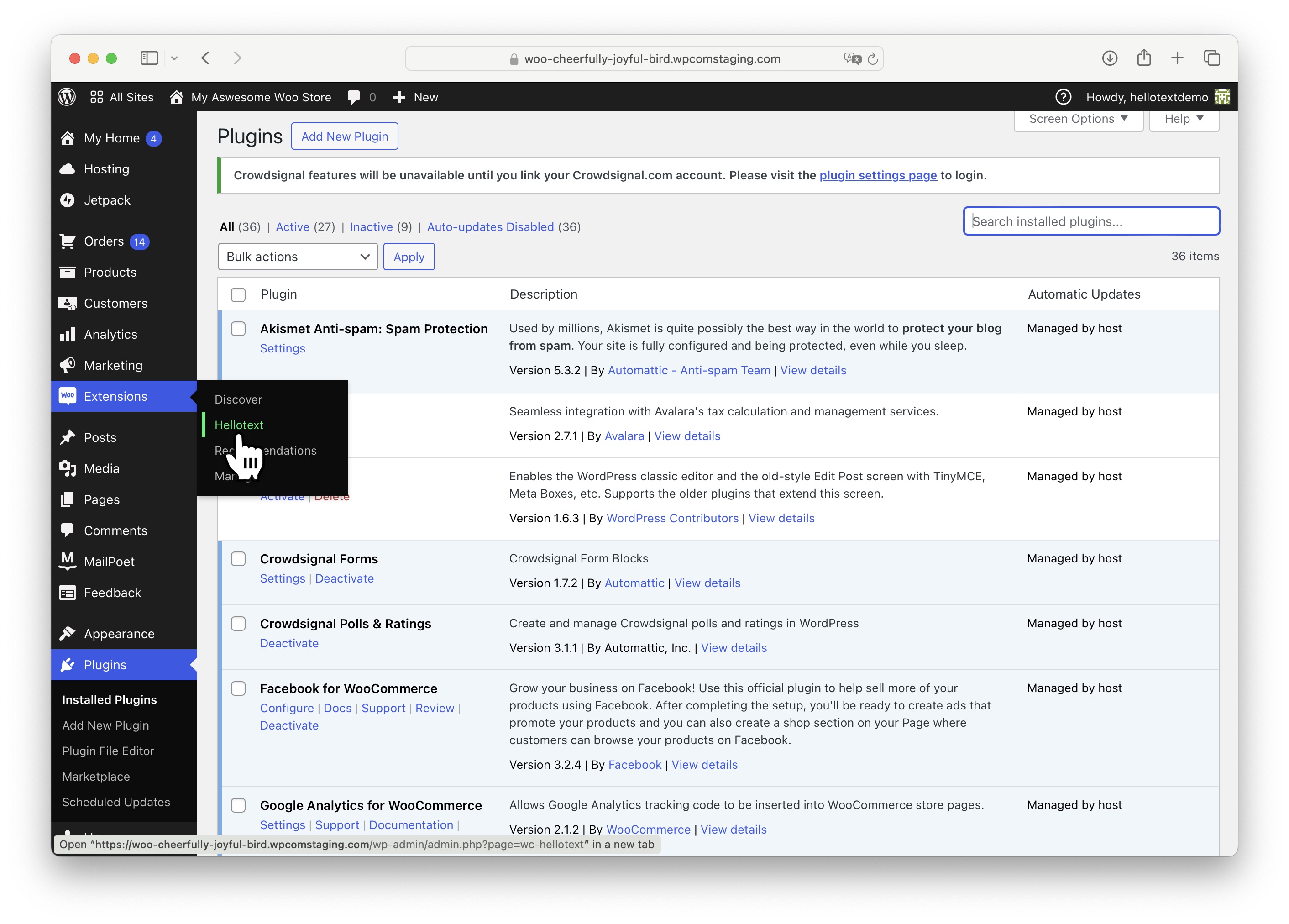
Your plugin is now activated. You can check that it has been correctly installed and activated from Plugins by clicking on Installed Plugins.
You should see Hellotext as shown in the image below.

Configuration
With the Hellotext plugin already installed, let's configure it.
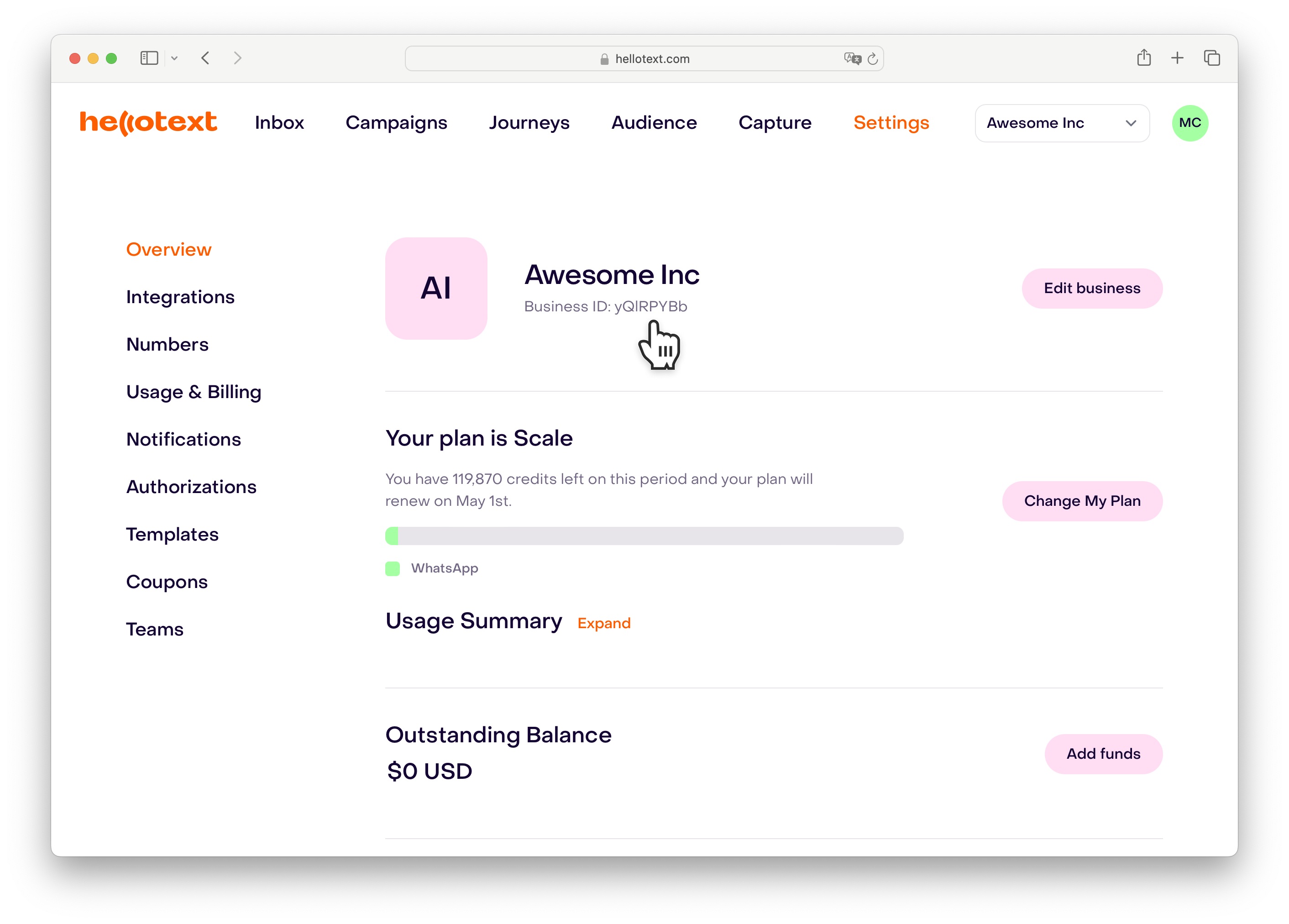
The first thing you need to do is obtain your business identifier in Hellotext.
From your Hellotext business panel, visit the Settings section and you will find it below your business name.
Select and copy this identifier as you will need to add it to your WooCommerce site.
From the Extensions section in your WooCommerce site, click on Hellotext.
Paste the business identifier you copied from Hellotext into the Business ID field.
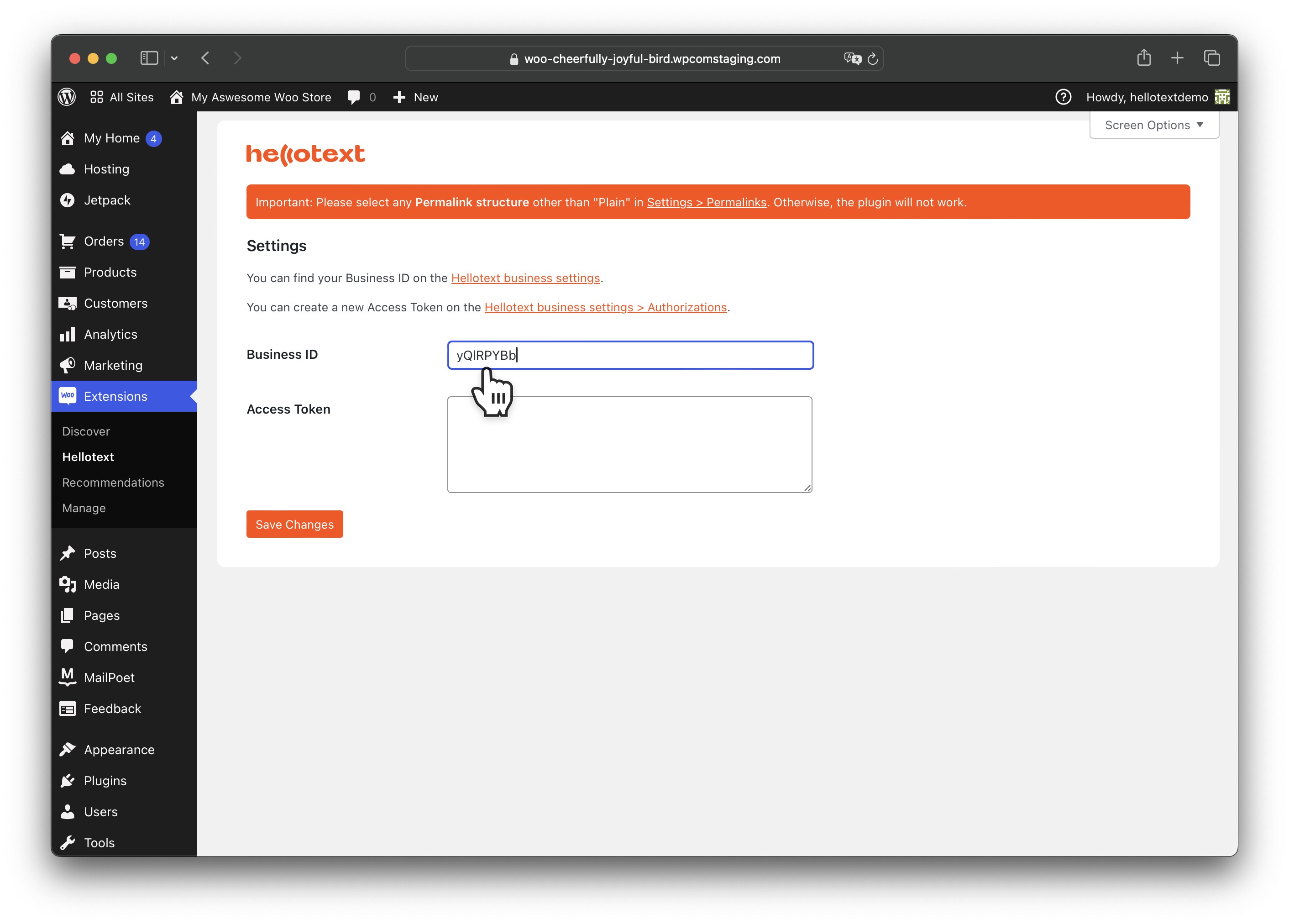
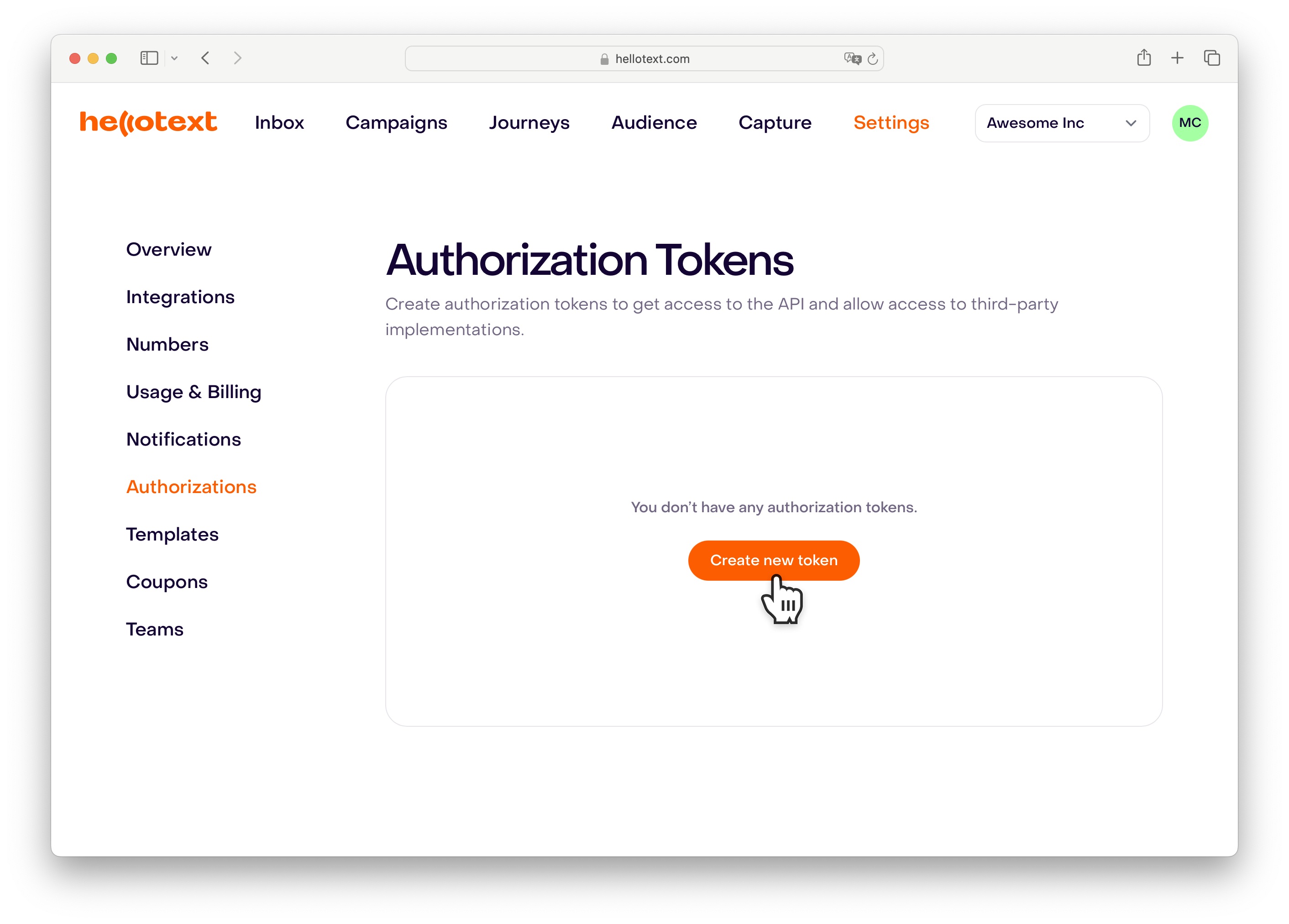
Go back to Hellotext and, from the Authorizations section, click on Create new token.
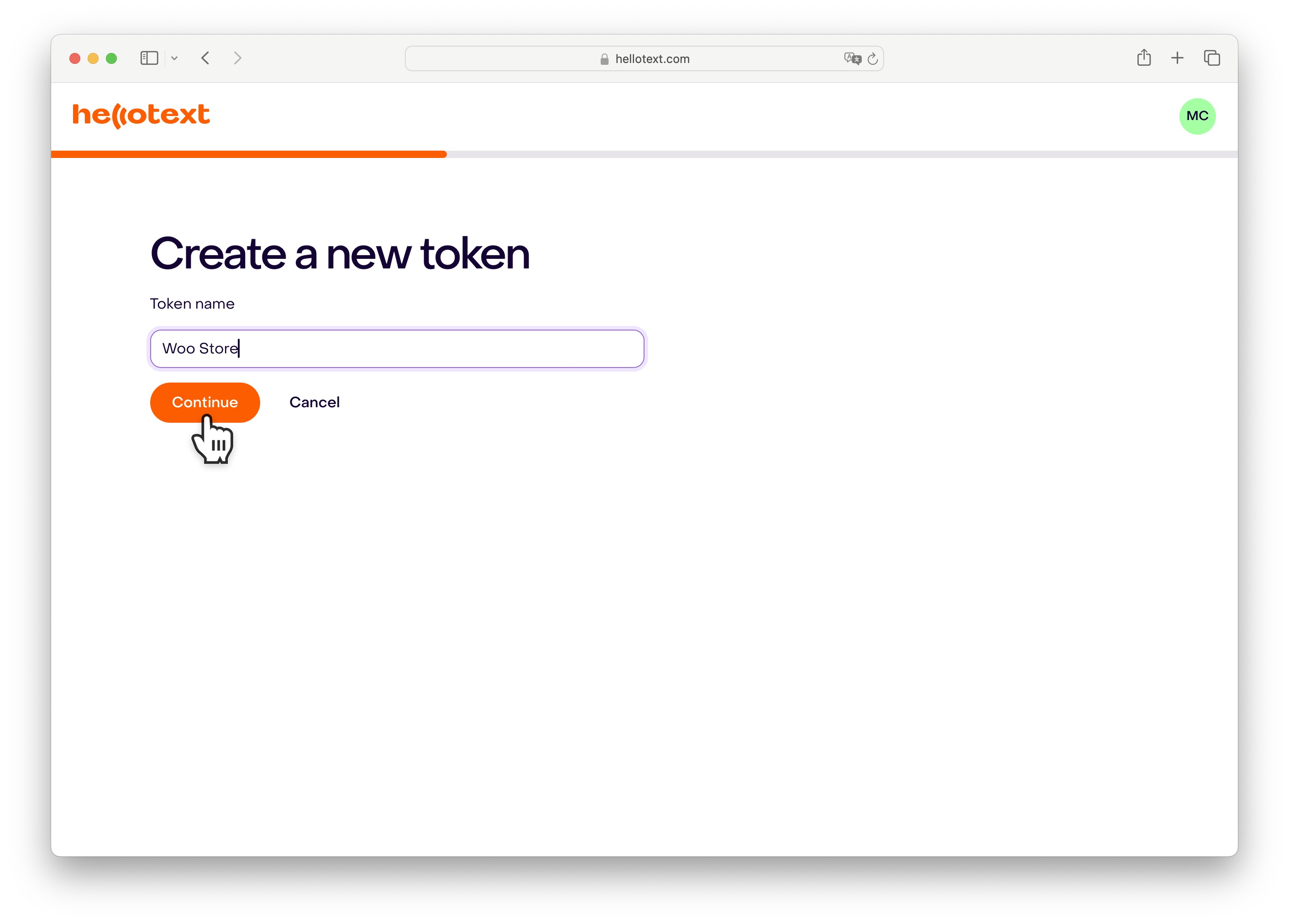
Enter a name for your token that identifies your site.
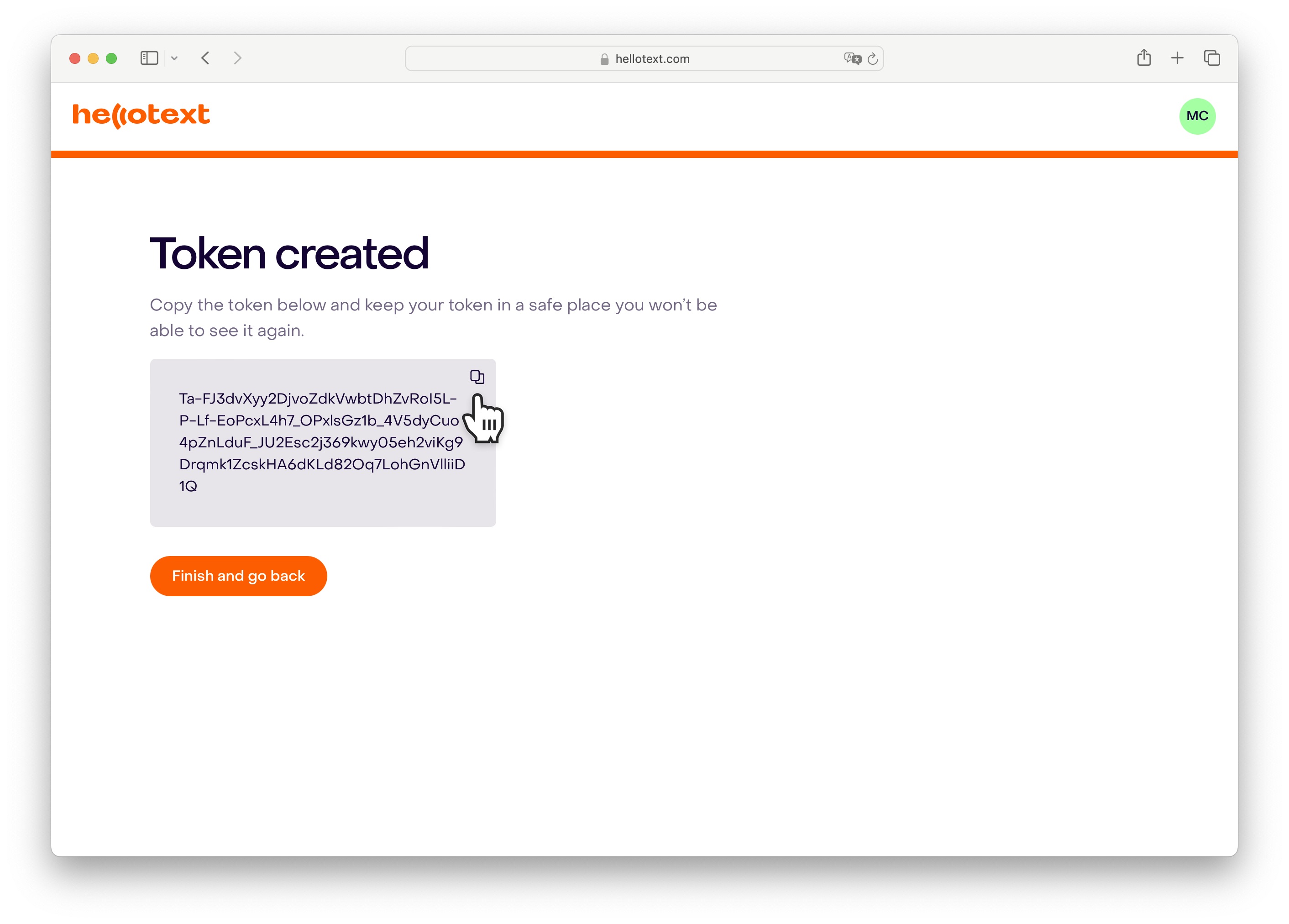
Once created, click on the indicated icon to copy your created token.
Now, go back to your WooCommerce panel and paste the authorization token into the Access Token field.
Click on Save Changes to save the changes.
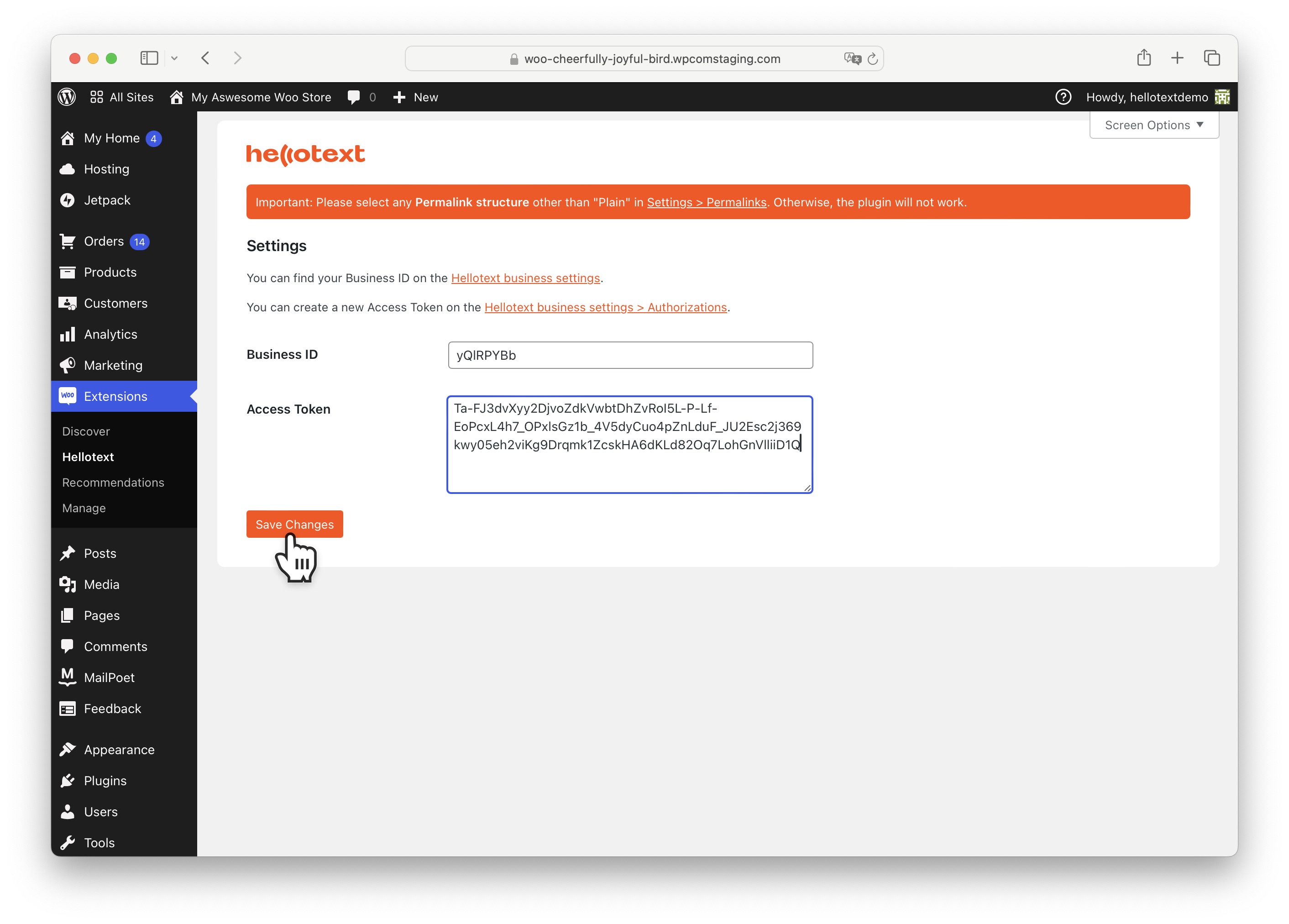
Done! Your WooCommerce store is now connected to Hellotext.
Next Steps
From now on, you will start seeing your customers' activity reflected in the Audience section or from the Inbox.
You can click on each profile to see the activity history they perform in your eCommerce.
With this information, you can create segments for sending campaigns and automations from the Routes section.
Tracked Events
The plugin automatically tracks the following customer activities:
- Product Viewed - When a customer views a product page
- Cart Added/Removed - Items added to or removed from cart
- Coupon Redeemed - When a customer applies a coupon code
- Order Placed - When an order is successfully created
- Order Status Updates - Order confirmation, cancellation, delivery
- Refund Received - When orders are refunded
- User Registration - When new customers register
Developer Documentation
For developers looking to integrate, extend, or contribute to this plugin:
- API Documentation - Complete API reference for classes, methods, and hooks
- Development Guide - Setup, testing, and contribution guidelines
- WooCommerce API Audit - Hook, HPOS, and compatibility audit notes
Requirements
- PHP 8.2 or higher
- WordPress 5.0 or higher
- WooCommerce 5.0 or higher
Compatibility Matrix
| Layer | Declared support | Tested in CI | Notes |
|---|---|---|---|
| PHP | 8.2+ | 8.2, 8.3, 8.4, 8.5 | Composer platform is pinned to PHP 8.2.12. |
| WordPress | 5.0+ | Mock-backed unit tests only, no WordPress runtime | Runtime smoke testing is required before release. |
| WooCommerce | 5.0+ | Mock-backed unit tests only, no WooCommerce runtime | HPOS, Cart/Checkout blocks, and block-theme behavior require manual smoke testing. |
| WooCommerce stubs | Not a runtime dependency | Locked through Composer dev dependencies | Used for development/test confidence only. |
| Release package | GitHub tag workflow | Tag workflow only runs on v* tags |
Verify the generated zip contents before publishing. |
Compatibility Notes
- Order session metadata uses WooCommerce order CRUD methods instead of direct post meta APIs.
- Before each release, test event tracking with WooCommerce HPOS enabled and disabled.
- Classic template hooks and WooCommerce Cart/Checkout blocks should be smoke tested separately.
- Formal WooCommerce HPOS compatibility declaration is deferred until manual runtime smoke testing passes.
Support
Need help?
- Documentation: See API.md and DEVELOPMENT.md
- Issues: GitHub Issues
- Website: www.hellotext.com
License
This plugin is licensed under the GPLv2 License.
Releases
Newest 25 of 30 recorded releases. Each count is every asset in that release; expand a row for the breakdown.