Install
This is the repository archive. It installs, but the folder name will carry the branch suffix and updates will not flow.
Install straight from GitHub with WP-CLI:
wp plugin install https://github.com/hearvox/sound-shares/archive/refs/heads/master.zipGitHub Plugin URI: https://github.com/hearvox/sound-shares
Requires at least: 4.5
Tested up to: 4.8.2
Stable tag: 0.1.0
License: GPLv2 or later
License URI: http://www.gnu.org/licenses/gpl-2.0.html
Embed a player with your audio into your social site posts.
Description
Notice: This plugin works only for Twitter right now. As of December 2017, Facebook no longer allows external videos to play in link previews (including YouTube and Vimeo). You can still use Sound Shares to embed audio players in tweets.
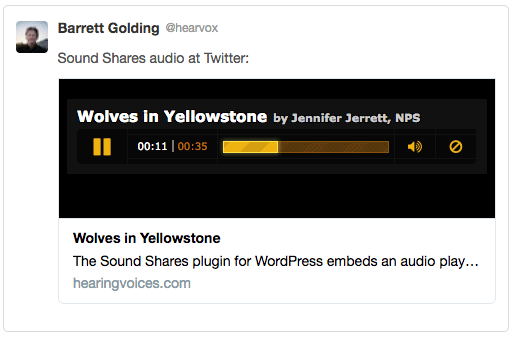
Sound Shares adds an audio player to social-site shares of your posts.
Enter an audio-file URL into a post's Sound Shares box. This plugin then inserts tags into your post's HTML so social sites embed your audio in their link previews.
Note: Twitter requires your site be secure HTTPS for audio embed to work.
Settings screen
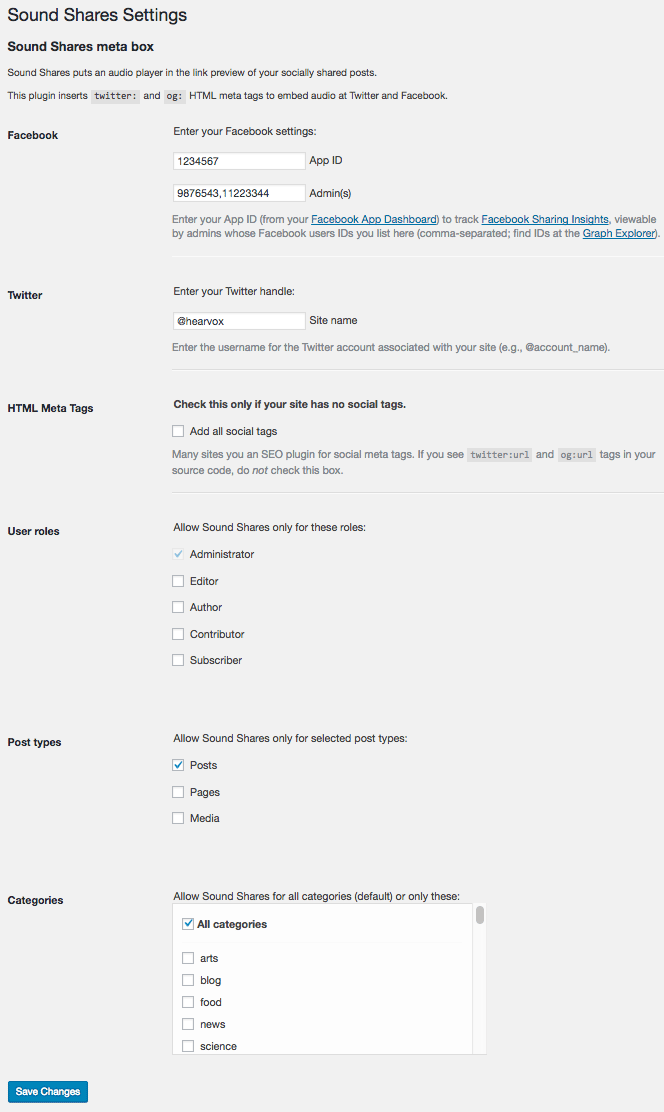
The Sound Shares screen in your Dashboard (under Settings) lets you restrict the use of Sound Shares by user roles, post types, and category (defaults: admin, 'post', and all categories). This is also where you enter your Twitter handle and your Facebook App and ID number to track usage in Facebook Sharing Insights.
Post box
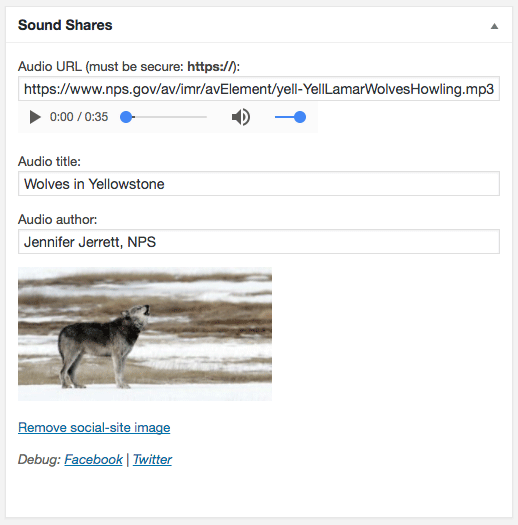
The Sound Shares box in the Edit Post screen has a field for the audio URL (internal or external, must be HTTPS) to embed at social sites. You can make the audio's title, author, and image different than the post's.
Once published you will see links to the debug tools at Facebook and Twitter, which show you how your post displays in their link previews.
Facebook App and Admin IDs
Facebook requires an App ID (get one from your Facebook App Dashboard) to track Facebook Sharing Insights. You control who can view these Insights with Facebook users IDs (find IDs at the Graph Explorer). Enter Facebook App and User IDs in the Settings: Sound Shares screen. You can check your posts' meta tags and link-previews with Facebook's Sharing Debugger.
Twitter whitelist
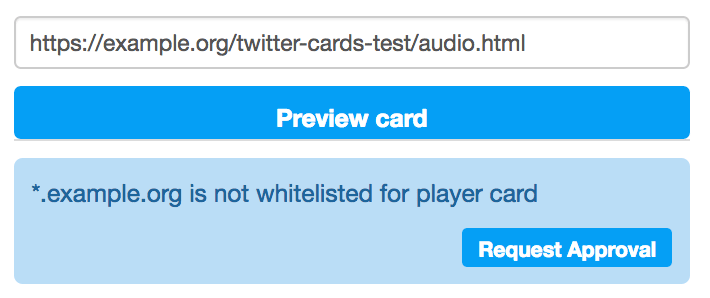
Twitter must approve ("whitelist") your site before it embeds an audio player. The quickest way to get Player Card Approval is to enter the URL of an audio post (one with an audio file in its Sound Shares box) into Twitter's Card Validator. If your site is not whitelisted, use the "Request Approval" button to begin the process -- which will take a day or more.
Installation
To install the use the Postscript plugin:
- Upload the
sound-sharesdirectory and content to the/wp-content/plugins/directory - Activate the plugin through the 'Plugins' menu in WordPress
- Go to the Setting: Sound Shares options screen.
Screenshots
1. Settings screen for user roles, post types, and categories/
2. Sound Shares meta box in the Edit Post screen.
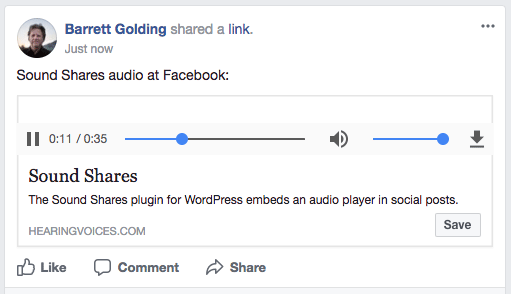
3. Facebook post with audio play button.

4. Facebook post playing embedded audio.
5. Twitter post with audio play button.
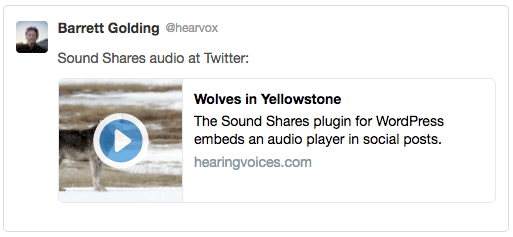
6. Twitter post playing embedded audio.
7. Twitter card validator's Request Approval button.
Frequently Asked Questions
Does this work with tags inserted by SEO plugins?
Sound Shares works with Jetpack, Yoast SEO, and All in One SEO Pack. It changes their Facebook Open Graph and Twitter Card types so social-site link preview embed your audio.
Can this plugin insert all the social meta tags?
If you are not using an SEO plugin to insert social meta tags for Facebook and Twitter, Sound Shares can do that for you. Use the Settings page.
What might be some future features?
Tell us in the support fourm about new features you'd like in future releases. For instance:
- Allow custom descriptions for link previews (rather than default post excerpt).
- Use your own custom player for Twitter .
- Use different images for Facebook and Twitter.
- List posts using Sound Shares in an admin screen.
- Add filter for...?
How can I contribute to Sound Shares?
Sound Shares is now on GitHub. Pull Requests welcome.
How can I translate Postscript?
This plugin is internationalized (default: English). Please contribute a translation in your language.
The WordPress.org Polyglots Team maintains a comprehensive Translator’s Handbook. All text strings in this plugin are localized, following the guidelines of the Wordpress.org Plugin Handbook's Internationalization section.
Dev notes
This plugin has one filter: 'soundshares_meta_tags', an array of values for the HTML meta tags -- includes/admin-options.php has a usage example. See Twitter's Player Card and Facebook's Open Graph protocol references.
Sound Shares filters other plugins' tags (Jetpack, Yoast SEO, and All in One SEO Pack) so the link preview can will embed media (og:type = video.movie, twitter:card = player). Facebook audio embeds use the default HTML audio player. For Twitter this plugin provides a custom player (includes/player.html). The meta box displays links to social-site link-preview debuggers after the post is published. (Try Facebook's "Scrape Again" button if your post's link-preview does not display a play button.)
Credits
This is part of a Reynolds Journalism Institute fellowship and an article for Current public media news. The audio player was made by Dave Pagurek.
Changelog
0.1.0
- Beta version.
Upgrade Notice
0.0.9
Secure public release version is 0.1.0.