Install
This is the repository archive. It installs, but the folder name will carry the branch suffix and updates will not flow.
Install straight from GitHub with WP-CLI:
wp plugin install https://github.com/hasnatahmad095/booth-booking/archive/refs/heads/main.zipInteractive expo booth booking for WordPress with a clickable floor map and WooCommerce integration.
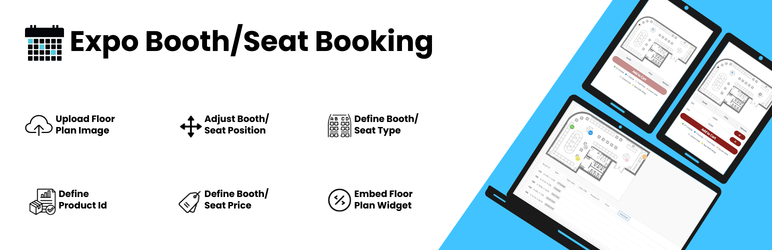
Upload your event floor plan, place clickable booths on it, link each booth to a WooCommerce product, and let exhibitors reserve and buy booths directly from the map.
Features
- Interactive floor map: upload any layout image and place booths with percentage-based (responsive) positions
- Visual booth editor: drag and drop booths on the map in WP Admin, or edit the JSON directly
- WooCommerce integration: one product per booth, AJAX add-to-cart, stock-based final booking
- Temporary reservations: booths are held for about 10 minutes while in a cart, which prevents double booking
- Admin manual booking: mark booths as booked for offline, VIP or sponsor allocations
- Exhibitor details: Full Name and Email are collected per booth at checkout and saved on the order
- Elementor widget, plus a shortcode for any page builder
- HPOS compatible (WooCommerce High-Performance Order Storage)
Requirements
- WordPress 5.8+
- PHP 7.4+
- WooCommerce (required)
- Elementor (optional)
Installation
From WordPress.org: Plugins → Add New → search for "Booth Booking" → Install → Activate.
From GitHub:
cd wp-content/plugins
git clone https://github.com/hasnatahmad095/booth-booking.git
Then activate Booth Booking under Plugins.
Usage
-
Create one WooCommerce Simple product per booth with stock quantity
1. -
Go to WP Admin → Expo Maps → Add New.
-
Upload the floor map image.
-
Add booths with the visual editor, or paste JSON:
[ {"id":"A1","x":12.5,"y":30.2,"type":"cp_outside","type_label":"CP Outside","color":"#00a65a","product_id":123,"price":3500,"admin_booked":false} ] -
Publish, then display the map with the shortcode or the Elementor widget:
[hasnat_bb_booth_map id="123"]
Booth fields
| Field | Required | Description |
|---|---|---|
id |
yes | Unique booth label shown on the map |
x, y |
yes | Position as a percentage of the image width / height |
product_id |
yes | Linked WooCommerce product ID |
type |
no | Booth category key, used to group the legend |
type_label |
no | Human-readable type name shown in the legend |
color |
no | HEX color for the booth marker and legend |
price |
no | Display price in the tooltip and selection table |
admin_booked |
no | true marks the booth as booked regardless of stock |
Project structure
booth-booking/
├── booth-booking.php          # Main plugin file (header, constants, bootstrap)
├── uninstall.php              # Cleans up plugin post meta on uninstall
├── readme.txt                 # WordPress.org readme
├── includes/
│   ├── class-hasnat-bb-plugin.php            # Loads all components
│   ├── class-hasnat-bb-cpt.php               # "Expo Map" post type and admin meta box
│   ├── class-hasnat-bb-shortcode.php         # Frontend shortcode, booth status
│   ├── class-hasnat-bb-woocommerce.php       # Cart, checkout, order hooks, AJAX
│   └── class-hasnat-bb-elementor-widget.php  # Elementor widget
├── assets/
│   ├── css/  admin.css, frontend.css
│   └── js/   admin.js, frontend.js
└── .wordpress-org/            # Banner, icon and screenshots for the WordPress.org listing
All PHP code lives in the Hasnat\BoothBooking namespace. Global identifiers (constants, options, meta keys, hooks, CSS classes) use the hasnat_bb / hasnat-bb prefix.
Building a release zip
.gitattributes excludes development files from archives, so a clean installable zip is:
git archive --format=zip --prefix=booth-booking/ -o booth-booking.zip HEADContributing
Issues and pull requests are welcome at github.com/hasnatahmad095/booth-booking.
License
GPLv2 or later. See LICENSE.
Author: Hasnat Ahmad