Install
This is the repository archive. It installs, but the folder name will carry the branch suffix and updates will not flow.
Install straight from GitHub with WP-CLI:
wp plugin install https://github.com/hasancse06/quixdevs-plug-n-pay-direct-woocommerce-payment-gateway/archive/refs/heads/master.zipA free, open-source Plug'n Pay payment gateway integration for WordPress and WooCommerce.
📥 Download & Installation
Download Latest Stable Release
⬇️ Download QuixDevs Plug'n Pay Direct v1.0.0
Installation
- Download the plugin ZIP using the link above.
- Navigate to WordPress → Plugins → Add New → Upload Plugin.
- Upload
quixdevs-plugnpay-direct.zip. - Click Install Now, then activate the plugin.
- Navigate to WooCommerce → Settings → Payments.
- Configure your Plug'n Pay merchant account.
Activate only one gateway copy at a time. Existing installations using the historical plugin basename should follow the installation and replacement guide and version history.
Features
| Feature | Implemented functionality |
|---|---|
| Plug'n Pay integration | Direct HTTPS processing through the existing Plug'n Pay remote gateway, using trusted KYD order amounts |
| WooCommerce checkout | Classic Checkout card form and existing merchant settings; gateway ID plugnpaydirect |
| Payment transactions | Verified processor approval and a valid transaction reference required before completing an order |
| Refunds | Full or partial refunds through the existing Return operation, limited to one provider Return per original transaction |
| Duplicate-charge safeguards | Durable shared payment/refund attempt records prevent overlapping and replayed submissions |
| Order reconciliation | Authorized WP-CLI review/reconciliation after the merchant checks processor records; uncertain attempts are not automatically retried |
| REST integration | Retained payment endpoint with authenticated identity and order authorization |
| HPOS order storage | Core payment, refund, reference lookup and reconciliation paths tested with legacy and HPOS storage |
| Sensitive-data safeguards | Typed validation, encoded requests, verified TLS, filtered provider output and restricted diagnostics |
| Saved methods | Customer-owned saved methods use their own verified previous-transaction reference |
Checkout Blocks is not implemented. Full optional Subscriptions/Pre-Orders compatibility is not certified. Legacy saved methods without a verified reference require fresh card entry and re-saving. See refund behavior, reconciliation and the compatibility matrix.
Requirements & Compatibility
| Component | Requirement | Recorded verification |
|---|---|---|
| WordPress | 6.2+ declared in plugin metadata | 6.9 |
| WooCommerce | Required; no numeric minimum is declared | 10.9.0 |
| PHP | 8.2+ | 8.2.4 and 8.4.13 |
| Order storage | Standard WooCommerce legacy or HPOS storage | Core paths tested in both modes |
| Currency | KYD | Trusted positive KYD order totals |
| Transport/account | HTTPS and a configured Plug'n Pay merchant account | Processor responses mocked during automated tests |
WordPress 6.2 is the declared minimum, rather than a separately tested combination. Configured CI versions are not additional compatibility claims. The shared journal and reconciliation locks assume one authoritative primary database with connection affinity. Executed test matrix and limits.
Merchant Configuration
Open WooCommerce > Settings > Payments > QuixDevs Plug'n Pay Direct. Configure the publisher name/email, client key, remote client password, accepted cards and saved-card preference, then enable the gateway. Existing stores retain the gateway and merchant-setting identifiers.
Set QUIXDEVS_PLUGNPAY_VERIFICATION_KEY through administrator-controlled server configuration before plugins load. There is no embedded fallback key. Keep merchant credentials and authentication secrets out of source control, screenshots, logs and browser/mobile bundles. Verify HTTPS detection when the store uses a reverse proxy.
Configure the merchant account, credentials and verification hash for the intended Plug'n Pay account, then validate checkout, declines, refunds and reconciliation with the processor before handling production transactions. Configuration guide.
REST API
The retained payment operation is:
POST /wp-json/wc/v3/plugnpay-paymentThe distributed version requires HTTPS, a WordPress-authenticated identity, the existing client-key field and authorization for the order. Customers may pay their own orders; a trusted backend handling guest/other orders needs explicit payment and order-edit permissions. The plugin does not automatically grant those permissions.
Existing applications that authenticated only with an embedded client key require migration. Supported authentication uses a same-site WordPress session with REST nonce, or a trusted backend holding an Application Password. A direct browser request exposes the required body key to that browser; keeping it strictly server-side requires an application-owned authenticated bridge. Clients must handle the documented errors and safe output, and must not automatically retry an uncertain payment.
See the REST API reference, authentication and migration guide and old/current client comparison.
Security & Processor Validation
This is a direct-card gateway: payment data passes through the merchant's server to Plug'n Pay. Merchants remain responsible for their applicable PCI DSS obligations. No PCI certification or SAQ eligibility is claimed.
- Use HTTPS and protect merchant credentials in server-controlled configuration.
- Do not store or log full card numbers, card security codes, authentication secrets or raw processor responses.
- For a timeout or uncertain result, check the processor record and follow the reconciliation procedure before any further action.
- Validate behavior for the actual merchant account before production use. Automated mocked responses do not confirm live processor authorization or settlement.
Read the security guide. Report sensitive issues through SECURITY.md, without sending payment or credential data.
Documentation & Preview
Installation · Configuration · REST API · Refunds · Reconciliation · Troubleshooting
Changelog · Test reports · Architecture · Payment protocol · Release readiness · Maintainer release process
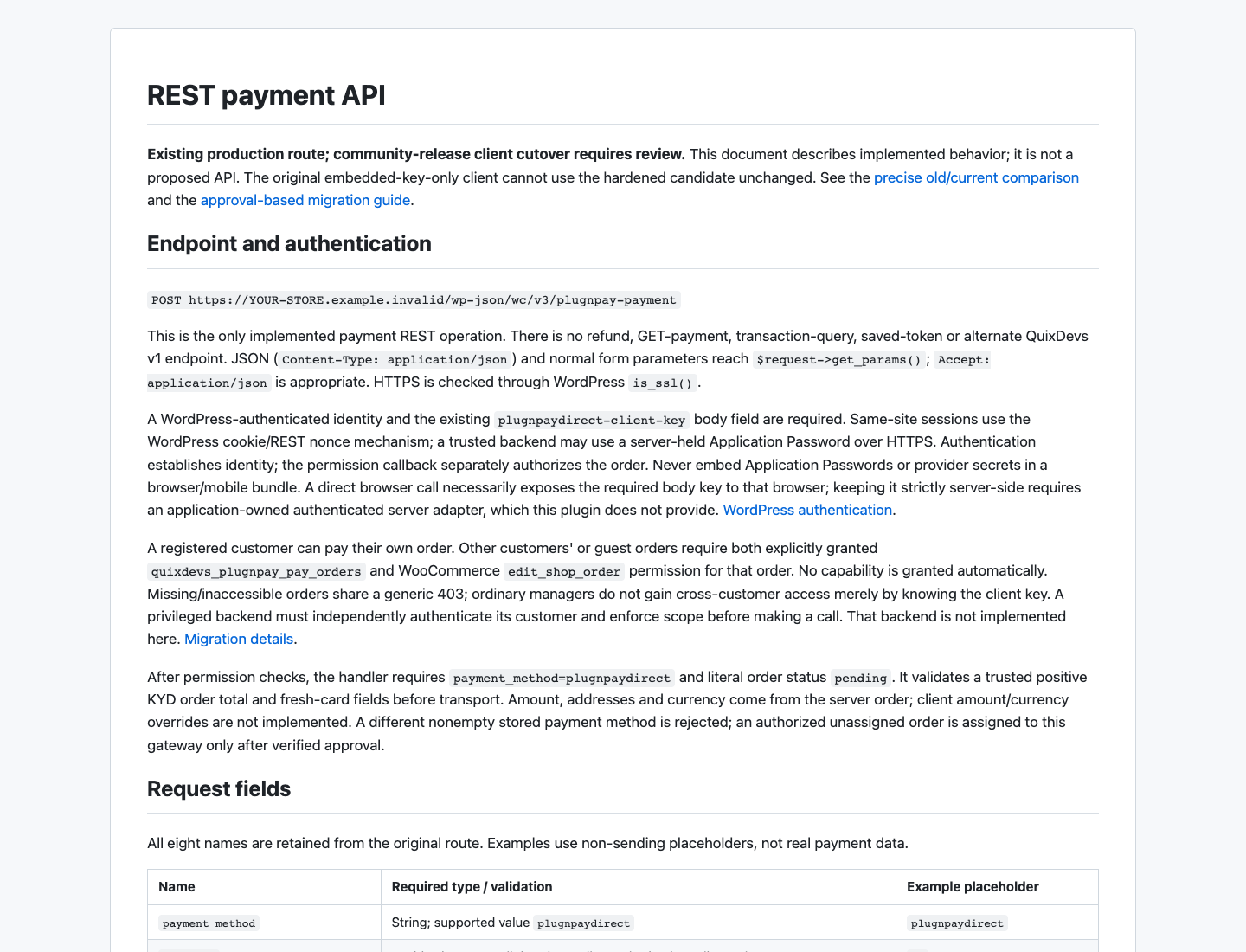
Actual local rendering of the documentation, not a WordPress admin screenshot. QuixDevs branding and editable artwork are included in the repository, outside the installation ZIP.
License & Attribution
License: GPL-2.0-or-later. See the complete GNU GPL v2 license for version 2 or any later version. Copyright (c) 2026 Md Abu Hasan / QuixDevs for developer-owned code.
Historical PatSaTECH attribution and applicable third-party notices are preserved in UPSTREAM-NOTICES.md and THIRD-PARTY-NOTICES.md. See the licensing review for their scope. The plugin is independent; no official endorsement by Plug'n Pay or WooCommerce is claimed.
Author & Developer
Author and maintainer: QuixDevs
Developed by Md Abu Hasan.
- Portfolio: hasan.online
- GitHub: hasancse06
⭐ Support This Project
If you find this useful:
- ⭐ Star the repository on GitHub
- 🔗 Share it with fellow Ionic, WordPress, WooCommerce, or mobile app developers
- 💡 Contribute with feedback or pull requests
Together, we make WordPress more mobile-friendly and developer-first 🚀