MBR Live Radio Player WP Registry grade D+. High-severity findings · 2 findingsWP RegistryHigh-severity findings · 2 findingsOpen the reportD+
Transform your WordPress site into a professional radio streaming platform with MBR Live Radio Player – the FREE plugin that makes live audio beautiful. Displays the Artist, Track and Album Artwork - YES! It actually displays the artwork, and when it's not provided in the stream it goes and finds it and does so in the blink of an eye.
Install
Upload it under Plugins → Add New Plugin → Upload Plugin, then activate.
Install straight from GitHub with WP-CLI:
wp plugin install https://github.com/harbourbob/mbr-live-radio-player/releases/download/v3.12.7/mbr-live-radio-player-3.12.7.zip
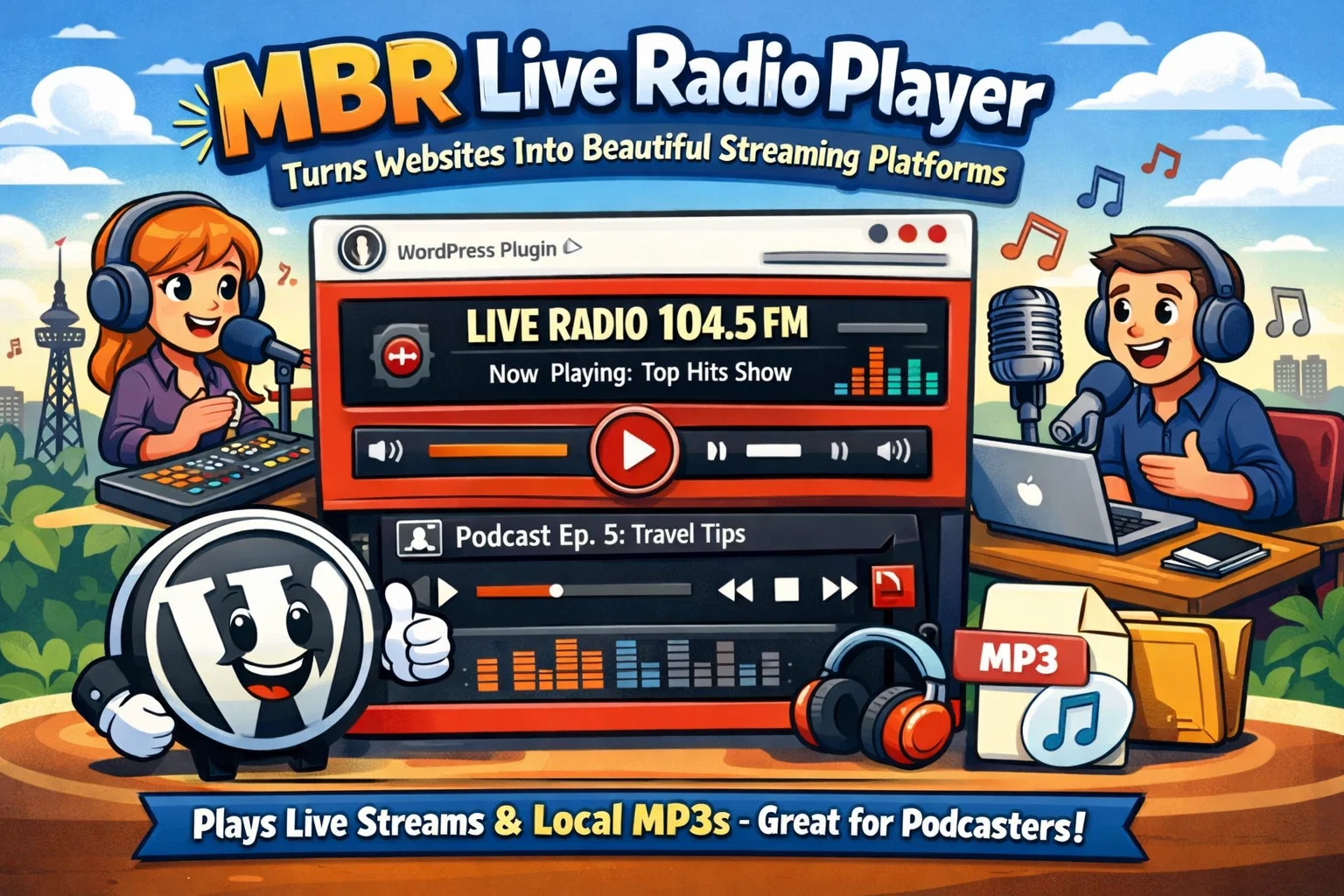
📻 MBR Live Radio Player
Gorgeous live radio for WordPress. Free. Forever. No catch.
Most WordPress audio players look like they were designed in 2009. This one doesn't.
MBR Live Radio Player is a beautiful, fully-featured audio player that handles live radio streams and Media Library playlists — with six skins, glassmorphism, custom gradients, live now-playing metadata, album artwork for the song that's playing right now, and a sticky player that follows your listeners around the site.
No subscriptions. No "pro" tier waiting in the wings. No data harvesting. Built by one developer in Cleethorpes, UK, who just wanted radio streaming that works.
⬇️ Download v3.12.7 · 📖 User Guide (PDF) · 🌐 littlewebshack.com · 👨💻 madebyrobert.co.uk
📻 3.12.7 — the stations that wouldn't play, now play
If a station has ever refused to start on you, this is the release to update to.
.pls playlists now work
Most UK station directories don't hand you a stream address. They hand you a .pls playlist — a small file with the real address inside it. The player never knew how to read one. It took the playlist file itself and gave it to the browser as audio, which is a bit like passing someone a menu and asking them to eat it.
Paste a .pls or .m3u link straight into the Stream URL field now and it just works. Where a directory issues an address carrying a short-lived session key, the player notices when it has gone stale and fetches a fresh one rather than sitting there broken.
AAC stations that used to fail
Several separate things were conspiring against AAC, and all of them are fixed:
- 🏷️ Stations label AAC in a dozen ways —
audio/aacp,audio/aac+,audio/x-aac,audio/mp4a-latm— and browsers accept almost none of them. They're all normalised on the way through the proxy now. Streams that send no label at all are worked out from the address rather than assumed to be MP3. - 🔌 Non-standard ports were blocked outright. The proxy allowed thirteen specific ports. Shoutcast boxes routinely run mounts on 8010, 8020, 8030, 8100 — very often with the AAC mount ten or twenty above the MP3 one. So the MP3 stream worked and the AAC stream on the same server didn't.
- 🚫 The player was demanding CORS headers it never needed. Most Icecast and Shoutcast servers don't send them, and plain audio playback doesn't require them — but asking for them made the browser refuse the stream anyway.
- 🔁 HTTPS streams were never proxied, so the fixes above never reached them.
Errors that tell you the truth
A station refusing the connection used to send back an error page, which the proxy forwarded with a 200 status and an audio content type. The browser dutifully tried to decode a web page as music and reported "stream format not supported" — an error about the audio, when the audio had never arrived.
Now a failed playlist says the playlist failed, a refused stream says the station refused it, and a format error means an actual format problem.
Also in 3.12.7
- ⚙️ "Proxy all streams" actually does something. The setting was saved and never read.
- 🩹 Streams are opened once, not twice. The reachability check was spending the one-time session key that ad-fronted stations issue, leaving nothing valid for the request that plays.
- 🗂️ Assets are versioned by file modification time. The front-end files could never be cached; the admin files could go stale, so the preview could quietly run older code than the front end.
🔒 And the security work is finished
3.12.6 closed the big holes. 3.12.7 clears the remainder flagged by the independent review:
- Hostnames are checked for both IPv4 and IPv6 records. The old check read IPv4 only, so a host publishing a public A record alongside an internal AAAA record could pass validation and then be reached over IPv6.
- Connections are pinned to the addresses that passed validation, so a hostname can't resolve safely during the check and differently at connection time.
- The simultaneous-stream limit is now enforced atomically.
- All address validation lives in one shared component, used by the stream proxy and the metadata proxy alike. There were two, and the second was the weaker.
- Redirects followed when fetching playlists and HLS segments are revalidated at every hop.
🆕 New in 3.11 — Track artwork that actually turns up
Here's the thing about radio metadata: nearly every station broadcasts the song title, and almost none of them broadcast the album art. You get "Rita Ora - Your Song" and a blank space where the cover should be.
So the player goes and finds it.
🖼️ Track Artwork Lookup
Switch it on, and when a stream sends a title but no image, your server quietly looks up the album artwork and drops it into the player. Cover art appears for track after track, on stations that have never sent an image in their lives.
- 🎯 Works with what stations actually broadcast — a title is all it needs
- 💸 Free, no account, no API key — uses the public iTunes Search API
- 🗄️ Cached hard — one lookup per song, however many people are listening
- 🔒 Off by default — it's the plugin's only external call, so it's your call
- 🕵️ Nothing about your visitors is sent — just the song title, and from your server, not their browser
Stations that do send real artwork keep using it — the lookup only fills gaps. And when a station sends a homepage link instead of an image (yes, some really do), the player spots that it isn't a picture and looks up the proper cover instead.
🔍 The artwork lightbox
Tap the artwork. It opens big.
- 📱 Properly responsive — sizes to the screen, handles landscape phones, locks background scroll
- 🖼️ Sharp — station logos open at full uploaded resolution, not a stretched thumbnail
- 🏷️ Captioned — track name, or station name
- ⌨️ Keyboard accessible — tab to it, Enter or Space to open,
Escto close - ♿ Respects
prefers-reduced-motion - 👆 Close it with the button, a tap outside, or
Esc
🧩 The fallback chain
The player always shows the best thing it has:
| What's happening | What your listener sees |
|---|---|
| Stream sends real track artwork | 🎵 That artwork, over the station logo |
| Title only, lookup on, match found | 🖼️ Album artwork from the lookup |
| Title only, lookup off or no match | 📻 Your station's own artwork |
| No station artwork set either | ✨ Panel hides itself — no empty box |
Jingles, adverts and the news won't match a song, so the artwork simply falls back to your station logo until the music returns.
Also in 3.11.x:
- 🔇 Ad breaks handled properly — most stations blank their metadata during adverts and news. The player now spots this and falls back to your station name and logo, instead of leaving a song that finished ten minutes ago on screen. It restores the moment music returns.
- 🚦 A nasty rate-limiting bug squashed — listeners were being cut off from now-playing data after about 15 minutes of continuous listening. WordPress transients reset their expiry when you write to them, so the rate "window" never rolled over and quietly became a lifetime quota. Both windows are now fixed periods, and the hourly ceiling is high enough for a whole office sharing one IP.
- 🖼️ Artwork survives image-optimisation plugins that rewrite images with
srcsetor<picture>tags. - 🔁 Station artwork swaps reliably across every player type.
- ⏱️ Faster updates — metadata polls every 20 seconds, so track changes and advert breaks show up promptly.
- 🔉 Sensible default volume — playback starts at 25% rather than blasting out at full tilt.
🎯 Two players in one
📡 Live Stream Mode
Point it at any stream URL and go. HLS (.m3u8), Shoutcast, Icecast, MP3, AAC and OGG all supported, with automatic format detection, a built-in CORS proxy for awkward streams, and live now-playing metadata — track titles and album artwork updating in real time as the station plays.
🎵 File Player Mode
Build playlists straight from your Media Library. Seek bar, 15-second skip, auto-advance, and resume-from-last-position — your listeners pick up exactly where they left off, even after closing the tab.
✨ Why people like it
- 🖼️ Track artwork — album art for the current song, looked up automatically when the stream doesn't supply it. Tap to enlarge.
- 🎨 Six skins + unlimited gradients — pick a preset, or build your own colour scheme with the WordPress colour picker. Glassmorphism and dark mode included.
- 📌 Sticky player — a full-width player pinned to the top or bottom of the viewport, so the music never stops while visitors browse.
- ↗️ Pop-out player — listeners can float the player in its own window and carry on multitasking.
- 📻 Unlimited stations — every station is a WordPress post with its own artwork, colours and stream. Drop any of them anywhere with a shortcode.
- 🔀 Multi-station switcher — group your stations and let listeners hop between them without a page reload. Artwork and metadata follow along.
- 👀 Live admin preview — style your player in the admin and watch it update in real time. Fully interactive — it actually plays.
- ⚡ Performance-first — pure PHP, no external dependencies, no telemetry, GPU-accelerated effects, metadata caching. Your PageSpeed score is safe.
- 🔄 Self-hosted updates — updates arrive right in your WordPress dashboard via Plugin Update Checker, served from GitHub. No marketplace, no account, no nagging.
🚀 Up and running in two minutes
- Install — upload the zip via Plugins → Add New → Upload Plugin and activate
- Create a station — Radio Stations → Add New, give it a title, paste your stream URL, add artwork
- Drop it on a page:
[mbr_radio_player id="123"]Want it pinned to the viewport instead?
[mbr_radio_player_sticky id="123"]Want track artwork too? Radio Stations → Proxy Settings → Track Artwork Lookup. One tick box, and covers start appearing.
Works in Gutenberg (Shortcode block), the Classic Editor, and any page builder that renders shortcodes — Elementor included. Multiple players on one page? Absolutely fine.
📻 Streams it plays nicely with
| Format | Support | Now playing | Track artwork |
|---|---|---|---|
| MP3 / AAC / AAC+ / OGG | Direct stream URLs, including mounts on any port | ✅ | ✅ |
| Shoutcast / Icecast | Fully supported | ✅ | ✅ |
.pls / .m3u playlists |
Resolved automatically, session keys refreshed | ✅ | ✅ |
| HLS (.m3u8) | Native in Safari, hls.js everywhere else | ⚠️ Stream-dependent | ⚠️ Stream-dependent |
Track artwork needs a track title to work from. Icecast and Shoutcast stations broadcast one; most HLS streams (including BBC Radio) send no metadata at all, so those show your station artwork instead. That's the broadcaster's choice, not the plugin's.
Tested against major stream providers, with a built-in proxy for streams that don't send CORS headers.
💻 Requirements
WordPress 5.2+ · PHP 7.2+ · Tested up to WordPress 7.0
Works in every modern desktop and mobile browser. HTTPS recommended (and required by some browsers for audio autoplay policies).
📖 Documentation
The full User Guide (PDF) covers everything in 26 illustrated pages — installation, both player modes, all six skins, the shortcode reference, multi-station groups, track artwork and the lightbox, proxy settings, FAQs, troubleshooting and a full privacy breakdown.
❓ Quick answers
Is it really free? Yes. GPL-2.0-or-later, all features included, forever. There is no premium version and never will be.
Does it phone home? No telemetry, no tracking, no analytics — ever. The only external call in the entire plugin is the optional artwork lookup, and that's switched off unless you turn it on.
What exactly gets sent during an artwork lookup? The broadcast song title. That's it. No IP addresses, no visitor identifiers, no listening history. The request comes from your server, so your visitors are never exposed to a third party at all.
Why does one station show artwork and another doesn't? Artwork needs a song title to look up. Stations broadcasting ICY metadata (most Icecast/Shoutcast streams) work brilliantly. Stations sending nothing — most HLS, including BBC Radio — will show your station logo instead.
My artwork isn't changing between stations!
Almost always an image-optimisation plugin serving a stale cache or rewriting images with srcset. Clear its cache. Version 3.10.3+ defends against this, but a stale optimised cache can still linger.
My now-playing info used to stop after a while — is that fixed? Yes, in 3.11.2. A rate-limiting bug cut listeners off from metadata after roughly 15 minutes of continuous listening. Update and it stays running all day.
How do updates work without WordPress.org? The plugin checks a GitHub-hosted manifest via Plugin Update Checker. When a new version ships, it appears on your Plugins screen like any other update — one click to install.
My stream won't play — help? Update to 3.12.7 first — it fixed several whole categories of this. If it persists, enable the built-in proxy in the station settings and try setting Proxy Mode to "Proxy all streams". Check the stream URL loads directly in a browser tab too. The console now names the actual problem rather than blaming the audio format.
Can I use a .pls link from a station directory?
Yes, since 3.12.7. Paste it straight into the Stream URL field — the player reads the real stream address out of it, and refreshes the link automatically if it turns out to have expired.
💬 Support & credits
- 📧 Email: support@madebyrobert.co.uk
- 📖 User Guide: MBR-Live-Radio-Player-User-Guide.pdf
- 🌐 More free plugins & dev tools: Little Web Shack
- 👨💻 Hire the developer: Made by Robert
Bundled with hls.js for HLS playback in Chrome, Firefox and Edge (Safari plays HLS natively). Album artwork lookups use the public iTunes Search API — free, keyless, and entirely optional.
If this plugin saved you a licence fee, you can ☕ buy me a coffee — entirely optional, always appreciated.
📄 License
GPL-2.0-or-later. Use it, fork it, ship it on client sites — it's yours.
⬇️ Download MBR Live Radio Player v3.12.7
Free. Forever. No catch.
Releases
6 releases. Each count is every asset in that release; expand a row for the breakdown.