Interactivity Docs
A WordPress documentation plugin built on the **Interactivity API** — no React, no client-side framework. Server-rendered blocks become interactive through declarative directives, with a service-oriented PHP backend handling data, sync, and REST.
Install
This is the repository archive. It installs, but the folder name will carry the branch suffix and updates will not flow.
Install straight from GitHub with WP-CLI:
wp plugin install https://github.com/hadimahoor/interactivity-docs/archive/refs/heads/main.zipA WordPress plugin that powers a reactive, filterable documentation archive using the native WordPress Interactivity API — no React, no extra framework on the front end.
Highlights
- Reactive UI without a framework — built on the WordPress Interactivity API (store, context, actions, callbacks). Zero front-end framework dependency.
- Strategy-based filter pipeline —
clientStrategy,serverStrategy,singlePageStrategy, andsortStrategyswap at runtime; the view layer remains free of conditional branching. - Composable state layer — state is split into focused getter modules (
composeState,layoutState,menuState,selectorState,sortState,uiState), each with a single responsibility. - Repository + Sync architecture — typed repositories (
BookRepository,PaperRepository,PersonRepository,RelationRepository) behind interfaces, with aSyncCoordinatorkeeping post data and relations in sync. - Custom REST layer — dedicated controller, routes, and config (
DocsController,DocsRoutes,ApiConfig,SortConfig) power server-side filtering, sorting, and pagination. - ACF as code — all field groups live in
acf-json/and are version-controlled. Schema is in the repo, not the database. - Zero runtime Composer dependency — a fallback PSR-4 autoloader runs when
vendor/is absent, ensuring the distributed ZIP works standalone.
Screenshots
The Docs Archive block in action — a fully reactive, framework-free UI built on the WordPress Interactivity API.
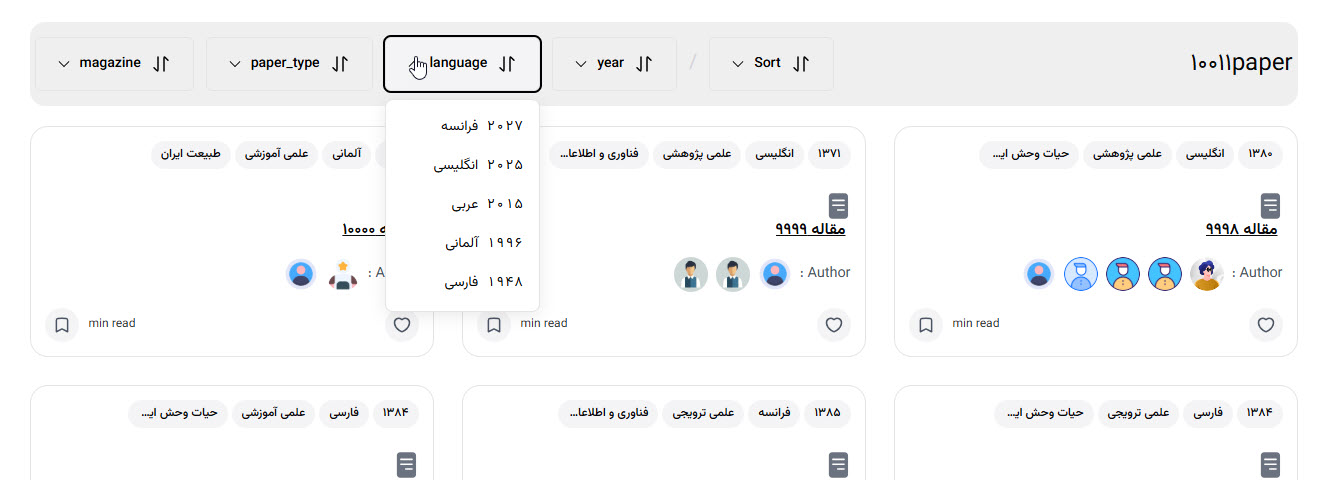
Multilingual filters
Filter documents by taxonomy terms with instant, client-side updates.
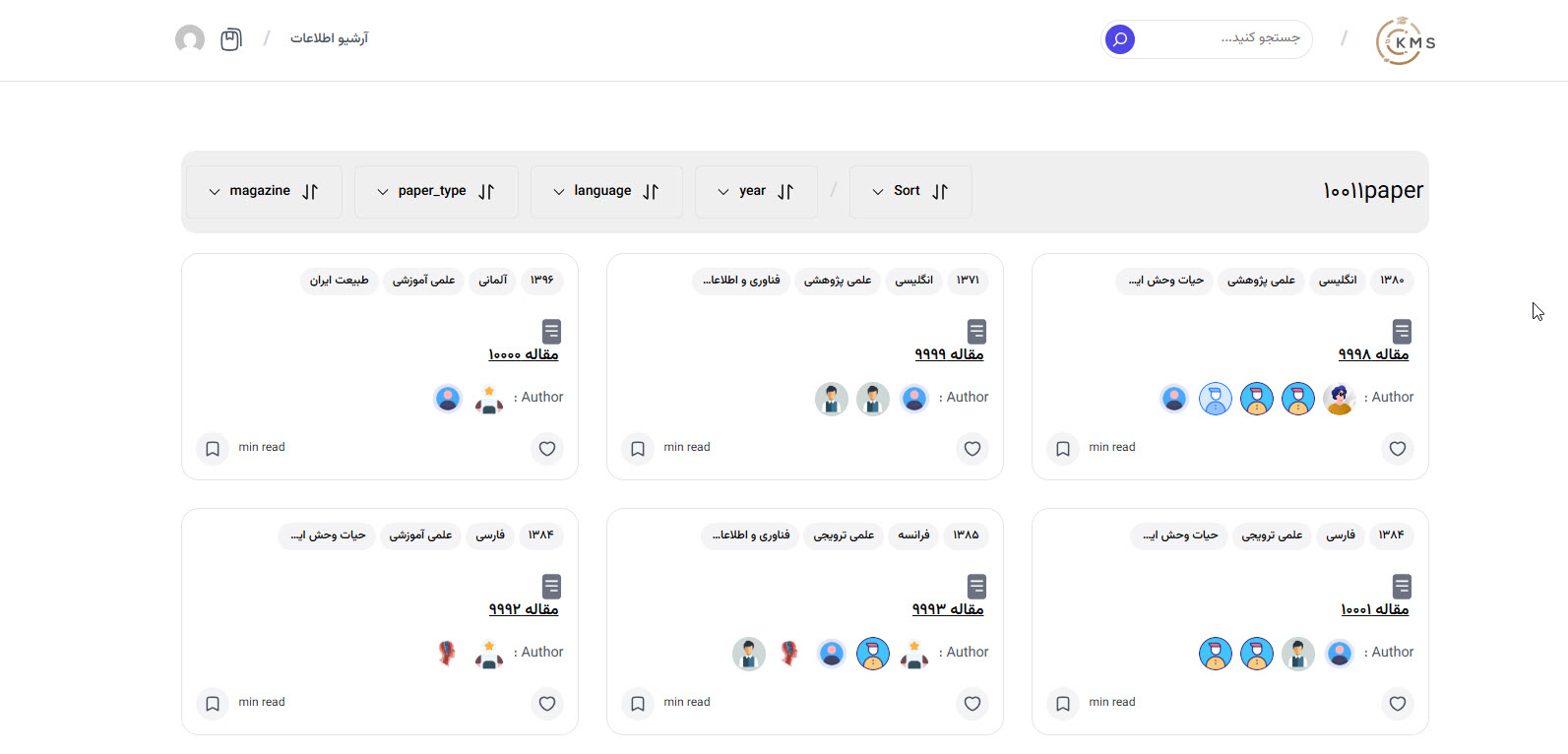
Card-based results
Responsive card layout that adapts to each post type (papers, books, people).
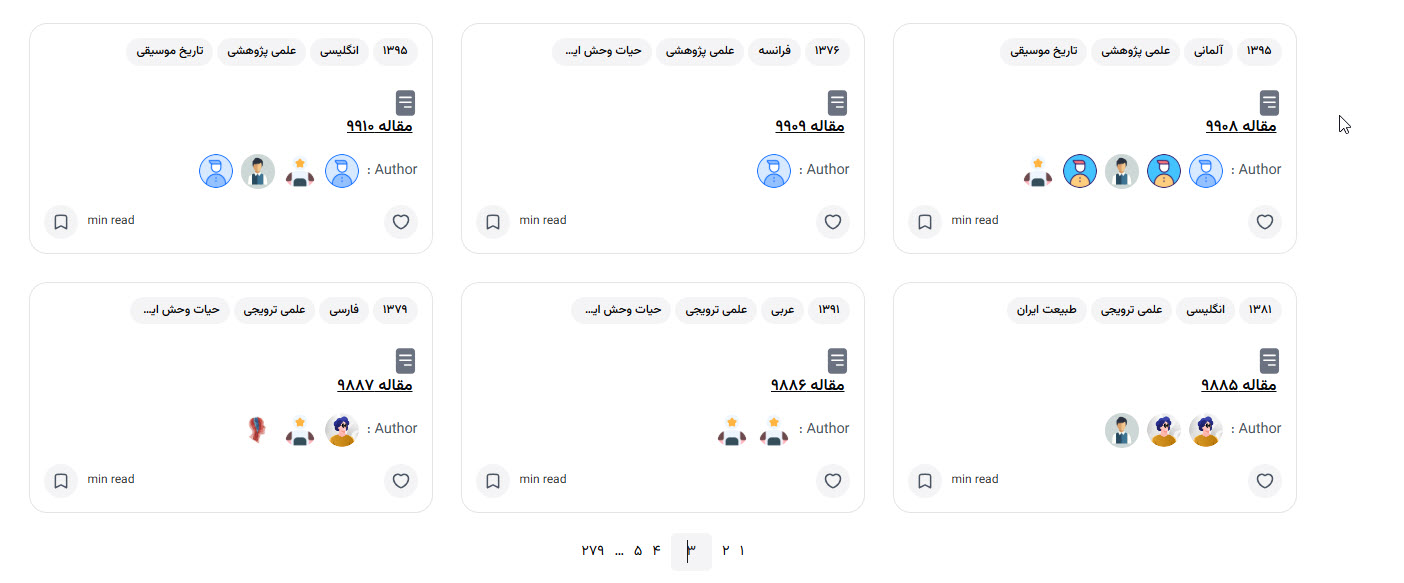
Pagination
Navigate through large result sets with reactive, no-reload pagination.
Block Editor
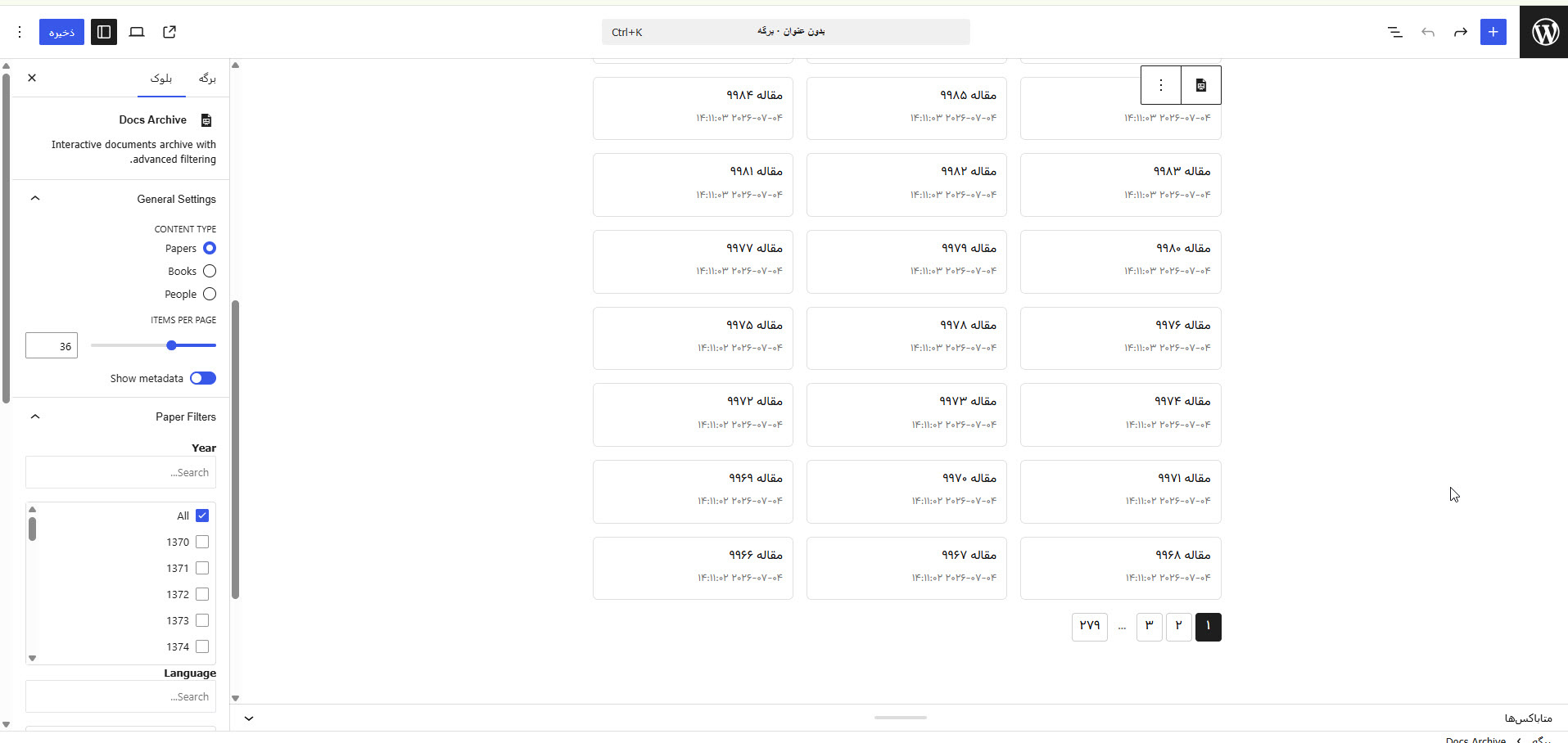
The Docs Archive block is configured entirely from the WordPress editor sidebar — no code required. Controls adapt to the selected content type, exposing only the filters relevant to papers, books, or people.
General settings
- Content Type — Switch between Papers, Books, or People. This drives which filter panels appear and which card template renders on the front end.
- Items per page — Set how many items show per page (1–100), wired directly into the reactive pagination.
- Show metadata — Toggle date, author, and counter visibility on each card.
Filter panels
Context-aware panels surface taxonomy filters based on the chosen content type:
- Paper Filters — Year and Language multi-select lists, plus any ACF-driven taxonomies.
- Book Filters — Book-specific taxonomies such as genre or publisher.
- Person Filters — People-specific taxonomies such as role or department.
Search & scroll for long lists
When a taxonomy has more than five terms, a search input appears above the checkbox list and the list scrolls within a fixed max-height — keeping the sidebar compact and quick to navigate.
Requirements
| Requirement | Version |
|---|---|
| WordPress | ≥ 6.5 |
| PHP | ≥ 8.0 |
| Advanced Custom Fields (ACF) | ≥ 6.0 (free or Pro) |
WordPress 6.5+ handles the ACF dependency automatically via the
Requires Plugins: advanced-custom-fieldsplugin header.
Installation
End-user (ZIP)
- Download the latest
interactivity-docs.zipfrom Releases. - In WordPress admin, go to Plugins → Add New → Upload Plugin.
- Upload the ZIP and click Activate.
- Ensure Advanced Custom Fields is installed and active.
Developer (Clone)
git clone https://github.com/hadimahoor/interactivity-docs.git wp-content/plugins/interactivity-docs
cd wp-content/plugins/interactivity-docs
composer install   # dev tools only (phpcs) — not needed at runtime
npm install
npm run build

---

## Architecture

text
interactivity-docs/
├── interactivity-docs.php          # Plugin bootstrap
├── composer.json / package.json
├── phpcs.xml.dist                  # PSR-12, line limit 180
├── acf-json/                       # Version-controlled ACF groups
├── build/                          # Compiled assets
├── src/
│   ├── BlockManager/               # Block registration
│   ├── Cli/                        # WP-CLI integration
│   │   ├── CliRegistrar.php
│   │   └── Commands/               # Sync, Schema, Verify commands
│   ├── Database/                   # Schema management
│   ├── Integration/                # ACF helpers
│   ├── Models/                     # Entity definitions (Book, Paper, Person)
│   ├── Repository/                 # Data access (Interface + Implementation)
│   ├── Rest/                       # REST API endpoints & configs
│   ├── Sync/                       # Data synchronization logic
│   └── blocks/                     # Interactivity API blocks
├── tests/                          # PHPUnit + Mockery suite
└── phpunit.xml.dist                # Testing configuration

---

## Advanced Features

### WP-CLI Integration
The plugin ships with robust WP-CLI commands for managing custom relational tables.

bash
# Sync supported post types (person → paper → book)
wp docs sync --all

# Sync a single post type
wp docs sync --post-type=book

# Sync specific posts by ID
wp docs sync --post-ids=123,456,789

# Dry run mode (preview without writing)
wp docs sync --all --dry-run

| Command | Purpose |
|---|---|
| `wp docs sync` | Sync posts into custom tables |
| `wp docs schema` | Manage custom table schema (create/drop/reset) |
| `wp docs verify` | Verify data integrity between sources |

### Quality Assurance
- **Unit tests** covering the Repository layer (CRUD, validation).
- **Mockery** used for isolating `$wpdb` and external dependencies.
- **PSR-4 + strict types** throughout, enabling clean dependency injection.
- **CI-ready** via automated Composer scripts.

---

## Development

| Command | Description |
|---|---|
| `composer install` | Install dev dependencies |
| `composer lint` | Run PHPCS (PSR-12) |
| `composer lint:fix` | Auto-fix with PHPCBF |
| `composer test` | Run PHPUnit suite |
| `composer test:coverage` | Generate coverage report |
| `npm run build` | Compile production assets |

---

## Key Design Decisions

- **Zero runtime Composer dependency** — a fallback PSR-4 autoloader in `Plugin.php` handles class loading when `vendor/` is absent.
- **Strategy pattern** — the filter strategy is selected at init; the pipeline calls a unified interface regardless of execution context (client, server, single-page, sort).
- **Repository + Factory** — `RepositoryFactory` resolves typed repositories behind shared interfaces, isolating data access from REST controllers.
- **Composable state** — each state getter module owns one concern and is combined in `composeState.js`.
- **ACF Local JSON** — field group schema lives in `acf-json/` and travels with the repo.

---

## License

[GPL-2.0-or-later](https://www.gnu.org/licenses/gpl-2.0.html)

*Built by [Hadi Khodayari](https://github.com/hadimahoor)*