Install
This is the repository archive. It installs, but the folder name will carry the branch suffix and updates will not flow.
Install straight from GitHub with WP-CLI:
wp plugin install https://github.com/hackrepair/hackrepair-plugin-detective/archive/refs/heads/main.zip

THRG Plugin Detective
Find the plugin that broke your site in a few quick checks, even when wp-admin is down.
By Jim Walker, The Hack Repair Guy






▶ Watch it in action (1:45)
How it works · Features · Screenshots · Installation · Security · FAQ · Development
Something stopped working after an update or a new plugin. The usual advice is to switch every plugin off, then turn them back on one at a time, checking the site after each one. It works. It also takes forever.
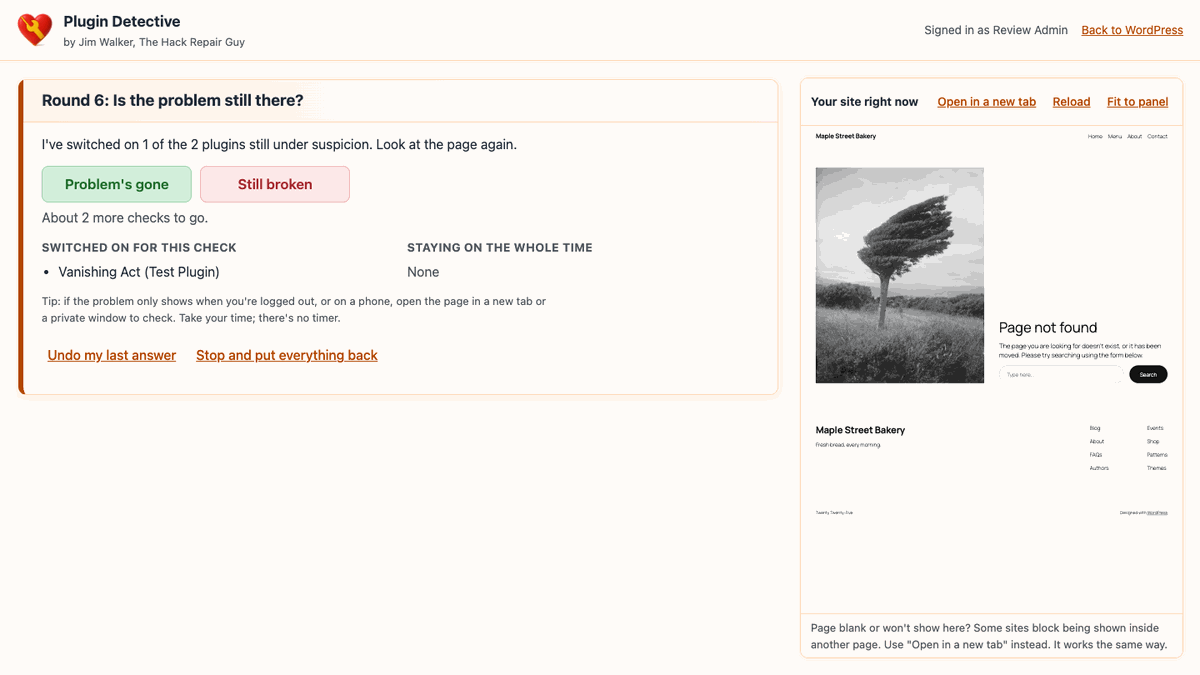
Plugin Detective does it in halves. You show it where the problem is, it switches some plugins off, and you tell it whether the problem is still there. A site with 40 plugins usually takes six or seven checks. When you're done, every plugin goes back the way it was, unless you decide to keep the problem plugin switched off.
And if a plugin has taken the whole site down, white screen and all, the troubleshooter still opens.
How it works
flowchart LR
    A["Show me the problem"] --> B["Mark any plugins<br>that must stay on"]
    B --> C{"All suspects off.<br>Still broken?"}
    C -- "Yes" --> D["Not a plugin:<br>theme, cache, server,<br>or something worse"]
    C -- "No" --> E["Switch on half<br>of the suspects"]
    E --> F{"Still broken?"}
    F -- "Yes" --> G["Culprit is in<br>this half"]
    F -- "No" --> H["Culprit is in<br>the other half"]
    G --> I{"One left?"}
    H --> I
    I -- "No" --> E
I -- "Yes" --> J["Found it.<br>Culprit stays off,<br>everything else back on"]| Active plugins | Usually | At most |
|---|---|---|
| 10 | 4–5 checks | 6 |
| 20 | 5–6 checks | 7 |
| 40 | 6–7 checks | 8 |
| 64 | 7–8 checks | 8 |
Features
Troubleshooting
- Halving search with a baseline round and a one-plugin confirmation, so the answer is predictable and fast
- "Undo my last answer" if you clicked the wrong button
- Live preview of your site in every round, plus "Open in a new tab" for logged-out or phone checks
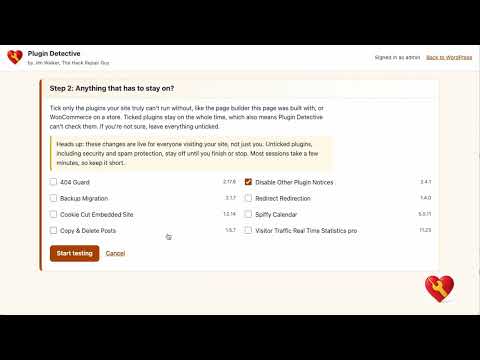
- Mark plugins your site can't run without (a page builder, WooCommerce) so they stay on the whole time
- Plain-English results: the plugin that did it, "it's not a plugin," or "it takes more than one plugin"
Works when your site doesn't
- Standalone troubleshooter that never loads plugins, must-use plugins, or the theme
- Opens during a white screen, a "critical error," or when wp-admin won't load
- Removes a stuck
.maintenancefile after an interrupted update
Safety net
- Your original plugin list is saved before anything changes
- wp-admin notice while plugins are switched off, with one-click Put my plugins back
- Deleting the plugin mid-session restores your plugins first
- Activity log of every session, plugin change, and troubleshooter sign-in
Screenshots
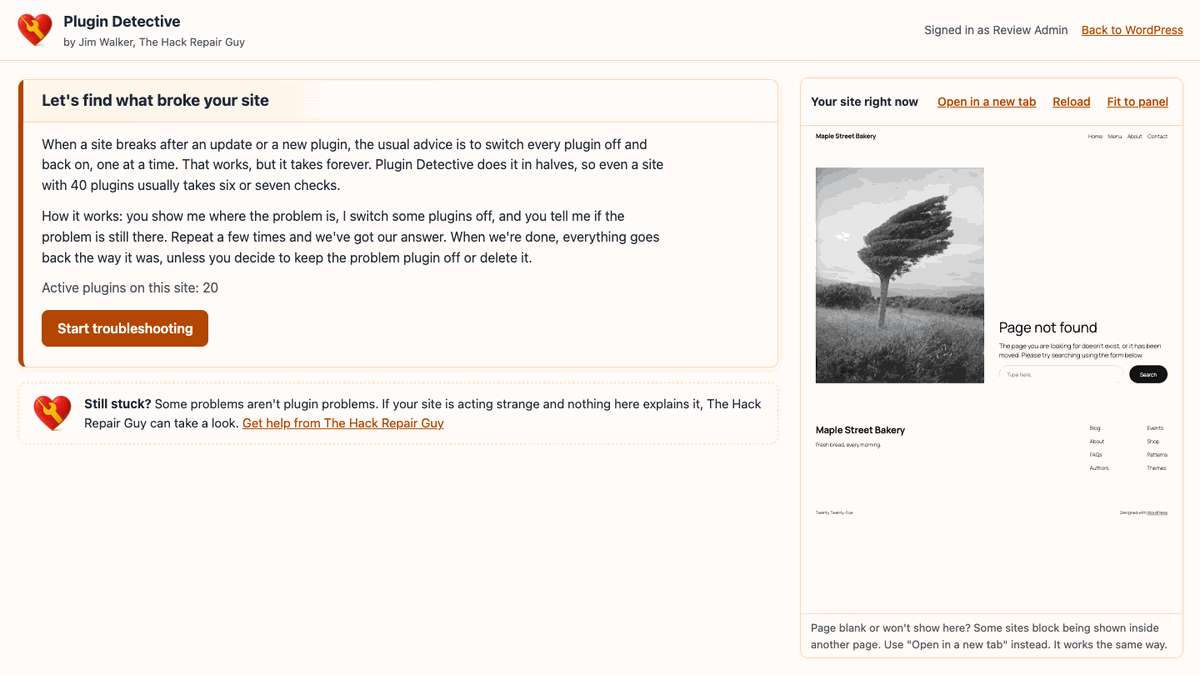 Start. Works whether or not wp-admin is up. |
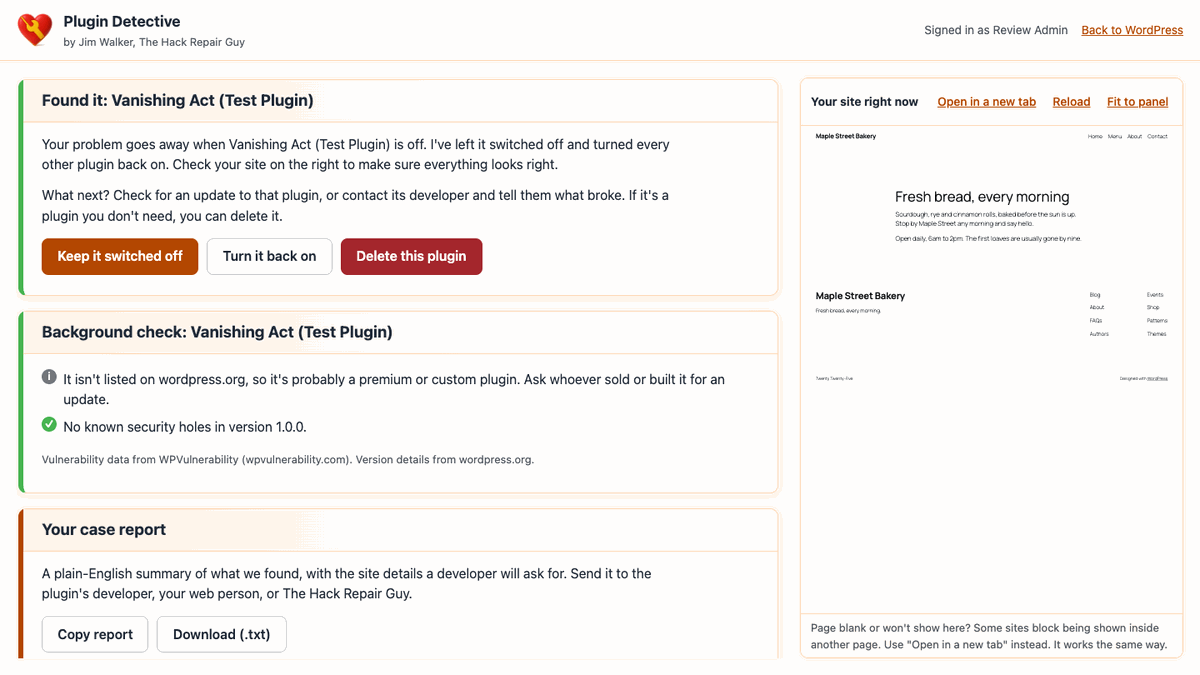 Found it. The culprit stays off while you check your site. |
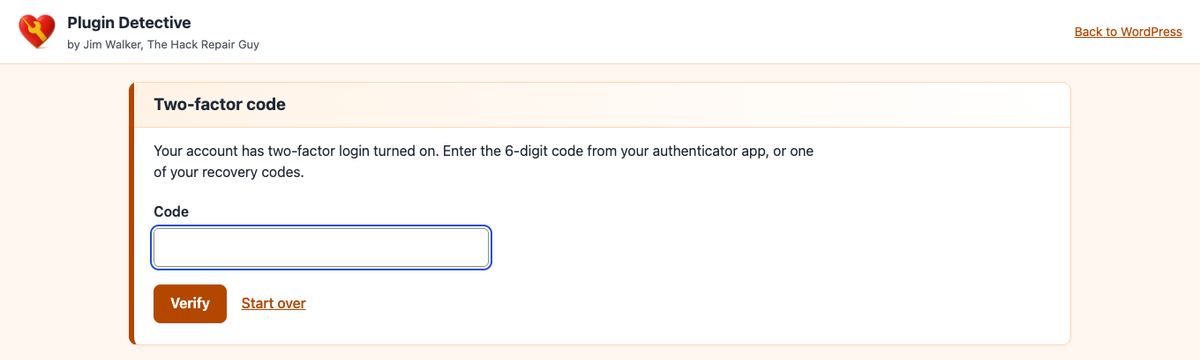 Two-factor login. HackGuard Security and Two Factor codes are enforced. |
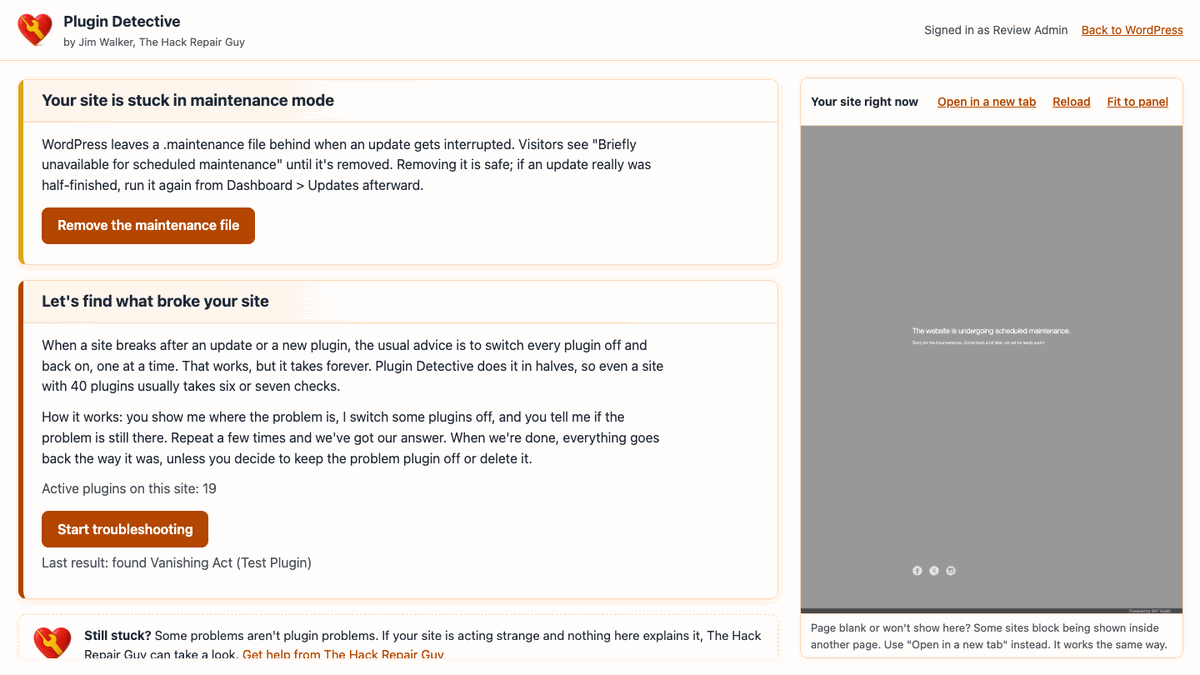 Stuck maintenance mode. One button to clear it. |
Tools > Plugin Detective. Emergency bookmark, status, and activity log. |
 Safety notice. Never forget a session with plugins switched off. |
Installation
- Download the release ZIP.
- In WordPress, go to Plugins > Add New > Upload Plugin, choose the ZIP, and activate it.
- Go to Tools > Plugin Detective and bookmark the emergency address.
Site already down? Upload the hackrepair-plugin-detective folder to /wp-content/plugins/ with your host's file manager or FTP. You don't need to activate it. Open the emergency address and sign in.
Emergency address
https://yoursite.com/wp-content/plugins/hackrepair-plugin-detective/troubleshoot/Add ?restore=1 to go straight to the stuck-maintenance-mode fix.
Security
Plugin Detective switches plugins on a live site, so it's built to be hard to misuse.
| Area | What it does |
|---|---|
| Sign-in | Recognizes an existing wp-admin login, so 2FA is already done. The troubleshooter's own login uses wp_authenticate(), gives one generic error, and locks an address out for 15 minutes after 5 failures. |
| Two-factor | Enforces HackGuard Security (authenticator and recovery codes) and Two Factor (authenticator codes). Accounts using WP 2FA or Wordfence Login Security are sent to wp-admin, so 2FA is never skipped. |
| Session | Signed, HttpOnly, SameSite=Strict cookie scoped to the troubleshooter folder; 2-hour life; ends when the password changes. Nothing secret appears in a URL. |
| Requests | POST only, same-origin check, session-bound CSRF header, and activate_plugins re-checked on every request. |
| Plugin switching | Only installed plugins can be switched on. The original list is backed up first, and every way out restores it. |
| Page | Strict Content-Security-Policy, X-Frame-Options: DENY, no external fonts, scripts, or tracking. |
| Hardened hosts | Works on sites that block PHP under wp-content/plugins/. A small troubleshoot/.htaccess re-allows only index.php and api.php; everything else stays blocked. |
| Boot | Uses WordPress's own SHORTINIT startup and a short list of core files. Plugin and theme code never runs in the troubleshooter. |
wp-config.php settings
| Constant | Effect |
|---|---|
HRPD_REQUIRE_WP_LOGIN |
Turns off the troubleshooter's own login. Only people already logged in to wp-admin can use it. |
HRPD_EMERGENCY_PASSWORD_LOGIN |
Accepts a password without a 2FA code. Only for a real emergency when your 2FA plugin is what's broken. Remove it as soon as you're back in. |
define( 'HRPD_REQUIRE_WP_LOGIN', true );Requirements
| Minimum | Tested | |
|---|---|---|
| WordPress | 6.9.4 | 7.1.3 |
| PHP | 7.4 | 7.4, 8.2, 8.3 |
| Web server | Apache, LiteSpeed, or Nginx | Apache 2.4 |
| Install type | Single site | Multisite not supported yet |
FAQ
Is it safe to switch my plugins off?Plugin Detective only changes which plugins are switched on. It doesn't run their deactivation routines, so their settings and data aren't touched. While you test, unticked plugins, including security plugins, are off for a few minutes. Keep sessions short and finish them when you're done.
It says "It's not one of your plugins." Now what?The problem was still there with the plugins off. The usual suspects are your theme, a plugin you marked "must stay on," must-use plugins, caching, or something on the site that shouldn't be there. A hacked site can look a lot like a plugin conflict. If you're stuck, The Hack Repair Guy can help.
It says it takes more than one plugin.No single plugin breaks it on its own, so two plugins are probably fighting each other. It can also mean the problem comes and goes, or an answer got mixed up. Clear your caches and try again.
The troubleshooter shows "403 Forbidden."Your host blocks PHP inside the plugins folder. The bundled .htaccess handles this on Apache and LiteSpeed. On Nginx, ask your host to allow troubleshoot/index.php and troubleshoot/api.php inside the hackrepair-plugin-detective folder.
Some sites block being shown inside another page. Use "Open in a new tab." It works the same way.
What happens when I delete it?If a session is open, your plugins are put back first. Then Plugin Detective removes its own settings, activity log, and temporary data.
Development
Project layout
hackrepair-plugin-detective/
├── hackrepair-plugin-detective.php   Plugin header and bootstrap
├── uninstall.php                     Restores plugins, removes all plugin data
├── readme.txt                        WordPress readme and changelog
├── includes/
│   ├── class-hrpd-admin.php          Tools page, admin bar link, safety notice
│   ├── class-hrpd-case.php           Case storage, plugin switching, restore
│   ├── class-hrpd-detective.php      Search logic (no WordPress calls)
│   ├── class-hrpd-log.php            Activity log
│   └── class-hrpd-updater.php        Points WordPress at this plugin's GitHub releases
├── plugin-update-checker/            Vendored third-party library (see Standards below)
├── troubleshoot/
│   ├── index.php                     Standalone troubleshooter page
│   ├── api.php                       Standalone JSON API
│   ├── .htaccess                     Allows only the two entry points on hardened hosts
│   ├── assets/                       app.js and app.css (no build step)
│   └── includes/
│       ├── bootstrap.php             SHORTINIT boot and core file list
│       ├── class-hrpd-app.php        API router and page data
│       ├── class-hrpd-login.php      Password login, lockout, 2FA challenge
│       ├── class-hrpd-session.php    wp-admin cookie and troubleshooter session
│       ├── class-hrpd-strings.php    Every word the troubleshooter shows
│       └── class-hrpd-totp.php       Two-factor detection and code checks
└── assets/                           Admin CSS and mascot images
Standards
- WordPress Coding Standards and PHPCompatibilityWP (
testVersion 7.4-) with zero violations:phpcs - PHP 7.4 floor, PHP 8.3 style where 7.4 allows it
- No build step, no external assets or tracking in the troubleshooter UI
- All user-facing copy lives in
troubleshoot/includes/class-hrpd-strings.phpandincludes/class-hrpd-admin.php, translatable underhackrepair-plugin-detective - Updates are checked against this plugin's own GitHub releases (
hackrepair/hackrepair-plugin-detective), the same way WordPress checks wordpress.org for everything else, using the vendored Plugin Update Checker library (MIT licensed, by Janis Elsts) — that's the only outside network call this plugin makes, and it's WordPress's own update mechanism, not telemetry
Verified in 2.1.1 (2.1.2 and 2.1.3 are text-only; 2.2.0 adds the details window and banners)
| Check | Result |
|---|---|
| API end-to-end (login, 2FA, lockout, search, undo, restore, maintenance, cancel at Step 2) | 52 / 52 |
| Browser walkthrough (desktop and phone) | 22 / 22, no JavaScript errors |
| White-screen recovery (crashing plugin, site and wp-admin returning 500) | Found in 7 checks, site back to 200 |
php -l on PHP 8.3 |
Clean |
PHP 7.4 lint and PHPCS (WordPress + PHPCompatibilityWP) were clean on 2.1.0 and are re-run before each release.
Credit
The idea for THRG Plugin Detective came from Plugin Detective – Troubleshooting Conflicts by NSquared. Thank you to Natalie MacLees and team for showing how handy a guided, halving search can be.
This is an independent rebuild with new code, design, and copy, and it isn't affiliated with or endorsed by NSquared. What it adds:
- Two-factor enforcement on the troubleshooter's own login, plus rate limiting and an activity log
- A wp-admin safety notice with a one-click "Put my plugins back"
- A plain warning that plugins switched off during a session are off for everyone visiting your site
- Works on hardened hosts that block PHP inside the plugins folder
- The problem plugin stays off and everything else comes back on, so you can check your site before deciding
- No outside fonts, scripts, or tracking; updates come from this plugin's own GitHub releases
Changelog
See the Changelog section of readme.txt.
Support
Found a problem plugin and need a hand with the next step? Or the troubleshooter says it isn't a plugin at all? The Hack Repair Guy can help.
License
GPLv2 or later. See LICENSE.
Made by Jim Walker, The Hack Repair Guy