Install
This is the repository archive. It installs, but the folder name will carry the branch suffix and updates will not flow.
Install straight from GitHub with WP-CLI:
wp plugin install https://github.com/gujiaying1/campusloop-help-center/archive/refs/heads/main.zipWordPress Support Platform for the CampusLoop Marketplace
A custom WordPress plugin that provides a searchable public Help Center for the CampusLoop student marketplace. It is a support-content layer—not a replacement for the marketplace application—and implements custom content types, REST-powered search/filtering, templates, setup tooling, and accessibility-focused states.
PHP · WordPress · REST API · JavaScript · CSS
What I Built
- A
support_articleCustom Post Type for Help Center content. - A hierarchical
support_categorytaxonomy for topic-based organisation. - A
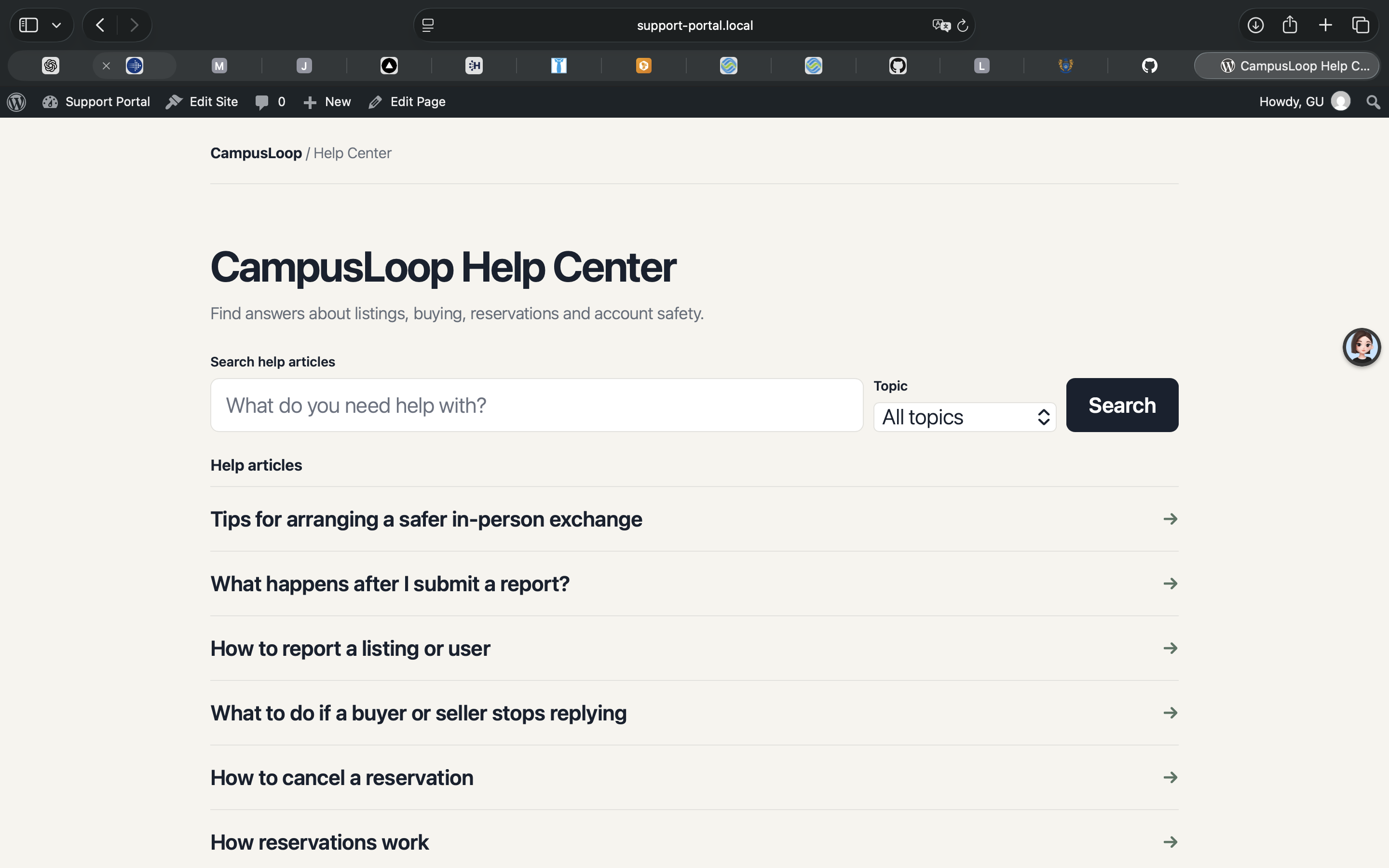
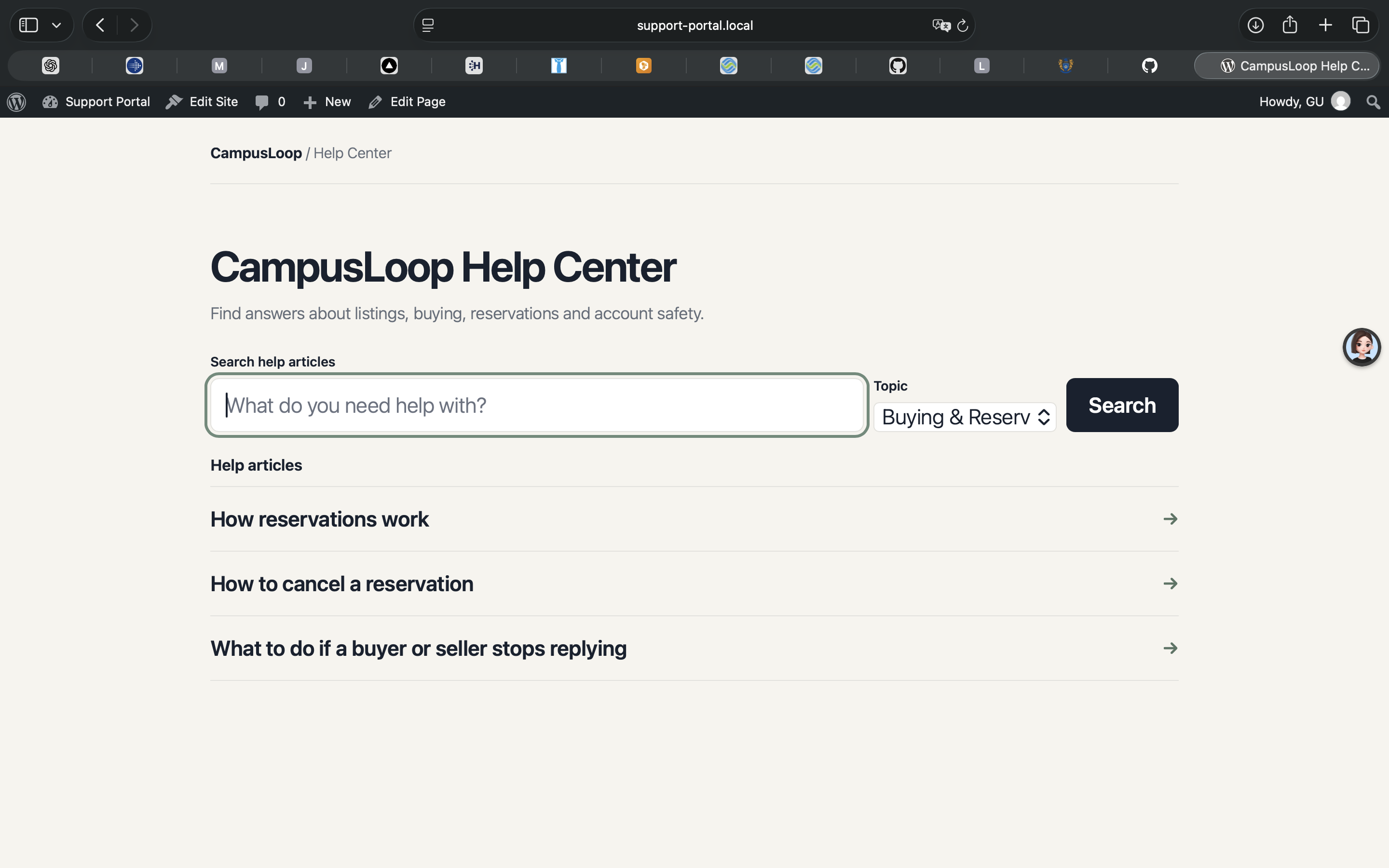
/support/Help Center page powered by the[support_search]shortcode. - Keyword search and topic filtering with the WordPress REST API.
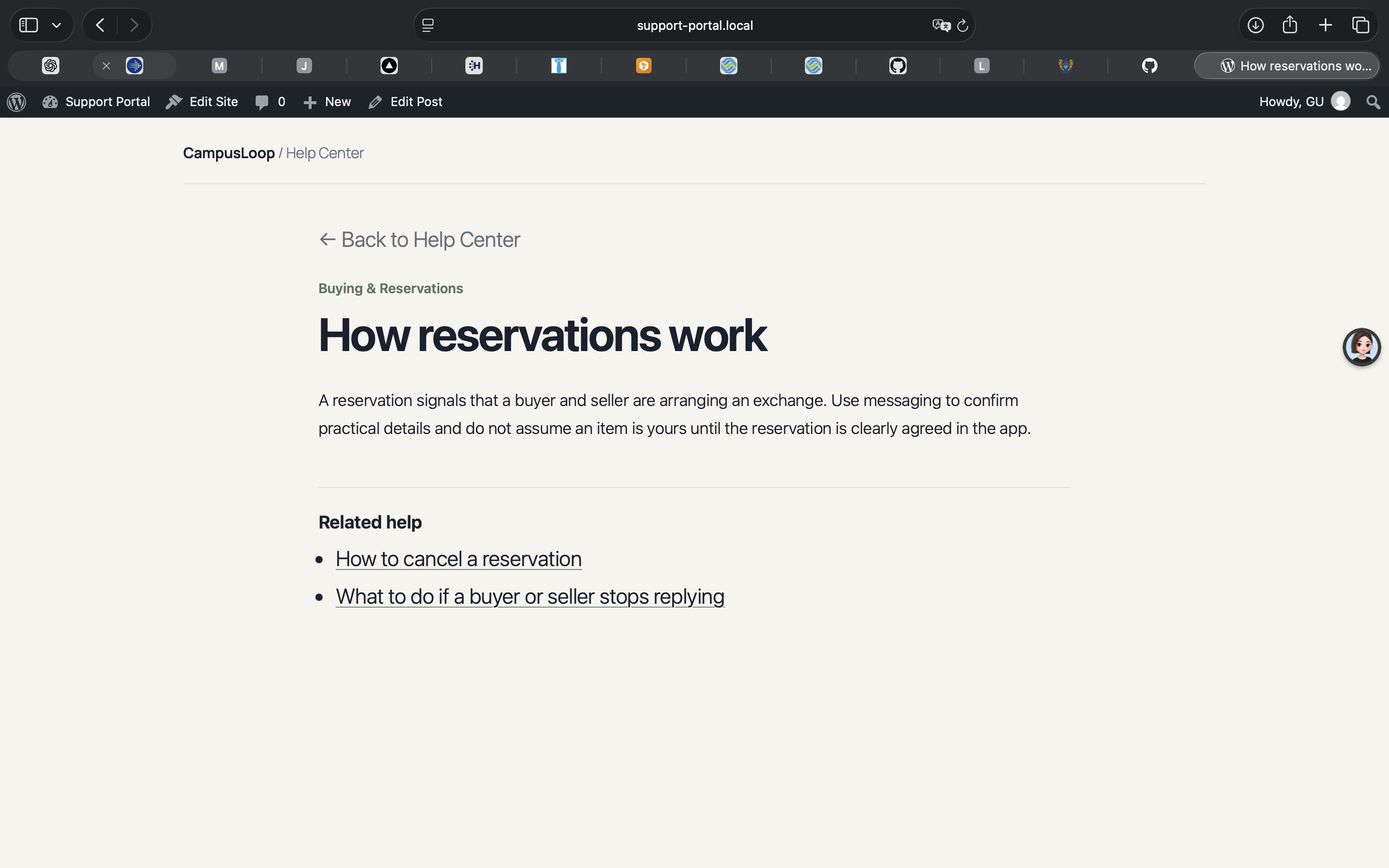
- Custom templates for the Help Center and individual
/help/<slug>/articles. - An administrator-only setup screen that creates or updates four topics, twelve articles, and the Help Center page.
- Loading, no-results, API-error, duplicate-submission, focus, and screen-reader status states.
How It Works
User
  ↓
/support/ Help Center
  ↓
JavaScript search and topic filter
  ↓
WordPress REST API: /wp/v2/support_article
  ↓
support_article + support_category
  ↓
Custom Help Center / article template
Technical Highlights
- Structured WordPress content:
register_post_type()andregister_taxonomy()expose support articles and categories to the REST API usingshow_in_rest. - REST API search: the browser sends keyword searches through the
searchparameter and selected category Term IDs throughsupport_category; requests limit fields and results for the Help Center UI. - Safe asynchronous UI: JavaScript uses
fetch, disables duplicate submissions while loading, and renders API-provided titles withtextContentrather than HTML injection. - Template control: a
template_includefilter routes the Help Center page and all support articles through the plugin template. Athe_contentfilter adds topic metadata, a back link, and related articles. - Protected setup tooling: the Tools → Help Center Setup action requires the
manage_optionscapability and a WordPress nonce before seeding or updating content. - Accessibility-focused interaction: visible labels, keyboard form submission, focus-visible styles, an
aria-liveresults region, andaria-busywhile a request is in progress.
Screenshots
The following are real screenshots from the local WordPress Help Center.
Help Center
Search & Topic Filtering
Help Article
Quality & Testing
Functional QA covered keyword search, topic filtering, and article navigation. The repository’s prior local test record reports Lighthouse 13.4.1 results in Chrome’s emulated Desktop mode for both /support/ and a representative article:
| Measure | Result |
|---|---|
| Performance | 100 |
| Accessibility | 100 |
| Best Practices | 78 |
| SEO | 100 |
These were measured in the local LocalWP environment, not a production deployment. The Best Practices score was affected by local HTTP and deployment-level HTTPS/security-header checks.
Debugging / Engineering Lessons
- A
/help/routing issue was resolved by refreshing WordPress permalinks after registering the custom post type rewrite base. - A duplicated JavaScript block and extra closing brace caused a category-filtering syntax error; the fix reinforced the value of testing each filter path after edits.
- The setup screen initially failed to appear because its registration was conditionally gated. Registering it through
admin_menuwithadd_management_page()made the route reliable.
Running Locally
- Copy the plugin into
wp-content/plugins/in a local WordPress installation. - Activate CampusLoop Help Center in WordPress Admin → Plugins.
- Open Tools → Help Center Setup and select Set up CampusLoop Help Center.
- Save Settings → Permalinks to refresh the
/help/rewrite rules. - Open
/support/.
The setup action matches seed articles by title. Matching titles may be updated; renamed seed articles should be reviewed before setup is run again.
Limitations / Future Work
- Support content is currently English only.
- Multilingual, crawlable routes are not implemented.
- Production hosting and deployment configuration are outside this repository.
Repository Contents
support-portal-tools.php— plugin registration, content setup, templates, asset loading, and metadata.support-search.js— REST search/filter interaction.support-search.css— Help Center and article presentation.templates/help-center.php— shared front-end template.docs/INTERVIEW_NOTES.md— implementation-based interview preparation notes.