Install
This is the repository archive. It installs, but the folder name will carry the branch suffix and updates will not flow.
Install straight from GitHub with WP-CLI:
wp plugin install https://github.com/grebbekevin/free-forms/archive/refs/heads/main.zipFree Forms is a free block-based WordPress form builder plugin focused on simple form creation, stored submissions, clean admin workflows, and long-term maintainability.
If you are looking for a free WordPress form builder plugin, a Gutenberg form builder, or a lightweight custom form plugin for WordPress, this repository is intended for exactly that use case.
Free Forever
This repository is free to use forever.
- Use it in personal projects.
- Use it in client projects.
- Fork it, study it, and improve it.
- Contribute back if you want to help make it better.
License
This project is licensed under the Apache License 2.0.
See the attached LICENSE file for the full license text.
Contributing
If you find something incorrect, incomplete, or something that could be better, please open a pull request.
Contributions are welcome for:
- bug fixes
- security improvements
- UX improvements
- accessibility fixes
- performance improvements
- new field types
- documentation improvements
If you are changing behavior, keep the plugin production-safe and maintainable.
What It Does
Free Forms currently includes:
- block-based form building inside the
free-formspost type - frontend form embedding through the
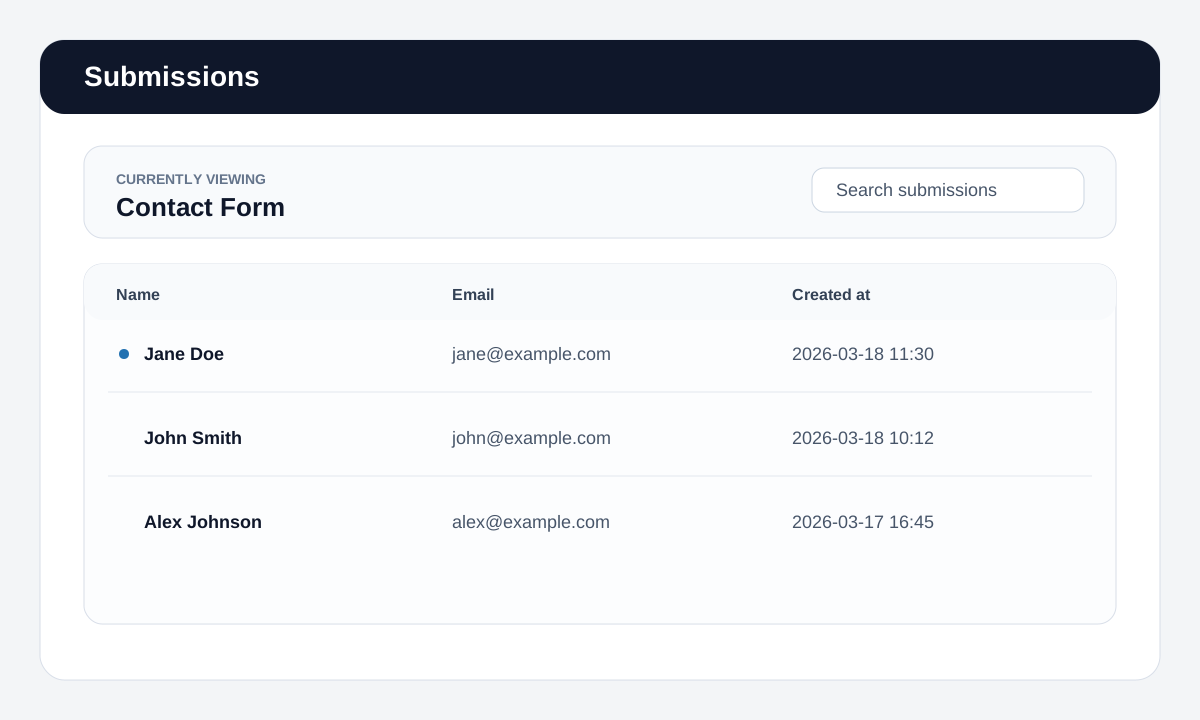
Free Formblock - stored submissions with an admin overview
- single submission detail view
- CSV export
- email notifications
- AJAX and non-AJAX submission handling
- spam protection features such as honeypot, rate limiting, and reCAPTCHA
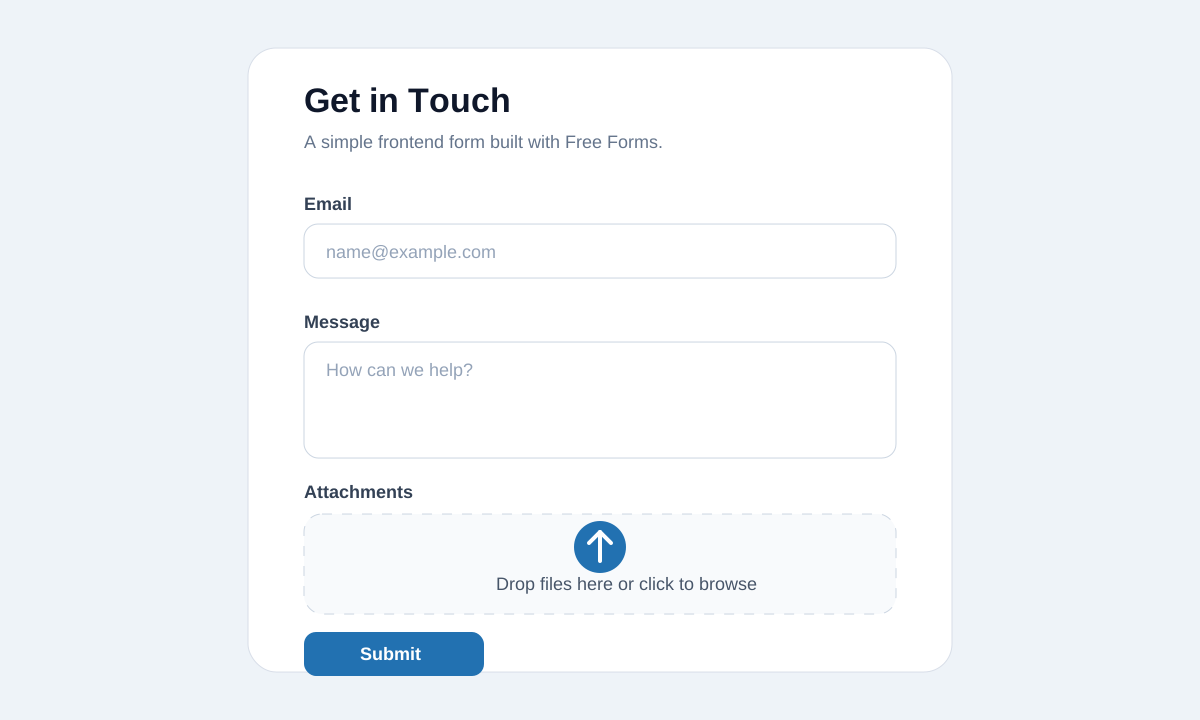
- field types including text input, textarea, checkboxes, radio buttons, select fields, and file upload
WordPress Form Builder
Free Forms is built as a Gutenberg-based WordPress form builder.
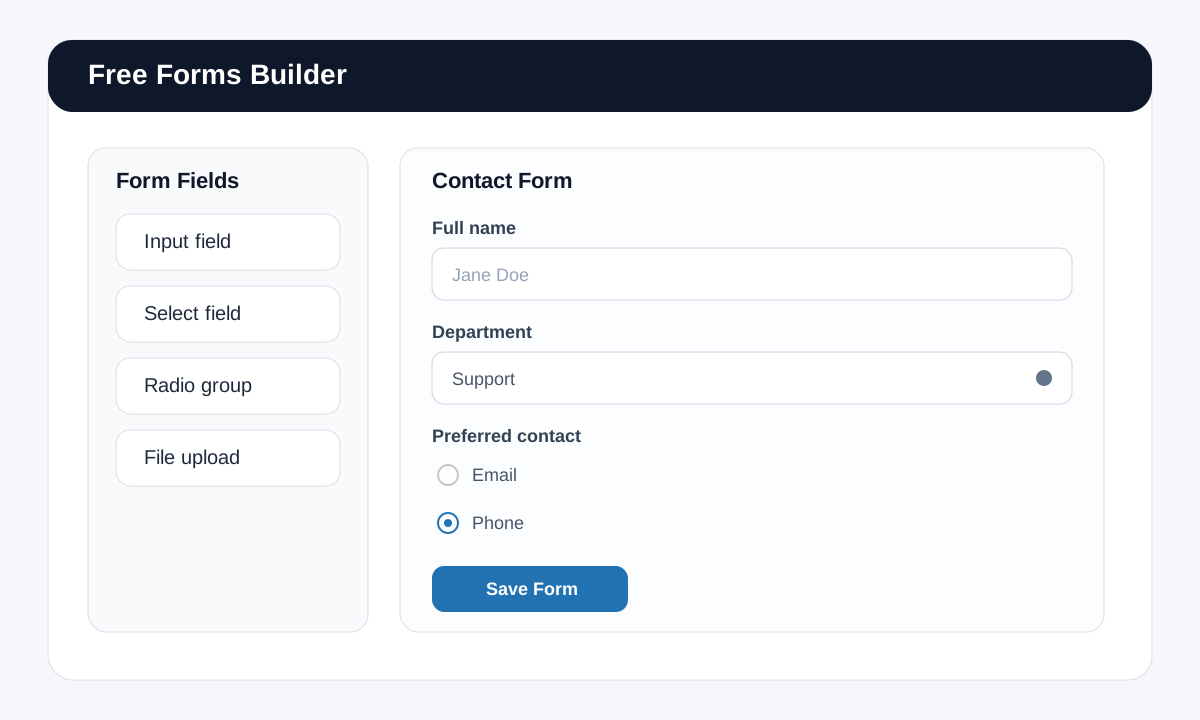
That means you create forms visually in the block editor instead of managing a separate drag-and-drop builder UI. Each form is a free-forms post, and each field is added as a block inside that form.
This makes it useful for people searching for:
- free WordPress form builder
- Gutenberg form plugin
- block-based contact form plugin
- lightweight WordPress custom form builder
- self-hosted WordPress forms with stored submissions
How Form Building Works
Inside the form editor you can build forms using dedicated field blocks such as:
- text input
- textarea
- checkbox list
- radio group
- select dropdown
- file upload
- submit button
Each field can be configured directly in the block inspector. Depending on the field type, that includes settings such as:
- field name
- label
- placeholder
- required state
- validation messages
- overview visibility
- allowed upload types
- maximum upload size
- multi-file upload settings
Why The Block-Based Builder Matters
The form builder is designed for teams and site owners who want:
- forms managed directly in WordPress
- Gutenberg-native editing instead of a separate proprietary builder
- maintainable frontend rendering
- stored submissions in the WordPress admin
- secure validation and upload handling
- a plugin that can be extended and improved through code
Typical Use Cases
Free Forms is a good fit for:
- contact forms
- quote request forms
- lead generation forms
- support forms
- file upload forms
- internal intake forms
- custom business workflow forms
Images
Form Builder
Frontend Form
Submissions Admin
Getting Started
- Install the plugin in
wp-content/plugins/free-forms. - Activate it in WordPress.
- Create a new
Free Formsform. - Build the form in the block editor by adding the field blocks you need.
- Configure validation, labels, upload rules, and submission overview behavior in the block sidebar.
- Publish the form.
- Embed the form on a page using the
Free Formblock.
SEO Keywords
This repository may also be useful if you are searching for:
- WordPress form builder GitHub
- open source WordPress forms plugin
- Apache 2.0 WordPress form plugin
- free Gutenberg forms
- WordPress block editor forms
- custom form builder for WordPress with submissions
Pull Requests
If you make something better, send a pull request.
That includes:
- fixing broken behavior
- improving wording or documentation
- improving styles or admin UX
- tightening validation or security
- improving developer experience and code quality
Small improvements are useful too.