High Precision Content Generator
Automatically generates highly precise blog posts with cohesive sentences, relevant images using OpenAI's DALL-E 3, and YouTube video content. Enhanced search algorithms ensure content relevance and accuracy. It schedules daily content generation based on tags using server local time.
Install
This is the repository archive. It installs, but the folder name will carry the branch suffix and updates will not flow.
Install straight from GitHub with WP-CLI:
wp plugin install https://github.com/gottfried1980/auto-content-generator/archive/refs/heads/main.zip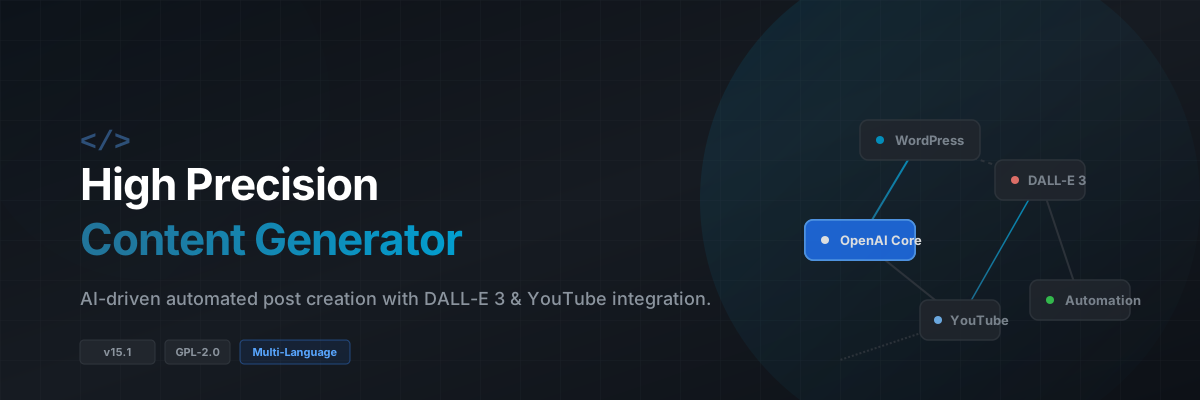
High Precision Content Generator
A powerful WordPress plugin that automatically creates highly relevant blog posts using OpenAI's DALL-E 3 for images and YouTube video content. It intelligently generates cohesive, well-structured sentences, selects matching media, and automates content management via scheduled daily tasks based on WordPress tags.
🚀 Features
- Automatic Content Generation: Generates complete blog posts including appropriate titles, body text, and matching media.
- OpenAI DALL-E 3 Integration: Creates unique, context-relevant images for every blog post.
- YouTube Video Embedding: Automatically searches and embeds relevant YouTube videos to enrich your posts.
- Scheduled Daily Content: Leverages WordPress cron to automatically schedule daily content creation based on active tags.
- Enhanced Search Algorithms: Employs advanced search logics to ensure all generated content is accurate, contextually relevant, and high-quality.
- Customizable Admin Panel: Easily manage API keys, content length, formats, and scheduling parameters.
- Multilingual Support: Supports content generation and interfaces in English, German, Italian, and French.
📋 Plugin Details
| Property | Details |
|---|---|
| Version | 15.1 |
| Author | Gottfried Aumann |
| License | GPL2 |
| Compatibility | WordPress 5.0+ (Recommended) |
🛠️ Installation
- Download & Upload: Download the plugin repository and upload the
high-precision-content-generatorfolder to your WordPress plugins directory (/wp-content/plugins/). - Install Dependencies: Install the necessary PHP dependencies via Composer by running the following command in the plugin root directory:
composer install(Ensure
vendor/autoload.phpis generated properly). - Activation: Navigate to the WordPress Admin Dashboard → Plugins and click Activate under High Precision Content Generator.
- Configuration: Go to the newly created Content Generator menu in your WordPress sidebar to set up your keys.
📖 Usage
⚙️ Initial Setup
- Navigate to Content Generator > Settings in the WordPress admin menu.
- Enter your valid OpenAI API Key and YouTube API Key.
- Define a Daily Content Generation Time to automate the system.
- Select your preferred target language (English, German, Italian, or French).
✍️ Manual Generation
If you prefer not to wait for the daily schedule, you can trigger generation manually:
- Enter your desired Topic.
- Select the Content Length and preferred Format.
- Click Generate to publish instantly.
❓ FAQ
1. Why is content not being generated automatically?
- Cause: The automated cron schedule might be missing configuration details, or the API authorization is failing.
- Solution: Go to Content Generator > Settings and verify that a valid daily generation time is configured, and that both OpenAI and YouTube API fields contain correct keys.
2. How do I troubleshoot content not appearing in the posts?
- Cause: The daily WordPress cron event might not be executing properly.
- Solution: Navigate to Content Generator > Settings and check the Last Cron Log section. This panel reviews the admin logs and tracks detailed cron event executions.
3. What happens if the image or YouTube video generation fails?
- Cause: API rate limits hit, or no suitable media matched the query.
- Solution: The text content will still be generated and published successfully without media. Check your API limits on your respective provider dashboards, or manually add missing assets to the post via the WordPress block editor.
4. Why is my content generated in the wrong language?
- Cause: The language option in the plugin settings doesn't match your expectation.
- Solution: Verify your target selection under Content Generator > Settings. The plugin explicitly supports English (
en), German (de), Italian (it), and French (fr).
⚠️ Most Likely Errors & Solutions
🚨 Error: "API key missing"
- Description: Occurs when the OpenAI API connector is invoked without authentication.
- Solution: Enter a valid OpenAI API key in Content Generator > Settings.
🚨 Error: "No tags found"
- Description: The plugin could not find any active WordPress tags to use as topics for the automated content loop.
- Solution: Ensure your WordPress site has active tags created and that some posts are tagged appropriately to feed the generator algorithm.
🚨 Error: "HTTP error code 429"
- Description: You have exceeded the rate limits or token quotas on your OpenAI or YouTube API accounts.
- Solution: Wait until your API rate limit resets, or consider upgrading your API tier plan with the respective provider.
🚨 Generated content is incomplete or cut off
- Description: The maximum token generation threshold was reached before the text concluded naturally.
- Solution: Increase the Content Length parameter within the settings page or attempt to re-generate the topic.
📜 Changelog
Version 15.1
- 🩹 Fixed: Removed the redundant and confusing "Scheduling Error" message from the WordPress admin menu interface.
- 🌐 Added: Introduced native language-based success notifications directly within the admin panel after a generation finishes.
- 🛠️ Improved: Refined exception and error handling layers for API key validation states and content pipeline generation failures.
📄 License
This project is licensed under the GPL2 License. You are free to modify, distribute, and build upon this software in compliance with open-source standards.