Install
This is the repository archive. It installs, but the folder name will carry the branch suffix and updates will not flow.
Install straight from GitHub with WP-CLI:
wp plugin install https://github.com/gn0sys11root/wordpress-discord-contact-form/archive/refs/heads/main.zipNo built-in updater. New versions won't appear under Dashboard → Updates. Install new releases yourself, or let Git Updater track the repository.
Discord Contact Form - Wordpress plugin
A powerful WordPress plugin that sends contact form submissions directly to Discord channels via webhooks.
Features
- Direct Discord Integration - Send form data instantly to Discord channels
- Multilingual Support - Spanish and English with automatic detection
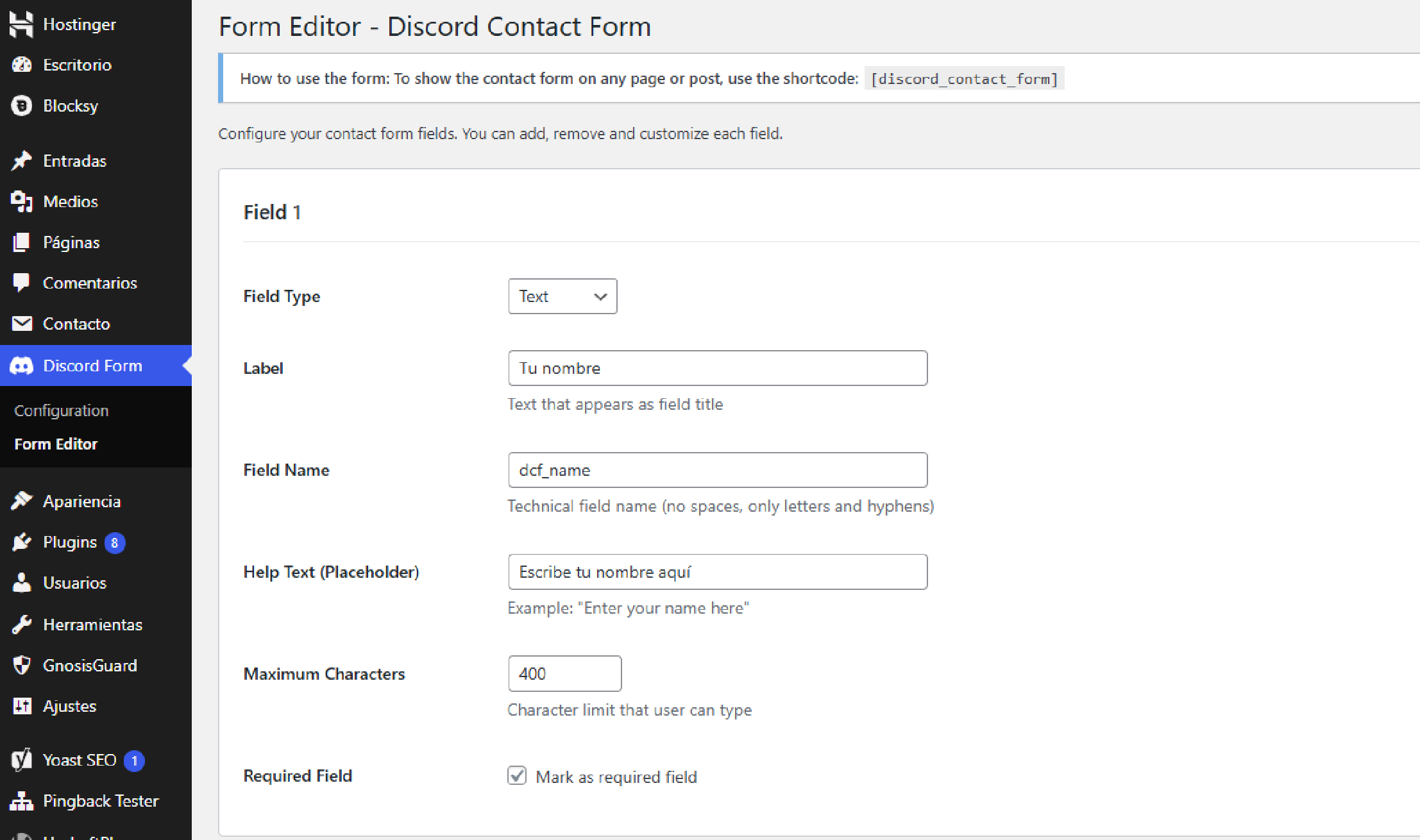
- Custom Form Builder - Create forms with multiple field types
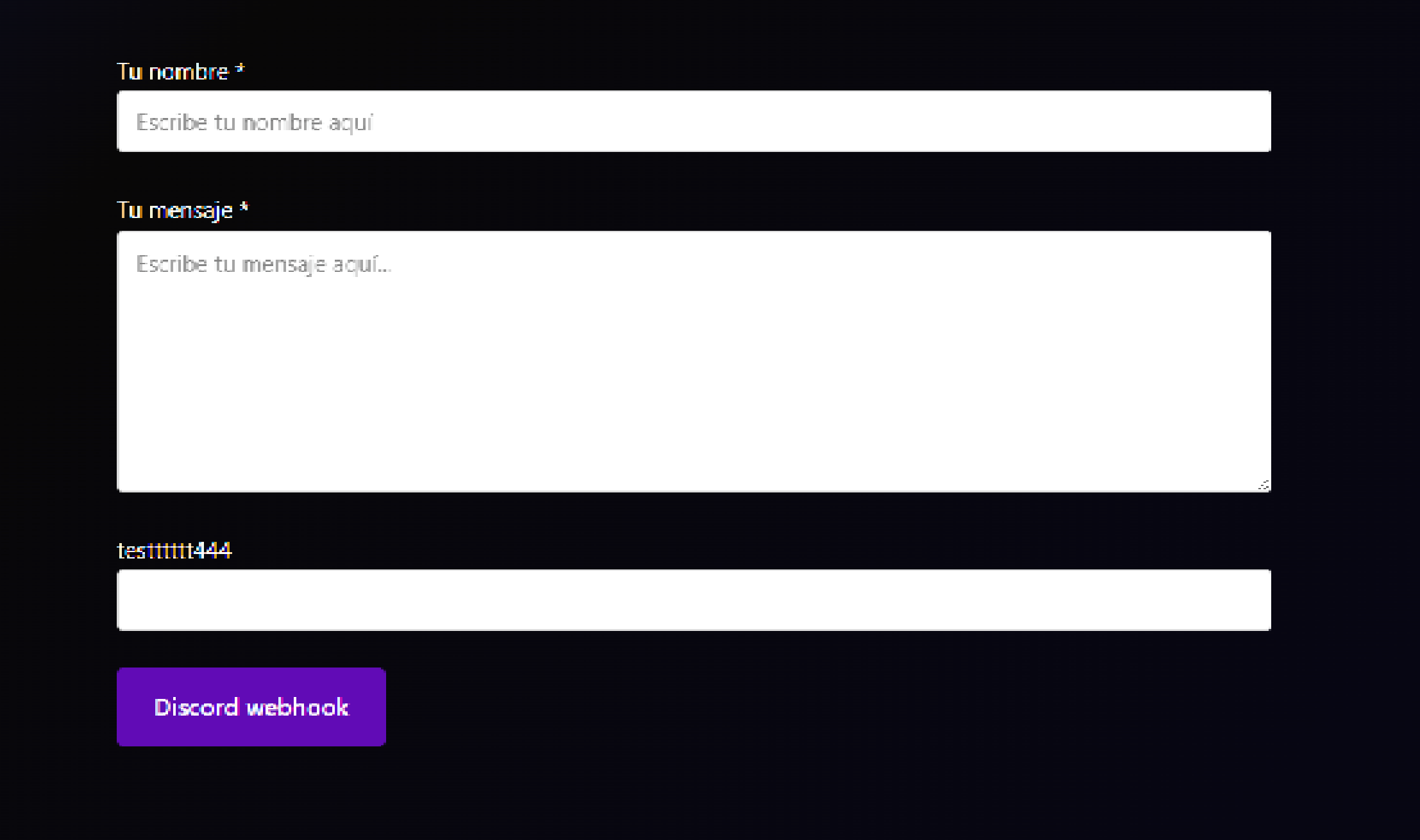
- Responsive Design - Mobile-friendly and theme-adaptive
- AJAX Submissions - No page reloads, smooth user experience
- Easy Setup - Configure webhook URL and start receiving messages
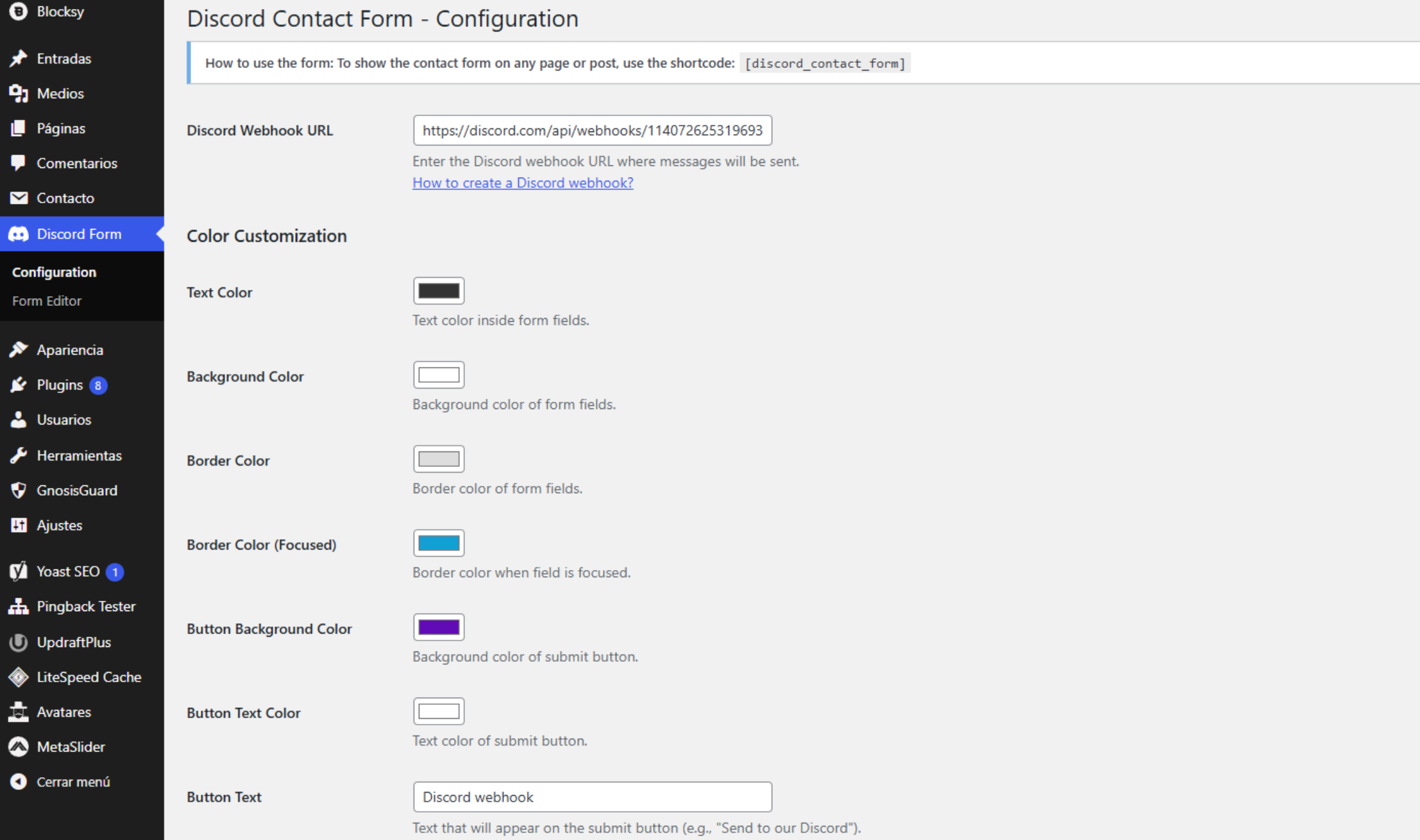
- Color Customization - Match your site's design
Screenshots
Admin Configuration
Form Builder
Discord Message
Installation
- Download the plugin files
- Upload to
/wp-content/plugins/discord-contact-form/ - Activate the plugin in WordPress admin
- Configure your Discord webhook URL in Discord Form menu
Usage
1. Set up Discord Webhook
- Go to your Discord server settings
- Create a webhook for your channel
- Copy the webhook URL
- Paste it in Discord Form → Configuration
2. Create a Form
- Go to Discord Form → Form Editor
- Add/remove fields as needed
- Customize field types and settings
- Save your form
3. Display the Form
Add this shortcode to any page or post:
[discord_contact_form]Requirements
- WordPress 5.0+
- PHP 7.4+
- Discord server with webhook permissions
Why Choose This Plugin?
- Instant Notifications - No more missed emails in spam folders
- Team Collaboration - Perfect for Discord-based teams
- Gaming Communities - Ideal for gaming servers and communities
- Modern Communication - Skip email, embrace Discord
Support
- Issues: GitHub Issues
License
GPL v2 or later - License
Made with ❤️ for the WordPress and Discord communities