Install
This is the repository archive. It installs, but the folder name will carry the branch suffix and updates will not flow.
Install straight from GitHub with WP-CLI:
wp plugin install https://github.com/gijs1508/pixelbridge/archive/refs/heads/main.zipWordPress plugin for OpenAI Ads and ChatGPT Ads conversion tracking. PixelBridge installs the official OpenAI Ads Measurement Pixel, maps WordPress actions to supported conversion events, and can send the same events through the Conversions API.
PixelBridge is an independent product. It is not affiliated with, endorsed by, or sponsored by OpenAI.
Current version: 0.1.10 · WordPress 5.8+ · PHP 7.4+ · GPL-2.0-or-later
| WordPress.org | wordpress.org/plugins/pixelbridge-ads-tracking-for-openai |
| Website | aiadspixel.com |
| Documentation | aiadspixel.com/docs/getting-started |
| Issues | github.com/Gijs1508/pixelbridge/issues |
| Support forum | WordPress.org support |
Installation
Install from WordPress.org. That package is the one to run on a site.
- In WordPress, open Plugins → Add New.
- Search for PixelBridge.
- Install and activate PixelBridge: ChatGPT Ads Pixel Tracking.
- Open PixelBridge in the admin menu.
- Enter the Pixel ID from your OpenAI Ads Manager conversion data source.
You can also download the plugin from the WordPress.org plugin page. Upload the pixelbridge-ads-tracking-for-openai folder to /wp-content/plugins/, or upload the zip from Plugins → Add New → Upload Plugin.
To install this repository instead, clone or download it and place the files in wp-content/plugins/pixelbridge-ads-tracking-for-openai/. Remove any older ai-ads-pixel folder before activating this version. Both copies active at once is not supported.
After activation
- Create an OpenAI Ads Pixel ID in Ads Manager.
- Enter that Pixel ID in PixelBridge.
- Choose a consent mode. Measurement stays off until consent allows it. If you select the WordPress Consent API and it is not available, measurement does not start.
- Enable the integrations you use.
- Optionally connect the Conversions API. Prefer defining
AIADSPIXEL_CAPI_KEYinwp-config.php. The olderAIAP_CAPI_KEYconstant is still accepted. - Open Diagnostics and confirm the Pixel, consent, attribution, and Conversions API status.
Full setup guide: Getting started and install the OpenAI Ads Pixel on WordPress.
Screenshots
These are the plugin’s own admin screens.
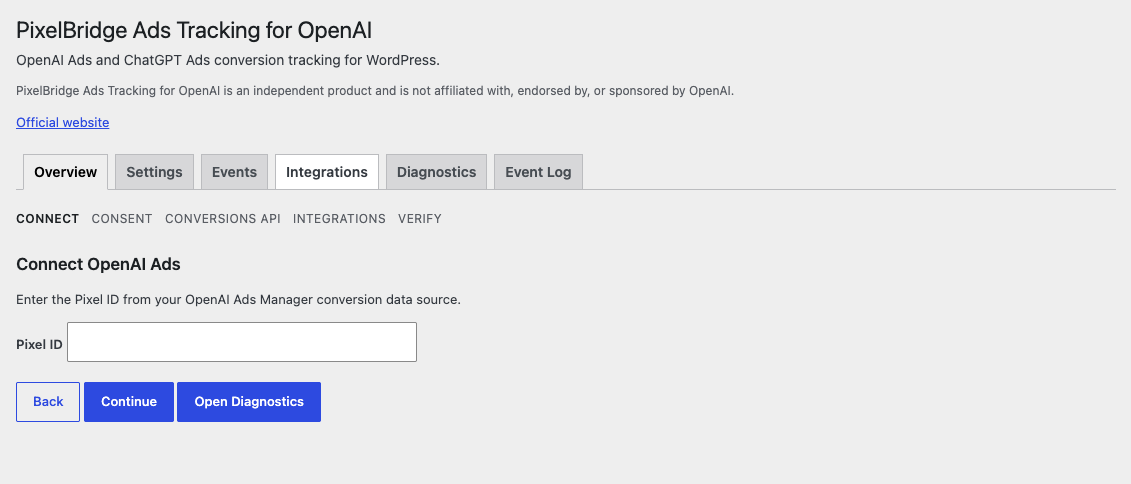
Setup
Enter the OpenAI Ads Pixel ID during setup.
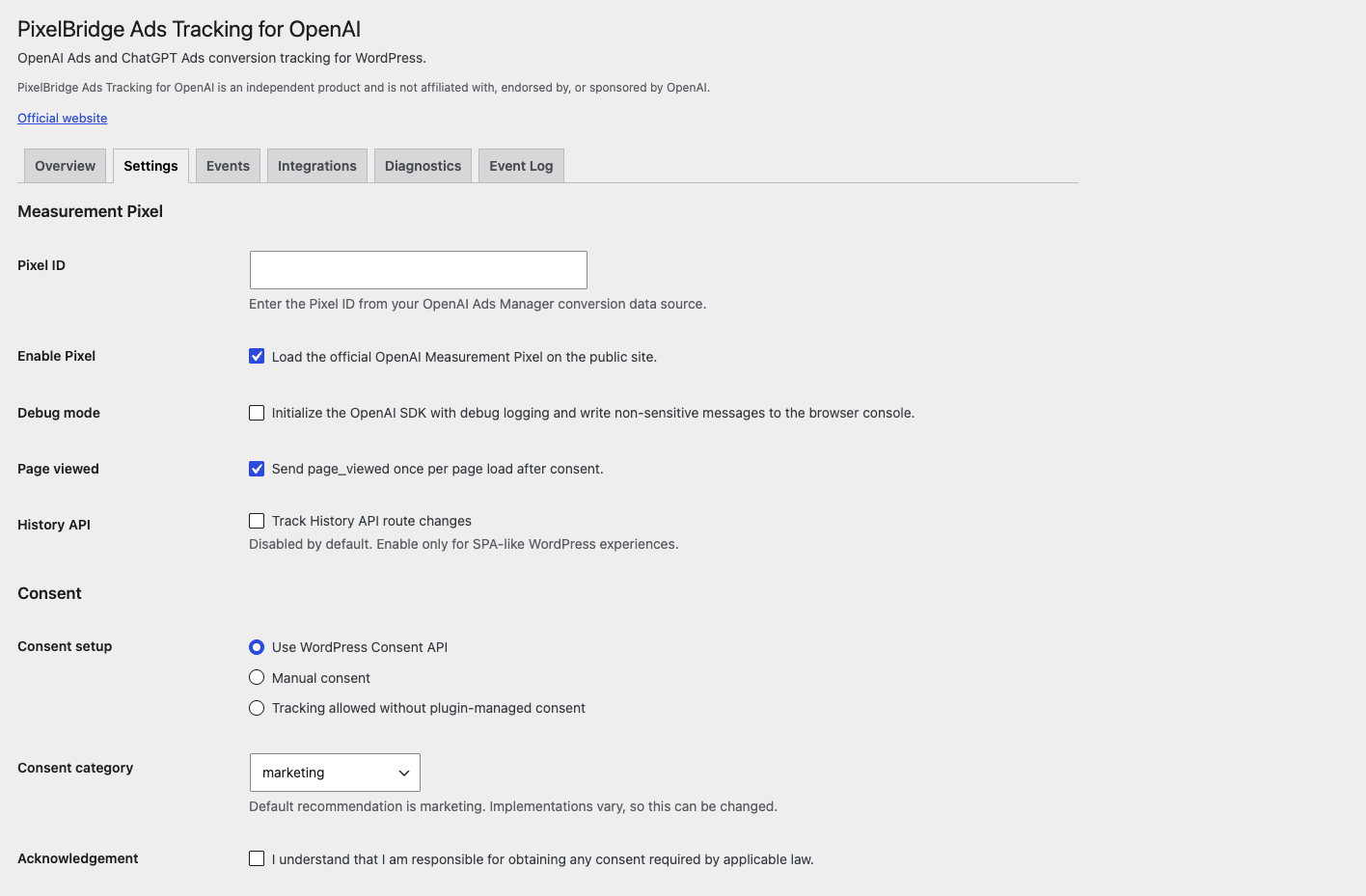
Pixel and consent
Pixel ID, page views, and consent. The default consent path is the WordPress Consent API, category marketing.
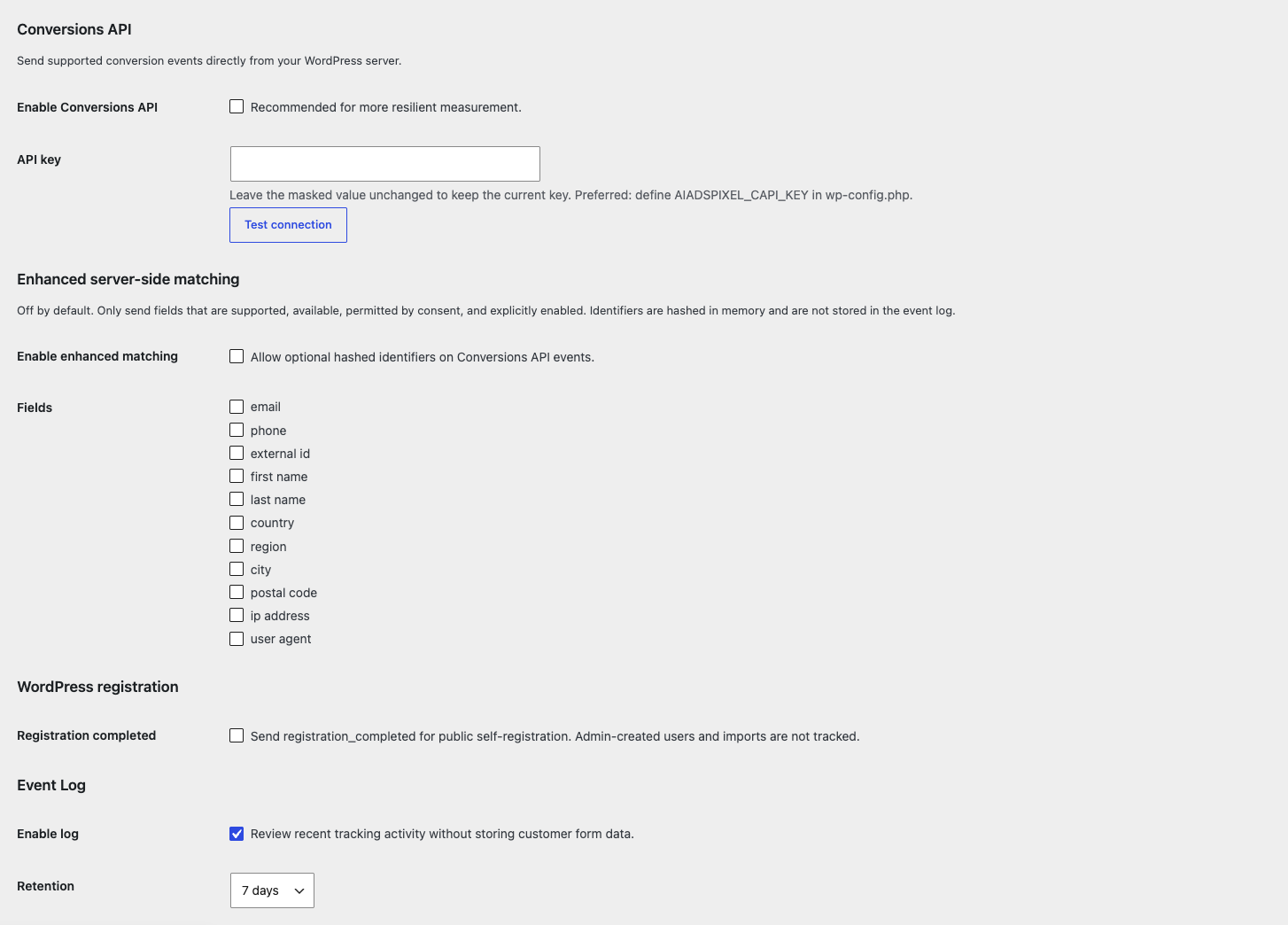
Conversions API
Server-side delivery is optional. Test the connection before relying on it. Enhanced matching stays off until you enable it.
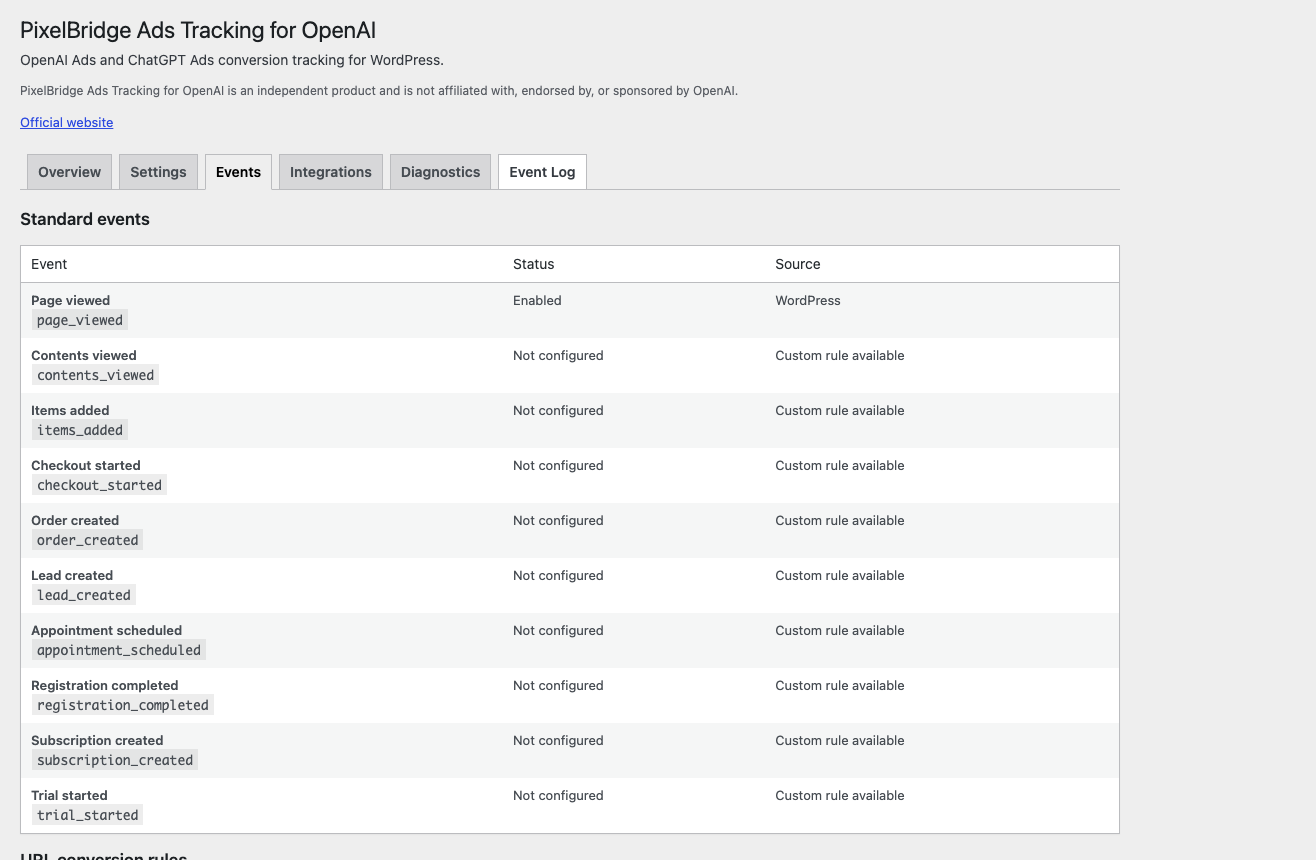
Events
Standard events and the source that can send each one. Status reflects the integrations and URL rules configured on the site.
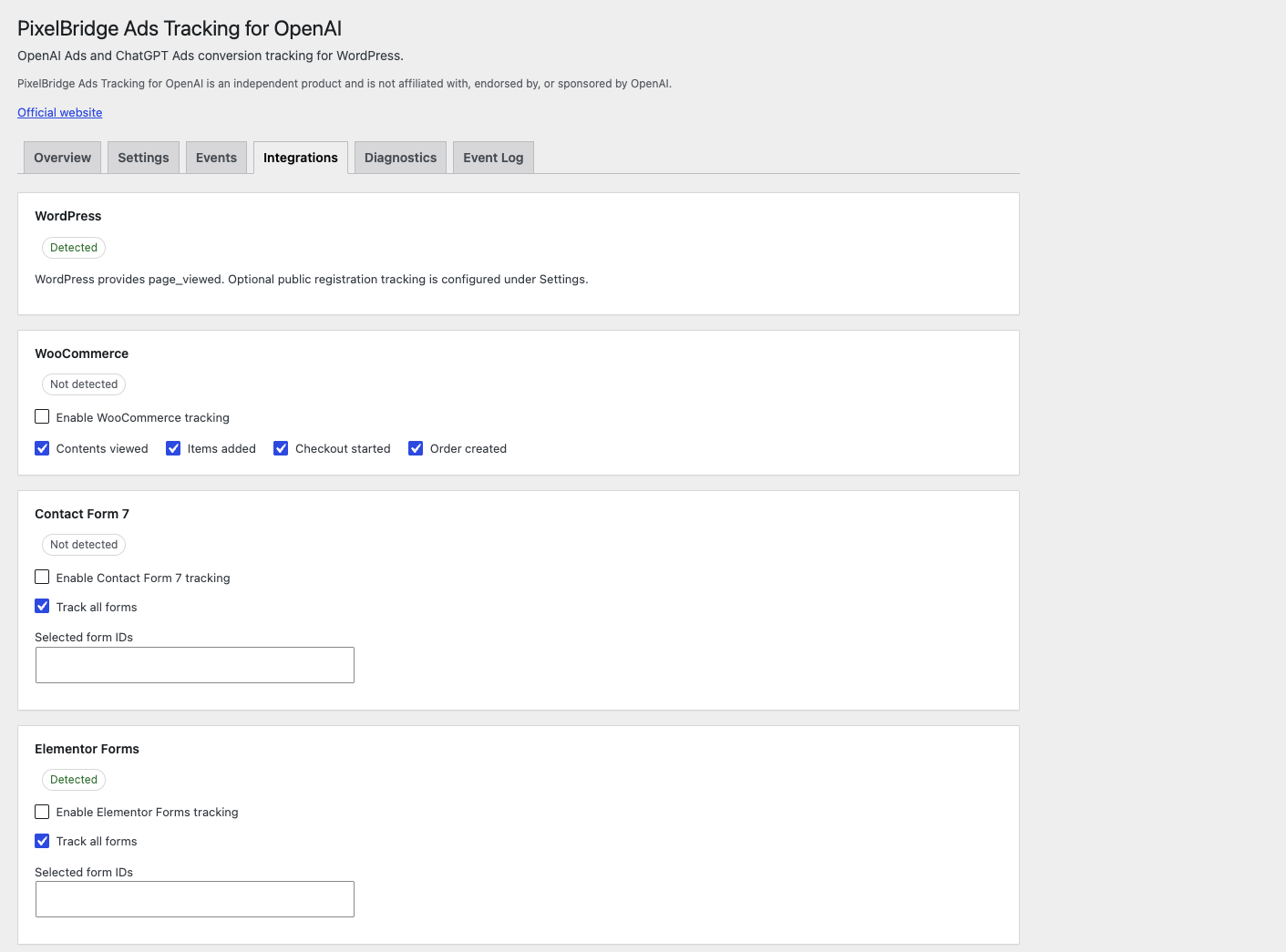
Integrations
WordPress is always available. WooCommerce and form plugins appear here and stay off until you enable them.
Supported events
Which events fire depends on the integrations and URL rules you turn on. Details: Conversion events.
| Event | Source |
|---|---|
page_viewed |
WordPress, once per page after consent |
lead_created |
Contact Form 7, Elementor Pro Forms, WPForms, or a URL rule. Validation failures and spam rejections are not counted |
registration_completed |
Optional WordPress public self-registration, or a URL rule. Admin-created users and imports are not tracked |
appointment_scheduled |
Cal.com embed when bookingSuccessfulV2 is available, or a URL rule |
contents_viewed |
WooCommerce product views, or a URL rule |
items_added |
WooCommerce add to cart, or a URL rule |
checkout_started |
WooCommerce checkout, or a URL rule |
order_created |
WooCommerce completed orders, or a URL rule |
trial_started |
URL conversion rule only. There is no separate trial integration |
subscription_created |
URL conversion rule only. There is no separate subscription integration |
custom |
URL conversion rule, with a name that follows OpenAI’s custom-event rules |
When the browser Pixel and the Conversions API both send the same conversion, PixelBridge uses a shared event ID where that is supported so OpenAI can deduplicate the two deliveries. Browser tracking works on its own. The Conversions API is optional.
Integrations
| Integration | What it tracks |
|---|---|
| WooCommerce | Product views, add to cart, checkout started, completed orders |
| Contact Form 7 | Successful submissions as lead_created |
| Elementor Pro Forms | Successful form records as lead_created |
| WPForms | Successful submissions as lead_created |
| Cal.com | Completed embed bookings as appointment_scheduled |
| WordPress | page_viewed after consent, and optional public registration |
| URL conversion rules | Thank-you and confirmation URLs for tools without a dedicated integration |
Integration overview: WordPress integrations.
Privacy
PixelBridge does not send telemetry to AIAdsPixel.com. Measurement requests go to OpenAI only when tracking is configured and consent allows it.
The official Pixel SDK is loaded from https://bzrcdn.openai.com/ after consent. Conversions API events, when enabled, are sent to https://bzr.openai.com/.
Depending on your settings, OpenAI may receive the Pixel ID, event name, event ID, timestamp, source URL, product identifiers, quantities, currency, conversion value, and OpenAI attribution identifiers such as oppref and obref when they are present. Hashed matching fields are sent only if you explicitly enable enhanced matching.
The local event log stores event names, delivery status, and whether an attribution identifier was present. It does not store the identifier values, email addresses, phone numbers, form contents, or API keys.
Consent modes:
- WordPress Consent API. If the API is missing, measurement does not start.
- Manual consent from your own JavaScript or PHP.
- Unmanaged tracking, only after you acknowledge that you are responsible for any consent the law requires.
You configure consent so it matches the legal requirements of your site. The suggested policy text in the plugin is not legal advice.
- Consent
- Conversions API
- oppref attribution
- Diagnostics
- Privacy policy
- OpenAI Privacy Policy
- OpenAI Advertising Terms
- OpenAI Ad Tools Terms
Documentation
- Getting started
- Install the OpenAI Ads Pixel on WordPress
- Pixel configuration
- Conversion events
- Integrations
- Troubleshooting
- FAQ
The WordPress.org readme, including the changelog, is readme.txt.
Issues
Bug reports and feature requests belong in the issue tracker. Setup questions can also go to the WordPress.org support forum.
Do not paste API keys, Pixel IDs, oppref or obref values, email addresses, or form contents into an issue. For a vulnerability, email hello@aiadspixel.com instead of opening a public issue.
License
GPL-2.0-or-later. Copyright details are in the license file.